1. Įvadas
Thank you for choosing the KEJOG Mini Portable Projector. This manual provides essential information for setting up, operating, and maintaining your projector to ensure optimal performance and longevity. Please read this manual thoroughly before use and retain it for future reference.
2. Pakuotės turinys
Patikrinkite, ar pakuotėje yra visi reikalingi daiktai:
- 1x KEJOG Mini Portable Projector
- 1x nuotolinio valdymo pultas
- 1x maitinimo laidas
- 1x HDMI laidas
- 1x vartotojo vadovas
Note: Additional accessories such as an HDMI adapter for smartphones may be required and are not included.
3. Produktas baigtasview
Familiarize yourself with the components of your KEJOG Mini Portable Projector.

Vaizdas: priekis view of the KEJOG Mini Portable Projector, showing the lens, control panel, and included remote control and mini tripod.
Vaizdas: Šoninė view of the projector highlighting various input/output ports such as HDMI, USB, and audio jack.
Pagrindiniai komponentai:
- Projekcinis objektyvas: Perkelia vaizdą į ekraną.
- Fokusavimo žiedas: Reguliuoja vaizdo aiškumą.
- Valdymo skydelis: Manual buttons for basic operations.
- Įvesties prievadai: HDMI, USB, AV, 3.5mm Audio Out.
- Integruotas garsiakalbis: Suteikia garso išvestį.
- Maitinimo įvestis: Jungiamas prie maitinimo adapterio.
4. Sąranka
4.1 Įdėjimas
Position the projector on a stable, flat surface. The projector supports various placements:
- Vieta darbalaukyje: Place on a table in front of the projection surface.
- Overhead Ceiling Mount: Mount to the ceiling (mounting hardware not included).
- Trikojo montavimas: Use the included mini tripod or a compatible tripod for flexible positioning.

Image: Illustration demonstrating ceiling mount, table placement, and tripod installation options for the projector.
The optimal projection distance ranges from 4.9 feet to 18.4 feet, allowing for screen sizes from 40 inches to 200 inches. Adjust the distance to achieve your desired screen size.

Image: Visual representation of how projection distance affects screen size, from 2.6ft to 12.5ft.
4.2 Maitinimo jungtis
- Prijunkite maitinimo laidą prie projektoriaus maitinimo įvesties prievado.
- Kitą maitinimo laido galą įkiškite į elektros lizdą.
4.3 Fokuso reguliavimas
After powering on the projector, rotate the focus ring located near the lens until the projected image appears clear and sharp.
5. Naudojimo instrukcijos
5.1 Maitinimo įjungimas/išjungimas
- Maitinimas: Paspauskite maitinimo mygtuką ant projektoriaus arba nuotolinio valdymo pulto.
- Išjungti: Dar kartą paspauskite maitinimo mygtuką.
5.2 Šaltinio pasirinkimas
Use the 'Source' button on the remote control or projector to cycle through available input sources (HDMI, USB, AV).
5.3 Įrenginių prijungimas
Projektorius siūlo kelias prijungimo galimybes:
- HDMI: Connect devices like laptops, PCs, TV boxes, Fire TV Stick, Roku, Chromecast, or gaming consoles (e.g., PS5) using an HDMI cable.
- USB: Įkiškite USB atmintinę, kad galėtumėte leisti mediją files tiesiogiai.
- APIE: Prijunkite senesnius įrenginius naudodami AV kabelį.
- Išmanusis telefonas / planšetinis kompiuteris: To connect smartphones or tablets, an HDMI adapter (not included) is required. Connect your smartphone to the adapter, then the adapter to the projector's HDMI port.

Image: Visual guide for connecting Apple and Android phones to the projector using a data cable or HDMI adapter (adapter not included).
Important Note on Streaming Services:
Due to copyright restrictions, direct mirroring from certain streaming services like Netflix, Amazon Prime Video, and Hulu is not supported. To watch content from these platforms, use an external device such as an Amazon Fire Stick or Roku Stick connected via HDMI.
5.4 „Bluetooth“ garsas
The projector features a built-in Bluetooth 5.2 chip and speakers. You can connect external Bluetooth audio devices for enhanced sound.
- Įsitikinkite, kad jūsų „Bluetooth“ garsiakalbis arba ausinės yra susiejimo režime.
- Navigate to the Bluetooth settings on the projector's menu.
- Pasirinkite įrenginį iš sąrašo, kad jį susietumėte.

Image: A KEJOG projector wirelessly connected to an external Bluetooth speaker, projecting a movie scene.
Note: Bluetooth does not support direct connection with smartphones for audio output from the projector.
6. Priežiūra
6.1 Objektyvo valymas
Use a soft, lint-free cloth or lens cleaning paper to gently wipe the projector lens. Avoid using abrasive materials or harsh chemicals, which can damage the lens coating.
6.2 Lamp Gyvenimas
Projektorius lamp is designed for extended use, with a lifespan of up to 70,000 hours, which is significantly longer than conventional lamps. This reduces the need for frequent lamp pakeitimas.

Image: Graphic indicating a projector lamp lifespan of up to 100,000 hours, emphasizing durability.
6.3 Saugykla
Kai nenaudojate, laikykite projektorių vėsioje, sausoje vietoje, toliau nuo tiesioginių saulės spindulių ir ekstremalių temperatūrų. Naudokite originalią pakuotę arba apsauginį dėklą, kad išvengtumėte dulkių kaupimosi ir fizinės žalos.
7. Problemų sprendimas
Jei kyla problemų dėl projektoriaus, žr. šias dažniausiai pasitaikančias problemas ir sprendimus:
| Problema | Galima priežastis | Sprendimas |
|---|---|---|
| Nėra nuotraukos | Loose cable connection, incorrect input source, projector off. | Check all cable connections. Select the correct input source. Ensure the projector is powered on. |
| Neryškus vaizdas | Out of focus, incorrect projection distance. | Adjust the focus ring. Ensure the projector is within the recommended projection distance. |
| Nėra garso | Volume too low, external audio device not connected, incorrect audio settings. | Increase volume. Check external audio device connection or Bluetooth pairing. Verify audio output settings. |
| Bluetooth not connecting to smartphone | Funkcijų apribojimas. | The projector's Bluetooth is for connecting to external speakers/headphones, not for receiving audio from smartphones. Use an HDMI adapter for smartphone video/audio output. |
| Cannot play Netflix/Hulu/Prime Video | Autorių teisių apribojimai. | Use an external streaming device (e.g., Fire Stick, Roku) connected via HDMI. |
Jei problema išlieka ir išbandžius šiuos sprendimus, susisiekite su klientų aptarnavimo tarnyba.
8. Specifikacijos
| Funkcija | Detalė |
|---|---|
| Prekės ženklas | KEJOG |
| Modelio numeris | Mini nešiojamas projektorius |
| Ekrano raiška | Native 1920 x 1080 (Full HD), 4K Supported |
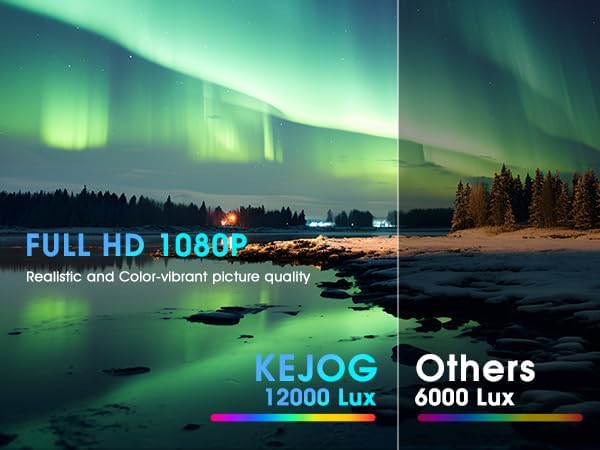
| Ryškumas | 12,000 liumenų |
| Kontrasto santykis | 10,000:1 |
| Ryšio technologija | 3.5 mm lizdas, „Bluetooth 5.2“, HDMI, USB |
| Ypatingos savybės | Built-In Speaker, Lightweight, Portable |
| Rekomenduojami naudojimo būdai | Verslas, švietimas, žaidimai, namų kinas |
| Prekės svoris | 2.42 svaro |
| Gaminio matmenys | 8.15 x 7.2 x 3.94 colio |
| Matoma ekrano įstrižainė | 150 colių / 381 cm |
9. Garantija ir palaikymas
KEJOG provides reliable after-sales service and lifelong technical support for this product. If you have any questions, require assistance, or encounter any issues not covered in this manual, please do not hesitate to contact our customer support team.
For support, please refer to the contact information provided with your purchase or visit the official KEJOG websvetainę.


