Įvadas
Thank you for choosing the TOPTRO TR23 Mini Portable Projector. This manual provides essential information for setting up, operating, and maintaining your projector. The TR23 is designed to deliver a Full HD 1080P viewing experience with 18000 lumens brightness, featuring advanced 4P/4D keystone correction, electric focus, and versatile connectivity options including WiFi 6 and Bluetooth 5.2. Its sealed optical engine ensures dust protection and quiet operation, making it an ideal choice for home theater and various multimedia applications.
Saugos informacija
- Nežiūrėkite tiesiai į projektoriaus objektyvą, kai lamp įjungtas. Ryški šviesa gali pažeisti akis.
- Užtikrinkite tinkamą vėdinimą aplink projektorių. Neužblokuokite ventiliacijos angų.
- Naudokite tik prie projektorijaus pridėtą maitinimo adapterį.
- Keep the projector away from water or other liquids. Do not operate in humid environments.
- Nestatykite projektoriaus ant nestabilių paviršių.
- Atjunkite projektorių nuo maitinimo lizdo žaibuojant arba kai jis ilgą laiką nenaudojamas.
- Nebandykite patys ardyti ar taisyti projektoriaus. Visus techninės priežiūros darbus patikėkite kvalifikuotiems specialistams.
Kas yra dėžutėje
- TOPTRO TR23 Mini Beamer 1080P Full HD WiFi Bluetooth (x1)
- Remote Control (x1) (Batteries not included)
- Vartotojo vadovas (1x)
- Maitinimo kabelis (x1)
- HDMI kabelis (x1)
- Valymo šluostė (x1)
Produktas baigtasview

Priekyje view of the TOPTRO TR23 Mini Portable Projector, showcasindėl savo kompaktiško dizaino ir objektyvo.
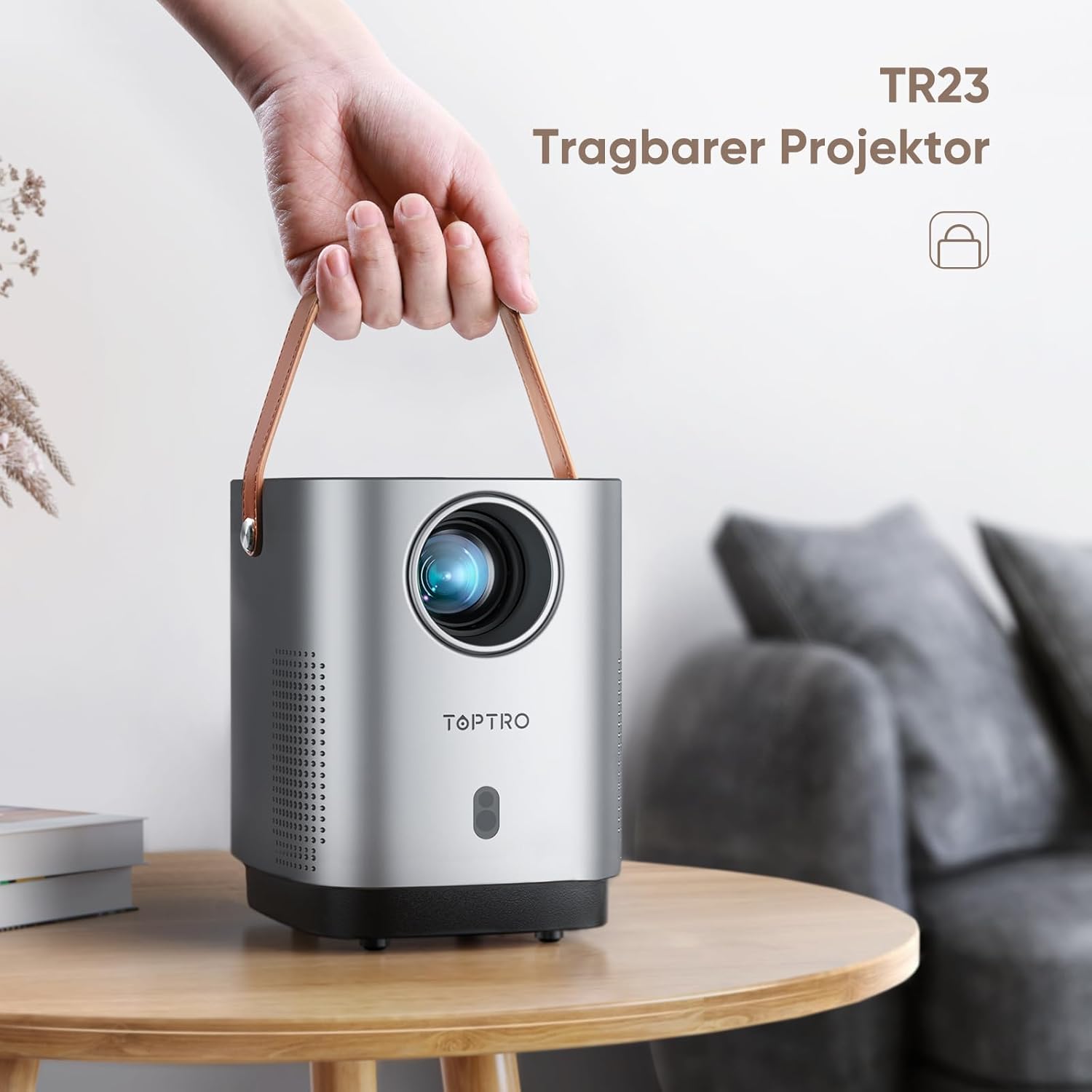
The TOPTRO TR23 Portable Projector with its integrated handle, highlighting its portability.
Pagrindinės savybės
- 4P/4D Keystone Correction: Allows for flexible adjustment of the projected image into a clear rectangle from various angles (front, side, ceiling).
- Elektrinis fokusavimas: Easily adjust focus by clicking the 'F' button on the remote control for clear videos and images.
- WiFi 6 & Bluetooth 5.2: Faster and more stable wireless transmission for screen mirroring from Android and iPhone devices, and connecting Bluetooth headphones/speakers/AirPods.
- Fully Sealed Optical Engine: Unique craftsmanship designed to reduce dust ingress, screen yellowing, black spots, and noise, contributing to a longer lifespan.
- Extensive Interfaces: Equipped with HDMI, USB, and 3.5mm headphone jack for connecting TV devices, TV boxes, Chromecast, laptops, PCs, tablets, USB flash drives, PS5, and external speakers.
Sąranka
1. Įdėjimas
For optimal projection quality, it is recommended to use the projector in a dark environment. Position the projector on a stable, flat surface. The projector features a metal thread on the bottom for tripod or ceiling/wall mounting.
2. Maitinimo prijungimas
Connect the supplied power cable to the projector's power input and then to a wall outlet. The projector does not have a built-in battery and requires continuous power.
3. Initial Focus and Keystone Correction

Comparison illustrating the ease of electric focus on the TR23 versus manual focus on older versions.

Diagram showing various keystone correction methods including 4-point, horizontal, and vertical adjustments.
- Elektrinis fokusavimas: Use the 'F+' or 'F-' buttons on the remote control to achieve a sharp image.
- 4P/4D Keystone Correction: If the image appears distorted (trapezoidal), use the keystone correction settings in the projector menu to adjust the image corners or sides until it forms a perfect rectangle.
Naudojimo instrukcijos
1. Maitinimo įjungimas/išjungimas
Press the power button on the top of the projector or on the remote control to turn the unit on or off.
2. Prietaisų prijungimas
The TR23 offers multiple connectivity options:
- HDMI: Connect TV sticks, TV boxes, Chromecast, laptops, PCs, or gaming consoles (e.g., PS5) using an HDMI cable.
- USB: Insert USB flash drives for direct media playback. The USB port can also power devices like an Amazon TV Stick.
- 3.5 mm garso lizdas: Prijunkite išorinius laidinius garsiakalbius arba ausines.
- Wireless Screen Mirroring (WiFi 6):

Illustration of the TR23's WiFi 6 capability for faster and more stable wireless screen mirroring compared to WiFi 5.
- Navigate to the screen mirroring option in the projector's menu.
- For Android and iPhone devices, connect your smartphone to the same WiFi network as the projector.
- Select the projector from your device's screen mirroring/cast options.
- Svarbi pastaba: Due to HDCP copyright issues, streaming services like Netflix, Amazon Prime, and Disney+ cannot be played via mirrored screens from smartphones. To watch content from these services, you must connect a TV stick (e.g., Amazon Fire TV Stick) to the projector's HDMI port.
- "Bluetooth 5.2":

The projector's stereo sound capabilities, emphasizing clear highs and deep bass, and its ability to connect to external Bluetooth speakers.
- Eikite į „Bluetooth“ nustatymus projektoriaus meniu.
- Enable Bluetooth on your headphones or external speaker and put them in pairing mode.
- Select your device from the list on the projector's screen to connect.
- Pastaba: The projector does not support Dolby audio.
3. Priartinimo funkcija
The zoom function allows you to adjust the image size from 100% down to 50% using the remote control, without moving the projector. This is particularly useful when the projector is ceiling-mounted or in a fixed position.
Priežiūra
1. Objektyvo valymas
Use the provided cleaning cloth or a soft, lint-free cloth specifically designed for optical lenses to gently wipe the projector lens. Do not use abrasive cleaners or excessive force.
2. Dust Protection

Vidinis view of the projector highlighting the fully sealed optical unit designed to prevent dust accumulation and improve heat dissipation.
The TR23 features a fully sealed optical engine designed to effectively reduce dust ingress, which helps prevent screen yellowing and black spots, and contributes to a longer product lifespan. While the design minimizes dust issues, regular cleaning of the exterior and ensuring a dust-free environment will further enhance performance.
Trikčių šalinimas
| Problema | Galima priežastis / sprendimas |
|---|---|
| Nuotolinio valdymo pultas neveikia. |
|
| Cannot play Netflix/Amazon Prime/Disney+ from smartphone screen mirroring. |
|
| Nėra garso arba garso kokybė prasta. |
|
| Image is not clear or out of focus. |
|
| Projector fan noise is noticeable. |
|
Specifikacijos
| Funkcija | Detalė |
|---|---|
| Prekės ženklas | TOPTRO |
| Modelis/Serija | TR23 Mini Beamer |
| Gaminio matmenys | 30 x 14 x 30 cm |
| Prekės svoris | 1.76 kilogramo |
| Spalva | Grey Silver |
| Formos faktorius | Nešiojami |
| Gimtoji raiška | 720P (Supports 1080P HD) |
| Ryškumas | 18000 lm |
| Kontrasto santykis | 16000:1 |
| Ryšio technologija | USB, Audio 3.5 mm, HDMI, Bluetooth 5.2, WIFI 6 |
| Ypatingos savybės | 4D+4P Correction, Electric Focus, Fully Sealed Optical Machine Design |
| Ekrano tipas | LCD |
| Montavimo tipas | Grindų kalnas |
| Energijos suvartojimas | 60 vatų |
Garantija ir palaikymas
TOPTRO provides technical support for the TR23 Mini Portable Projector. If you encounter any issues or require assistance, please refer to the contact information provided in your product packaging or visit the official TOPTRO webpalaikymo išteklių svetainė.
For common issues like a non-functional remote control, please contact customer service for a replacement.


