1. Įvadas
Welcome to the ACwO DwOTS Fire user manual. These innovative earbuds offer a unique dual-style design, providing both in-ear and half-in-ear options within a single charging case. Designed for versatility and high-quality audio, the DwOTS Fire earbuds feature advanced connectivity, extended battery life, and intuitive controls to enhance your listening experience.

Image: ACwO DwOTS Fire earbuds showcasing both half-in-ear and in-ear styles from a single case.
2. Kas yra dėžutėje
Prašome patikrinti, ar pakuotėje yra visi reikalingi daiktai:
- 2 x Set of Wireless Earbuds (one in-ear, one half-in-ear)
- 1 x Type-C Fast Charging Cable
- 4 x Extra Earmuffs (for in-ear style)
- 1x garantinis talonas
- 1 x Scan Me Card

Image: The ACwO DwOTS Fire earbuds and charging case.
3. Sąranka ir susiejimas
3.1 Pradinis susiejimas
- Įsitikinkite, kad ausinės yra įkrautos.
- Atidarykite įkrovimo dėklą. Ausinės automatiškai įsijungs susiejimo režimu.
- Savo įrenginyje (išmaniajame telefone, planšetiniame kompiuteryje ir kt.) įjunkite „Bluetooth“.
- Ieškokite available devices and select "ACwO Fire" or "ACwO DwOTS Fire" to connect.
- Prisijungus, išgirsite garso signalą ir pasikeis ausinių indikatoriaus lemputė.
3.2 dvigubas ryšys
The ACwO DwOTS Fire earbuds offer unique dual connectivity options:
- Connect Each Pair to Two Different Devices: Ideal for sharing your listening experience.
- Connect Both Pairs to a Single Device: Perfect for watching movies or listening to music together with a loved one. This feature is available only for devices with dual audio connectivity (e.g., certain Android devices).

Image: Illustration of the dual connectivity feature, showing two pairs of earbuds.
Steps for Dual Sharing (Connecting Both Pairs to a Single Device):
- Connect both 'ACwO DwOTS Fire' and 'ACwO Fire +' with your device's Bluetooth.
- Once both pairs are connected, scroll down your device's notification panel and click on 'Media Output'.
- One pair will already be selected. Select the other pair to enable dual audio.
- You can now listen on both pairs of your earbuds simultaneously.

Image: Visual guide for setting up dual sharing on a compatible device.
4. Naudojimo instrukcijos
4.1 Intuityvūs jutikliniai valdikliai
The earbuds feature intuitive touch controls for easy management of music, calls, and voice assistants. Refer to the included 'Scan Me Card' for a detailed diagram of touch functions.
- Leisti / pristabdyti: Vieną kartą bakstelėkite bet kurią ausinę.
- Kitas takelis: Dukart palieskite dešinįjį ausinės antgalį.
- Ankstesnis takelis: Dukart palieskite kairįjį ausinės antgalį.
- Atsiliepti / Baigti skambutį: Vieną kartą bakstelėkite bet kurią ausinę.
- Atmesti skambutį: Ilgai paspauskite bet kurią ausinę.
- Suaktyvinti „Voice Assistant“: Tris kartus palieskite bet kurią ausinę.
4.2 EQ režimai
Customize your audio experience with 3 preset EQ modes, offering a total of 3+3 EQ options across the two earbud styles. Switch between modes to suit your preference for deep bass, balanced sound, or enhanced treble.
- Žaidimų režimas: Optimized for immersive gaming audio with low latency.
- Teatro režimas: Patobulinti garsaitage for movies and videos.
- Subalansuotas režimas: Provides a neutral and clear audio profile bendram klausymui.

Image: ACwO DwOTS Fire earbuds with a visual representation of available EQ modes.
4.3 Balso padėjėjas
Easily access your device's voice assistant by triple-tapping either earbud. Compatible with "Ok Google" and "Hey Siri" for hands-free control.
5. Įkrovimas
5.1 Earbuds and Case Charging
The ACwO DwOTS Fire earbuds provide up to 52 hours of music playtime with the charging case. The case supports both wired and wireless charging.
- Įkrovimas laidiniu būdu: Connect the provided Type-C fast charging cable to the charging port on the case and a power source.
- Belaidis įkrovimas: Place the charging case on a compatible wireless charging pad (wireless charger not included). The indicator light on the case will show charging status.

Image: ACwO DwOTS Fire charging case highlighting 52 hours of playtime.

Image: 'One On, One Charging' feature for extended use.
6. Priežiūra
6.1 Atsparumas vandeniui ir prakaitui
The earbuds are IPX5 water and sweat resistant, making them suitable for workouts and outdoor activities. This rating protects against low-pressure water jets from any direction. Do not submerge the earbuds in water.

Image: ACwO DwOTS Fire earbuds demonstrating IPX5 water and sweat resistance.
6.2 Valymas
Regularly clean your earbuds and charging case with a soft, dry, lint-free cloth. Avoid using abrasive materials or harsh chemicals. For the in-ear style, gently remove and clean the earmuffs with water and mild soap, ensuring they are completely dry before reattaching.
7. Specifikacijos
| Funkcija | Detalė |
|---|---|
| Modelio pavadinimas | DwOTS ugnis |
| Ryšio technologija | Belaidis ryšys („Bluetooth V5.3“) |
| Garso tvarkyklės tipas | 13mm Real Drivers |
| Triukšmo valdymas | AI-ENC with Quad Mics, Passive Noise Cancellation |
| Žaidimo laikas | Iki 52 valandų (su įkrovimo dėklu) |
| Latencija | Up to 45ms (Ultra-low) |
| Atsparumo vandeniui lygis | IPX5 (Water Repellent) |
| Įkrovimas | Type-C Fast Charging, Wireless Charging Capability |
| Kontrolės metodas | Touch Controls, Voice Assistant (Ok Google, Hey Siri) |
| Ausinės forma | In-Ear, Half-in-Ear |
| Prekės svoris | 43 g |
| Gaminio matmenys | 5.6 x 5.6 x 1.8 cm |
| Medžiaga | Plastikiniai |
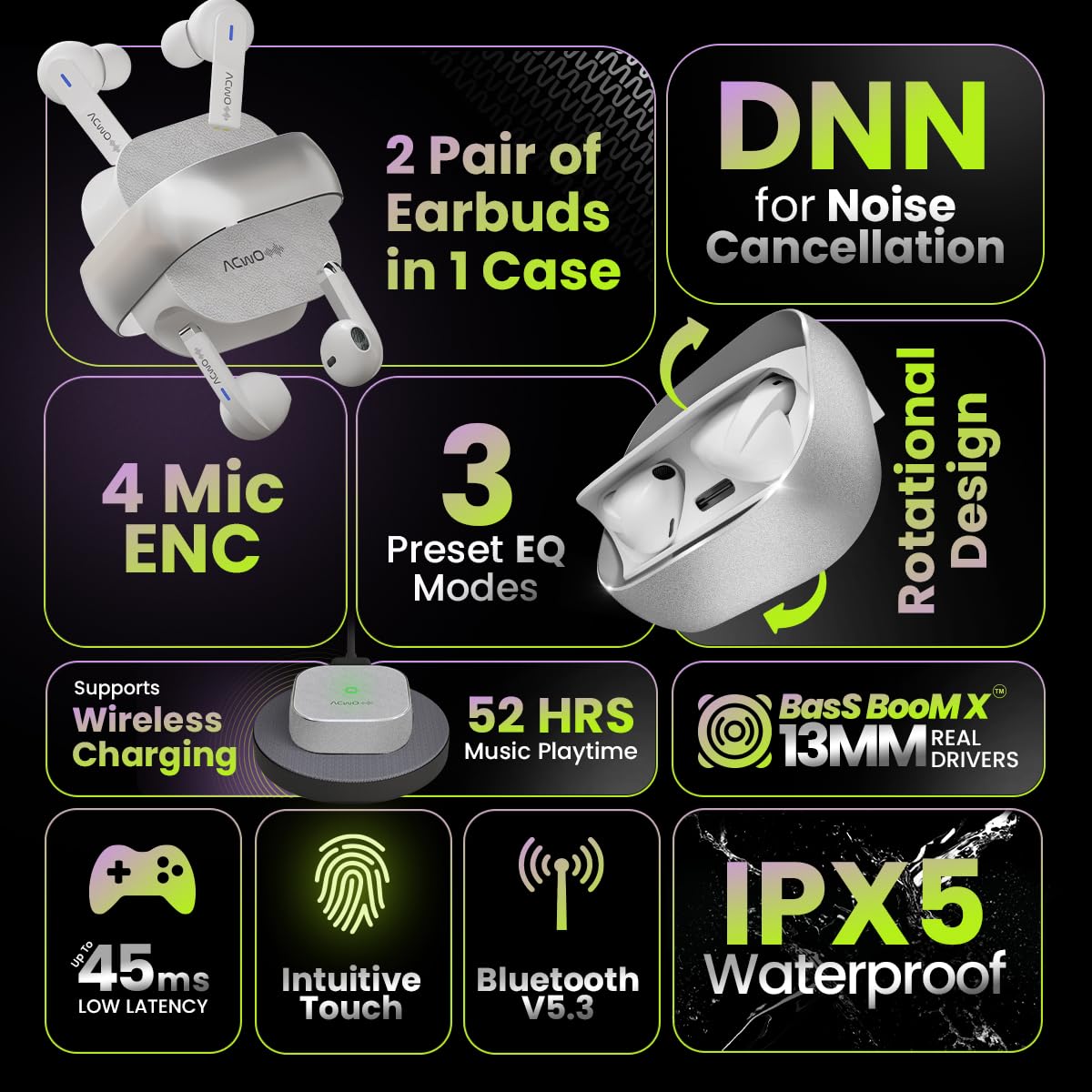
Image: Summary of ACwO DwOTS Fire key features.
8. Problemų sprendimas
8.1 Ausinės nesusijungia
- Ensure earbuds are charged and the case lid is open.
- Išjunkite ir įjunkite savo įrenginio „Bluetooth“.
- Pamirškite įrenginį iš „Bluetooth“ sąrašo ir bandykite susieti dar kartą.
- Reset the earbuds (refer to the 'Scan Me Card' for specific reset instructions).
8.2 Nėra garso arba tylus garsas
- Patikrinkite garsumo lygius tiek savo įrenginyje, tiek ausinėse.
- Įsitikinkite, kad ausinės tinkamai įstatytos į ausis.
- Nuvalykite visas šiukšles nuo ausinių garsiakalbių ir įkrovimo kontaktų.
- Iš naujo prijunkite ausines prie įrenginio.
8.3 Įkrovimo problemos
- Įsitikinkite, kad įkrovimo laidas yra tvirtai prijungtas tiek prie dėklo, tiek prie maitinimo šaltinio.
- If using wireless charging, ensure the case is correctly placed on a compatible wireless charging pad.
- Check for any obstructions on the charging contacts of the earbuds and inside the case.
- Išbandykite kitą įkrovimo laidą arba maitinimo adapterį.
9. Garantija ir palaikymas
The ACwO DwOTS Fire earbuds come with a standard brand warranty. Please refer to the included Warranty Card for specific terms and conditions.
Klientų aptarnavimas:
For any queries, technical assistance, or warranty claims, please contact ACwO customer support:
- El. paštas: help@acwo.com
- Telefonas: +91 9320420001
- Gamintojas: ACWO LIFESTYLE PRIVATE LIMITED, Borivali, Mumbai, Maharashtra - 400092, India


