1. Įvadas
Welcome to the user manual for your Jooeniok L81 Smart Watch. This guide provides detailed instructions on how to set up, operate, and maintain your device, ensuring you get the most out of its features. The Jooeniok L81 is designed to enhance your daily life with its communication, fitness tracking, and health monitoring capabilities.
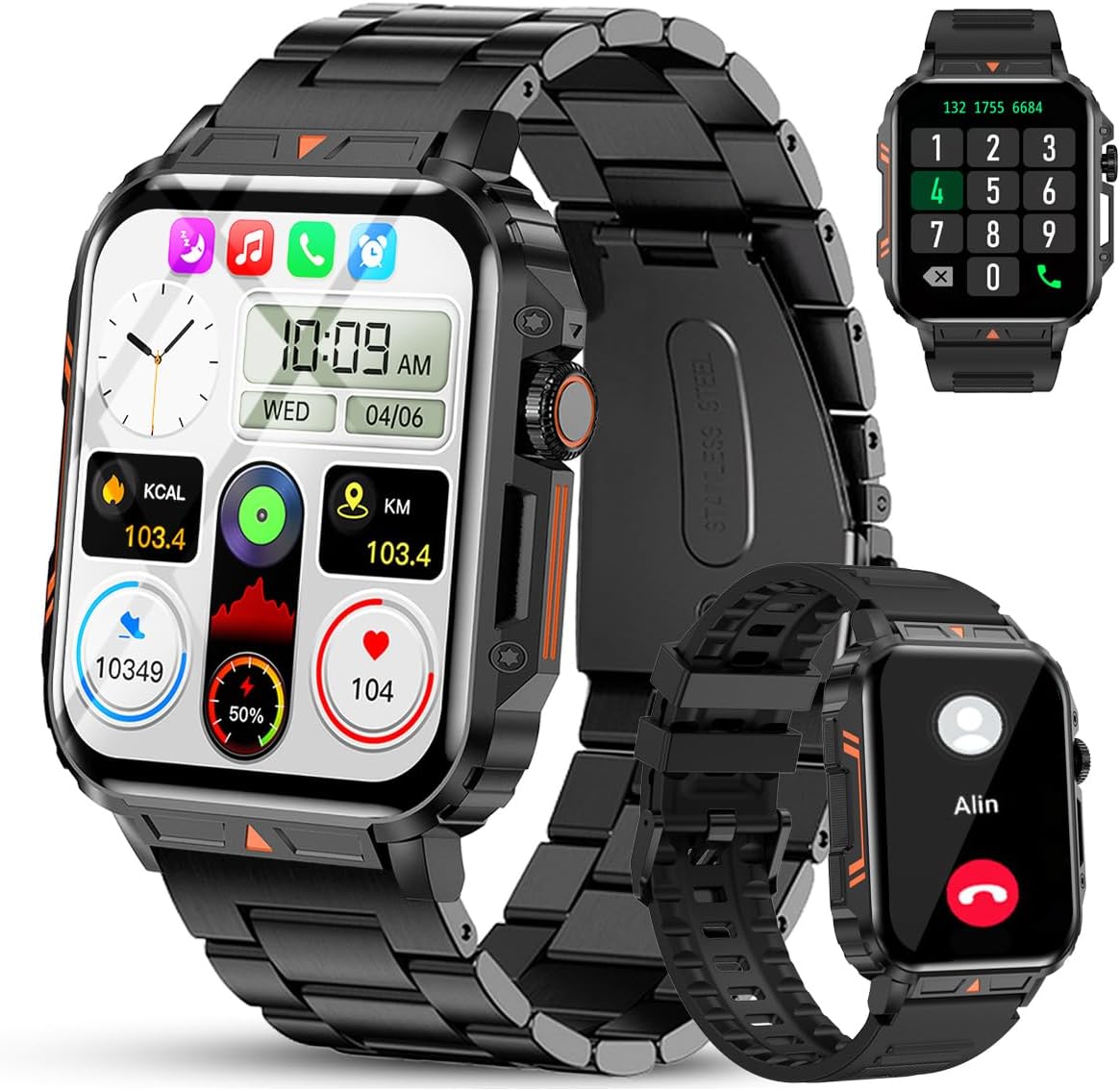
Image 1.1: The Jooeniok L81 Smart Watch, showcasing pagrindinį ekraną ir keičiamus dirželius.
2. Pagrindinės savybės
- Bluetooth Calling & Message Alerts: Make and receive calls, read messages, and receive notifications from various apps directly on your watch.
- 1.95'' HD Touch Screen & DIY Dial: Enjoy a clear display and personalize your watch face.
- 112 ir daugiau sporto režimų: Track a wide range of activities including running, cycling, badminton, and hiking.
- IP68 atsparus vandeniui: Suitable for daily use, hand washing, and outdoor activities in rain. (Note: Not recommended for diving, showering, or sauna.)
- Sveikatos stebėjimas: Monitor heart rate, blood oxygen (SpO2), blood pressure, and sleep patterns.
- Ilgai veikianti baterija: Įrengta 340 mAh baterija, skirta ilgam naudojimui.
- Daugiafunkcis: Includes features like timer, alarm, stopwatch, weather, calendar, water reminder, sedentary reminder, and remote photo control.
3. Sąrankos vadovas
3.1. Išmaniojo laikrodžio įkrovimas
Before initial use, fully charge your Jooeniok L81 Smart Watch. Connect the magnetic charging cable to the charging contacts on the back of the watch and plug the USB end into a standard USB power adapter (not included) or a computer's USB port. The watch display will indicate charging status.

Image 3.1: Illustration of the watch dimensions and the location of the charging contacts.
3.2. Programėlės diegimas ir susiejimas
- Atsisiųskite programą: Scan the QR code provided in the watch's quick start guide or search for the official companion app (e.g., "FitCloudPro" or similar, check packaging for exact name) in the Apple App Store (for iOS) or Google Play Store (for Android).
- Įjungti Bluetooth: Įsitikinkite, kad jūsų išmaniajame telefone įjungtas „Bluetooth“.
- Atidarykite programą: Paleiskite įdiegtą programėlę ir vykdykite ekrane pateikiamus nurodymus, kad sukurtumėte paskyrą arba prisijungtumėte.
- Pridėti įrenginį: Within the app, navigate to the "Device" or "Add Device" section. The app will search for available Bluetooth devices. Select "L81" or the corresponding device name when it appears.
- Patvirtinkite susiejimą: Jūsų laikrodyje ir telefone gali būti parodytas susiejimo prašymas. Patvirtinkite susiejimą abiejuose įrenginiuose.
- Suteikti leidimus: Suteikite reikiamus leidimus (pvz., pranešimams, vietai, kontaktams), kad programa veiktų tinkamai.
Laikrodis suderinamas su „Android 5.1“ ir naujesnėmis versijomis bei „iOS 10.0“ ir naujesnėmis versijomis.
3.3. Initial Settings and Language
After successful pairing, the watch should automatically synchronize time and language settings with your phone. If the watch displays an incorrect language, navigate to the watch's settings menu (usually by swiping down from the main screen or pressing the side button to access the app list, then finding the 'Settings' icon). Look for 'Language' or 'System' settings to change it to English or your preferred language.
4. Naudojimo instrukcijos
4.1. Pagrindinė navigacija
- Jutiklinis ekranas: Braukite kairėn / dešinėn, aukštyn / žemyn, kad naršytumėte meniu ir funkcijas. Palieskite, kad pasirinktumėte.
- Šoninis mygtukas: Press to return to the main screen or access the app list. Long press for power options.
- Crown Button (if present): Rotate to scroll through lists or adjust settings, press to select.
4.2. „Bluetooth“ skambučiai ir pranešimai
Once paired, your watch can handle calls and display notifications. Ensure Bluetooth is connected and the companion app has the necessary permissions.
- Skambinimas: Norėdami pradėti skambučius, laikrodyje atidarykite numerio rinkiklį arba kontaktų sąrašą.
- Skambučių priėmimas: Kai gaunate skambutį, galite į jį atsiliepti arba atmesti tiesiai iš laikrodžio.
- Pranešimai: Swipe down from the main screen or access the notification center to view incoming messages from SMS, WhatsApp, Facebook, and other apps.
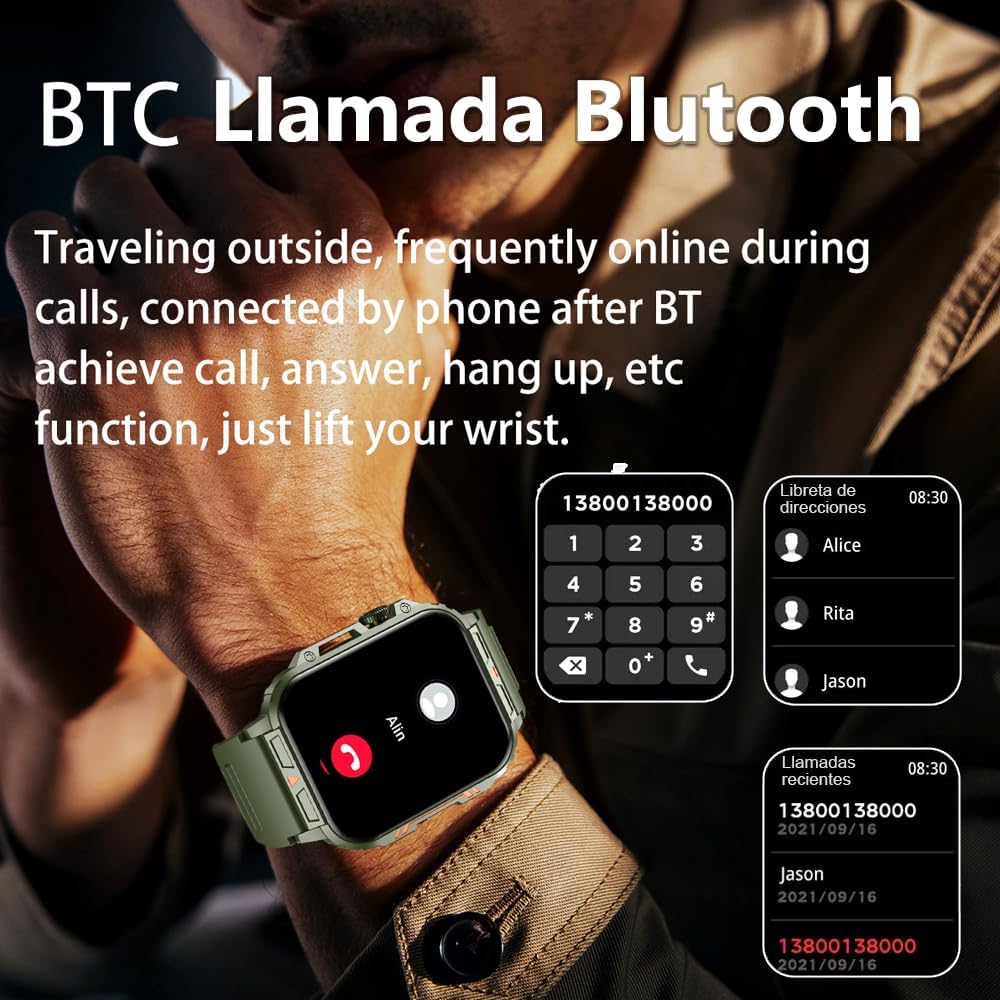
Image 4.1: The watch screen showing an incoming call and the dial pad for making calls.

Image 4.2: The watch displaying notifications from various social media and messaging applications.
4.3. Sporto režimai
The watch supports over 112 sports modes. To access them, navigate to the 'Sports' or 'Workout' section on your watch. Select your desired activity to start tracking. The watch will record steps, distance, and calories.

Image 4.3: Icons representing various sports modes available on the watch.
4.4. Sveikatos stebėsena
The Jooeniok L81 provides continuous monitoring of several health metrics. Access these features through the watch's menu or the companion app.
- Širdies ritmas: The watch uses an optical sensor to monitor your heart rate. View realaus laiko duomenys laikrodyje arba išsamios tendencijos programėlėje.
- Kraujo deguonis (SpO2) ir kraujospūdis: Initiate a measurement from the watch. Results are displayed on the screen and recorded in the app for historical analysis.
- Miego stebėjimas: Wear the watch to bed for automatic sleep tracking. It analyzes deep sleep, light sleep, and awake times, providing a comprehensive sleep quality report in the app.
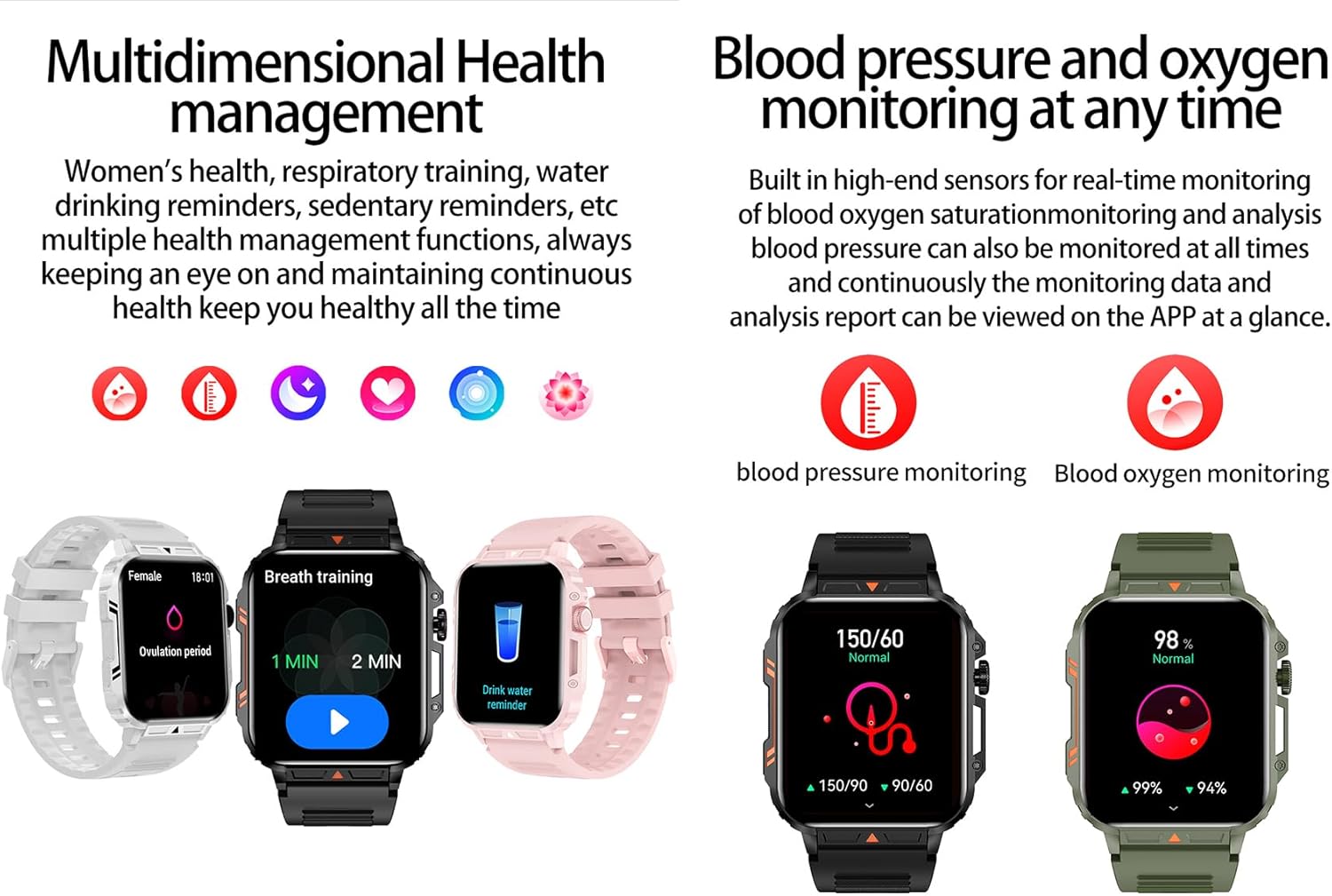
Image 4.4: Watch screens showing blood pressure and blood oxygen monitoring results.

Image 4.5: Watch screens showing real-time heart rate and a summary of sleep data.
4.5. AI Intelligent Voice Function
After connecting the watch to your phone via Bluetooth, activate the voice function on the watch. This allows you to use voice commands to open applications, check weather, make calls, or navigate, offering a hands-free experience.
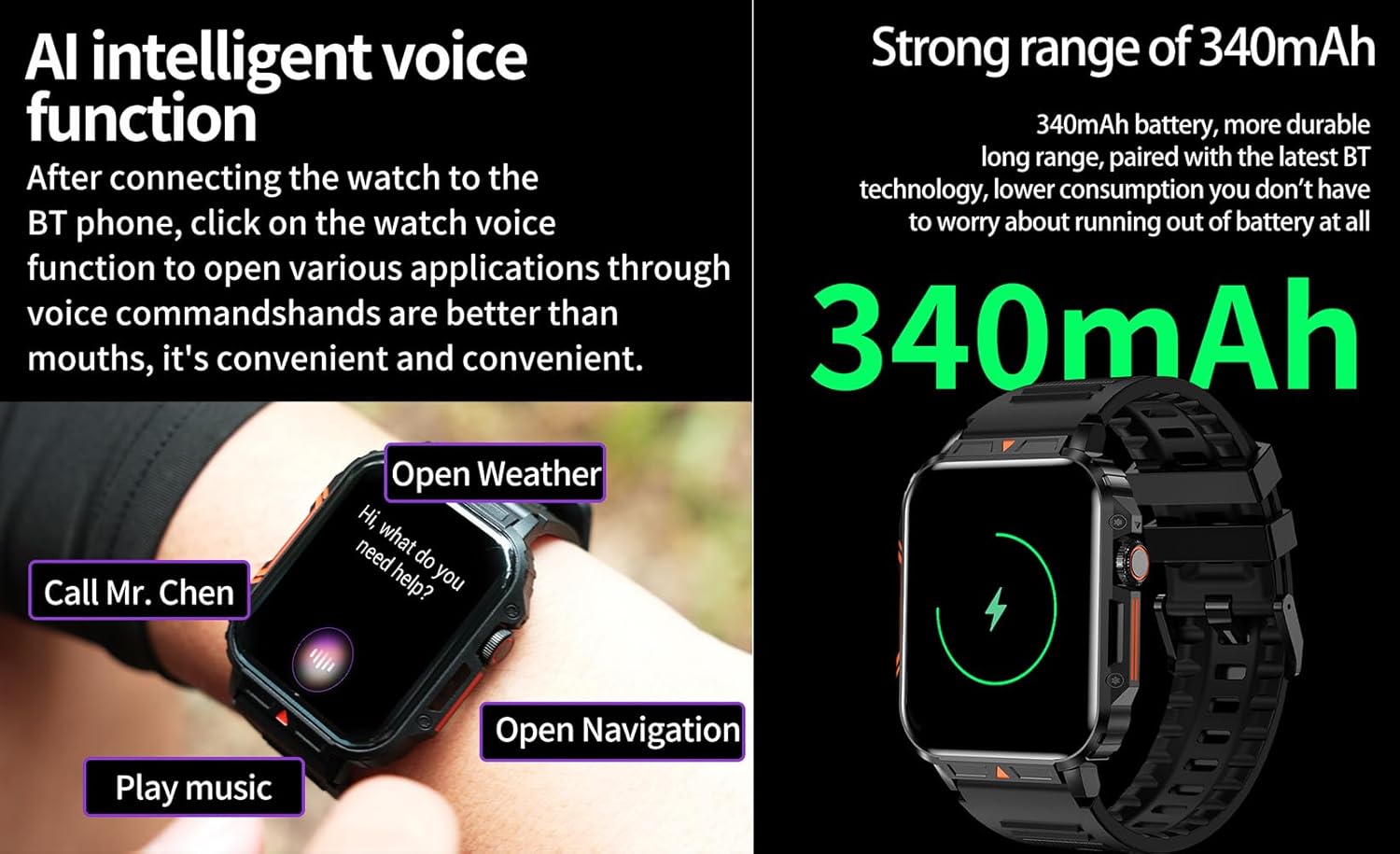
Image 4.6: The watch screen illustrating the AI voice assistant interface with example komandos.
4.6. „Pasidaryk pats“ ciferblatas
Personalize your watch face by using the DIY dial feature within the companion app. You can often upload custom images or choose from a variety of pre-designed watch faces.
5. Priežiūra
5.1. Atsparumas vandeniui
The Jooeniok L81 Smart Watch is IP68 waterproof and dustproof. This means it is resistant to dust and can withstand immersion in water up to 1.5 meters for up to 30 minutes. It is suitable for daily use, hand washing, and light rain.
Svarbu: Laikrodis yra ne recommended for diving, hot showers, or saunas, as steam and high water pressure can compromise the seals and cause damage.

Image 5.1: The watch shown with water splashes, indicating its water resistance.
5.2. Valymas
Reguliariai valykite laikrodį ir dirželį, kad išvengtumėte odos sudirginimo ir išlaikytumėte jo veikimą. Naudokite minkštą, sausą šluostę.amp cloth to wipe the screen and body. For the strap, follow the manufacturer's recommendations for the specific material (e.g., silicone, metal).
- Venkite naudoti stiprių cheminių medžiagų ar abrazyvinių medžiagų.
- Prieš įkraunant arba naudojant ilgai, įsitikinkite, kad laikrodis yra visiškai sausas.
5.3. Akumuliatoriaus priežiūra
Norėdami pailginti baterijos veikimo laiką:
- Venkite ekstremalių temperatūrų.
- Neleiskite baterijai dažnai visiškai išsikrauti.
- Įkraukite laikrodį naudodami pridedamą laidą.
Image 5.2: The watch screen highlighting its 340mAh battery capacity.
6. Problemų sprendimas
| Problema | Galimas sprendimas |
|---|---|
| Laikrodis neįsijungia. | Įsitikinkite, kad laikrodis yra visiškai įkrautas. Prijunkite jį prie įkroviklio bent 30 minučių. |
| Nepavyksta susieti su išmaniuoju telefonu. |
|
| Incorrect language displayed. | Navigate to the watch's settings menu, find 'Language' or 'System' settings, and select your preferred language. If paired, the app might also have a language setting. |
| Touch screen unresponsive or intermittent. |
|
| Pranešimų negauta. |
|
| Health monitoring data seems inaccurate. |
|
7. Specifikacijos
| Funkcija | Detalė |
|---|---|
| Modelio pavadinimas | L81 |
| Prekės ženklas | Jooeniok |
| Ekrano dydis | 1.95 colių |
| Ryšio technologija | Bluetooth |
| Belaidžio ryšio standartas | Bluetooth |
| Operacinė sistema | „Android“ (suderinamas su „Android 5.1+“ ir „iOS 10.0+“) |
| Atminties talpa | 128 MB |
| Baterija | 1 ličio polimerų baterija (340 mAh, pridedama) |
| Atsparumas vandeniui | IP68 |
| Ypatingos savybės | Activity Tracker, Notifications, Phone Call, Time Display, Heart Rate Monitor, Blood Oxygen Monitor, Sleep Monitor, 112+ Sports Modes, AI Voice Function |
| Matmenys (apytiksliai) | Watch face: 44mm (width) x 52mm (height); Thickness: 12mm; Strap length: 260mm |
8. Garantija ir palaikymas
The Jooeniok L81 Smart Watch is backed by a 365 dienų garantija nuo įsigijimo datos. Ši garantija taikoma gamybos defektams ir gedimams įprasto naudojimo metu.
For technical support, warranty claims, or any questions regarding your product, please contact Jooeniok customer service through the retailer's platform or the contact information provided on the product packaging or official websvetainę.
Prašome išsaugoti pirkimo įrodymą garantijos galiojimui.


