1. Įvadas
Thank you for choosing the goobay Digital Timer. This device is designed to help you manage power consumption and enhance home security by automatically switching electrical appliances on and off. It features up to 16 programmable settings (8 ON/OFF pairs), a random mode for anti-burglary protection, and an integrated backup battery to retain settings during power outages.
Please read this manual carefully before use to ensure proper operation and safety.
2. Saugos instrukcijos
- Tik naudoti patalpose. Saugoti nuo drėgmės ar ekstremalių temperatūrų.
- Do not exceed the maximum load of 3680 W (230 V AC, 16 A).
- Neardykite ir nebandykite taisyti įrenginio. Visus techninės priežiūros darbus patikėkite kvalifikuotiems specialistams.
- Įsitikinkite, kad laikmatis yra tvirtai įjungtas į įžemintą lizdą.
- Laikyti vaikams nepasiekiamoje vietoje.
- Prieš valydami atjunkite laikmatį nuo elektros lizdo. Valykite tik sausa šluoste.
- Do not connect appliances that generate a lot of heat, such as heaters, without supervision.
3. Produktas baigtasview
The goobay Digital Timer is a compact and efficient device for controlling your electrical appliances.
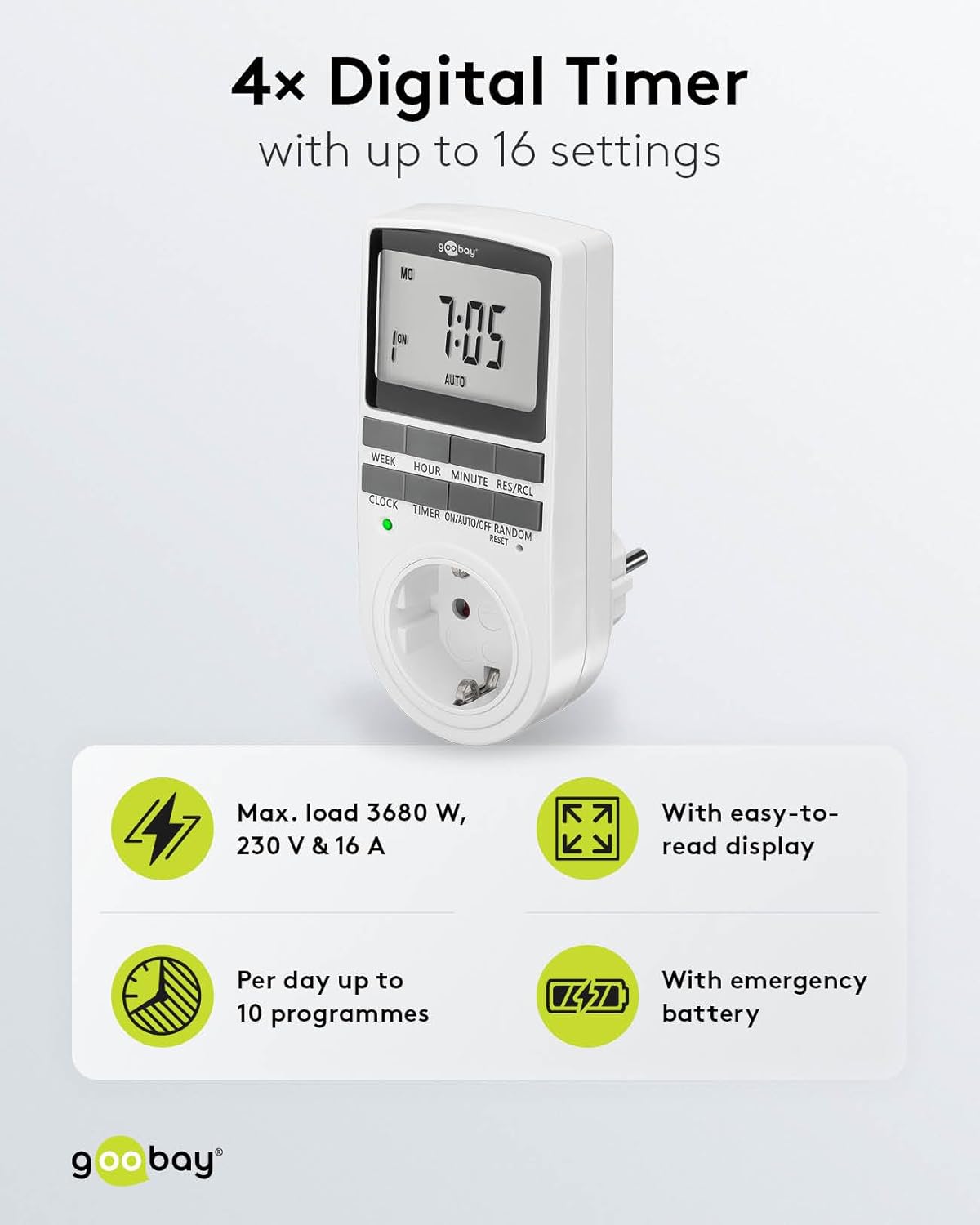
Image: goobay Digital Timer highlighting its features: Max. load 3680 W, 230 V & 16 A; Easy-to-read display; Up to 10 programs per day; Emergency backup battery.
Pagrindinės funkcijos:
- Maks. Įkelti: 3680 W, 230 V & 16 A
- Programuojami nustatymai: Up to 8 ON/OFF program pairs (16 individual settings).
- Atsitiktinis režimas: Simulates presence for enhanced security.
- Atsarginė baterija: Retains settings for over 100 days during power outages.
- Energijos taupymas: Interrupts standby mode of connected devices.
- Kompaktiškas dizainas: Space-saving installation.

Vaizdas: Šoninė view of the goobay Digital Timer showing its compact dimensions: 135 mm height, 60 mm width, 38 mm depth, and 155g weight.
4. Sąranka
4.1 Pradinis įkrovimas
Before first use, plug the timer into a wall outlet for approximately 5-10 minutes to charge the internal backup battery. This ensures the display functions and settings can be retained even when unplugged.
4.2 Įrenginio nustatymas iš naujo
If the display is blank or unresponsive, or if you wish to clear all previous settings, press the RESET button using a small, non-metallic pointed object (e.g., a toothpick or the included reset tool). This will clear all programs and reset the clock.

Image: The goobay Digital Timer showing the LED status display, Reset function (with reset tool), Safety plug (Type F, CEE 7/4, 230V, 16A, 3680W), and Safety socket (Type F, CEE 7/3, 6A, 250V output).
4.3 Dabartinio laiko nustatymas
- Paspauskite LAIKRODIS mygtuką.
- Paspauskite SAVAITĖ mygtuką, kad pasirinktumėte dabartinę savaitės dieną (PIR, ANT, TRE, KET, PEN, ŠE, SEK).
- Paspauskite VALANDA button to set the current hour (0-23).
- Paspauskite MINUTĖ button to set the current minute (0-59).
- Paspauskite LAIKRODIS dar kartą paspauskite mygtuką, kad patvirtintumėte ir išeitumėte iš laiko nustatymo režimo.

Image: Close-up of the goobay Digital Timer's display, indicating Weekday, Selected time setting (1-10), Time of day, and Operating mode (On/Auto/Off).
5. Naudojimo instrukcijos
5.1 Įjungimo/išjungimo laikų programavimas
The timer allows for up to 8 ON/OFF program pairs (16 individual settings).
- Paspauskite LAIKMATIS mygtuką, kad įjungtumėte programavimo režimą. Ekrane bus rodoma „1 ON“.
- Paspauskite SAVAITĖ to select the day(s) for this program. Options include:
- Atskiros dienos (P, ANT, T, K, Pn, Š, S)
- Groups of days (MO TU WE TH FR SA SU, MO TU WE TH FR, SA SU, MO TU WE TH FR SA, MO WE FR, TU TH SA, MO TU WE, TH FR SA)
- Paspauskite VALANDA , kad nustatytumėte norimą ĮJUNGIMO valandą.
- Paspauskite MINUTĖ , kad nustatytumėte norimą įjungimo minutę.
- Paspauskite LAIKMATIS dar kartą. Ekrane bus rodoma „1 OFF“.
- Repeat steps 2-4 to set the desired OFF time for the same program.
- Spauskite toliau LAIKMATIS to cycle through program settings 2 ON, 2 OFF, up to 8 ON, 8 OFF, setting each as needed.
- Nustatę visas norimas programas, paspauskite LAIKRODIS mygtuką, kad išeitumėte iš programavimo režimo ir grįžtumėte į dabartinio laiko rodymą.

Image: Diagram illustrating the functions of the goobay Digital Timer's buttons: WEEK (Set weekday), HOUR (Set hours), MINUTE (Set minutes), RES/RCL (Delete or restore setting), CLOCK (Set different times of day), TIMER (Switch set times), ON/AUTO/OFF (Manual or automatic mode), RANDOM (Random mode).
5.2 Operating Modes (ON/AUTO/OFF)
Paspauskite ON/AUTO/OFF mygtuką, kad perjungtumėte darbo režimus:
- ĮJUNGTA: The connected appliance will remain continuously ON, overriding all programmed settings.
- AUTOMATINIS: The connected appliance will operate according to the programmed ON/OFF times. This is the standard operating mode for scheduled tasks.
- IŠJUNGTA: The connected appliance will remain continuously OFF, overriding all programmed settings.
5.3 Atsitiktinis režimas
The random mode is designed to simulate presence for security purposes. When activated, the timer will switch ON and OFF at random intervals between 6:00 PM and 5:30 AM.
- Įsitikinkite, kad laikmatis įjungtas AUTO režimu.
- Paspauskite ATSITIKTINIAI button to activate or deactivate this mode. An "R" will appear on the display when random mode is active.
5.4 Vasaros laikas (DST)
To adjust for Daylight Saving Time, press the VALANDA ir MINUTĖ buttons simultaneously while in LAIKRODIS mode. The time will advance or rewind by one hour. Repeat to revert.
6. Priežiūra
- Valymas: Unplug the timer from the wall outlet before cleaning. Wipe the exterior with a soft, dry cloth. Do not use liquid cleaners or sprays.
- Saugykla: If storing the timer for an extended period, ensure the backup battery is charged periodically to maintain its functionality.
- Atsarginė baterija: The integrated backup battery is designed to retain settings for over 100 days. No user maintenance is required for the battery.
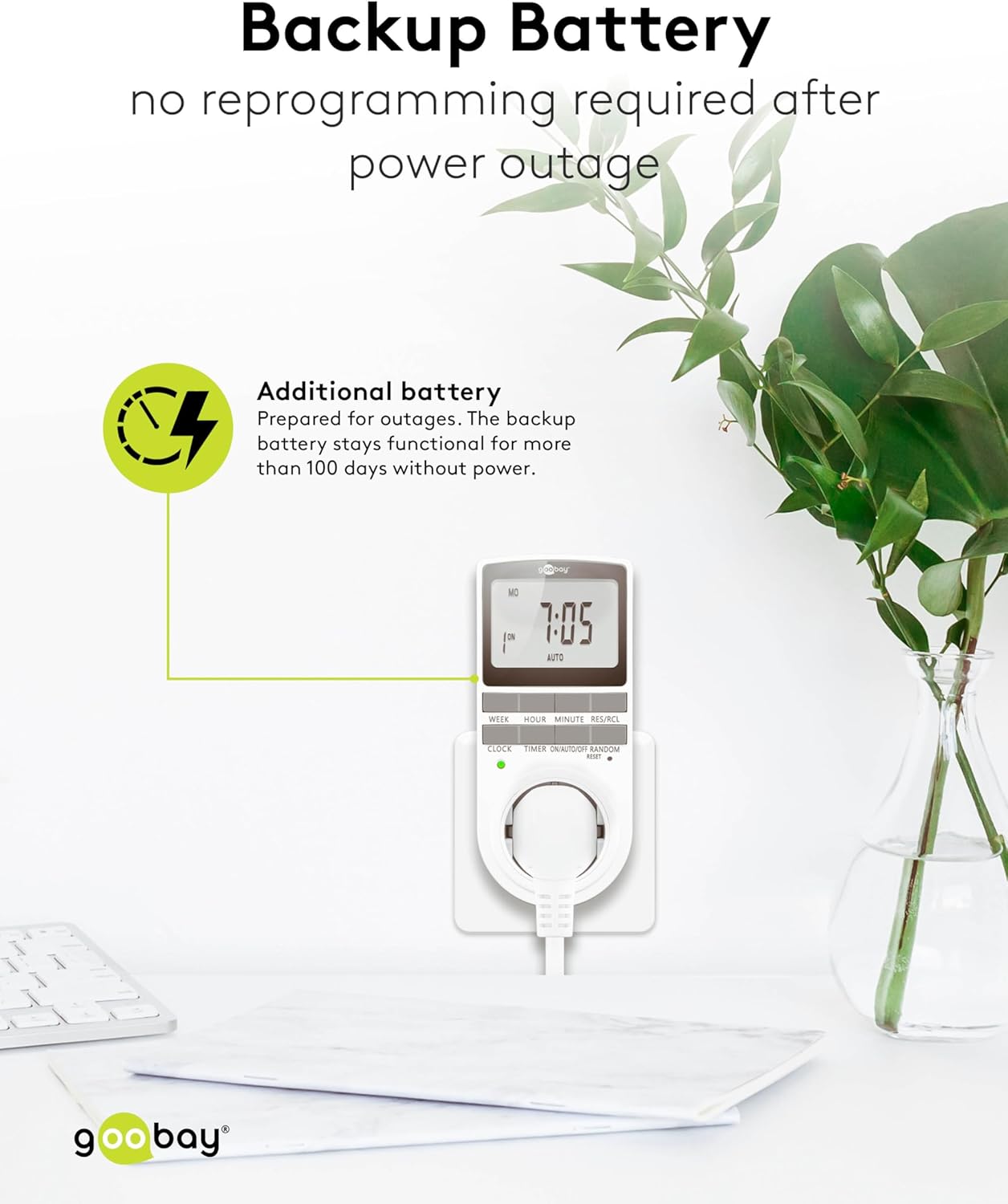
Image: The goobay Digital Timer plugged into an outlet, illustrating the backup battery feature which prevents reprogramming after a power outage.
7. Problemų sprendimas
| Problema | Galima priežastis | Sprendimas |
|---|---|---|
| Ekranas tuščias arba nereaguoja. | Backup battery is depleted or device needs reset. | Plug the timer into a live outlet for 5-10 minutes to charge the battery. If still unresponsive, press the RESET mygtuką. |
| Prietaisas neįsijungia/neišsijungia užprogramuotu laiku. | Timer is not in AUTO mode, programs are incorrect, or appliance is faulty. | Įsitikinkite, kad laikmatis nustatytas ties AUTO mode. Verify programmed ON/OFF times. Check if the connected appliance works when plugged directly into the wall outlet. |
| Random mode is not working. | Timer is not in AUTO mode or random mode is not activated. | Įsitikinkite, kad laikmatis įjungtas AUTO režimu. Paspauskite ATSITIKTINIAI button to activate it (an "R" should appear on the display). |
| Laikas neteisingas po elektros energijos tiekimo nutraukimotage. | Backup battery is depleted or was not charged sufficiently. | Plug the timer into a live outlet for at least 10 minutes to fully charge the backup battery. Reset and reprogram if necessary. |
8. Specifikacijos
| Prekinis ženklas: | goobay |
| Modelio numeris: | 74217 |
| Spalva: | Baltas |
| Medžiaga: | Akrilnitrilo butadieno stireno plastikas |
| Gaminio matmenys (I x P x A): | 7.6 x 6 x 13.5 cm |
| Prekės svoris: | 155 g |
| Tiekimas ttage: | 230 V (kintamoji srovė) |
| Maks. Perjungimo galia: | 3680 W |
| Maks. Dabartinis: | 16.0 A |
| Nustatymų skaičius: | 16 (8 ON/OFF program pairs) |
| Apsaugos įvertinimas: | IP20 |
| Apsaugos klasė: | I |
| Kilmės šalis: | Kinija |
9. Garantija ir palaikymas
Specific warranty information is not provided within this manual. For details regarding warranty coverage, technical support, or service, please refer to the official goobay websvetainėje arba susisiekite su savo pardavėju.
Dažnai galite rasti papildomų išteklių ir kontaktinės informacijos gamintojo svetainėje websvetainė: www.goobay.com


