1. Įvadas
The JBL Live Buds 3 are true wireless noise-cancelling earbuds designed to deliver a high-quality audio experience with advanced features. This manual provides essential information for setting up, operating, and maintaining your earbuds.
Video: Official JBL Live Buds 3 Product Overview. This video provides a brief introduction to the key features and design of the JBL Live Buds 3 earbuds and smart charging case.
2. Kas yra dėžutėje
- 1 x JBL Live Buds 3 ausinės
- 1 x Smart Charging Case
- 4 dydžių ausų antgaliai
- 1 x C tipo į A tipo įkrovimo laidas
- 1 x Garantijos / įspėjimo dokumentas
- 1 x Product Quick Start Guide / Safety Sheet

Image: The contents of the JBL Live Buds 3 package, showing the USB-C charging cable and four different sizes of purple ear tips.
3. Sąranka
3.1 Pradinis įkrovimas
Before first use, fully charge your JBL Live Buds 3. Place the earbuds into the charging case and connect the Type-C to Type-A charging cable to a power source. The smart charging case also supports wireless charging.
3.2 Bluetooth poravimas
- Atidarykite įkrovimo dėklą. Ausinės automatiškai įsijungs susiejimo režimu.
- Savo įrenginyje (išmaniajame telefone, planšetiniame kompiuteryje ir kt.) įjunkite „Bluetooth“.
- Select "JBL Live Buds 3" from the list of available devices to connect.
- Prijungus ausines, jos yra paruoštos naudoti.
3.3 Kelių taškų ryšys
The JBL Live Buds 3 support multi-point connection, allowing you to seamlessly switch between two Bluetooth devices. For example, you can watch a video on your tablet and instantly answer a call on your mobile phone without re-pairing.

Image: A woman wearing JBL Live Buds 3 earbuds while riding a bus, demonstrating the convenience of multi-point connection for switching between devices.
4. Ausinių pritaikymas
For optimal sound quality and noise cancellation, a proper fit is crucial. The JBL Live Buds 3 come with four sizes of ear tips to ensure a comfortable and secure seal.
4.1 Tinkamų ausų antgalių pasirinkimas
- Eksperimentuokite su skirtingų dydžių ausų antgaliais, kad rastumėte tinkamiausią jūsų ausims.
- A good fit provides a tight seal, which enhances bass performance and noise cancellation.
- If the earbuds feel loose or sound quality is poor, try a larger size. If they feel uncomfortable or cause pressure, try a smaller size.
4.2 Inserting the Earbuds
- Švelniai įkiškite ausinę į ausies kanalą.
- Rotate the earbud slightly forward or backward until it feels snug and secure.
- The stem of the earbud should point towards your mouth.
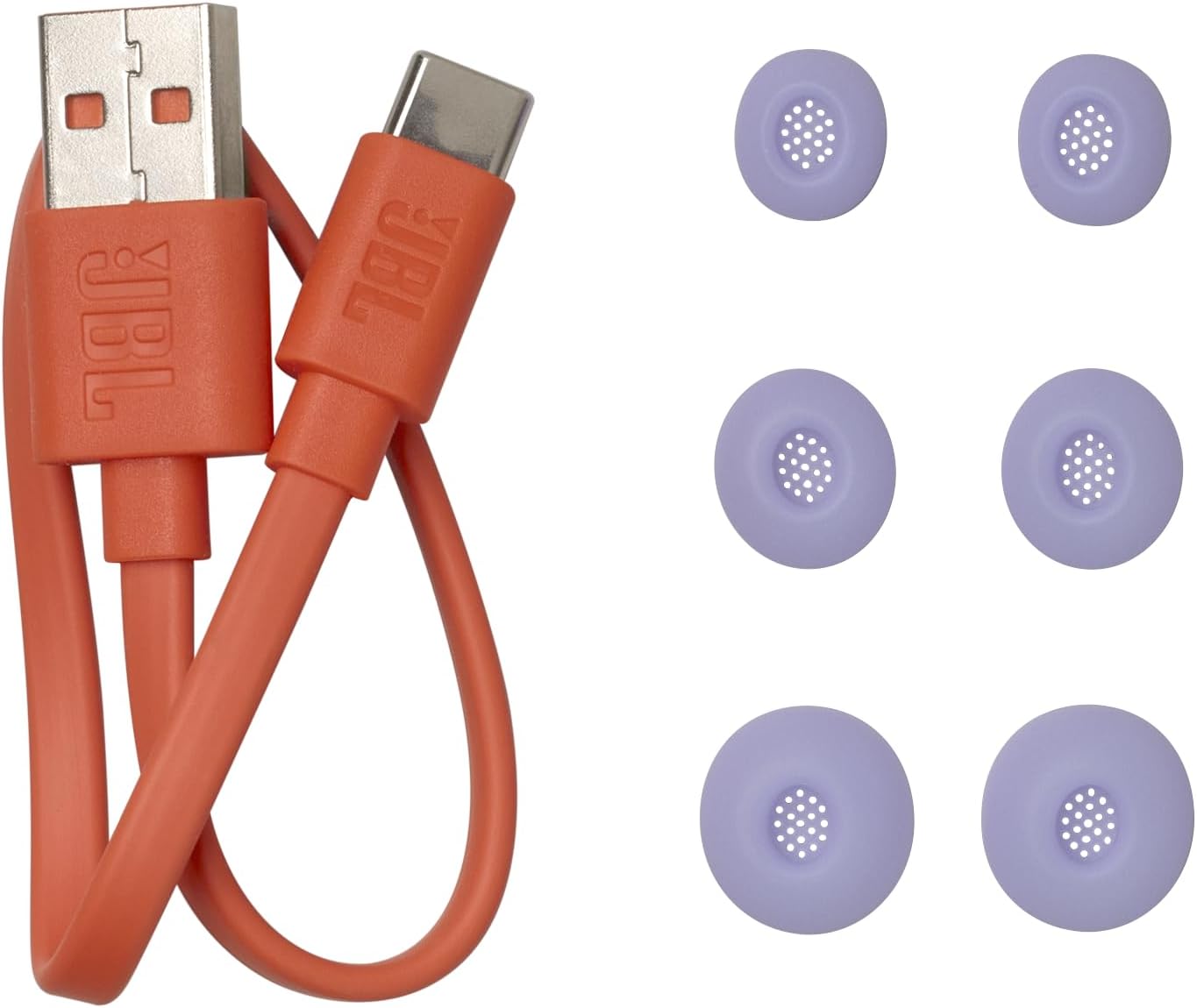
Image: A man smiling while wearing JBL Live Buds 3 earbuds, illustrating how the earbuds sit comfortably and securely in the ear for optimal audio.
Video: JBL Live Buds 3 How to Eartip Benefits. This video explains the importance of selecting the correct ear tip size for the best sound and comfort, and demonstrates how to properly insert the earbuds.
5. Ausinių naudojimas
5.1 Smart Charging Case Controls
The 1.45-inch touchscreen display on the Smart Charging Case provides direct control over various functions without needing your phone.
- Adjust Volume and EQ: Swipe or tap on the screen to change volume levels and select equalizer presets.
- Valdykite muziką: Leisti, pristabdyti, praleisti takelius tiesiai iš dėklo.
- Tvarkyti skambučius: Answer, end, or reject phone calls.
- ANC/Ambient Sound Control: Toggle between True Adaptive Noise Cancelling, Ambient Aware, and TalkThru modes.
- Tinkinimas: Personalize screensavers with your favorite photos.

Image: A hand holding the JBL Live Buds 3 smart charging case, highlighting its touchscreen display for direct control of earbud functions.
5.2 Touch Controls (Earbuds)
The earbuds also feature touch controls for quick access to essential functions. Refer to the Quick Start Guide for specific tap gestures.
6. Funkcijos Overview
- Hi-Res Audio Wireless with JBL Signature Sound: Experience exceptional audio clarity and deep bass from 10mm dynamic drivers.
- True Adaptive Noise Cancelling: Automatically adapts to your surroundings in real-time to minimize distractions.
- 6 Mics for Perfect Calls: Six beamforming microphones reduce wind and noise interference for clear calls.
- 40 Hours Total Playback: Enjoy 10 hours of playtime from the earbuds and an additional 30 hours from the charging case (with ANC off).
- Belaidis įkrovimas: Conveniently recharge the case wirelessly.
- IP55 Atsparus vandeniui ir dulkėms: Designed for durability, making them suitable for outdoor activities.
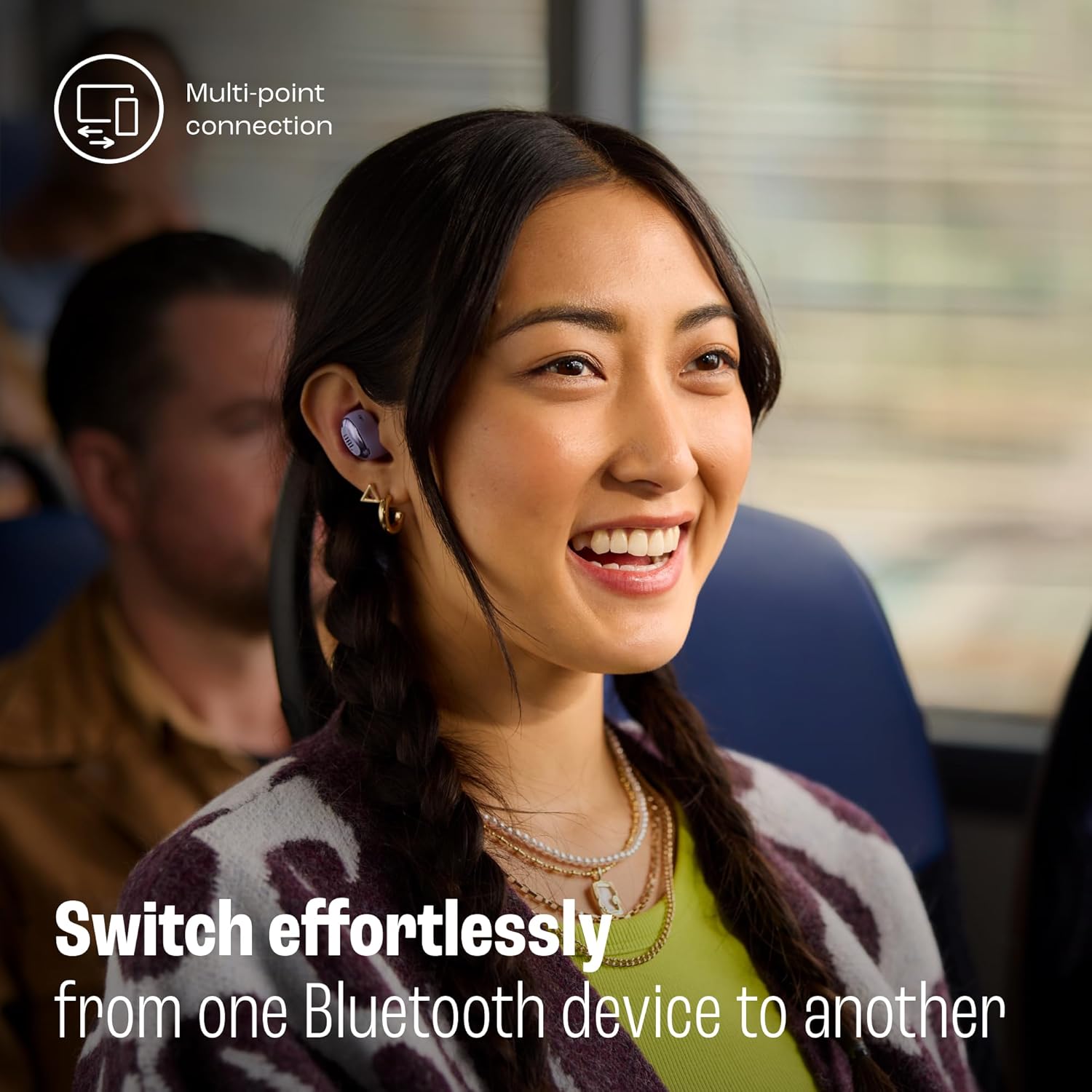
Image: A graphic illustrating key product features of the JBL Live Buds 3, including wireless charging, waterproof/dustproof rating, Google Finder, and JBL Headphones app compatibility.
7. Specifikacijos
| Funkcija | Specifikacija |
|---|---|
| Modelio pavadinimas | JBL Live Buds 3 |
| Ryšio technologija | Belaidis ryšys („Bluetooth 5.3“) |
| Triukšmo valdymas | Adaptyvusis triukšmo slopinimas |
| Baterijos veikimo laikas | Up to 40 Hours Total (10 hours earbuds + 30 hours case) |
| Įkrovimo laikas | 2 Hours (earbuds and case) |
| Atsparumo vandeniui lygis | IP55 (atsparus vandeniui ir dulkėms) |
| Garso tvarkyklės tipas | 10 mm dinaminė tvarkyklė |
| Valdymo tipas | Touch Control (Earbuds & Smart Case) |
| Prekės svoris | 82 gramai (iš viso) |
8. Priežiūra
- Valymas: Reguliariai valykite ausines ir įkrovimo dėklą minkšta, sausa šluoste. Venkite naudoti stiprias chemines medžiagas.
- Ausų patarimai: Remove and clean ear tips periodically with water and mild soap. Ensure they are completely dry before reattaching.
- Saugykla: Kai nenaudojate, laikykite ausines įkrovimo dėkle, kad apsaugotumėte ir liktų įkrautos.
9. Problemų sprendimas
- Nėra garso: Ensure earbuds are charged, properly paired, and volume is adjusted. Check if the correct audio output is selected on your device.
- Susiejimo problemos: Place earbuds back in the case, close it, then reopen to re-enter pairing mode. Forget the device from your phone's Bluetooth settings and try pairing again.
- Triukšmo slopinimas neefektyvus: Ensure ear tips provide a tight seal. Try different ear tip sizes.
- Smart Case Screen Unresponsive: Ensure the case is charged. Try restarting the case by placing earbuds inside, closing, and reopening.
10. Garantija ir palaikymas
Your JBL Live Buds 3 are covered by a manufacturer's warranty. Please refer to the included Warranty / Warning document for detailed information regarding warranty terms, conditions, and how to obtain support.
For further assistance, visit the official JBL support websvetainėje arba susisiekite su klientų aptarnavimo tarnyba.


