Įvadas
The TOPTRO TR26 Mini Projector is a portable, high-definition projector designed for home and outdoor entertainment. It supports 4K and 1080P Full HD content, offering a large screen display of up to 200 inches. Featuring automatic keystone correction, WiFi 6, and Bluetooth 5.2 connectivity, it provides a versatile and immersive viewing experience. This manual provides detailed instructions for setup, operation, maintenance, and troubleshooting.
Kas įtraukta
Išpakuodami patikrinkite pakuotės turinį, kad įsitikintumėte, jog yra visi reikalingi daiktai:
- TOPTRO TR26 mini projektorius
- Trikojis
- Nuotolinio valdymo pultas
- Maitinimo laidas
- HDMI kabelis
- Valymo rinkinys
- Vartotojo vadovas (šis dokumentas)

Image: The compact TOPTRO TR26 Mini Projector with its tripod, demonstrating its portability.
Sąranka
- Vieta: Place the projector on a stable, flat surface. The included tripod can be used for optimal positioning. Ensure there is adequate ventilation around the projector.
- Maitinimo jungtis: Prijunkite maitinimo laidą prie projektoriaus maitinimo įvesties, o tada – prie maitinimo lizdo.
- Pradinis įjungimas: Norėdami įjungti įrenginį, paspauskite projektoriaus arba nuotolinio valdymo pulto maitinimo mygtuką.
- Fokuso reguliavimas: Adjust the focus ring on the projector lens until the projected image is clear and sharp.
- Keystone korekcija: The TR26 features automatic vertical keystone correction (±30°). For manual adjustment or fine-tuning, navigate to the 'Setting' menu using the remote control.
- Screen Size Adjustment: The projector supports an 80% zoom function. Use the remote control to adjust the projected image size to fit your screen or wall.

Image: The projector automatically adjusts the image shape for a perfect rectangular display, even when placed at an angle.
Naudojimo instrukcijos
Ryšio parinktys
The TOPTRO TR26 offers multiple ways to connect your devices:
- HDMI: Connect devices like TV sticks, gaming consoles (PS5), laptops, or PCs using an HDMI cable. Select 'HDMI' input from the projector's main menu.
- USB: Insert USB sticks to play media files directly. Select 'Media' from the main menu to browse files.
- Garso išvestis (3.5 mm): Prijunkite išorinius garsiakalbius arba ausines, kad pagerintumėte garso kokybę.
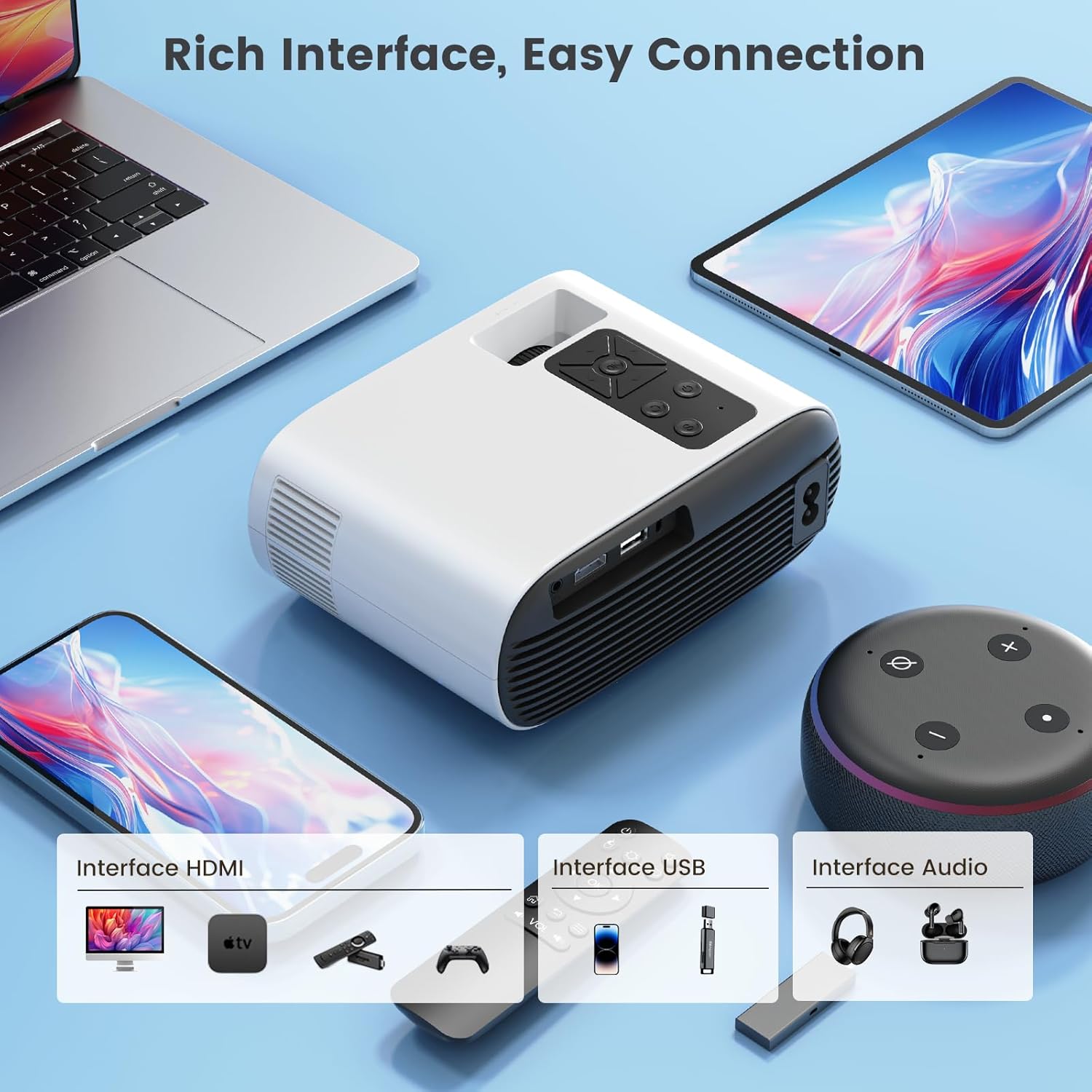
Vaizdas: Viršview of the projector's input interfaces for easy connection to various devices.
Wireless Screen Mirroring (WiFi 6)
The projector supports 5G/2.4G dual-band WiFi 6 for smooth wireless screen mirroring from iOS, Android, and Windows devices.
- Ensure your mobile device and the projector are connected to the same WiFi network.
- On the projector's main menu, select 'Wireless Screen'.
- Follow the on-screen instructions specific to your device (iOS/Android/Windows) to initiate screen mirroring.
Note on Copyrighted Content:
Due to HDCP copyright protection, direct screen mirroring from apps like Netflix, Prime Video, Disney+, etc., is not supported. For streaming copyrighted content, it is recommended to use an external streaming device such as an Amazon Fire TV Stick or Google Chromecast TV stick connected via HDMI. The TR26 mini projector also does not support Dolby sound effects; please ensure Dolby sound is turned off on your source device if experiencing audio issues.

Image: Seamless wireless screen mirroring for faster and smoother content transmission.
Bluetooth 5.2 ryšys
Connect Bluetooth headphones or speakers for an enhanced audio experience.
- On the projector's main menu, select 'Bluetooth'.
- Įsitikinkite, kad jūsų „Bluetooth“ garso įrenginys veikia susiejimo režimu.
- Select your device from the list of available devices on the projector screen to connect.
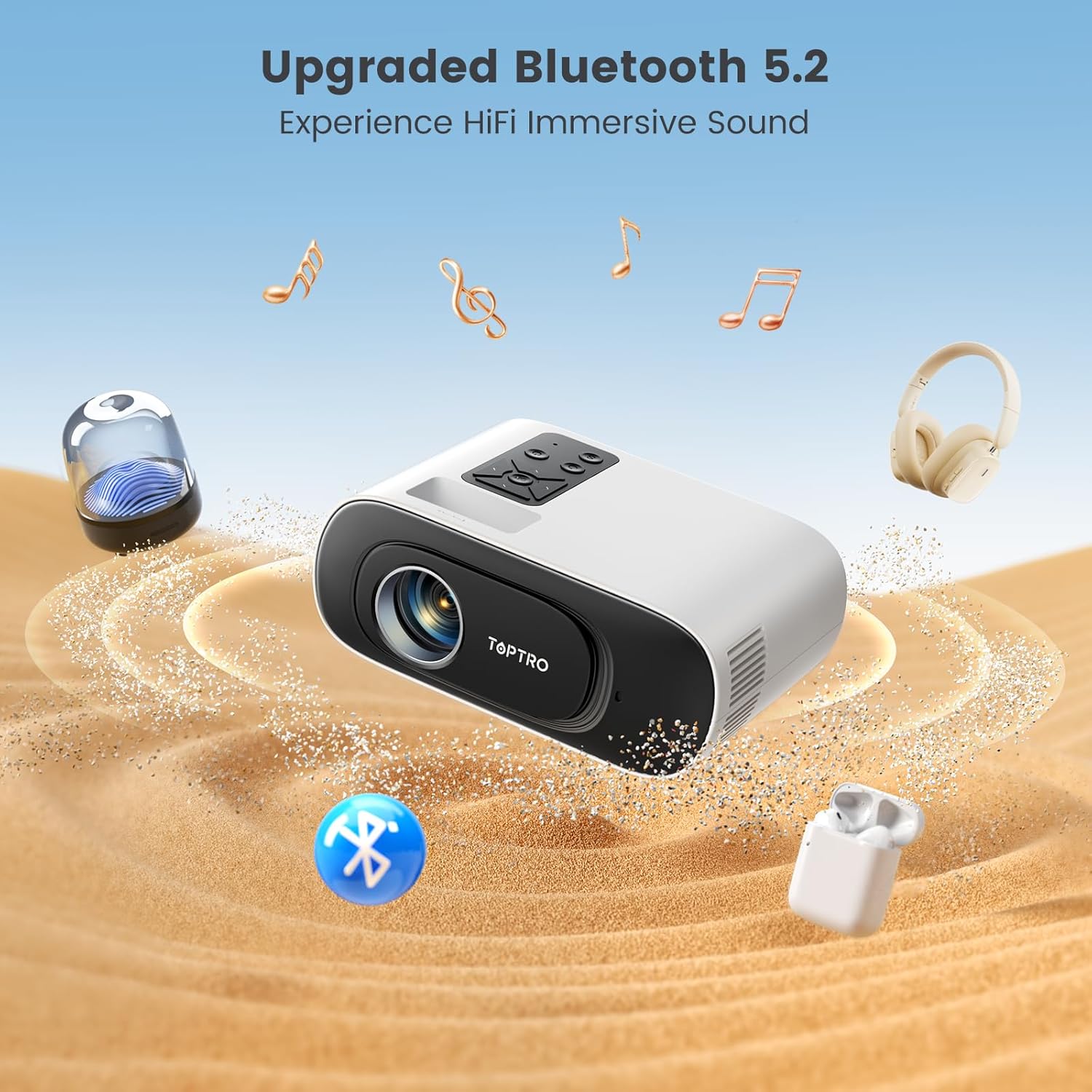
Image: The projector's Bluetooth 5.2 capability allows for wireless connection to external audio devices for immersive sound.
Priežiūra
Regular maintenance ensures optimal performance and longevity of your projector. The advanced LED light source lamp tarnavimo laikas yra iki 30,000 XNUMX valandų.
Cleaning the Inner Screen (Removing Black Spots)
If you notice black spots on your projected image, it may be due to dust on the inner screen. Follow these steps to clean it:
- Išjunkite ir atjunkite: Ensure the projector is turned off and unplugged from the power source before proceeding.
- Access Dust Screen Cover: Gently turn the projector bottom up. Locate the dust screen cover on the underside.
- Pry Off Cover: Use a narrow and thin tool (like a small screwdriver or the provided cleaning tool) to carefully pry off the dust screen cover.
- Clean Inner Screen: Use a clean cotton swab to gently clean the inner screen (there are typically three panels inside).
- Verify Cleaning: Turn on the projector and observe the screen to confirm that the dust spots have been removed.
- Pakeiskite dangtelį: After cleaning, gently cover the dust screen cover back into place.
Video: A step-by-step guide on how to clean the inner screen of the TOPTRO TR26 projector to remove black spots caused by dust.
Bendras valymas
- Projektoriaus išorę valykite minkštu, sausu skudurėliu.
- Objektyvui valyti naudokite specializuotą šluostę ir tirpalą, kad išvengtumėte įbrėžimų.
- Nenaudokite abrazyvinių valiklių ar tirpiklių.
Trikčių šalinimas
| Problema | Galima priežastis / sprendimas |
|---|---|
| Nėra vaizdo arba vaizdas neryškus |
|
| Nėra garso |
|
| Cannot screen mirror Netflix/Prime Video |
|
| Black spots on projected image |
|
Specifikacijos
| Funkcija | Detalė |
|---|---|
| Modelis | TR26 |
| Ekrano technologija | LCD |
| Gimtoji raiška | 1280 x 720 Pixels (Supports 4K, 1080P Full HD) |
| Vaizdo ryškumas | 20000 liumenų |
| Vaizdo kontrasto santykis | 20000:1 |
| Krašto santykis | 16:9, 4:3 |
| Ryšys | Bluetooth 5.2, Wi-Fi 6 (5G/2.4G), USB, HDMI |
| Ypatingos savybės | Built-In Speaker, Portable, Built-In Wi-Fi, Auto Keystone Correction |
| Lamp Gyvenimas | Iki 30,000 valandų |
| Gaminio matmenys | 17.4 x 13.8 x 7.3 cm |
| Prekės svoris | 600 gramų |
| Energijos suvartojimas | 24 vatų |
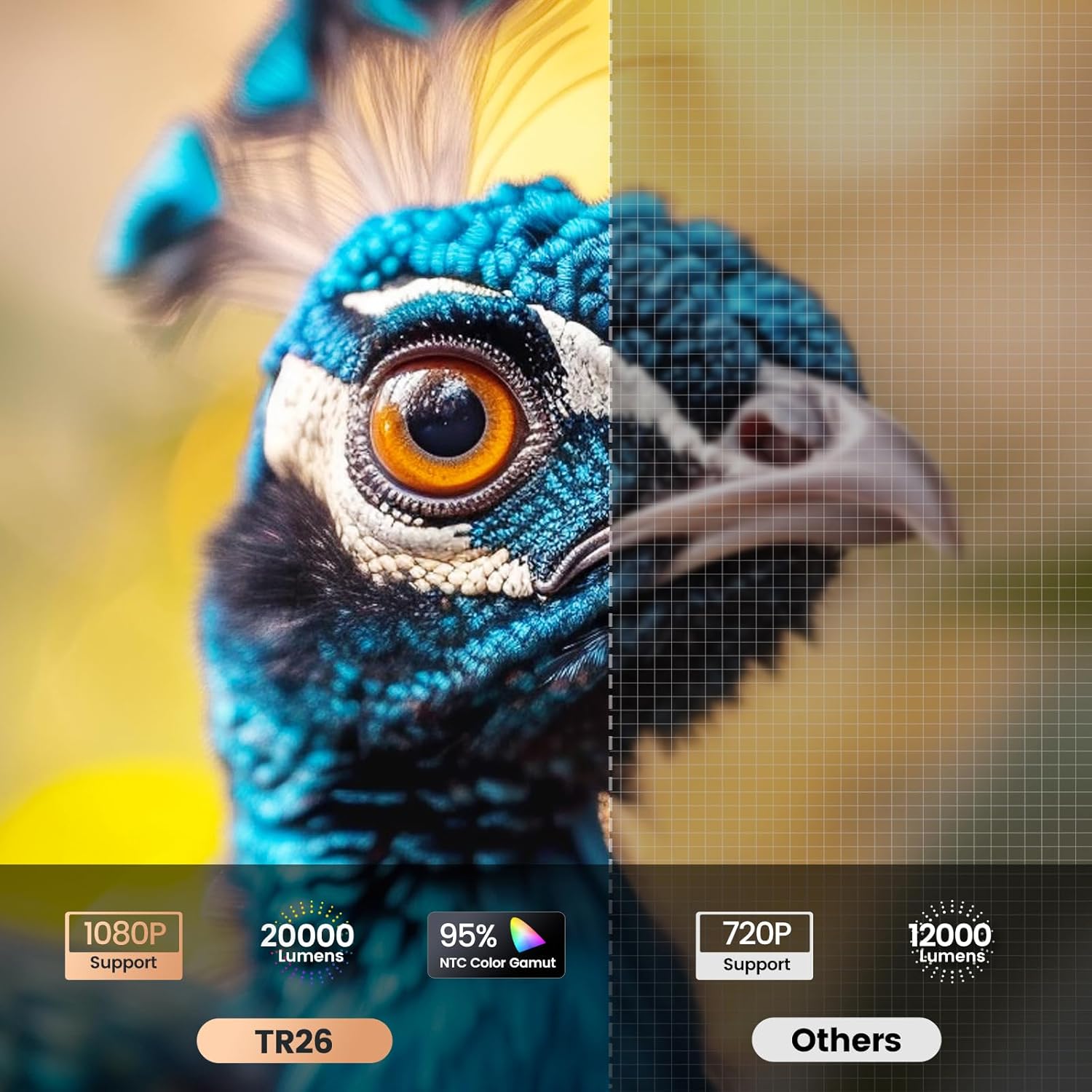
Image: Visual comparison highlighting the TR26's higher resolution and brightness.
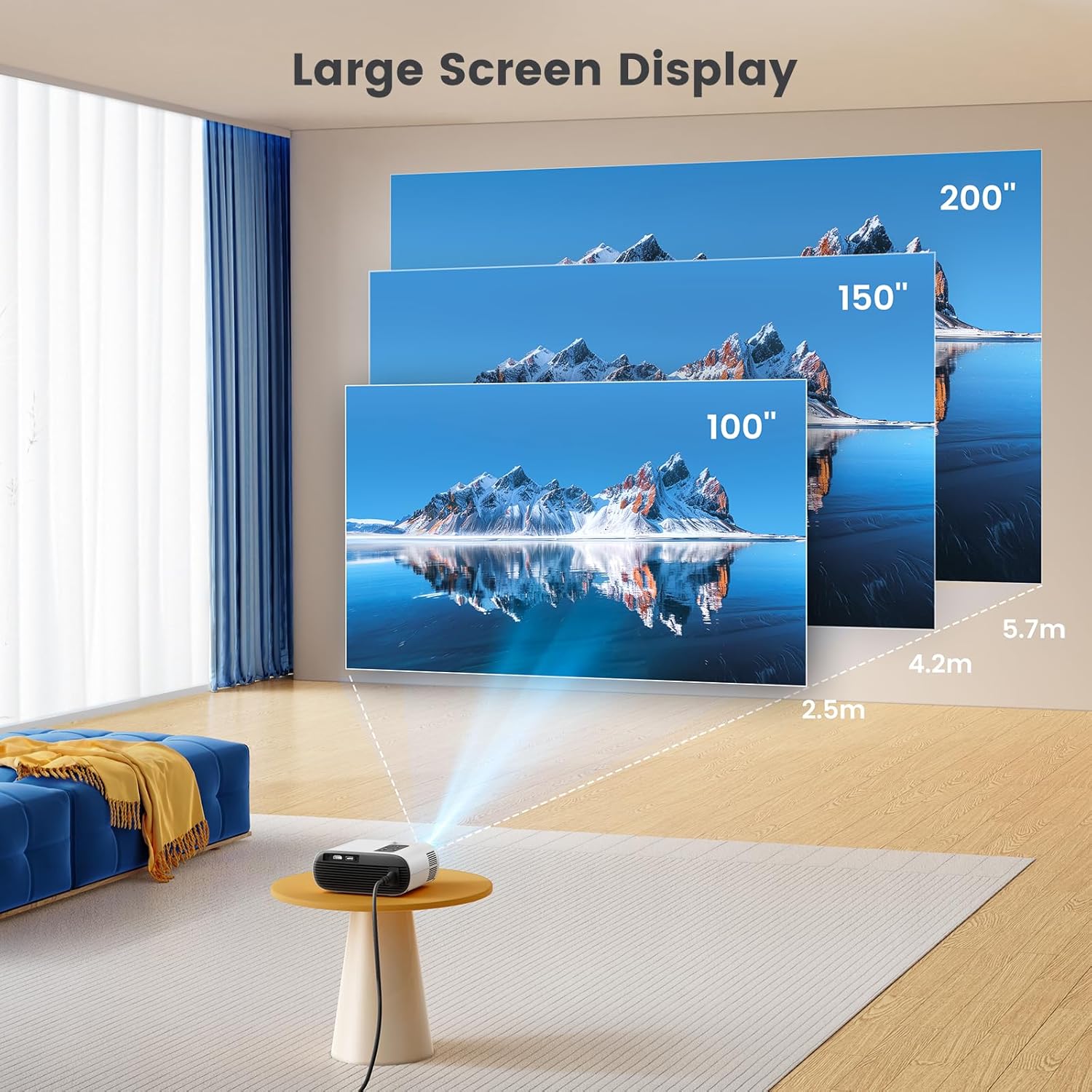
Image: Illustration of the large screen display capabilities of the projector.
Garantija ir palaikymas
TOPTRO is committed to providing excellent customer service and product support.
- Garantija: TOPTRO offers a 1-year free replacement and a 3-year warranty for the TR26 projector.
- Techninė pagalba: Technical support is available at all times. If you encounter any problems during use, please contact TOPTRO via email.
For further assistance, please refer to the contact information provided with your product packaging or visit the official TOPTRO websvetainę.


