1. Įvadas
This manual provides detailed instructions for setting up, operating, and maintaining your MOFII Wireless Keyboard and Mouse Combo (Model 693). This 2.4G wireless set offers a full-size keyboard with 104 round keys and a silent mouse, designed for compatibility with various operating systems and devices.
2. Pakuotės turinys
- 1x belaidė klaviatūra
- 1x belaidė pelė
- 2x AA Batteries (included)
- 1x USB nano imtuvas
- 1x vartotojo vadovas

3. Sąranka
3.1. Akumuliatoriaus įdėjimas
- Raskite baterijų skyrius klaviatūros ir pelės apačioje.
- Atidarykite baterijų dangtelius.
- Insert one AA battery into the keyboard and one AA battery into the mouse, ensuring correct polarity (+/-).
- Tvirtai uždarykite baterijų dangtelius.

3.2. USB imtuvo prijungimas
- The USB nano receiver is stored inside the mouse's battery compartment. Gently remove it.
- Plug the USB nano receiver into an available USB port on your computer, laptop, or compatible device.
- The keyboard and mouse will automatically connect to your device. No additional software installation is required.

3.3. Suderinamumas
The MOFII Wireless Keyboard and Mouse Combo is compatible with Windows 2000 / ME / XP / 7 / 8 / 10, VISTA, Mac OS, Chrome-book, PC, Laptop, and other computing devices. For devices without a standard USB-A port (e.g., some tablets), a USB adapter (not included) may be required.

4. Naudojimo instrukcijos
4.1. Pagrindinis naudojimas
Once the USB receiver is connected and batteries are installed, the keyboard and mouse are ready for immediate use. The keyboard features retro floating round keycaps designed for comfortable typing. The mouse offers smooth and precise cursor control with multiple 1600 DPI levels.
4.2. Multimedia Hotkeys
The keyboard includes 13 multimedia hotkeys for enhanced efficiency. These keys are typically accessed by pressing the Fn klavišą kartu su atitinkamu F klavišu (F1–F12).
- Fn + F1: Media Player
- Fn + F2: Leisti / pristabdyti
- Fn + F3: Ankstesnis takelis
- Fn + F4: Kitas takelis
- Fn + F5: Padidinti garsumą
- Fn + F6: Sumažinti garsumą
- Fn + F7: Nutildyti
- Fn + F8: Pradžia
- Fn + F9: Paieška
- Fn + F10: Žymės
- Fn + F11: paštas
- Fn + F12: Klaviatūros užraktas
- Fn + ESC: Mano kompiuteris

4.3. Automatinis miego režimas
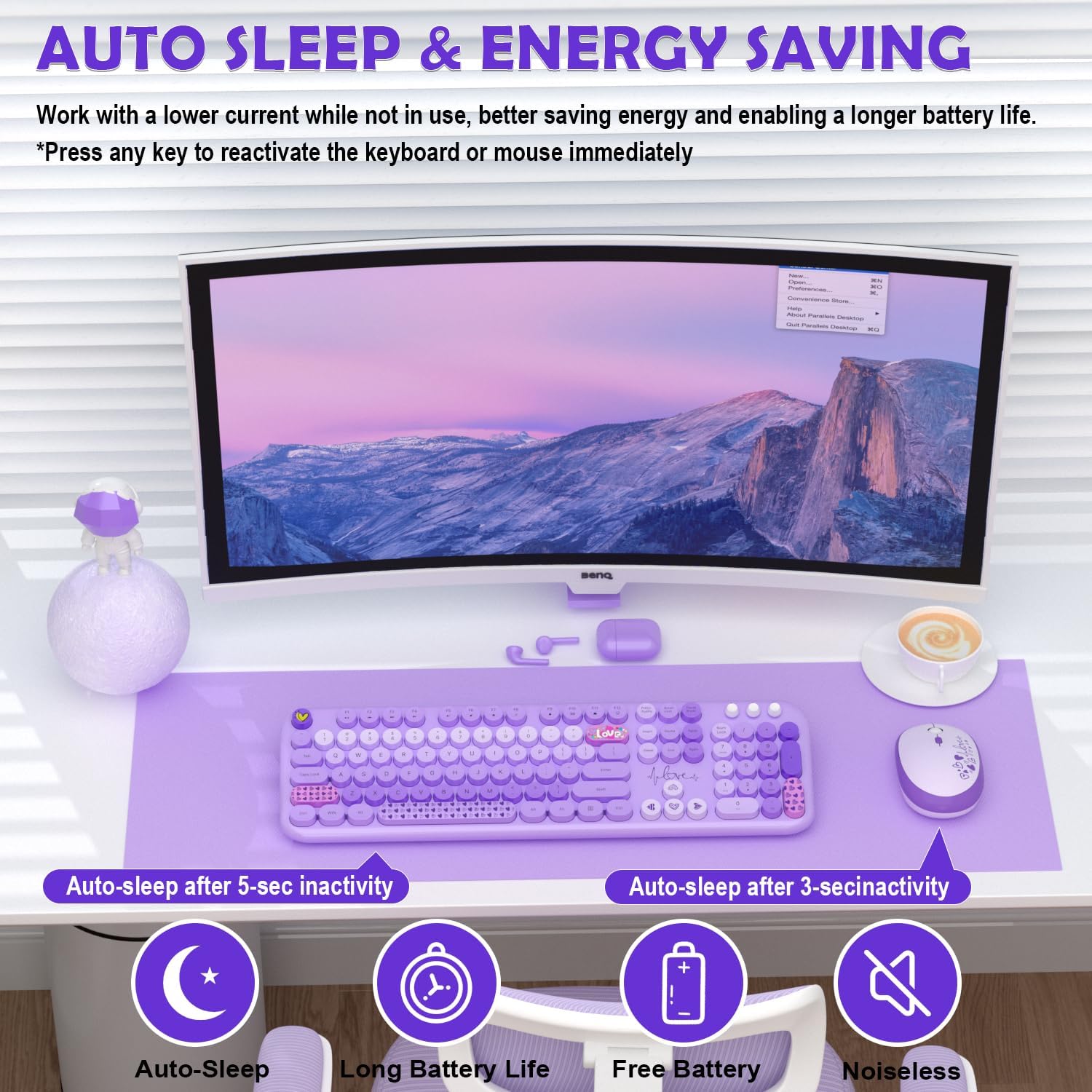
Both the keyboard and mouse feature an auto sleep mode to conserve battery life. After 30 minutes of inactivity, the devices will enter sleep mode. To wake them up, simply press any key on the keyboard or click any button on the mouse.
5. Priežiūra
5.1. Valymas
Klaviatūrai ir pelei valyti naudokite minkštą, sausą šluostę. Įsisenėjusiam purvui – šiek tiek sausą šluostę.amp cloth with mild soap can be used, ensuring no liquid enters the device. The round keycaps are removable for deeper cleaning if necessary.

5.2. Baterijos keitimas
When the battery indicator light on the keyboard (if applicable) or mouse begins to flash, it's time to replace the batteries. Follow the battery installation steps (Section 3.1) to replace the AA batteries in both devices.
6. Problemų sprendimas
- Nėra ryšio: Ensure the USB nano receiver is securely plugged into a working USB port. Check that batteries are correctly installed in both the keyboard and mouse. Try plugging the receiver into a different USB port.
- Vėlavimas arba nutrūkstamas ryšys: Move the keyboard and mouse closer to the USB receiver. Avoid placing the receiver near other wireless devices or large metal objects that might cause interference.
- Klavišai nereaguoja: Check battery levels. If the devices are in auto sleep mode, press any key/button to wake them up.
- Pelės žymeklis šokinėja arba yra netikslus: Ensure the mouse is used on a clean, non-reflective surface. Adjust DPI settings if available (check mouse for a dedicated DPI button).
7. Specifikacijos
| Funkcija | Detalė |
|---|---|
| Gaminio matmenys | 13 x 2 x 1 colio |
| Prekės svoris | 1.98 svaro |
| Prekės modelio numeris | 693 |
| Reikalingos baterijos | 2 AA batteries (1 for keyboard, 1 for mouse - included) |
| Ryšio technologija | 2.4G USB belaidis ryšys |
| Ypatingos savybės | Ergonomic, Lightweight, Round Keycaps, Silent Mouse, Auto Sleep Mode, 13 Multimedia Hotkeys |
| Suderinami įrenginiai | Laptop, Personal Computer, Projector, Tablet (Windows, Mac OS, Chrome OS, Linux) |
8. Garantija ir palaikymas
MOFII offers a 1-Year Warranty and a 30-day Free Return Policy for this product. For customer support, please contact MOFII directly via email or through their official store.
- El. paštas: support_mofii@163.com
- Palaikymas internetu: Aplankykite MOFII Store on Amazon and click "Ask a question" to contact support.

9. Oficialūs produktų vaizdo įrašai
9.1. Wireless Keyboard/Mouse Great Design, Easy Setup (Review)
Vaizdo įrašas: išsamus aprašymasview šouasing the design and easy setup process of the MOFII Wireless Keyboard and Mouse Combo. This video highlights the plug-and-play functionality and overall user experience.
9.2. Plug and Play Experience From An iMac User
Video: An iMac user demonstrates the plug-and-play experience of the MOFII Wireless Keyboard and Mouse, emphasizing its ease of use and compatibility with Apple devices.


