1. Įvadas
This manual provides essential information for using your new Tecno Spark 20C smartphone. It covers device setup, basic operations, maintenance tips, and troubleshooting common issues. Please read this manual carefully to ensure proper and safe use of your device.
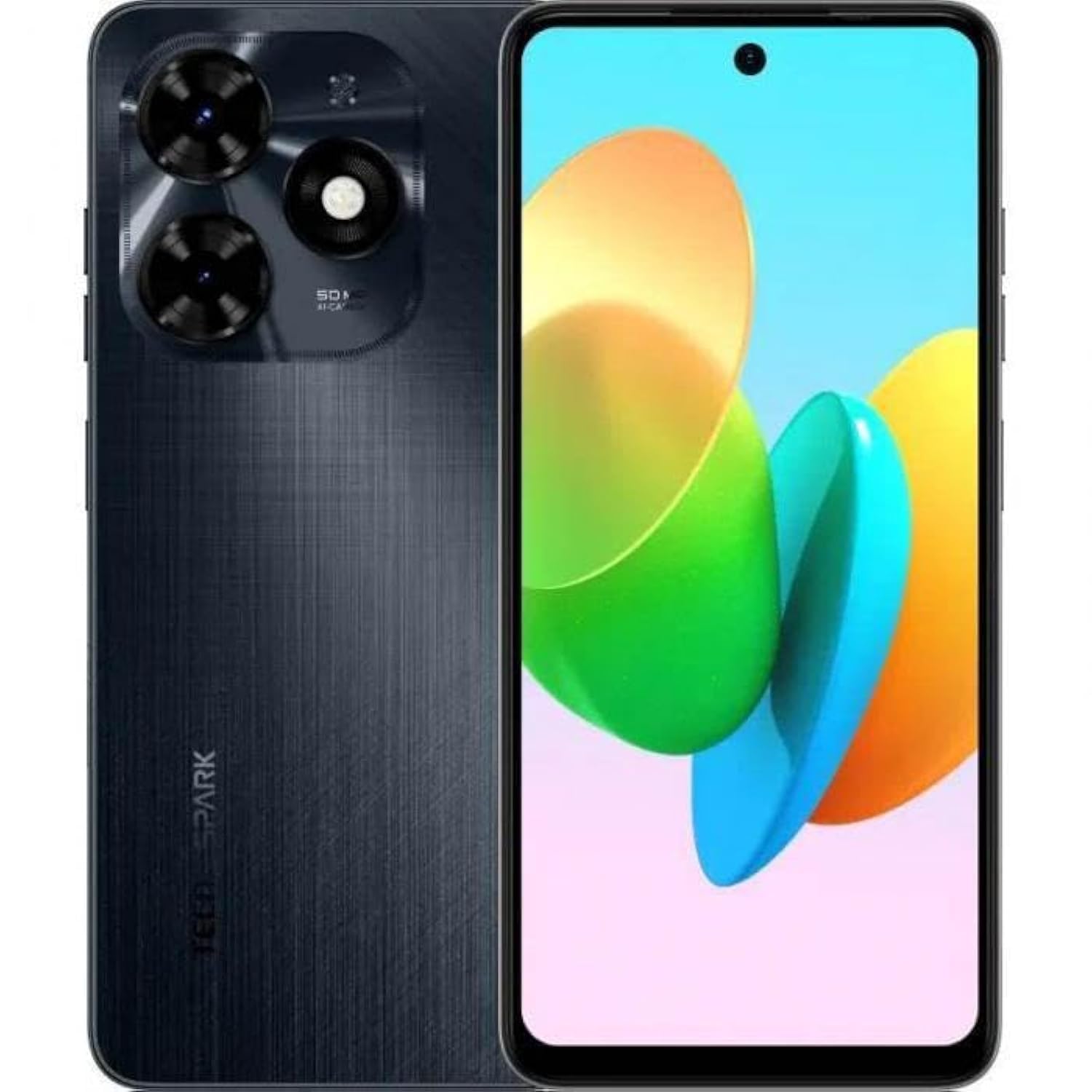
1.1 vaizdas: priekis view of the Tecno Spark 20C smartphone.
2. Pakuotės turinys
Upon unboxing your Tecno Spark 20C, please verify that the following items are included:
- „Tecno Spark 20C“ išmanusis telefonas
- Maitinimo adapteris
- USB įkrovimo laidas
- SIM išstūmimo įrankis
- Greitos pradžios vadovas
- Garantijos kortelė
3. Įrenginys baigtasview
The Tecno Spark 20C features a 6.6-inch HD+ display. The device is equipped with a 50-megapixel main camera on the rear and an 8-megapixel front camera. Physical buttons typically include power/lock and volume controls. Ports usually include a USB charging port and a 3.5mm audio jack.
4. Sąranka
4.1. SIM ir „MicroSD“ kortelių įdėjimas
- Suraskite SIM kortelės dėklą savo įrenginio šone.
- Įkiškite SIM kortelės išstūmimo įrankį į mažą skylutę šalia dėklo ir švelniai paspauskite, kol dėklas iššoks.
- Įdėkite nano-SIM kortelę (-es) ir (arba) „MicroSD“ kortelę į tam skirtus dėklo lizdus. Įsitikinkite, kad auksiniai kontaktai yra nukreipti žemyn.
- Atsargiai vėl įdėkite dėklą į įrenginį.
4.2. Pradinis įjungimas ir konfigūracija
- Paspauskite ir palaikykite maitinimo mygtuką, kol pasirodys „Tecno“ logotipas.
- Vykdykite ekrane pateikiamus nurodymus, kad pasirinktumėte kalbą, regioną, prisijungtumėte prie „Wi-Fi“ tinklo ir nustatytumėte „Google“ paskyrą.
- You may also be prompted to set up a screen lock (PIN, pattern, or fingerprint).
4.3. Įrenginio įkrovimas
Connect the USB cable to the charging port on your phone and the other end to the power adapter. Plug the adapter into a wall outlet. The battery icon on the screen will indicate charging status. For optimal battery life, use the provided charger and cable.
5. Operacinis
5.1. Pagrindinė navigacija
Your Tecno Spark 20C uses a touchscreen interface. Common gestures include:
- Bakstelėkite: To open apps, select items, or confirm actions.
- Perbraukimas: Norėdami slinkti per ekranus, sąrašus arba puslapius.
- Žiupsnelis: Norėdami priartinti arba atitolinti vaizdus ir web puslapių.
- Ilgas paspaudimas: Norėdami pasiekti kontekstinius meniu arba perkelti programų piktogramas.
5.2. Skambinimas ir žinučių siuntimas
Norėdami skambinti, atidarykite Telefonas programėlėje įveskite numerį ir palieskite skambinimo piktogramą. Norėdami išsiųsti žinutę, atidarykite Žinutės app, tap the new message icon, enter the recipient's number or select from contacts, and type your message.
5.3. Fotoaparato naudojimas
Atidarykite Fotoaparatas app. The Tecno Spark 20C features a 50-megapixel main camera with AI image processing algorithms and an 8-megapixel front camera. Tap the shutter button to take a photo. Swipe to switch between photo, video, and other modes like panorama. AI features can automatically optimize settings for different scenes.
5.4. Interneto ryšys
Access the internet via Wi-Fi or mobile data (4G). To connect to Wi-Fi, go to Nustatymai > Tinklas ir internetas > „Wi-Fi“, turn Wi-Fi on, and select your desired network. To enable mobile data, go to Nustatymai > Tinklas ir internetas > Mobilusis tinklas and toggle Mobile data on.
5.5. NFC bekontakčiams mokėjimams
The Tecno Spark 20C includes an NFC module. To use contactless payments, ensure NFC is enabled in Settings > Connected devices > NFC. Set up your preferred payment app and hold your phone near a compatible payment terminal.
6. Priežiūra
6.1. Įrenginio valymas
Use a soft, lint-free cloth to gently wipe the screen and body of your phone. Avoid using harsh chemicals or abrasive materials, which can damage the device's finish or screen coating.
6.2. Akumuliatoriaus priežiūra
To prolong battery life, avoid exposing your phone to extreme temperatures. It is recommended to keep the battery charge between 20% and 80% for daily use. Avoid completely draining the battery frequently.
6.3. Programinės įrangos atnaujinimai
Reguliariai tikrinkite, ar yra programinės įrangos atnaujinimų, kad įsitikintumėte, jog jūsų įrenginyje yra naujausios funkcijos, saugos pataisymai ir našumo patobulinimai. Eikite į Nustatymai > Sistema > Sistemos naujinimas , kad patikrintumėte, ar yra atnaujinimų, ir įdiegtumėte juos.
7. Problemų sprendimas
Šiame skyriuje aptariamos dažniausiai pasitaikančios problemos, su kuriomis galite susidurti naudodami „Tecno Spark 20C“.
- Įrenginys neįsijungia: Įsitikinkite, kad akumuliatorius įkrautas. Prijunkite įkroviklį ir palaukite kelias minutes, prieš bandydami vėl įjungti. Jei jis vis tiek neįsijungia, pabandykite priverstinai paleisti iš naujo, palaikydami maitinimo mygtuką maždaug 10–15 sekundžių.
- Ekranas nereaguoja: If the screen is frozen, perform a forced restart. If the issue persists, ensure your hands are clean and dry, and the screen is free of debris.
- Network issues (no signal/Wi-Fi): Check if Airplane mode is off. For mobile data, ensure your SIM card is properly inserted and mobile data is enabled in settings. For Wi-Fi, try forgetting the network and reconnecting, or restart your router.
- Programėlės stringa arba užstringa: Try clearing the app's cache and data in Nustatymai > Programos > [Programos pavadinimas] > Saugykla ir talpykla. If the problem continues, uninstall and reinstall the app. Ensure your device's software is up to date.
8. Specifikacijos
Key technical specifications for the Tecno Spark 20C:
| Operacinė sistema | Android T |
| Procesorius | Aštuonių branduolių |
| Tinklas | 4G |
| Ekrano dydis | 6.6 colio HD+ raiška |
| Rezoliucija | 720*1612 |
| Įdiegta RAM | 4 GB |
| Vidinė saugykla | 256 GB |
| Baterijos talpa | 5000 mAh (as per product description) |
| Ryšio technologija | 4G, GSM |
| Belaidis nešiklis | Atrakinta visiems vežėjams |
| Gaminio matmenys | 16.3 x 8 x 0.8 cm; 410 g |
9. Garantija ir palaikymas
Your Tecno Spark 20C smartphone comes with a limited warranty. Please refer to the warranty card included in your package for detailed terms and conditions, including coverage period and service procedures. For technical support or further assistance, please visit the official Tecno websvetainėje arba susisiekite su jų klientų aptarnavimo tarnyba.