1. Produktas baigtasview
The KBOD Smartwatch S95 Pro is a high-quality, durable, and technologically advanced smartwatch designed for daily use. It features a vibrant 2.01-inch display with a resolution of 240px x 296px, offering a clear and crisp visual experience. Built with premium materials, including a splash-resistant design and scratch-resistant glass, it ensures reliable performance in various conditions. The anatomical design provides ergonomic comfort, and its long-lasting battery keeps you connected throughout your day. The S95 Pro also includes interchangeable silicone straps for personalized style and enhanced durability.

Image: The KBOD Smartwatch S95 Pro in grey, showcasindėl savo elegantiško dizaino ir ekrano.
2. Kas yra dėžutėje
Upon unboxing your KBOD Smartwatch S95 Pro, please verify that all components are present and in good condition. The standard package includes:
- 1 x KBOD Smartwatch S95 Pro
- 1 x Silicone Strap (interchangeable)
- 1 x Wireless Magnetic Charger
- 1 x Vartotojo vadovas
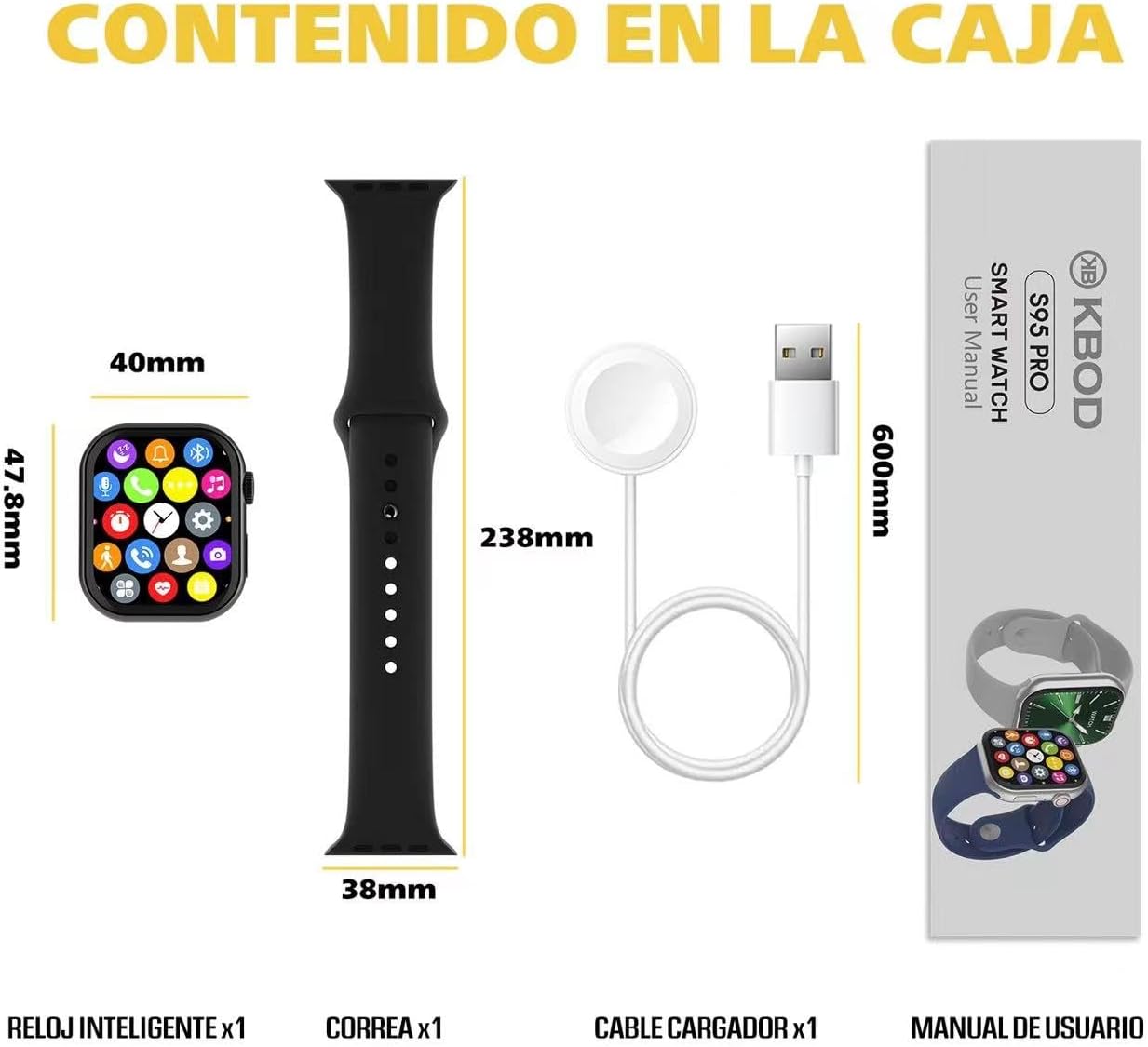
Image: Contents of the KBOD Smartwatch S95 Pro package, including the watch, strap, charger, and manual.
3. Sąrankos vadovas
3.1 Išmaniojo laikrodžio įkrovimas
Before first use, fully charge your smartwatch. The S95 Pro features a long-lasting battery and a convenient wireless magnetic charger.
- Connect the USB end of the magnetic charger to a compatible USB power adapter (not included) or a computer USB port.
- Place the back of your smartwatch onto the magnetic charging pad. Ensure the charging pins align correctly. The watch screen will indicate charging status.
- A full charge typically takes approximately 1.5 hours. The watch offers over 7 days of typical usage and 30+ days of standby time on a single charge.
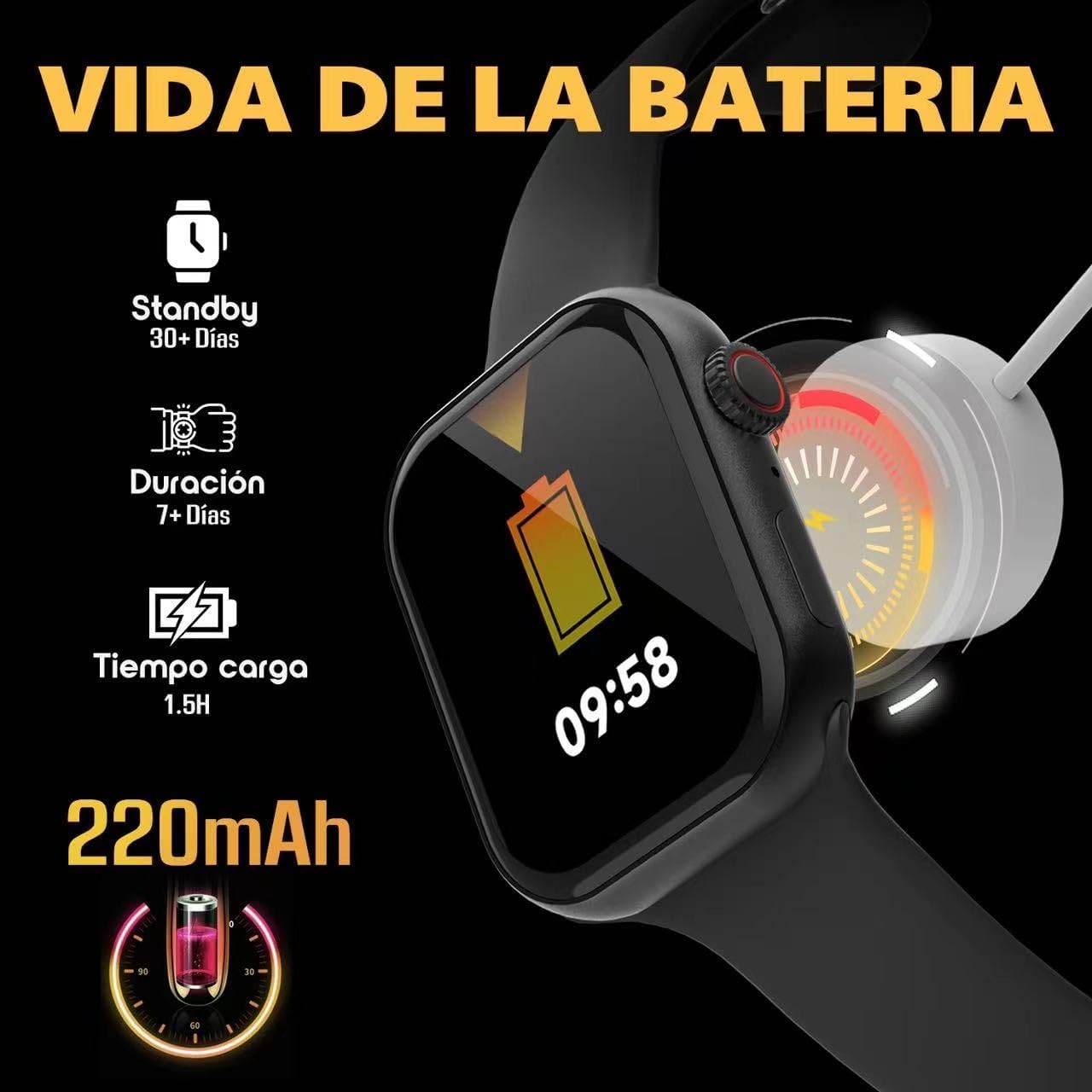
Image: Visual guide to charging the S95 Pro, highlighting battery life and charging time.
3.2 Susiejimas su išmaniuoju telefonu
To unlock the full potential of your S95 Pro, pair it with your smartphone via Bluetooth. The smartwatch is compatible with universal electronic devices.
- Download the official KBOD companion app from your smartphone's app store (iOS or Android).
- Įsitikinkite, kad jūsų išmaniajame telefone įjungtas „Bluetooth“.
- Open the KBOD app and follow the on-screen instructions to search for and connect to your S95 Pro.
- Patvirtinkite susiejimo užklausą ir išmaniajame telefone, ir išmaniajame laikrodyje.
4. Naudojimo instrukcijos
4.1 Pagrindinė navigacija
The S95 Pro features a responsive touch screen and a side button for navigation.
- Jutiklinis ekranas: Braukite kairėn / dešinėn, aukštyn / žemyn, kad naršytumėte meniu ir valdiklius. Palieskite, kad pasirinktumėte elementus.
- Šoninis mygtukas: Paspauskite, kad grįžtumėte į pagrindinį ekraną arba pažadintumėte įrenginį. Ilgai paspauskite, kad atidarytumėte maitinimo parinktis.
4.2 Skambinimas ir skambučių priėmimas
With Bluetooth connectivity, you can manage calls directly from your smartwatch.
- Atsiliepimas į skambučius: Kai skambinate, laikrodžio ekrane palieskite žalią atsiliepimo piktogramą.
- Skambinimas: Norėdami pradėti skambutį, laikrodyje atidarykite rinkiklį arba kontaktų sąrašą.

Image: The S95 Pro's Bluetooth call feature, allowing users to answer calls directly from the watch.
4.3 Pranešimai
Receive real-time notifications from your paired smartphone directly on your S95 Pro.
- Ensure notification permissions are enabled in the KBOD app on your smartphone.
- Braukite žemyn nuo laikrodžio ciferblato viršaus, kad view jūsų pranešimų istorija.
4.4 Laikrodžio ciferblatų pritaikymas
Personalize your smartwatch with over 500 available watch faces.
- Long press on the current watch face to enter the customization mode.
- Swipe left or right to browse through pre-installed watch faces.
- Use the companion app to download and install additional watch faces.

Image: A selection of the 500+ watch faces available for the S95 Pro, allowing for personalized display.
4.5 Health and Sport Modes
The S95 Pro supports various health monitoring and sports tracking features.
- Prisijunkite prie
Susiję dokumentai - Smartwatch Reloj Inteligente S95 Pro

KBOD X60 ULTRA Smart Watch User Manual - Setup, Features, and Operation Guide
Detailed user manual for the KBOD X60 ULTRA Smart Watch. Learn how to set up, connect, operate features like sports tracking, heart rate monitoring, and understand precautions and FCC compliance.
KB-TWS-C29 TWS Earphone User Manual - Features, Pairing, and Specifications
Comprehensive user manual for the KB-TWS-C29 TWS wireless earphones. Learn about product features, specifications, wireless pairing, touch controls, usage instructions, and FCC compliance. Includes detailed guidance for optimal performance and care.
KBOD 10000mAh 15W belaidės išorinės baterijos su siurbtuku naudojimo instrukcija
KBOD 10000mAh 15W belaidės išorinės baterijos su siurbtuku naudotojo vadovas, kuriame išsamiai aprašomos funkcijos, specifikacijos, įkrovimo instrukcijos, saugos priemonės ir atitiktis FCC reikalavimams.
„SwellPro Splash Drone 3“ naudotojo vadovas NZ
Susipažinkite su „SwellPro Splash Drone 3“ – pažangaus vandeniui atsparaus drono – savybėmis, veikimu ir specifikacijomis. ampHibious dronas. Šiame vadove aprašomas surinkimas, skrydžio režimai, kameros funkcijos ir saugos gairės.
„Zeblaze Stratos 2“ išmaniojo laikrodžio naudotojo vadovas ir instrukcija
Išsamus „Zeblaze Stratos 2“ išmaniojo laikrodžio naudotojo vadovas, kuriame aptariama sąranka, funkcijos, GPS, sauga ir specifikacijos. Sužinokite, kaip prijungti, naudoti ir prižiūrėti įrenginį.