1. Įvadas
This manual provides detailed instructions for the iTOMA Retro Alarm Clock Model 138. Please read thoroughly before use to ensure proper functionality and to maximize your product experience. This device combines time display, alarm functions, Bluetooth connectivity, and media playback options in a compact, vintage. įkvėptas dizainas.
2. Pakuotės turinys
Atidarę pakuotę, patikrinkite, ar yra visi šie daiktai:
- 1 x iTOMA Retro Alarm Clock (Model 138)
- 1 x C tipo įkrovimo laidas
- 1 x Vartotojo vadovas
Pastaba: An AC adapter is not included and must be supplied separately for power.
3. Produkto ypatybės
The iTOMA Retro Alarm Clock Model 138 offers a range of functionalities:
- Laiko rodymas: Clear LED display with 12/24-hour format options.
- Signalizacijos funkcija: Multiple alarm settings with adjustable volume (1-16 levels) and a 9-minute snooze feature.
- Signalizacijos režimai: Choose between everyday, weekdays only, or weekends only alarm activation.
- Bluetooth ryšys: Bluetooth 5.1 for stable wireless audio streaming from compatible devices.
- Medijos atkūrimas: Supports TF (MicroSD) card slot and AUX jack for direct music playback.
- Skambinimas laisvų rankų įranga: Integrated microphone for hands-free phone calls when connected via Bluetooth.
- Garso valdymas: Option to turn off the display and reactivate it by sound (tapping or clapping).
- Ekrano ryškumas: Adjustable display brightness for optimal viewesant įvairioms apšvietimo sąlygoms.
- Atminties baterija: Internal battery to retain time and alarm settings during power outages (not for powering the device).

Figure 1: Key features of the iTOMA Retro Alarm Clock, including Bluetooth, AUX, hands-free calling, and TF card support.
4. Sąranka
- Maitinimo jungtis: Connect the provided Type-C charge cable to the DC 5V port on the back of the alarm clock. Plug the other end of the cable into a compatible USB AC adapter (not included) and then into a power outlet. The display should illuminate.
- Pradinis laiko nustatymas:
- Press and hold the "TIME" button on the back of the clock for 3 seconds. The year display will start flashing.
- Use the scroll wheel (or +/- buttons if applicable) to adjust the year.
- Press "TIME" again to move to month, then day, then hour, then minute. Adjust each setting using the scroll wheel.
- After setting the minute, press "TIME" one more time to select 12-hour or 24-hour format.
- Press "TIME" again to confirm and exit time setting mode.
- Memory Battery Activation: To ensure settings are saved during power interruptions, locate the memory battery switch on the back of the clock and slide it to the "ON" position.
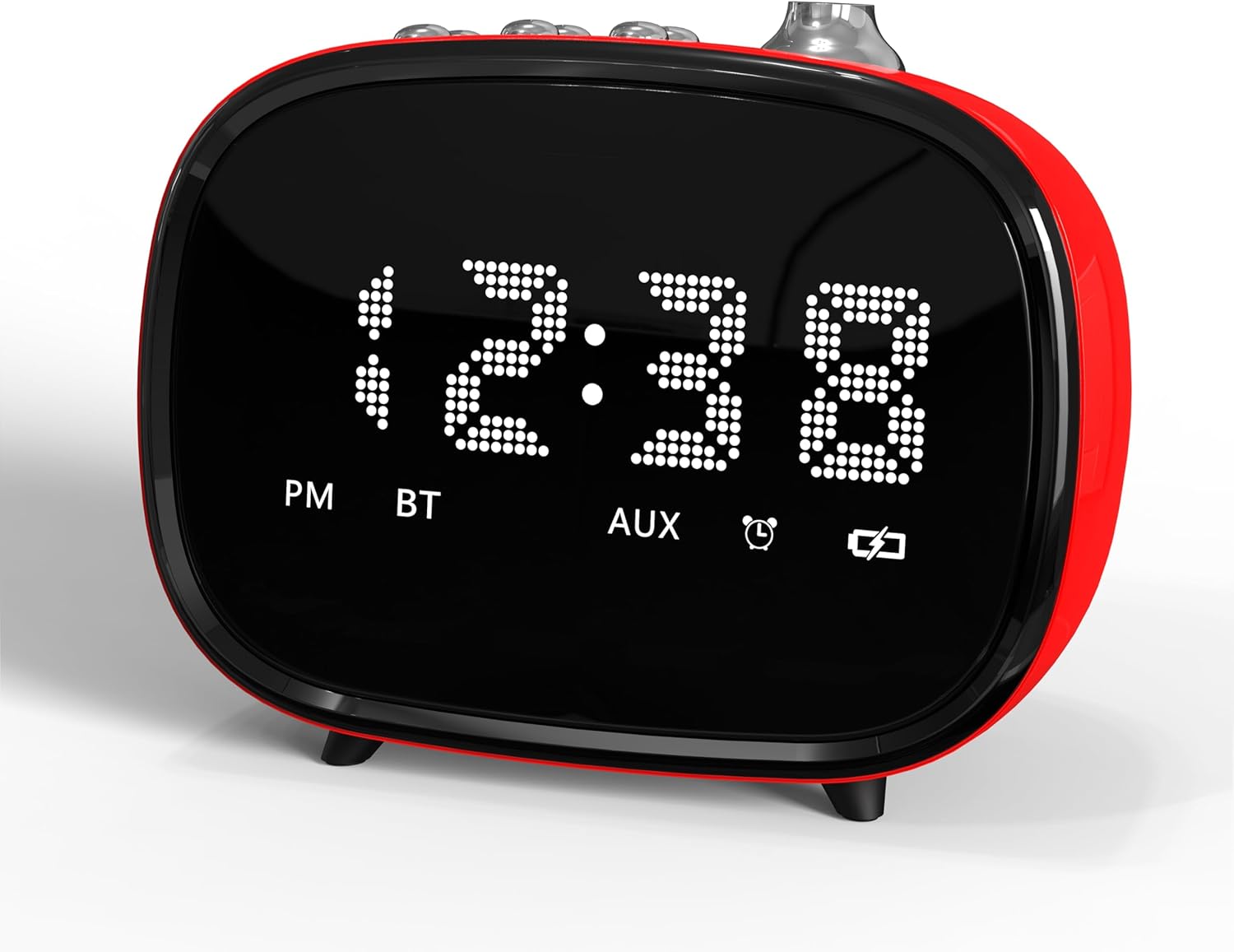
2 pav.: priekis view of the iTOMA Retro Alarm Clock, showing the LED time display.
5. Naudojimo instrukcijos
5.1. Signalų nustatymas
- Press and hold the "ALARM" button on the back of the clock for 3 seconds. "A1" (Alarm 1) will appear on the display.
- Press "ALARM" repeatedly to cycle through Alarm 1, Alarm 2, and Alarm 3 settings.
- When the desired alarm (e.g., A1) is displayed, use the scroll wheel to set the hour, then press "ALARM" to set the minute.
- After setting the minute, press "ALARM" again to choose the alarm mode:
- "--E": Alarm rings every day.
- "oNE": Alarm rings on weekdays only (Monday-Friday).
- "E": Alarm rings on weekends only (Saturday-Sunday).
- Press "ALARM" again to set the alarm volume (1-16 levels) using the scroll wheel.
- Press "ALARM" one last time to confirm and exit alarm setting.
- To activate/deactivate an alarm, use the corresponding ON/OFF switch on the bottom of the clock.
5.2. Snaudimo funkcija
When an alarm sounds, press the large "SNOOZE" button on the top of the clock to temporarily silence it for 9 minutes. The alarm will sound again after 9 minutes. This can be repeated up to 6 times.

Figure 3: The snooze function allows for an additional 9 minutes of rest after the alarm sounds.
5.3. „Bluetooth“ poravimas
- Įsitikinkite, kad žadintuvas įjungtas.
- Activate Bluetooth on your mobile device or other audio source.
- Ieškokite "iTOMA 138" (or similar) in your device's Bluetooth settings.
- Pasirinkite įrenginį, kurį norite susieti. Patvirtinimo garsas praneš apie sėkmingą susiejimą.
- You can now stream audio to the alarm clock or use it for hands-free calling.
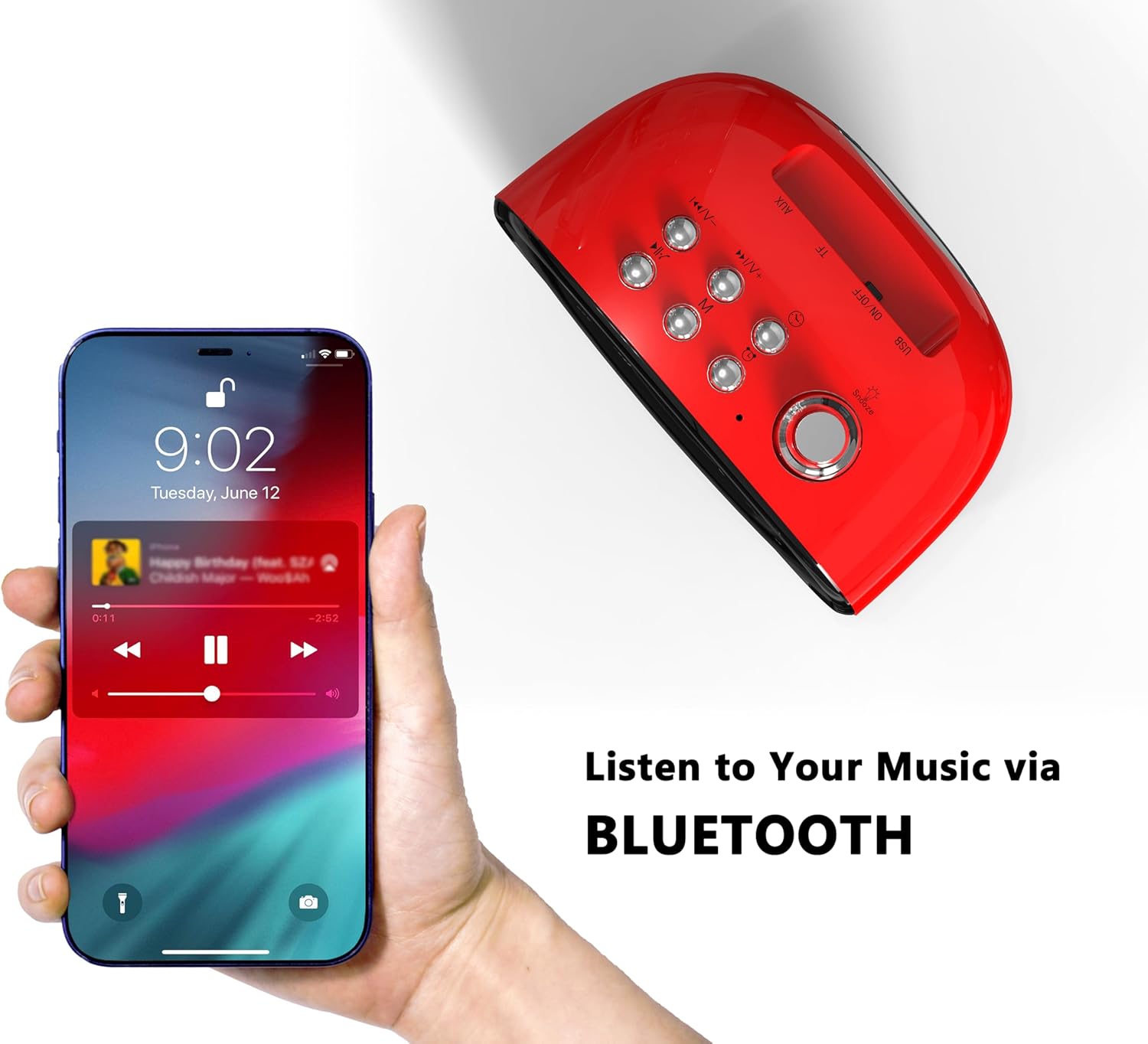
Figure 4: Connect your smartphone via Bluetooth to play music through the alarm clock's speaker.
5.4. TF kortelės ir AUX atkūrimas
- TF kortelė: Įdėkite TF (MicroSD) kortelę su garso įrašu files into the designated slot on the back of the clock. The clock should automatically switch to TF card playback mode.
- AUX lizdas: Connect an audio device using a 3.5mm AUX cable to the AUX jack on the back of the clock. The clock should automatically switch to AUX input mode.
5.5. Sound Control (Display On/Off)
To enable or disable the sound control feature, use the "SOUND CONTROL" ON/OFF switch on the back of the clock. When "ON", the display will turn off after a few seconds of inactivity. To reactivate the display, simply tap the clock, click a button, or make a sound (e.g., clap your hands).
5.6. Ekrano ryškumo reguliavimas
The display brightness can be adjusted using the dedicated switch on the back of the clock. Slide the switch to your preferred brightness level (Off, Dim, Bright).
6. Priežiūra
- Valymas: Žadintuvo paviršių valykite minkštu, sausu skudurėliu. Venkite naudoti abrazyvinius valiklius ar tirpiklius.
- Vieta: Padėkite įrenginį ant stabilaus, lygaus paviršiaus, atokiau nuo tiesioginių saulės spindulių, šilumos šaltinių ir drėgmės.
- Galia: Always use the provided Type-C cable. Ensure the AC adapter used is compatible (DC 5V).
7. Problemų sprendimas
- Nėra ekrano / maitinimo: Ensure the Type-C cable is securely connected to both the clock and a working power outlet via a compatible AC adapter.
- Signalizacija neskamba: Check if the alarm is activated using the ON/OFF switch on the bottom. Verify the alarm time and mode are correctly set. Ensure the alarm volume is not set to 0.
- „Bluetooth“ poravimo problemos: Ensure the clock is not already paired with another device. Turn off and on Bluetooth on your device and the clock, then try pairing again.
- Nustatymai prarasti išsijungus maitinimuitage: Ensure the memory battery switch on the back is in the "ON" position.
- Resetting the Clock: If the clock malfunctions or settings are incorrect, locate the "RST" (Reset) button on the back. Use a thin object (like a toothpick) to press and hold the button for a few seconds to reset the device to factory defaults.
8. Specifikacijos
| Prekės ženklas | iTOMA |
| Modelio numeris | 138 |
| Ekrano tipas | LED |
| Maitinimo šaltinis | Type-C cable (AC Adapter not included) |
| Gaminio matmenys | 4.72 colio pločio x 3.74 colio aukščio |
| Prekės svoris | 13.1 uncijos |
| Medžiaga | Akrilnitrilo butadieno stirenas (ABS) |
| Ryšio technologija | USB-C, Bluetooth 5.1 |

Figure 5: Dimensions of the iTOMA Retro Alarm Clock.
9. Garantija ir palaikymas
The iTOMA Retro Alarm Clock Model 138 comes with a 365 diena Garantija. For any questions, missing accessories, or other issues, please contact iTOMA customer support.
Kontaktinis el. paštas: ThreeDucksDirect@outlook.com
Please include your order ID when contacting support for warranty claims.


