Produktas baigtasview
The EasySMX X05 is a versatile wireless gamepad designed for an enhanced gaming experience across multiple platforms. It features Hall Effect joysticks and triggers for precise control, customizable RGB lighting, and multiple connectivity options including 2.4GHz wireless, Bluetooth, and wired modes.
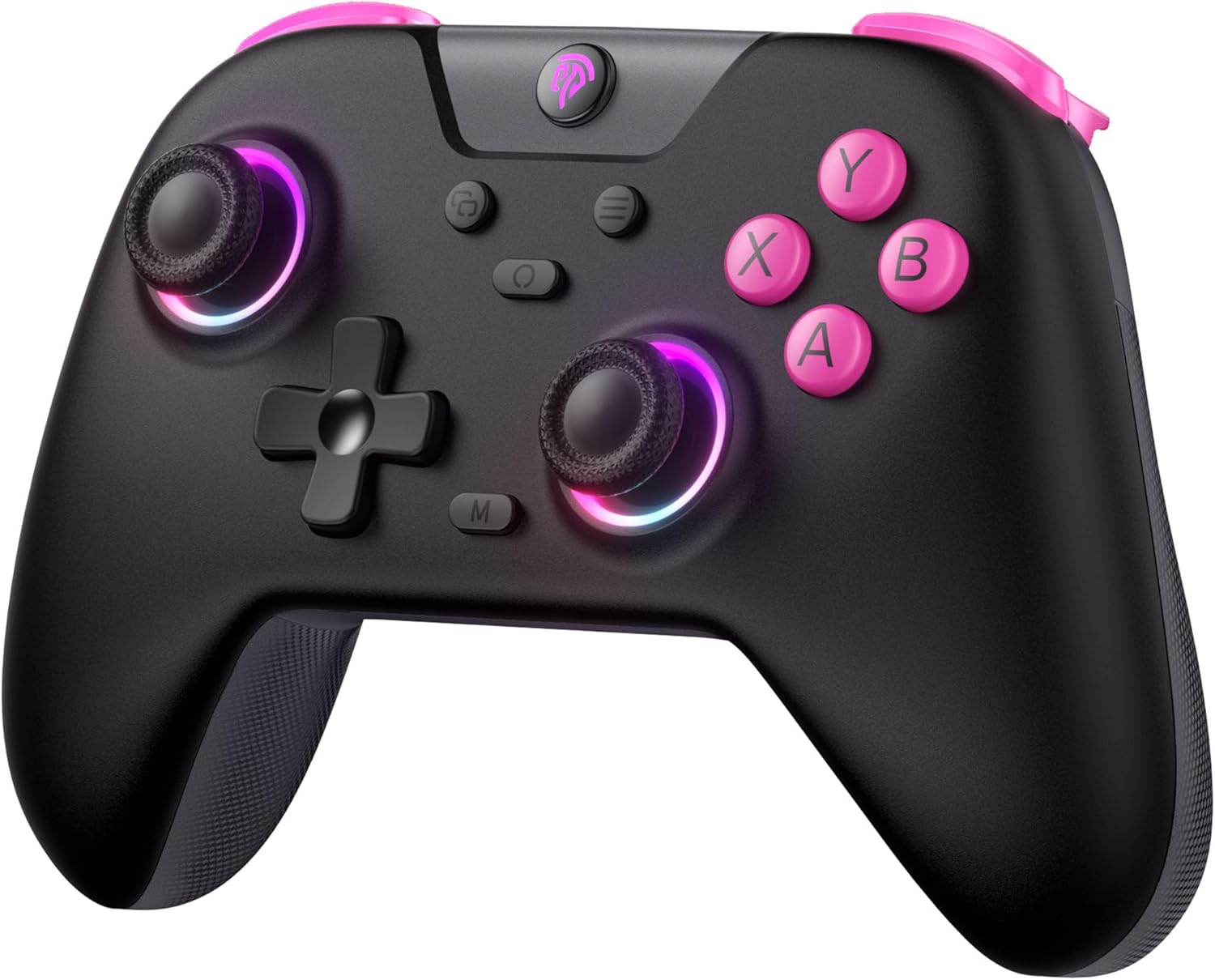
Vaizdas: priekis view of the EasySMX X05 Wireless Gamepad in black with pink accents and illuminated joysticks.
Pagrindinės savybės
- Kelių platformų suderinamumas: Works with PC Windows, Switch, Android, iOS, Tablets, and Tesla.
- RGB apšvietimas: Features cool RGB lighting on joysticks and grips with 7 color combinations and 5 lighting modes (Brightness, Breathing, Colorful, Fade, Off).
- Trigubi ryšio režimai: Supports 2.4GHz wireless (via dongle for PC), Bluetooth (for Switch, Android, iOS, Tablet), and wired USB connection.
- Holo efekto technologija: Equipped with Hall Effect joysticks and triggers for precise control, eliminating physical wear and stick drift, and providing a response time of less than 0.1ms.
- Ilgas baterijos veikimo laikas: Built-in 750mAh lithium battery offers over 20 hours of gameplay.
- Programuojami mygtukai: Two programmable buttons (M1, M2) at the bottom for custom macros.
- Ergonomiškas dizainas: Comfortable grip suitable for extended gaming sessions.
- Reguliuojama vibracija: 5 levels of vibration intensity for immersive feedback.
- Turbo funkcija: Customizable turbo settings for rapid button presses.
Pakuotės turinys
Patikrinkite pakuotę, ar joje yra šie daiktai:
- EasySMX X05 Wireless Gamepad
- 2.4 GHz USB raktas
- USB-C įkrovimo laidas
- Vartotojo vadovas
Valdiklio išdėstymas
Familiarize yourself with the buttons and features of your EasySMX X05 Gamepad.
Vaizdas: Išsamus view of the EasySMX X05 Gamepad, highlighting its various buttons and joysticks.
- A/B/X/Y mygtukai: Standartiniai veiksmų mygtukai.
- D-Pad: Tiksliam judesiui skirta krypties reguliavimo rankenėlė.
- Kairysis/dešinysis analoginiai valdikliai: Hall Effect joysticks for smooth, drift-free control.
- LB/RB mygtukai: Kairysis ir dešinysis buferio mygtukai.
- LT/RT Triggers: Left and Right Hall Effect Triggers for accurate pressure sensing.
- HOME mygtukas: Power on/off, system menu access.
- +/- mygtukai: System specific functions (e.g., Start/Select).
- Ekrano kopijos mygtukas: Capture screenshots (Switch).
- M mygtukas: Macro/Programmable button.
- M1/M2 mygtukai: Programuojami mygtukai atgal.
- Mode Switch Toggle: Located on the back, for switching between NS (Switch), BT (Bluetooth), and 2.4G modes.
Valdiklio įkrovimas
The EasySMX X05 Gamepad comes with a built-in 750mAh rechargeable lithium battery. Before first use, it is recommended to fully charge the controller.
- Connect the supplied USB-C charging cable to the controller's USB-C port and the other end to a USB power source (e.g., PC, USB wall adapter).
- The LED indicators on the controller will show charging status. Typically, they will blink while charging and turn solid when fully charged.
- Pilnas įkrovimas trunka maždaug 2-3 valandas.
- The controller can be used in wired mode while charging.

Image: Illustration highlighting the 750mAh battery capacity of the gamepad.
Connectivity Modes and Setup
The EasySMX X05 supports three connection methods: 2.4GHz wireless, Bluetooth, and wired.

Image: Diagram showing the multi-platform compatibility of the EasySMX X05 gamepad, including Switch, PC, Android, iOS, and Tesla.
1. 2.4GHz Wireless Mode (for PC, Tesla, Smart TV)
- Set the mode switch toggle on the back of the controller to "2.4G".
- Insert the 2.4GHz USB dongle into an available USB port on your PC, Tesla, or Smart TV.
- Press the HOME button on the controller to power it on. The controller will automatically connect to the dongle. The indicator lights will become solid once connected.
2. Bluetooth Mode (for Switch, Android, iOS, Tablets)
- Set the mode switch toggle on the back of the controller to "BT".
- „Nintendo Switch“:
- On your Switch, go to "System Settings" > "Controllers and Sensors" > "Change Grip/Order".
- Press and hold the HOME button on the EasySMX X05 controller for 3 seconds until the indicator lights start flashing rapidly.
- The Switch will detect the controller. Once paired, the indicator light will become solid.
- For Android/iOS/Tablets:
- Įjunkite „Bluetooth“ savo įrenginyje.
- Press and hold the HOME button on the EasySMX X05 controller for 3 seconds until the indicator lights start flashing rapidly.
- On your device's Bluetooth settings, search for "EasySMX X05" (or similar) and select it to pair.
- Suporavus, indikatoriaus lemputė ims šviesti nepertraukiamai.
3. Wired Mode (for PC, Android TV, Steam Deck)
- Set the mode switch toggle on the back of the controller to "NS" (or any mode, as wired connection overrides wireless).
- Connect the USB-C charging cable to the controller's USB-C port and the other end to a USB port on your PC, Android TV, or Steam Deck.
- The controller will be automatically recognized as a wired gamepad.
Naudojimo instrukcijos
RGB apšvietimo reguliavimas
The EasySMX X05 features customizable RGB lighting on its joysticks and grips.

Image: Visual representation of the gamepad's stylish RGB lighting effects, showing 7 color combinations and 5 diverse lighting modes.
- Paspauskite RGB mygtukas (usually a dedicated button near the HOME button or a combination) to cycle through different lighting modes (e.g., Brightness, Breathing, Colorful, Fade, Off).
- Refer to the specific button combination in your physical manual for detailed RGB control.
Vibracijos reguliavimas
Adjust the intensity of the vibration feedback for a personalized gaming experience.
- The controller supports 5 levels of vibration intensity (0%, 25%, 50%, 75%, 100%).
- Typically, vibration intensity can be adjusted by holding a specific button (e.g., Turbo or M button) and pressing the D-pad Up/Down. Consult your physical manual for the exact combination.
Turbo Function Setup
The Turbo function allows for rapid, automatic pressing of a button, useful for certain in-game actions.

Image: Instructions on how to set up and disable the Turbo function for various buttons (A/B/X/Y/LB/LT/RB/RT).
- Norėdami įjungti turbokompresorių: Paspauskite ir palaikykite M mygtukas, then press the desired action button (A/B/X/Y/LB/LT/RB/RT) once. The button will now continuously activate when held down.
- Norėdami išjungti „Turbo“: Paspauskite ir palaikykite M mygtukas, then press the same action button again. The Turbo function for that button will be turned off.
Energijos valdymas
- Rankinis išjungimas: Press and hold the HOME button for 5 seconds to turn off the controller.
- Automatinis išjungimas: The controller will automatically power off after 5 minutes of inactivity to conserve battery.

Image: Illustration showing the automatic power-off feature of the gamepad after 5 minutes of inactivity.
Išplėstinės funkcijos
Holo efekto valdymo svirtys ir paleidikliai
The EasySMX X05 utilizes Hall Effect technology for its joysticks and triggers, providing superior durability and precision compared to traditional potentiometer-based components.
- Eliminates Physical Damage: Magnetic sensors replace physical contacts, reducing wear and tear.
- Prevents Stick Drift: Ensures consistent and accurate input over time.
- Greitas reagavimo laikas: Triggers offer a response time of less than 0.1ms.

Vaizdas: Išsprogdintas view illustrating the internal components of a Hall Effect joystick, emphasizing its durability and precision.

Paveikslėlis: Skerspjūvis view of a Hall Effect trigger, showing its magnetic sensing mechanism and precise response.
Programuojami grįžimo mygtukai (M1/M2)
The M1 and M2 buttons on the back of the controller can be programmed to perform complex actions with a single press.
- Į programą: Press and hold the M button, then press the M1 or M2 button. The indicator light will blink. Now press the sequence of buttons you wish to assign (e.g., A, B, X). Press M1 or M2 again to save the macro.
- Išvalyti: Press and hold the M button, then press the M1 or M2 button twice.
- Refer to your physical manual for specific programming steps and limitations.
Rocker Caps
The controller may come with or support additional rocker caps to enhance joystick feel and precision.
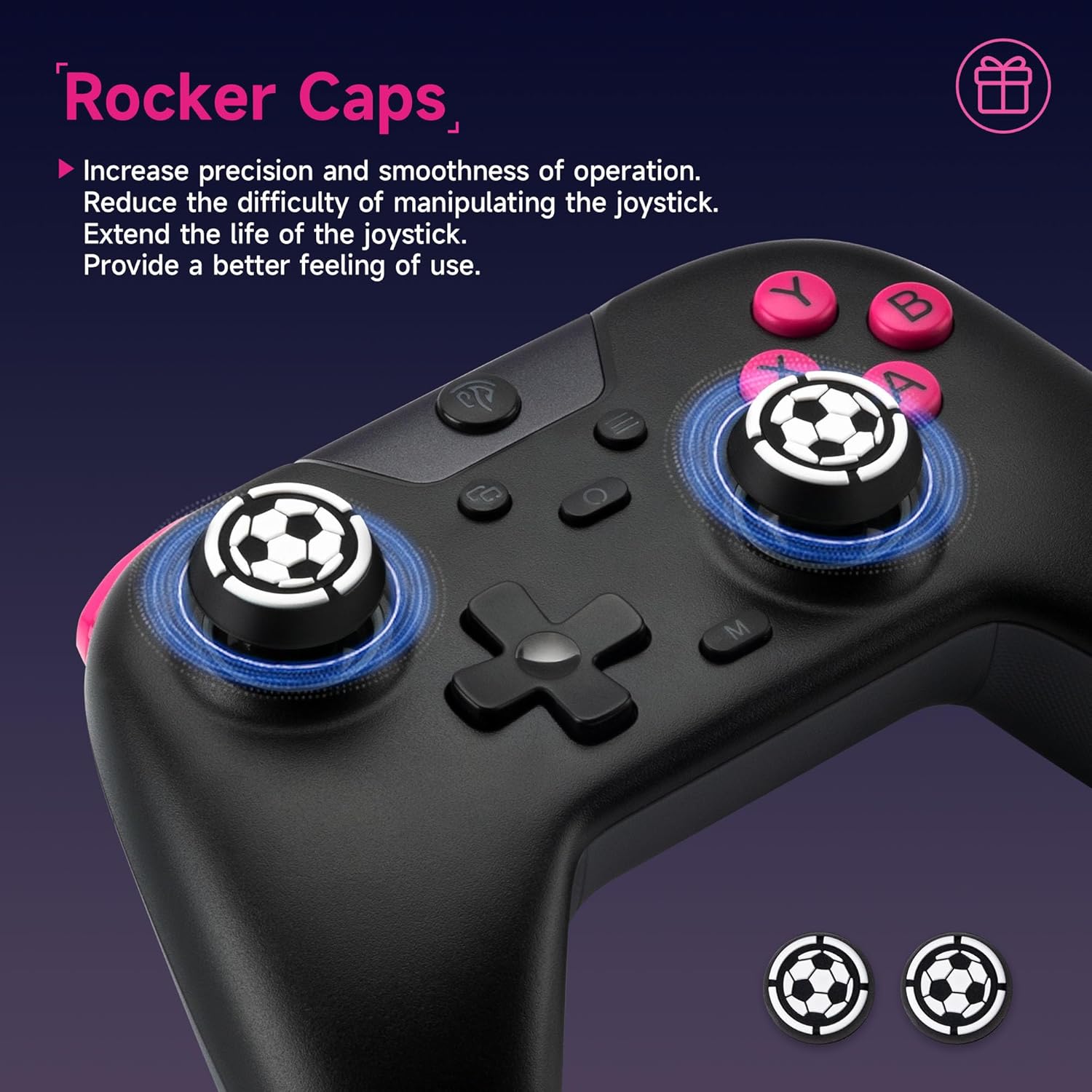
Image: Close-up of the joysticks with optional rocker caps, designed to increase precision and smoothness of operation.
- Increase precision and smoothness of operation.
- Reduce the difficulty of manipulating the joystick.
- Extend the life of the joystick.
Priežiūra ir priežiūra
- Valymas: Valdiklį valykite minkštu, sausu skudurėliu. Nenaudokite stiprių cheminių medžiagų ar abrazyvinių medžiagų.
- Saugykla: Laikykite valdiklį vėsioje, sausoje vietoje, apsaugotoje nuo tiesioginių saulės spindulių ir ekstremalių temperatūrų.
- Akumuliatoriaus priežiūra: Norėdami pailginti baterijos veikimo laiką, venkite jos dažnai visiškai iškrauti. Reguliariai kraukite valdiklį, net jei jo nenaudojate ilgą laiką.
- Venkite lašų: Saugokite valdiklį nuo kritimų ir smūgių, kurie gali pažeisti vidinius komponentus.
Trikčių šalinimas
| Problema | Galimas sprendimas |
|---|---|
| Valdiklis neįsijungia. | Ensure the controller is charged. Connect it to a power source using the USB-C cable. |
| Valdiklis neprisijungia belaidžiu ryšiu. |
|
| Input lag or disconnections. |
|
| Mygtukai arba valdymo svirtys nereaguoja. |
|
| Vibracija neveikia. |
|
Specifikacijos
| Funkcija | Detalė |
|---|---|
| Modelio numeris | X05 |
| Prekės ženklas | EasySMX |
| Ryšys | 2.4 GHz belaidis, „Bluetooth“, laidinis (USB-C) |
| Suderinami įrenginiai | PC (Windows), Nintendo Switch, Android, iOS, Tablets, Tesla, Android TV |
| Baterijos talpa | 750 mAh ličio baterija |
| Baterijos veikimo laikas | > 20 hours (approx.) |
| Įkrovimo laikas | 2-3 valandos (apytiksliai) |
| Valdymo svirties tipas | Holo efekto valdymo svirtelės |
| Trigerio tipas | Hall efekto trigeriai |
| RGB apšvietimas | 7 spalvos, 5 režimai |
| Vibracija | Adjustable (5 levels) |
| Programuojami mygtukai | M1, M2 (back buttons) |
| Matmenys (I x P x A) | 7.5 x 11.9 x 16.5 cm (apytiksliai) |
| Mygtukų skaičius | 14 |
Garantija ir palaikymas
EasySMX products typically come with a manufacturer's warranty. For specific warranty details, return policies, or technical support, please refer to the official EasySMX websvetainėje arba susisiekite tiesiogiai su jų klientų aptarnavimo tarnyba.
- Oficialus Websvetainė: Aplankykite „EasySMX“ oficialus Websvetainę produktų registracijai, DUK ir pagalbos ištekliams.
- Klientų aptarnavimas: Contact EasySMX customer support for any issues not covered in this manual.
- Pirkimo platformos palaikymas: For return or exchange inquiries, please contact the retailer where you purchased the product.


