1. Įvadas
Ačiū, kad pirkoteasing the AceGamer RGB Charging Dock for PlayStation Portal. This portable charging station is designed to provide a stable and efficient charging solution for your PlayStation Portal console, featuring customizable RGB lighting and essential protection features. Please read this manual carefully before use to ensure proper operation and maintenance.
2. Pakuotės turinys
- AceGamer RGB Charging Dock (1 unit)
- C tipo įkrovimo laidas (1 vnt.)
- Vartotojo vadovas (šis dokumentas)
3. Produkto ypatybės
- Dedicated Charging: Specifically designed for the PlayStation Portal console.
- RGB apšvietimas: Features 7 distinct lighting modes for personalized aesthetics.
- Greitas įkrovimas: Efficient power delivery for fast charging.
- Saugos apsaugos: Integruota viršsrovė, perteklinė srovėtage, ir pagal ttage apsauga.
- Ergonomiškas dizainas: 30-degree comfortable viewing angle for the PlayStation Portal.
- Stabili bazė: Equipped with anti-slip mats for secure placement.
- Ryšys: USB Type-C input for power.
4. Sąrankos instrukcijos
- Prijunkite maitinimą: Insert the provided Type-C charging cable into the charging dock's input port and connect the other end to a suitable USB power adapter (not included).

Figure 4.1: Connecting the Type-C power cable to the charging dock.
- Place PlayStation Portal: Carefully align your PlayStation Portal console with the charging connector on the dock and gently place it into position. Ensure a secure connection for charging. The dock is designed to hold the Portal at a 30-degree angle for optimal viewing.

Figure 4.2: PlayStation Portal placed on the charging dock at a 30-degree angle.
- Anti-slip Stability: The base of the charging dock is equipped with anti-slip mats to prevent accidental movement. Ensure the dock is placed on a flat, stable surface.
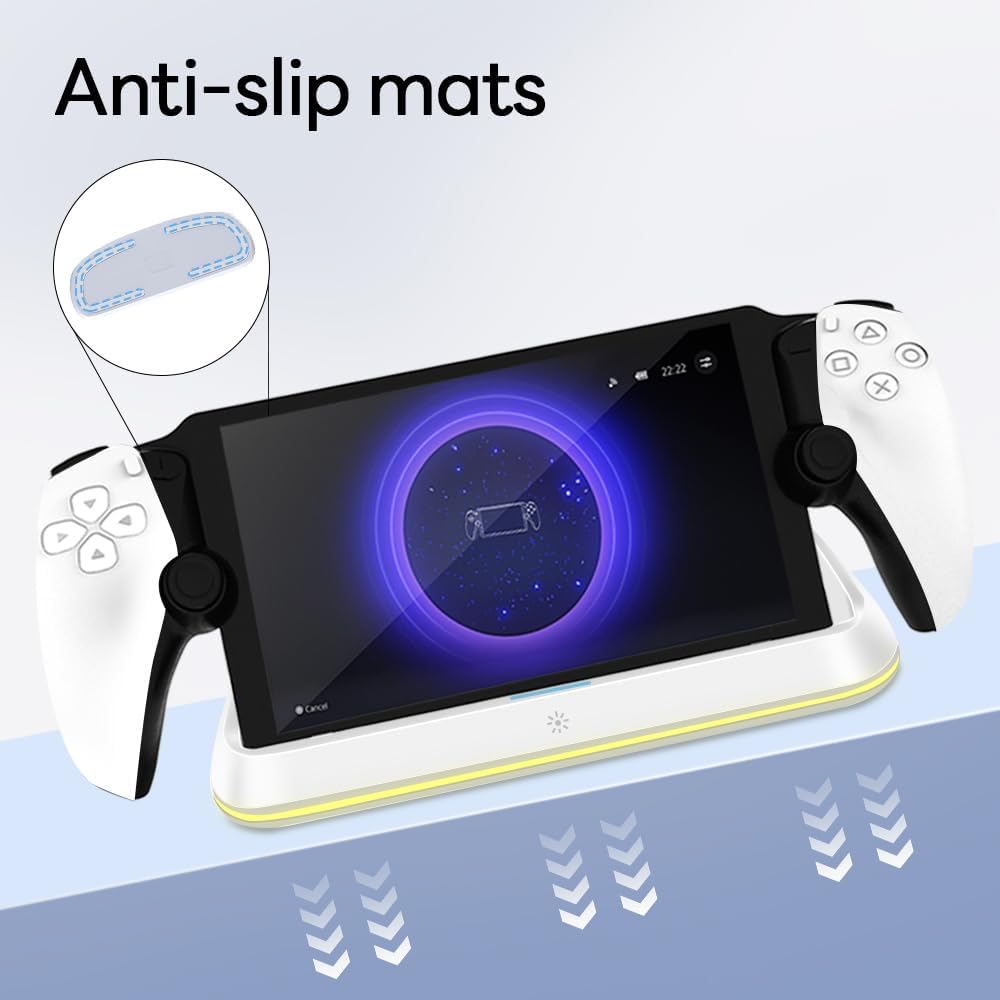
Figure 4.3: Anti-slip mats on the charging dock for enhanced stability.
- Vaizdinis vadovas: For a visual demonstration of the setup process, please refer to the video below.
Video 4.1: Demonstration of connecting the power supply and placing the PlayStation Portal onto the charging dock.
5. Naudojimo instrukcijos
- Charging the PlayStation Portal: Once the PlayStation Portal is correctly seated on the dock and the dock is powered, charging will begin automatically. A full charge typically takes approximately 3.5 hours. The dock includes protection against over-current, over-voltage, ir pagal ttage to safeguard your device.

Figure 5.1: Charging indicators and safety protection features.
- RGB apšvietimo valdymas: The charging dock features a touch-sensitive button to control the RGB lighting. Press the button to cycle through 7 different lighting modes or to turn the lights off.

Figure 5.2: RGB lighting modes and touch control button.
6. Priežiūra
- Keep the charging dock clean and free from dust. Use a soft, dry cloth for cleaning.
- Saugokite, kad prietaisas nepatektų į ekstremalią temperatūrą, drėgmę ar tiesioginius saulės spindulius.
- Nenaudokite abrazyvinių valiklių ar tirpiklių, nes jie gali pažeisti paviršių.
- Ensure the charging port and connector are free of debris before placing the PlayStation Portal.
7. Problemų sprendimas
- Įrenginys neįkraunamas:
- Ensure the Type-C cable is securely connected to both the dock and the power adapter.
- Patikrinkite, ar maitinimo adapteris veikia tinkamai ir yra įjungtas į veikiantį lizdą.
- Check if the PlayStation Portal is properly seated on the charging connector.
- Pabandykite naudoti kitą C tipo laidą arba maitinimo adapterį.
- RGB lemputės neveikia:
- Įsitikinkite, kad įkrovimo stotelė įjungta.
- Press the touch light button to cycle through modes or turn the lights on.
- Unstable placement:
- Ensure the dock is placed on a flat, level surface.
- Check if the anti-slip mats are clean and intact.
8. Specifikacijos
| Prekės ženklas | AceGamer |
| Modelio numeris | PS-P-White |
| Suderinami įrenginiai | PlayStation portalas |
| Įvesties tomastage | 5 voltų |
| Vattage | 7 vatų |
| Jungties tipas | USB Type-C (for power input) |
| Ypatingos savybės | RGB Lighting, Fast Charging, Over-current Protection, Over-voltage Protection, Under-voltage Apsauga |
| Matmenys | Apytiksliai 22.5 x 8.9 x 8.4 cm |
| Svoris | Maždaug 290 g |
9. Garantija ir palaikymas
AceGamer products are designed and manufactured to the highest quality standards. For warranty information or technical support, please contact the retailer where you purchased the product or visit the official AceGamer website for customer service contact details. Please retain your proof of purchase for warranty claims.


