Įvadas
This manual provides instructions for setting up and operating your Xbox Fire TV Stick 4K Max and Wireless Controller Bundle. This bundle allows you to stream content and access cloud gaming via Xbox Game Pass Ultimate directly on your television, without the need for a dedicated gaming console.
Kas įtraukta
Your bundle includes the following components:
- „Amazon Fire TV Stick 4K Max“.
- Fire TV Stick Voice Remote
- Xbox Wireless Controller (Robot White Core)
- USB Type-C Cable (for controller)
- AA Batteries (for controller)
- Power Adapter (for Fire TV Stick)
- HDMI Extender (for Fire TV Stick)
- Digital Code for 1 Month of Xbox Game Pass Ultimate (for new members only)

Image: The bundle components including the Fire TV Stick 4K Max, its remote, the Xbox Wireless Controller, and a Game Pass Ultimate card.
Sąrankos instrukcijos
1. Fire TV Stick 4K Max Installation
- Plug the Fire TV Stick 4K Max directly into an available HDMI port on your television. If space is limited, use the included HDMI extender.
- Connect the power adapter to the Fire TV Stick and then to a wall outlet.
- Įjunkite televizorių ir pasirinkite tinkamą HDMI įvestį.
- Follow the on-screen instructions to set up your Fire TV Stick, including connecting to your Wi-Fi network. Ensure you have a stable internet connection, preferably Wi-Fi 6E for optimal performance.
2. Xbox Wireless Controller Setup
- Insert the included AA batteries into the Xbox Wireless Controller.
- Turn on the controller by pressing the Xbox button.
- On your Fire TV Stick, navigate to Nustatymai > Valdikliai ir Bluetooth įrenginiai > „Xbox“ belaidžiai valdikliai > Pridėti naują valdiklį.
- Paspauskite ir palaikykite Suporuoti button on the top of the Xbox Wireless Controller until the Xbox button flashes rapidly.
- Select the controller from the list on your Fire TV screen to complete pairing.
3. Activating Xbox Game Pass Ultimate
- Locate the digital code for 1 month of Xbox Game Pass Ultimate provided with your purchase. This code is typically sent via email.
- Visit the official Xbox website or use the Xbox app on your Fire TV Stick to redeem the code. An Xbox account is required.
- This offer is valid for new Xbox Game Pass members only.
Naudojimo instrukcijos
Using the Fire TV Stick 4K Max
- Use the Fire TV Voice Remote to navigate the Fire TV interface, launch apps, and search for content.
- Paspauskite Balsas button on the remote to use Alexa for voice commands.
- Access streaming services like Netflix, Prime Video, Disney+, and more through their respective apps.
Accessing Xbox Cloud Gaming
- Ensure your Xbox Wireless Controller is paired and connected.
- From the Fire TV home screen, search for and open the Xbox programėlė.
- Sign in with your Xbox account that has an active Game Pass Ultimate subscription.
- Browse the library of available cloud games. Select a game to begin streaming.
- A strong and stable internet connection is crucial for a smooth cloud gaming experience.

Image: Screenshot of the Xbox app interface on a television, showing various game titles available for cloud streaming.

Image: A television displaying the game Fallout 76, with the Xbox Wireless Controller and Fire TV Stick positioned in front, illustrating cloud gaming in action.
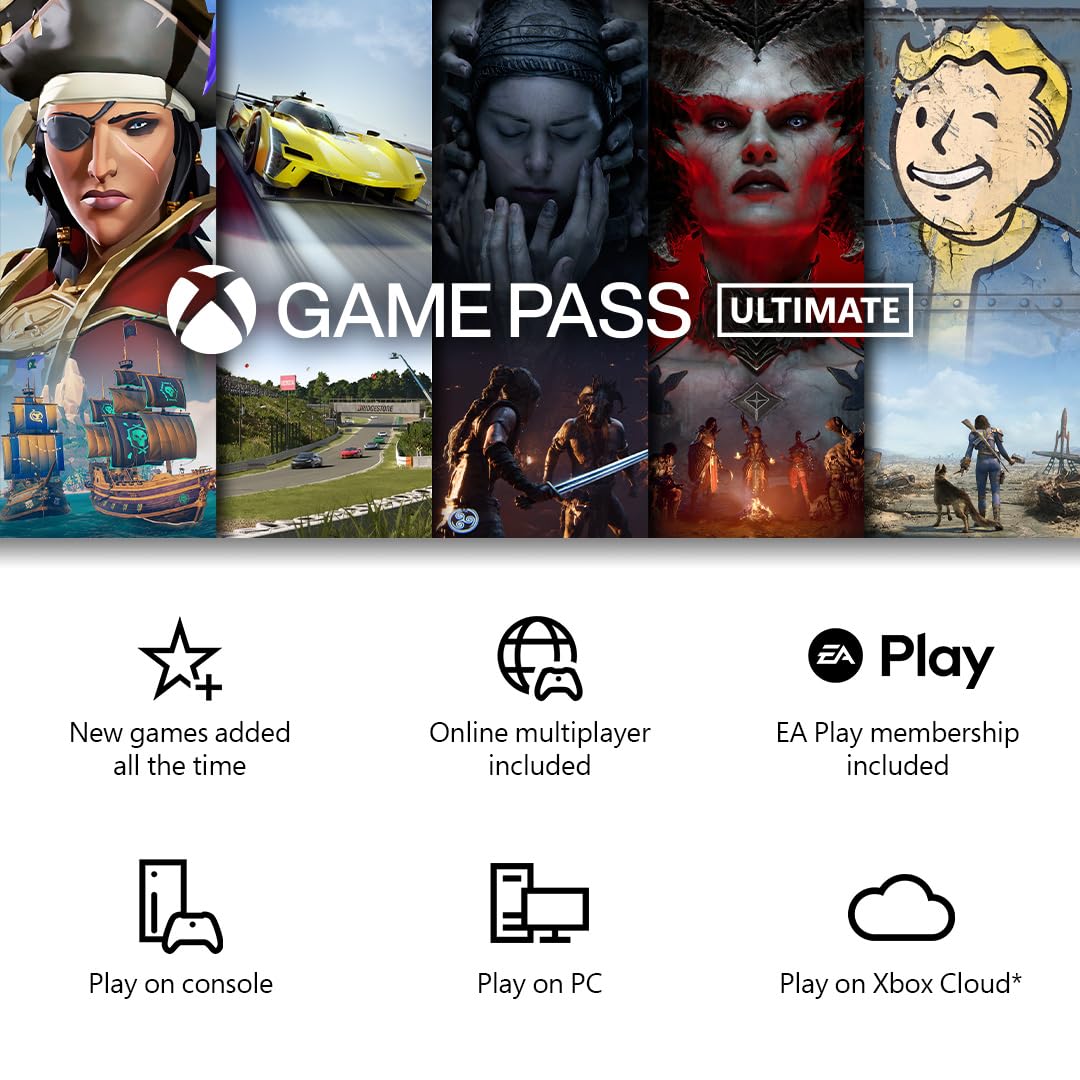
Image: A graphic detailing the benefits of Xbox Game Pass Ultimate, including new games, online multiplayer, EA Play, and options to play on console, PC, or Xbox Cloud.
Priežiūra
- Keep the Fire TV Stick and controller clean by wiping them with a soft, dry cloth.
- Avoid exposing the devices to extreme temperatures, direct sunlight, or moisture.
- Ensure proper ventilation for the Fire TV Stick to prevent overheating.
- Replace controller batteries when indicated by the device or when performance degrades.
Trikčių šalinimas
- No Power to Fire TV Stick: Įsitikinkite, kad maitinimo adapteris yra tvirtai prijungtas tiek prie įrenginio, tiek prie veikiančio sieninio lizdo.
- Nėra vaizdo televizoriuje: Verify the Fire TV Stick is plugged into an HDMI port and your TV is set to the correct HDMI input. Try a different HDMI port or the HDMI extender.
- Valdiklis neprisijungia:
- Check if the controller batteries are charged or replaced.
- Ensure the controller is in pairing mode (Xbox button flashing rapidly).
- Re-attempt pairing through the Fire TV Stick settings.
- Poor Cloud Gaming Performance (Lag/Stuttering):
- Verify your internet connection speed. Cloud gaming requires a high-speed, stable connection.
- Reduce network congestion by limiting other internet activities on your network.
- Consider using an Ethernet adapter for your Fire TV Stick for a more stable connection, if available.
- Ensure your Wi-Fi router is within close proximity to the Fire TV Stick.
- Game Pass Ultimate Code Issues: Confirm the code was entered correctly and that you are a new Game Pass member, as this offer is typically for new subscribers only.
Specifikacijos
| Prekės modelio numeris | FTV4KMAX |
| Storage (Fire TV Stick) | 16 GB |
| Belaidis ryšys | Wi-Fi 6E |
| Valdiklio jungtys | Bluetooth |
| Gamintojas | Xbox |
| Išleidimo data | 13 m. liepos 2024 d |
Informacija apie garantiją
This product is covered by a limited warranty provided by the manufacturer. For detailed warranty terms and conditions, please refer to the documentation included with your product or visit the official Xbox support websvetainėje. Išsaugokite pirkimo įrodymą garantiniams reikalavimams.
Pagalba klientams
For further assistance, technical support, or warranty inquiries, please contact:
- „Xbox“ palaikymas: Apsilankykite support.xbox.com
- Amazon Fire TV Support: Apsilankykite amazon.com/devicesupport


