1. Įvadas
This manual provides detailed instructions for the Maxcom MM39D 4G VoLTE Big Button Wireless Phone. The MM39D is a modern 4G LTE phone designed for both home and office environments, serving as an ideal replacement for traditional analog landline phones. It features a large, clear display and user-friendly island-style keys.
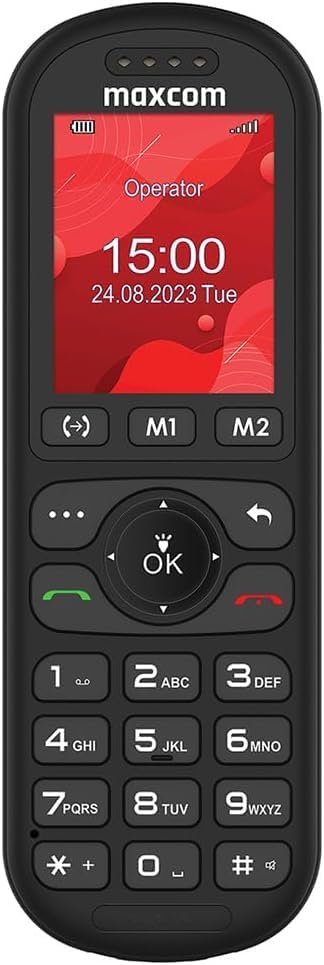
1 pav.: priekis view of the Maxcom MM39D phone, showcasindėl didelių mygtukų ir aiškaus ekrano.
Pagrindinės funkcijos:
- 4G VoLTE Connectivity: Ensures clear call quality and reliable network connection.
- Didelis 2 colio ekranas: A 176 x 220 px screen for excellent readability of text and images.
- Island-Style Keys: Designed for easy and accurate dialing and function selection.
- 1000 mAh Efficient Battery: Provides extended standby time, ensuring the phone is ready when needed.
- USB-C Desktop Charger: For convenient and universal charging.
- Integruotos funkcijos: Includes calendar, alarm clock, speed dial, FM radio, SMS/MMS, audio/video player, hands-free mode, and call transfer function.
2. Sąranka
2.1 Pakuotės turinys
Prieš pradėdami, įsitikinkite, kad pakuotėje yra visi reikalingi daiktai:
- Maxcom MM39D Wireless Phone
- USB-C Desktop Charger
- USB-C kabelis
- Power Adapter (UK Plug)
- Vartotojo vadovas
2.2 SIM kortelės ir akumuliatoriaus įdėjimas
- Nuimkite galinį dangtelį: Gently pry open the back cover of the phone using the notch provided, usually located at the bottom edge.
- Įdėkite SIM kortelę: Locate the SIM card slot. Insert your 4G compatible SIM card into the slot with the gold contacts facing down and the cut corner aligned as indicated. Ensure it clicks into place.
- Įdėkite bateriją: Place the 1000 mAh battery into the battery compartment, aligning the gold contacts on the battery with the contacts in the phone.
- Pakeiskite galinį dangtelį: Carefully align the back cover and press it firmly until it snaps into place around all edges.

2 pav.: galinis view of the Maxcom MM39D, indicating the area for battery and SIM card installation.
2.3 Telefono įkrovimas
For first-time use, fully charge the phone.
- Connect the USB-C cable to the desktop charger and the power adapter.
- Įkiškite maitinimo adapterį į sieninį lizdą.
- Place the Maxcom MM39D phone into the desktop charger, ensuring it sits securely and the charging indicator appears on the screen.
- Leiskite telefonui krautis, kol akumuliatoriaus piktograma parodys visišką įkrovimą.
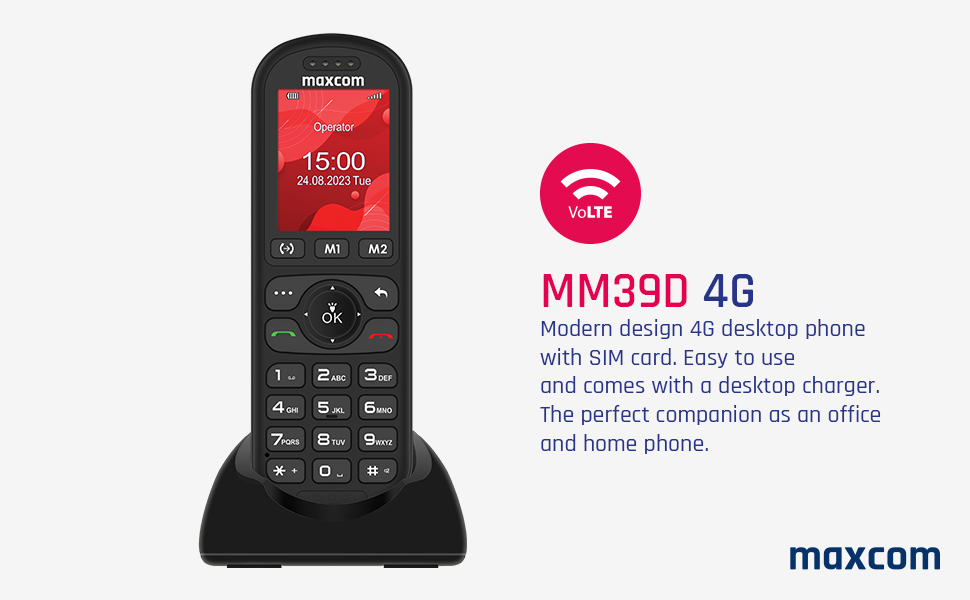
Figure 3: The Maxcom MM39D phone placed in its USB-C desktop charging dock.
3. Naudojimo instrukcijos
3.1 Įjungimas / išjungimas
- Norėdami įjungti: Paspauskite ir palaikykite raudoną Baigti skambutį / Maitinimas mygtuką, kol ekranas užsidegs.
- Norėdami išjungti: Paspauskite ir palaikykite raudoną Baigti skambutį / Maitinimas mygtuką, kol pasirodys išjungimo parinktys, tada pasirinkite „Išjungti“.
3.2 Skambinimas ir skambučių priėmimas
- Norėdami paskambinti:
- Įveskite telefono numerį naudodami klaviatūrą.
- Paspauskite žalią Skambinti mygtuką, kad pradėtumėte skambutį.
- Norėdami atsiliepti į skambutį: When the phone rings, press the green Skambinti mygtuką.
- Norėdami baigti skambutį: Paspauskite raudoną Baigti skambutį mygtuką.
- Greitasis rinkimas: Assign frequently called numbers to specific keys (M1, M2, or numeric keys). Refer to the phone's menu for speed dial setup.
3.3 Using Basic Functions
- Navigacija: Use the directional keys (up, down, left, right) and the central OK button to navigate through menus and confirm selections.
- Kalendorius: Access the calendar from the main menu to view datas ir pridėti įvykius.
- Žadintuvas: Set multiple alarms with customizable tones and repeat options.
- SMS/MMS: Compose and send text messages. The phone supports multimedia messages (MMS) for sending images.
- FM radijas: Įsijunkite FM radijo stotis. Gali prireikti ausinių kaip antenos.
- Audio and Video Player: Leisti mediją files stored on the phone or an inserted memory card (if supported).
- Laisvų rankų režimas: Activate speakerphone during a call for hands-free communication.
- Call Transfer Function (CTF): Consult your network provider for details on activating and using call transfer services.
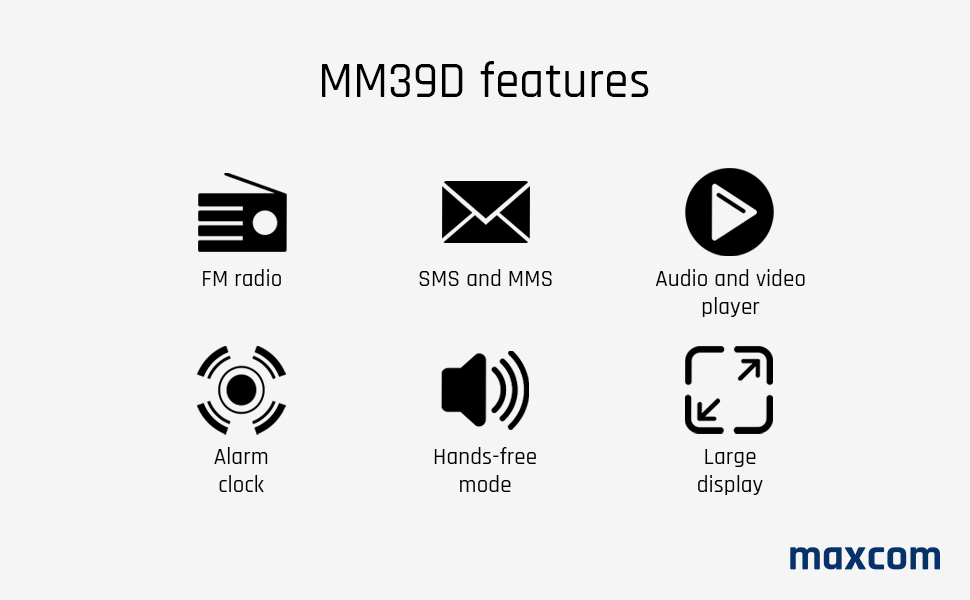
Figure 4: Visual representation of key features available on the Maxcom MM39D.
4. Priežiūra
4.1 Telefono valymas
- Telefono paviršiui nuvalyti naudokite minkštą, sausą šluostę.
- Avoid using liquid cleaners, aerosols, or harsh chemicals, as these can damage the phone.
- Laikykite įkrovimo prievadą švarų nuo dulkių ir šiukšlių.
4.2 Akumuliatoriaus priežiūra
- Nelaikykite baterijos nuo ekstremalių temperatūrų.
- Kad pailgintumėte akumuliatoriaus tarnavimo laiką, venkite jo dažnai visiškai iškrauti.
- Jei telefonas bus nenaudojamas ilgesnį laiką, prieš padėdami jį įkrauti, įkraukite jį iki maždaug 50 %.
- Use only the original or approved replacement battery and charger.
5. Problemų sprendimas
If you encounter issues with your Maxcom MM39D, refer to the following common problems and solutions:
| Problema | Galima priežastis | Sprendimas |
|---|---|---|
| Telefonas neįsijungia | Low battery; Battery not inserted correctly; Phone malfunction. | Charge the phone for at least 30 minutes. Reinsert the battery. If the problem persists, contact support. |
| Negalima skambinti arba priimti skambučių | No SIM card; SIM card not inserted correctly; No network signal; SIM card not activated. | Ensure SIM card is correctly inserted and activated. Check network signal strength. Restart the phone. |
| Mažas skambėjimo signalo garsumas | Garsumo nustatymai per maži. | Adjust the ringtone volume in the phone's settings menu. Ensure the phone is not in silent or vibrate-only mode. |
| Telefonas neįkraunamas | Charger or cable faulty; Charging port blocked; Phone not properly seated in dock. | Check connections. Clean the USB-C port. Try a different USB-C cable or power adapter. Ensure the phone is correctly placed in the desktop charger. |
If these solutions do not resolve the issue, please refer to the Warranty and Support section.
6. Specifikacijos
| Prekės ženklas | Maxcom |
| Modelio numeris | MM39D |
| Spalva | Juoda |
| Produkto tipas | Baras Telefonas |
| Tinklas | 4G VoLTE |
| Operacinė sistema | Symbian 9.3 (Note: This OS is typically for smartphones, may be a generic entry or simplified OS.) |
| Ekrano dydis | 2 colių |
| Ekrano raiška | 176 x 220 px |
| Jungtys | „Bluetooth“, mobilusis ryšys |
| Įkrovimo prievadas | C tipo USB |
| Baterijos talpa | 1000 mAh |
| Maitinimo šaltinis | Maitinamas baterijomis |
| Rinkiklio tipas | Klaviatūra |
7. Garantija ir palaikymas
For warranty information, please refer to the documentation provided with your purchase or contact your retailer. Maxcom strives to provide reliable products, and any specific warranty terms will be outlined by the point of sale.
Information regarding spare parts availability and guaranteed software updates is not readily available. For technical support or service inquiries, please contact the Maxcom customer service department or your local distributor.
You can often find contact details on the official Maxcom websvetainėje arba per produkto pakuotę.


