1. Įvadas
The SHREYANS SRS58-201 is a portable monochrome thermal printer designed for printing labels and receipts. It features Bluetooth and USB connectivity, an auto-cutter function, and is compatible with various mobile and desktop applications. This manual provides detailed instructions for setting up, operating, and maintaining your printer.
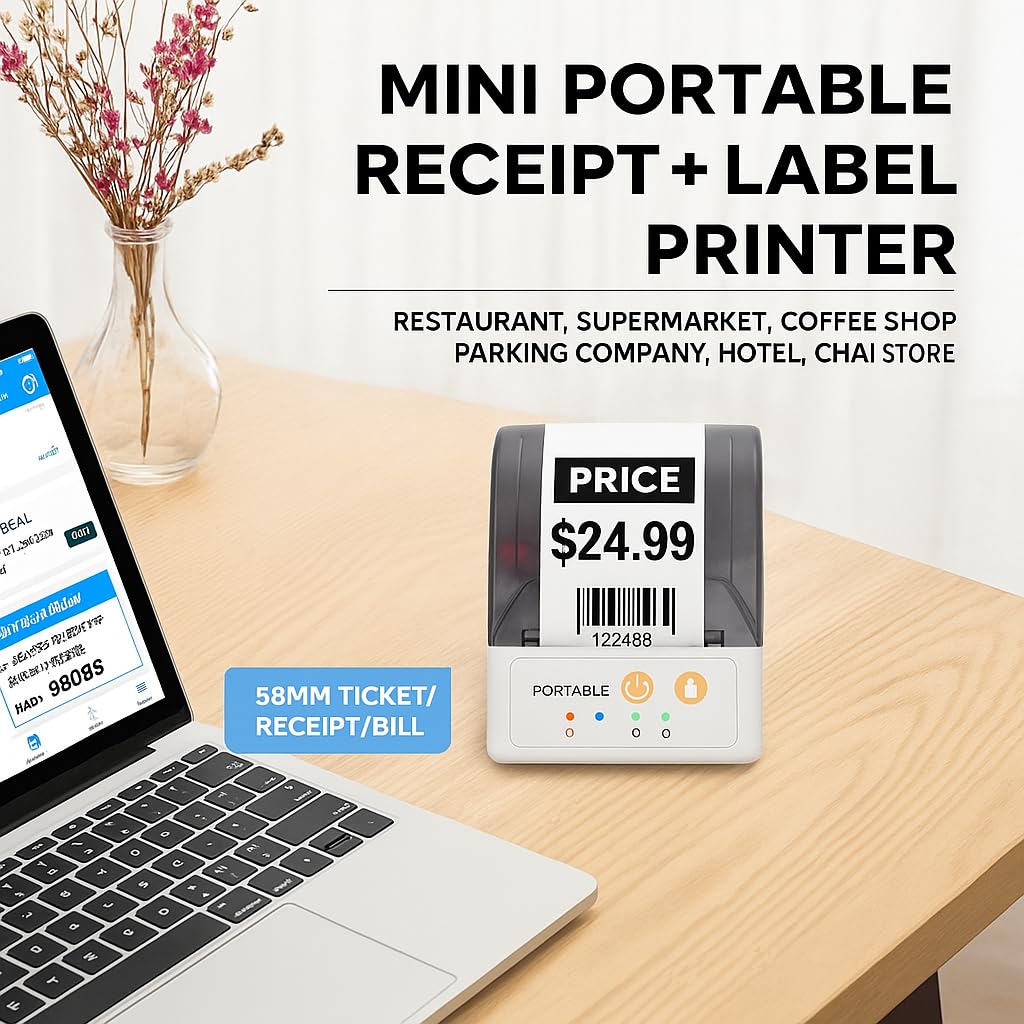
Image: The SHREYANS SRS58-201 printer on a desk, illustrating its compact size and versatility for various business environments like restaurants, supermarkets, and coffee shops.

Image: The SHREYANS SRS58-201 printer being carried in a pocket, highlighting its portability and ease of transport.

Image: The SHREYANS SRS58-201 printer held in a hand, demonstrating its lightweight and mini body design for convenient carrying.
2. Saugos informacija
Please read all safety instructions before using the printer to ensure safe and proper operation.
- Do not disassemble or modify the printer. This may cause damage or electric shock.
- Laikykite spausdintuvą atokiau nuo vandens, drėgmės ir tiesioginių saulės spindulių.
- Use only the specified power adapter and battery.
- Venkite spausdintuvo numetimo ir stiprių smūgių.
- Do not touch the print head immediately after printing, as it may be hot.
- Ensure proper ventilation when operating the printer.
3. Pakuotės turinys
Patikrinkite, ar pakuotėje yra visi reikalingi daiktai:
- SHREYANS SRS58-201 Printer
- USB kabelis
- Terminio popieriaus ritinėlis (pradinis)
- Vartotojo vadovas
4. Produktas baigtasview
Familiarize yourself with the main components of the SHREYANS SRS58-201 printer.
4.1. Spausdintuvo komponentai
- Paper Cover Release Button: Opens the paper compartment.
- Popieriaus skyrius: Holds the thermal paper roll.
- Maitinimo mygtukas: Įjungia / išjungia spausdintuvą.
- Tiekimo mygtukas: Feeds paper manually.
- Būklės rodikliai: LEDs indicating power, Bluetooth, and error status.
- USB prievadas: For charging and data connection to a computer.
- Spausdinimo galvutė: Generates thermal prints.
- Automatinis pjoviklis: Automatically cuts the paper after printing.
5. Sąranka
5.1. Akumuliatoriaus įkrovimas
The printer is equipped with a 1500mAh lithium battery. Before first use, fully charge the printer.
- Connect the USB cable to the printer's USB port and the other end to a power adapter (not included) or a computer's USB port.
- Užsidegs įkrovimo indikatoriaus lemputė.
- Visiškas įkrovimas paprastai trunka 2–3 valandas. Kai įkrovimas bus baigtas, indikatoriaus lemputė pasikeis arba užges.

Image: The SHREYANS SRS58-201 printer next to a battery icon, detailing battery capacity (1500mAh), charging time (2-3 hrs), standby time (7 days), and continuous printing time (7 hrs).
5.2. Loading Paper/Labels
- Press the paper cover release button to open the paper compartment.
- Insert a 58mm thermal paper roll, ensuring the printing side faces the print head.
- Ištraukite nedidelį kiekį popieriaus pro pjaustytuvą.
- Tvirtai uždarykite popieriaus dangtelį, kol jis spragtelės į vietą.
5.3. Connecting via Bluetooth (Mobile Devices)
The printer connects to smartphones and tablets via Bluetooth using the "Shreyans Label Edit" app.
- Ensure the printer is powered on. The Bluetooth indicator light should be blinking.
- Download and install the "Shreyans Label Edit" app from your device's app store (Android/iOS).
- Įjunkite „Bluetooth“ savo mobiliajame įrenginyje.
- Open the "Shreyans Label Edit" app and navigate to the printer connection settings.
- Ieškokite available Bluetooth devices and select "SRS58-201" or a similar name.
- If prompted, enter the pairing PIN (usually 0000 or 1234).
- Once connected, the Bluetooth indicator light on the printer will become solid.

Image: A smartphone displaying a label editing app connected via Bluetooth to the SHREYANS SRS58-201 printer, demonstrating wireless label editing capabilities.
5.4. Installing Drivers (Windows System PC)
To use the printer with a Windows computer, you need to install the printer driver.
- Connect the printer to your PC using the provided USB cable.
- Obtain the latest printer driver from the SHREYANS official website or the provided installation CD (if applicable).
- Vykdykite ekrane pateikiamas instrukcijas, kad užbaigtumėte tvarkyklės diegimą.
- After installation, the printer should appear in your device manager.
6. Naudojimo instrukcijos
6.1. Įjungimas/išjungimas
- Norėdami įjungti: Press and hold the Power button until the power indicator light illuminates.
- Norėdami išjungti: Press and hold the Power button until the power indicator light turns off.
6.2. Printing Labels/Receipts
- Ensure the printer is connected to your device (via Bluetooth or USB) and has paper loaded.
- Open your desired application (e.g., "Shreyans Label Edit" app, POS software, or a document editor on PC).
- Create or select the label/receipt you wish to print.
- Initiate the print command from the application. The printer will automatically print and cut the output.
6.3. Using the Auto-Cutter
The SRS58-201 features an integrated auto-cutter for clean and precise cuts.
- The auto-cutter activates automatically after each print job is completed.
- This feature enhances efficiency and provides a professional finish to your labels and receipts.
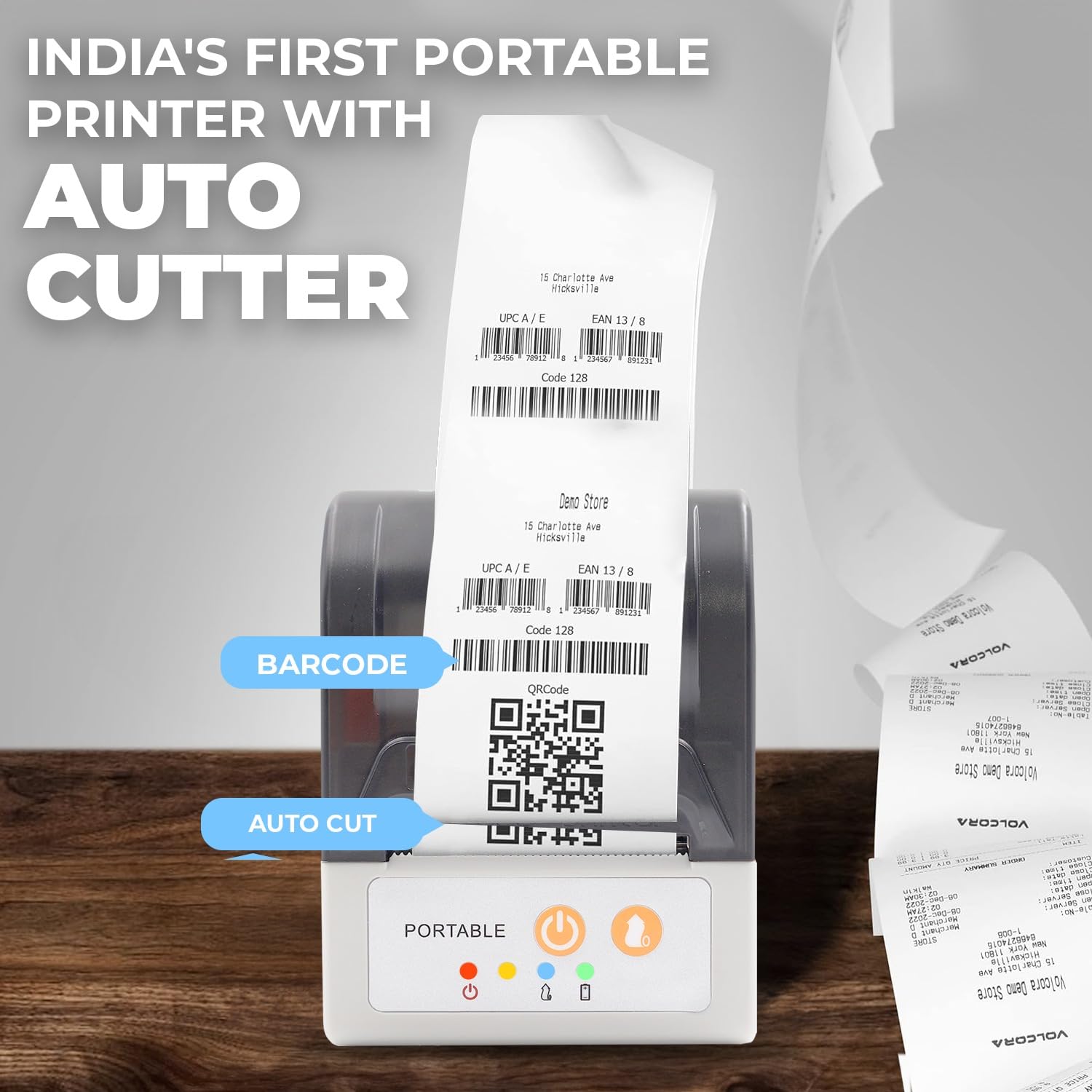
Image: The SHREYANS SRS58-201 printer showing a printed receipt with a barcode and QR code, highlighting the auto-cut feature for clean separation of documents. Example links: Volcora test QRcode, VolcoraTest128, 1234567891231, 0123456789128.
6.4. Compatible POS Software
The SHREYANS SRS58-201 supports various POS software for seamless integration:
- Vyappar
- Mybillbook
- Zomato
- Swiggy
- PayTM
- PhonePay
- Gpay
- And other custom applications.
7. Priežiūra
7.1. Spausdintuvo valymas
Reguliarus valymas padeda išlaikyti spausdinimo kokybę ir pailgina spausdintuvo tarnavimo laiką.
- Prieš valydami išjunkite spausdintuvą ir atjunkite jį nuo maitinimo šaltinio.
- Naudokite minkštą, nepūkuotą audinį dampšvelniai nuvalykite spausdinimo galvutę, suvilgytą izopropilo alkoholiu.
- Nuvalykite popieriaus kelią ir volelius, kad pašalintumėte popieriaus dulkes ar šiukšles.
- Allow all components to dry completely before re-using the printer.
7.2. Akumuliatoriaus priežiūra
- Venkite dažnai visiškai iškrauti akumuliatorių.
- Jei spausdintuvas nebus naudojamas ilgesnį laiką, laikykite jį vėsioje, sausoje vietoje.
- Charge the battery periodically (e.g., every 3 months) to prevent deep discharge.
8. Problemų sprendimas
Dažniausiai pasitaikančias problemas ir jų sprendimus žr. toliau pateiktoje lentelėje.
| Problema | Galima priežastis | Sprendimas |
|---|---|---|
| Spausdintuvas neįsijungia | Išsikrovęs akumuliatorius; netinkamai paspaustas maitinimo mygtukas | Charge the printer; Press and hold the Power button for a few seconds. |
| Nepavyksta prisijungti per Bluetooth | Bluetooth not enabled; Incorrect pairing; Printer out of range | Ensure Bluetooth is on; Re-pair the device; Move closer to the printer; Restart both devices. |
| Prasta spausdinimo kokybė | Low battery; Dirty print head; Incorrect paper type | Charge the printer; Clean the print head; Ensure you are using thermal paper. |
| Paper jam or no paper feed | Paper incorrectly loaded; Paper compartment not closed; Obstruction | Re-load paper correctly; Ensure cover is latched; Remove any obstructions. |
| Printer auto-feeds excessively | Software setting; Firmware issue | Check print settings in your application; Update printer firmware if available; Contact customer support if issue persists. |
9. Specifikacijos
| Funkcija | Detalė |
|---|---|
| Modelio pavadinimas | SRS58-201 |
| Spausdinimo technologija | Šiluminis |
| Spausdintuvo išvestis | Vienspalvis |
| Ryšio technologija | Bluetooth, USB |
| Maksimalus laikmenos dydis | 58 mm |
| Maksimalus spausdinimo greitis (vienspalvis) | 30 ppm |
| Maksimali juodai balto spausdinimo skiriamoji geba | 1200 dpi |
| Ypatinga funkcija | Automatinis pjoviklis |
| Baterijos talpa | 1500 mAh |
| Įkrovimo laikas | 2-3 valandas |
| Continuous Printing Time | 7 valandos |
| Budėjimo laikas | 7 dienų |
| Suderinami įrenginiai | Smartphones (Android, iOS), Windows PC |
| Gaminio matmenys | 4 gylio x 8 pločio x 11 aukščio centimetrų |
| Prekės svoris | 340 gramų |
| Gamintojas | Shreyans Retail Solution |
| Kilmės šalis | Indija |
10. Garantija ir palaikymas
For warranty information and technical support, please refer to the documentation provided with your purchase or visit the official SHREYANS website. Contact details for customer service are typically available on the product packaging or the brand's online portal.


