Keychron K10 Pro belaidė tinkinta mechaninė klaviatūros vartotojo vadovas
Model: K10 Pro | Brand: Keychron
Įvadas
The Keychron K10 Pro is a wireless full-size mechanical keyboard designed for an enhanced typing experience. It features QMK programmability, hot-swappable switches, and a 1000 Hz polling rate for responsive performance. This manual provides detailed instructions for setting up, operating, and maintaining your Keychron K10 Pro keyboard.
1. Sąranka
1.1 Pakuotės turinys
Prieš pradėdami, patikrinkite, ar pakuotėje yra visi reikalingi daiktai:

1 pav.: sprogo view of the Keychron K10 Pro, showing keycaps, switches, frame, sound-absorbing foam, PCB, silicone bottom pad, and bottom case.
- 1x Fully Assembled Keyboard (including PCB, Steel Plate, Sound Absorbing Foam)
- 1x silikoninis dugno padas
- 8 Sets of Stabilizers (PCB Screw-In)
- 1 Set of Keycaps (Double-Shot PBT)
- 1 Set of Switches (Keychron K Pro Silent Red Switch)
- 1x A tipo–C tipo kabelis
- 1x jungiklio traukiklis
- 1x raktų dangtelio traukiklis
- 1x Atsuktuvas
1.2 Ryšio režimai
The Keychron K10 Pro supports both wireless (Bluetooth 5.1) and wired (USB-C) connections.

Figure 2: The Keychron K10 Pro offers both Bluetooth 5.1 wireless and USB wired connectivity options, allowing seamless switching between multiple devices like laptops, phones, and tablets.
1.2.1 Wireless Mode (Bluetooth)
- Locate the mode switch on the back of the keyboard and slide it to the "BT" position.
- Paspauskite ir palaikykite fn+1 (arba fn+2 / fn+3) key combination for 4 seconds until the indicator light flashes rapidly, indicating pairing mode.
- On your device (laptop, phone, tablet), enable Bluetooth and search for "Keychron K10 Pro".
- Select the keyboard to complete the pairing process. You can pair up to 3 devices and switch between them using fn+1, fn+2, arba fn+3.
1.2.2 Wired Mode (USB-C)
- Locate the mode switch on the back of the keyboard and slide it to the "Cable" position.
- Connect the provided Type-A to Type-C cable from your computer's USB port to the keyboard's USB-C port.
- The keyboard will automatically be recognized by your system.
1.3 Operacinės sistemos suderinamumas
The K10 Pro is fully compatible with macOS, Windows, and Linux operating systems. Use the OS switch on the back of the keyboard to select the appropriate layout for your system.
1.4 QMK Firmware and Keychron Launcher
The keyboard is QMK programmable, allowing for extensive customization of key assignments, macros, shortcuts, and combos. Use the Keychron Launcher online application for easy configuration.
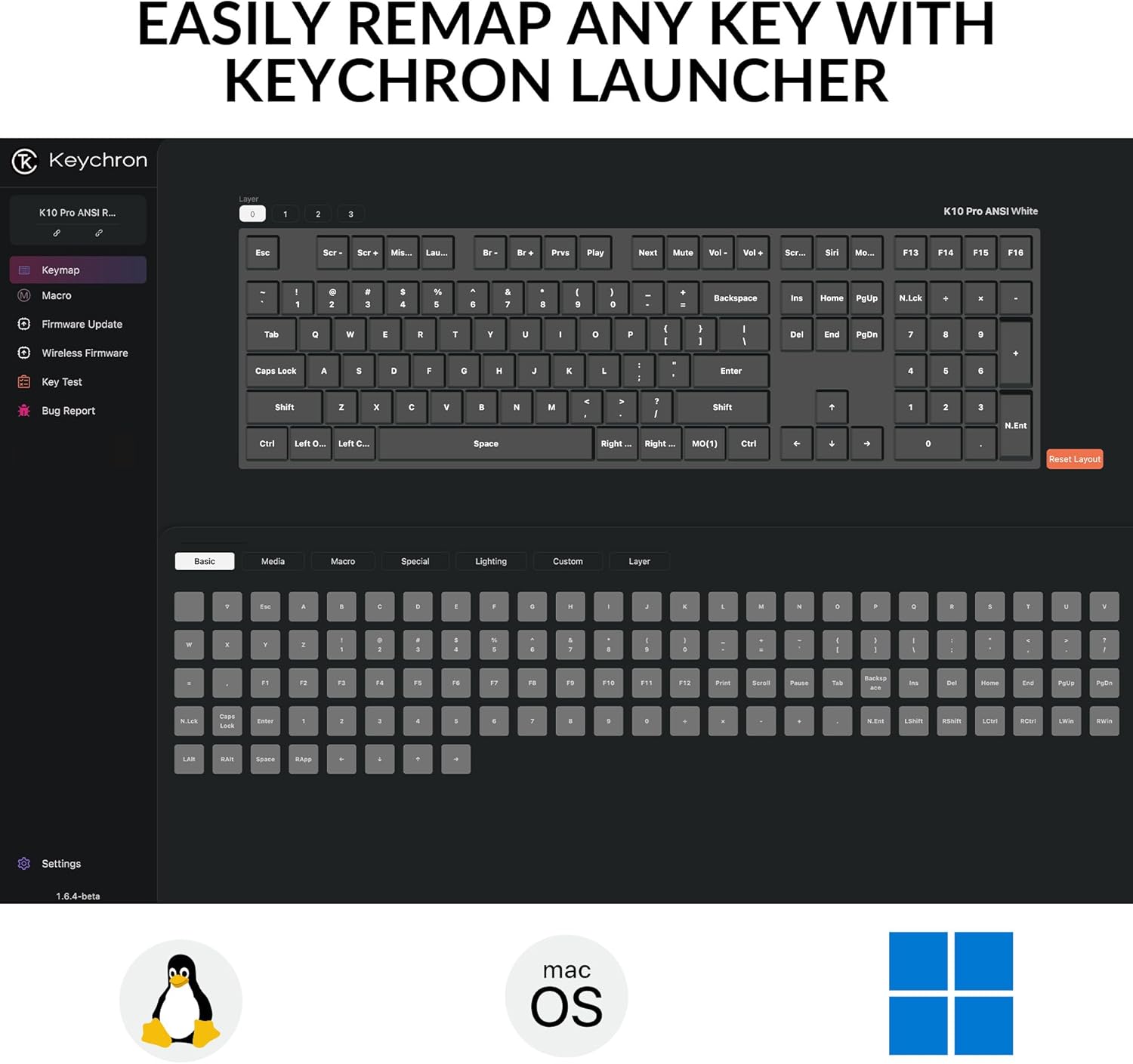
Figure 3: The Keychron Launcher online application provides a user-friendly interface for remapping keys, creating macros, and customizing keyboard functions across different operating systems like Linux, macOS, and Windows.
- Access the Keychron Launcher via a web browser (Chrome, Edge, Opera) at launcher.keychron.com.
- With onboard memory, your customized settings will sync across both wired and wireless modes.
2. Klaviatūros valdymas
2.1 Pagrindinės funkcijos ir išdėstymas
The K10 Pro features a 100% full-size layout. Many keys have secondary functions accessible via the Fn klavišas. Konkrečias funkcijas žr. klavišų dangtelių legendose.

Figure 4: The Keychron K10 Pro features a 100% full-size layout, providing all standard keys including a numeric keypad, function row, and navigation cluster.
2.2 Foninio apšvietimo valdymas
The keyboard features a white backlight. You can adjust the brightness and lighting effects using dedicated key combinations. Consult the keyboard's quick start guide or Keychron Launcher for specific backlight controls.
The south-facing white backlight illuminates beautifully from the typist’s angle.
2.3 Akumuliatoriaus valdymas
The K10 Pro is equipped with a 4000 mAh rechargeable Li-polymer battery.
- Baterijos veikimo laikas: Up to 260 hours of continuous typing with the backlight off, or 130 hours on the lowest brightness setting.
- Įkrovimas: Connect the keyboard via the USB-C cable to a power source (computer USB port or wall adapter). The charging indicator light will show the charging status.
3. Priežiūra
3.1 Klaviatūros valymas
- Prieš valydami atjunkite klaviatūrą nuo visų maitinimo šaltinių.
- Šiek tiek naudokite minkštą, be pūkelių šluostę dampKlaviatūros dangtelius ir rėmelį nuvalykite vandeniu arba švelniu valymo tirpalu.
- Gilesniam valymui naudokite suslėgtą orą, kad pašalintumėte dulkes ir šiukšles iš tarpų tarp klavišų.
3.2 Klaviatūros dangtelio ir jungiklio keitimas (keičiamas be įjungimo)
The K10 Pro features hot-swappable switches, allowing you to easily change switches without soldering. It also comes with durable double-shot PBT keycaps.
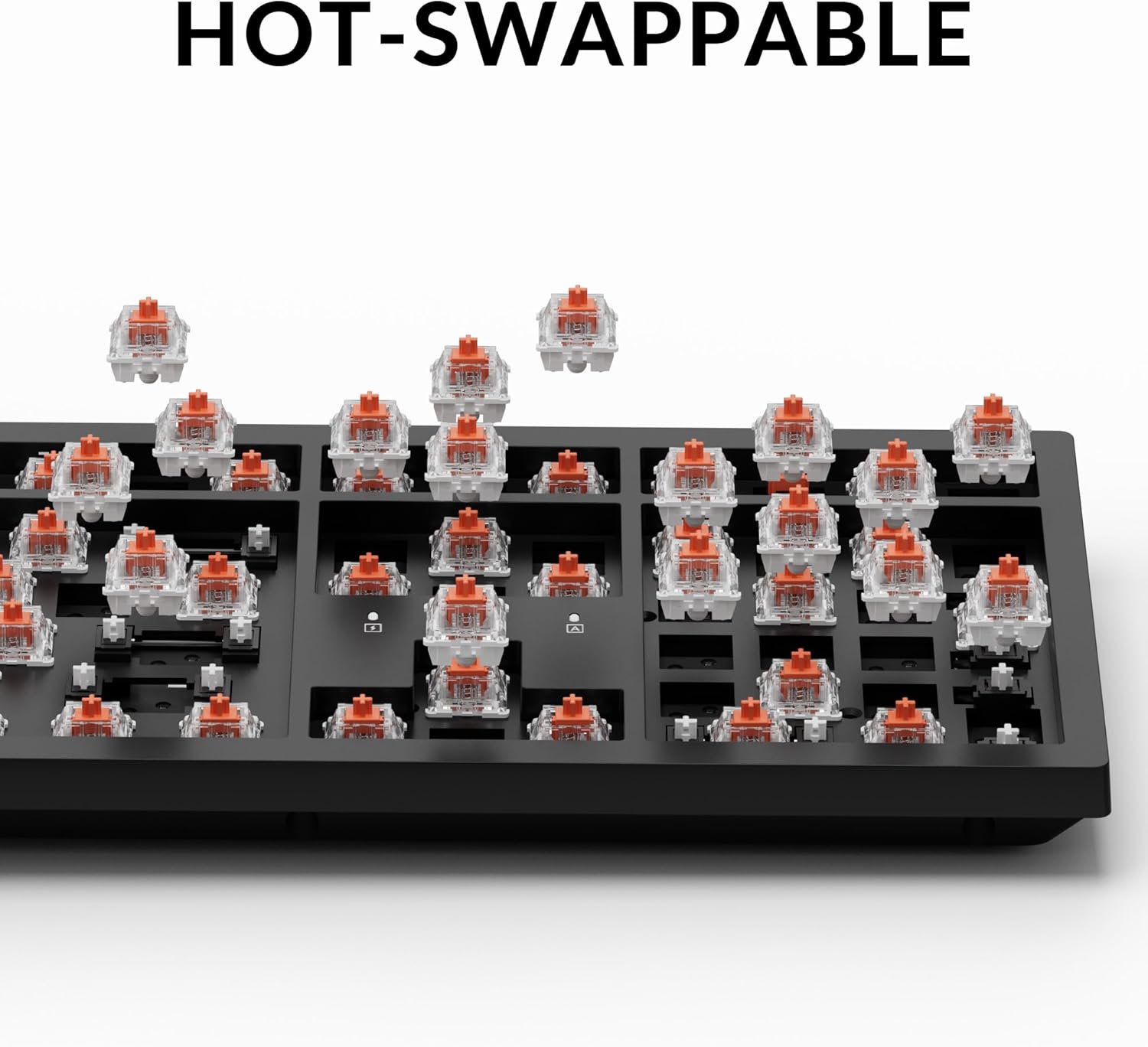
Figure 5: The hot-swappable design of the Keychron K10 Pro allows users to easily remove and replace individual switches without soldering, offering customization and simplified maintenance.

Figure 6: The Keychron K10 Pro features durable double-shot PBT keycaps with an OSA profile, designed for oil resistance and lasting comfort during extended typing sessions.
3.2.1 Removing Keycaps
- Use the provided keycap puller.
- Gently hook the puller onto the keycap and pull straight up to remove it.
3.2.2 Jungiklių nuėmimas
- After removing the keycap, use the provided switch puller.
- Align the prongs of the switch puller with the two clips on the top and bottom of the switch.
- Squeeze the clips and gently pull the switch straight up.
3.2.3 Jungiklių ir klavišų dangtelių montavimas
- Ensure the new switch pins are straight. Align the pins with the holes on the PCB.
- Švelniai spauskite jungiklį žemyn, kol jis spragtelės į vietą. Nespauskite jėgos.
- Place the keycap onto the switch stem and press down firmly until it is seated.
4. Problemų sprendimas
4.1 Ryšio problemos
- „Bluetooth“ neprisijungia:
- Ensure the keyboard's mode switch is set to "BT".
- Verify the keyboard is in pairing mode (indicator light flashing).
- Forget the device on your computer/phone and try pairing again.
- Įsitikinkite, kad klaviatūra įkrauta.
- Laidinis ryšys neveikia:
- Įsitikinkite, kad klaviatūros režimo jungiklis yra nustatytas į „Kabelinė“ padėtį.
- Išbandykite kitą USB-C laidą arba USB prievadą kompiuteryje.
4.2 Keys Not Responding / Incorrect Input
- Individual keys:
- If a specific key is not working, it might be a faulty switch. Utilize the hot-swappable feature to replace the switch.
- Ensure the keycap is properly seated.
- Incorrect layout:
- Check the OS switch on the back of the keyboard and ensure it matches your operating system (Mac/Windows).
- Pritaikymo problemos:
- If custom key assignments are not working, revisit the Keychron Launcher (launcher.keychron.com) to verify your settings and ensure they are saved to the onboard memory.
4.3 Foninio apšvietimo problemos
- Apšvietimas išjungtas:
- Įsitikinkite, kad klaviatūra įkrauta.
- Check backlight control key combinations (refer to quick start guide).
5. Specifikacijos
Detailed technical specifications for the Keychron K10 Pro keyboard:

Figure 7: Specifications for the Keychron K Pro Silent Red Switches, detailing their linear type, operation force (45±10 gf), pre-travel (2±0.4 mm), total travel (4±0.4 mm), operation life (up to 80M cycles), and a vertical, light pressing force with soft rebound feeling.
| Funkcija | Detalė |
|---|---|
| Modelis | K10 Pro |
| Išdėstymas | 100% Full-Size (108 Keys) |
| Jungikliai | Keychron K Pro Silent Red (Hot-swappable) |
| Klaviatūros | Double-shot PBT, OSA Profile |
| Ryšys | Bluetooth 5.1 & USB-C |
| Apklausos rodiklis | 1000Hz (Wired Mode) / 90Hz (Wireless Mode) |
| Baterija | 4000 mAh Rechargeable Li-polymer |
| BT Working Time | Up to 130 hours (lowest brightness) / 260 hours (backlight off) |
| Suderinama sistema | macOS/Windows/Linux |
| Rėmo medžiaga | ABS |
| MCU | Ultra-low-power Arm Cortex-M4 32-bit STM32L432 (128KB Flash) |
| Stabilizatoriai | PCB-mounted Screw-in Stabilizers |
| Prekės svoris | 4.39 pounds (1495 g / 3.29 lbs) |
| Pakuotės matmenys | 18.6 x 7.4 x 2.2 colio |
6. Garantija ir palaikymas
Keychron products are designed for durability and performance. For warranty information, technical support, or further assistance, please visit the official Keychron websvetainėje arba susisiekite su jų klientų aptarnavimo tarnyba. Išsaugokite pirkimo kvitą garantiniams reikalavimams.
Oficialus „Keychron“ Websvetainė: www.keychron.com


