1. Įvadas
The Mesqool 10.1" Large Digital Clock (Model CR1026) is designed to provide clear and comprehensive time, date, and environmental information. Featuring a high-contrast display, it is particularly beneficial for seniors and individuals requiring enhanced readability. This device offers customizable reminders, automatic dimming, and indoor temperature and humidity monitoring to support daily routines and comfort.
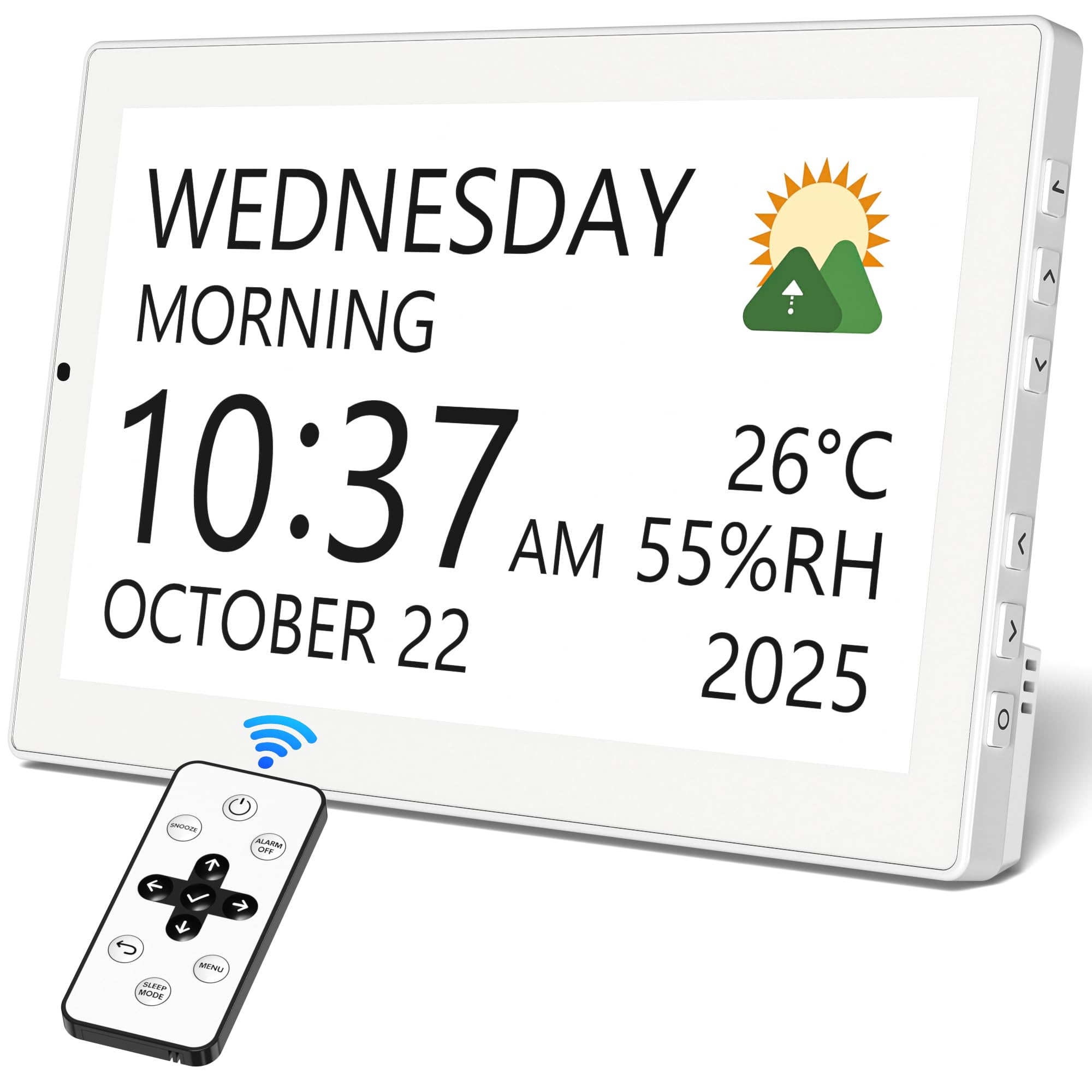
Image 1.1: The Mesqool 10.1" Large Digital Clock, showcasing its clear display of time, day, date, and indoor temperature and humidity.
Pagrindinės funkcijos:
- 10.1" High-Contrast Display: Clearly shows day, date, time, and 13 time periods (Midnight–Night).
- Įjungiamas maitinimas: Ensures continuous operation without the need for battery changes.
- Customizable Reminders: Set one-time or recurring alerts for medication, appointments, and daily tasks.
- Automatinis pritemdymas: Adjusts screen brightness based on ambient light for optimal visibility day and night.
- Patalpų temperatūra ir drėgmė: Displays real-time room conditions.
- Nuotolinio valdymo pultas: Patogiai reguliuokite nustatymus iš atstumo.
- Atsarginė atmintis: Preserves settings during power outages.
- Suasmenintos temos: Choose from 12 display themes and 9 font colors.
- Digital Photo Frame Functionality: Display personal photos via USB flash drive or SD card (not included).
- Universalus montavimas: Suitable for tabletop placement or wall mounting.
2. Sąranka
2.1 Išpakavimas ir įdėjimas
Carefully remove the clock and all accessories from the packaging. The clock can be placed on a tabletop using its integrated stand or mounted on a wall.

Image 2.1: Contents of the Mesqool Digital Clock package, showing the clock, power adapter, remote control, and wall mounting accessories.
2.2 Maitinimo jungtis
Connect the provided power adapter to the DC input port on the back of the clock, then plug the adapter into a standard wall outlet. The clock is designed for continuous plug-in operation. A built-in backup memory feature retains settings during power interruptions, but the clock requires continuous power to function.
Image 2.2: The digital clock connected to a wall outlet, illustrating its plug-in power design.
2.3 Tvirtinimas prie sienos (pasirinktinai)
If wall mounting is desired, use the provided mounting clips and screws. Ensure the clock is securely fastened to a suitable wall surface. The side-mounted control buttons remain accessible for manual adjustments.
Image 2.3: The digital clock displayed in a wall-mounted configuration, demonstrating its space-saving and convenient placement.
3. Naudojimo instrukcijos
3.1 Nuotolinio valdymo pulto naudojimas
The included remote control allows for convenient adjustment of all clock settings from a distance. Use the directional buttons (Up, Down, Left, Right) to navigate menus and the 'Select' button to confirm choices. The 'Menu' button accesses the main settings, and the 'Back' button returns to the previous screen.

Image 3.1: The digital clock's display showing menu options, with an accompanying remote control and a diagram of the clock's side buttons for manual operation.
3.2 Manual Control Buttons
In addition to the remote, the clock features side-mounted control buttons for direct interaction. These buttons mirror the remote's functionality, allowing you to navigate menus, adjust settings, and select options directly on the device.
Video 3.1: A demonstration of the Mesqool 10.1" Digital Clock's features, including its large display, various themes, and the functionality of the remote control and side buttons for setting alarms and reminders.
3.3 Automatic Daylight Saving Time (DST)
The clock is equipped with an automatic DST function, which adjusts the time forward or backward as required, eliminating the need for manual changes during seasonal time shifts.

Image 3.2: The digital clock illustrating its automatic adjustment for Daylight Saving Time.
4. Pritaikymas
4.1 Display Themes and Colors
The clock offers 12 distinct display themes and 9 font colors, allowing users to personalize the visual appearance to their preference. Navigate to the 'Themes' menu using the remote or side buttons to select your desired style.

Image 4.1: A selection of 12 display themes available on the Mesqool Digital Clock, including different time period indicators.
4.2 Signalai ir priminimai
Set up to 20 daily alarms and 20 reminders for various activities such as medication, daily routines, visits, or entertainment. Each alarm can be customized with specific times, repeat patterns (e.g., Mon-Sun), ringtones, and volume levels. The clock also includes 23 preset schedules for common daily routines.

Image 4.2: The digital clock showing a customizable medication reminder, highlighting its utility as a care companion.
4.3 melodijos
Choose from 18 different ringtones for your alarms and reminders. This allows for a personalized and pleasant alert experience.
Image 4.3: The digital clock displaying a selection of 18 ringtones for gentle reminders.
5. Žiniasklaidos integracija
5.1 Skaitmeninis nuotraukų rėmelis
The Mesqool Digital Clock can function as a digital photo frame. Insert a USB flash drive or an SD card (up to 64GB, not included) into the designated slots on the side of the device. The clock will then display your personal photos, allowing you to showcase cherished memories.

Image 5.1: The digital clock functioning as a photo frame, displaying images while still showing essential time and date information, with indicators for USB and SD card compatibility.
6. Priežiūra
6.1 Valymas
To clean the display and casing, use a soft, dry cloth. Avoid abrasive cleaners or solvents that could damage the surface.
6.2 Maitinimo šaltinis
Ensure the clock remains connected to a stable power source for continuous operation. The backup memory requires 2 CR2032 batteries (not included) to retain settings during power outages, but these batteries do not power the display itself.
7. Problemų sprendimas
7.1 Ekranas neįsijungia
- Verify that the power adapter is securely plugged into both the clock and a working wall outlet.
- Patikrinkite, ar sieninis lizdas gauna maitinimą.
7.2 Neteisingas laikas / data
- Access the 'Date & Time' settings via the menu to manually adjust if necessary.
- Įsitikinkite, kad pasirinkta teisinga laiko juosta.
- If the issue persists after a power outage, check the CR2032 backup batteries.
7.3 Nuotolinio valdymo pultas nereaguoja
- Ensure there are no obstructions between the remote and the clock.
- Replace the remote control batteries if needed.
- Alternatively, use the side-mounted control buttons on the clock.
7.1 vaizdo įrašas: išsamus aprašymasview of the Mesqool 10.1" Large Digital Clock, demonstrating its various features, customization options, and ease of use for elderly individuals, including setting alarms and displaying family photos.
8. Specifikacijos
| Funkcija | Detalė |
|---|---|
| Prekės ženklas | Mesqool |
| Modelio numeris | CR1026 |
| Spalva | Baltas |
| Ekrano dydis | 10.1 colių |
| Ekrano tipas | IPS |
| Gaminio matmenys | 6.3 colio pločio x 1 colio aukščio |
| Prekės svoris | 1.09 svaro |
| Maitinimo šaltinis | Su laidu elektra |
| Atsarginės baterijos | 2 CR2032 batteries required (not included) |
| Ypatingos savybės | Adjustable Volume, Auto Dimmable, Battery Backup, Large Display, Temperature Display, Humidity Display |
| Montavimo tipas | Tabletop and Wall-mounted |
| Medžiaga | Plastikiniai |
| Palaikomos kalbos | English, German, French, Italian, Spanish, Japanese |
9. Garantija ir palaikymas
9.1 Informacija apie garantiją
The Mesqool 10.1" Large Digital Clock comes with an Extended Warranty. For specific terms and conditions, please refer to the warranty documentation included with your product or contact Mesqool customer support.
9.2 Papildomi apsaugos planai
Additional protection plans may be available for purchase, including 2-Year and 3-Year Protection Plans, as well as Asurion Complete Protect. These plans offer extended coverage beyond the standard manufacturer's warranty.
9.3 Pagalba klientams
For any questions, technical assistance, or warranty claims, please contact Mesqool customer support through their official channels. Refer to the product packaging or the Mesqool websvetainė, kurioje rasite kontaktinius duomenis.


