Įvadas
This manual provides comprehensive instructions for the safe and effective use of your boAt Nirvana Ivy True Wireless Stereo (TWS) Earbuds. Please read this manual thoroughly before using the product and retain it for future reference.
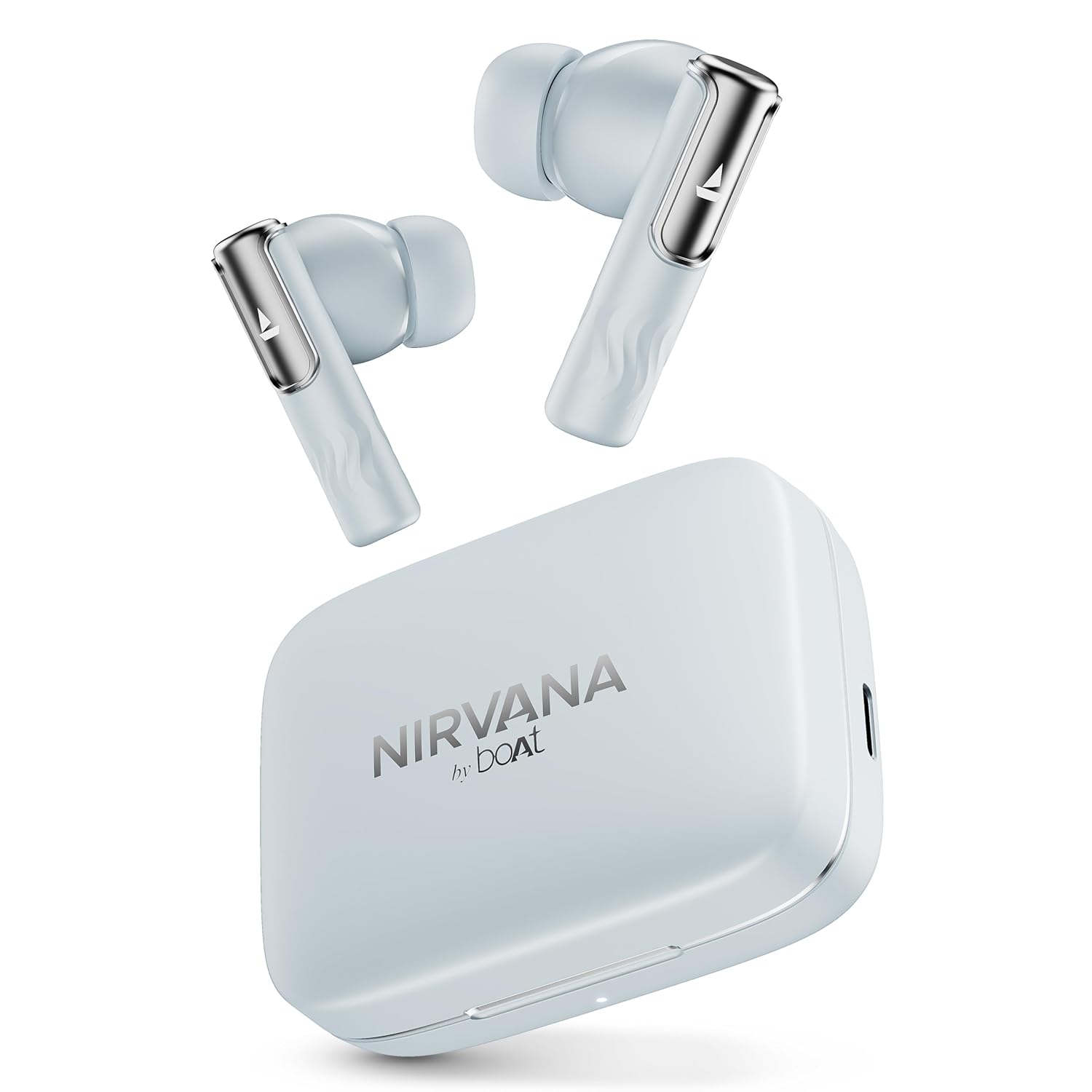
Image: boAt Nirvana Ivy TWS Earbuds and their charging case in Quartz Cyan color.
Kas yra dėžutėje
- 1 x TWS ausinės
- 1x įkrovimo laidas
- 1x garantinis talonas
Produktas baigtasview
The boAt Nirvana Ivy TWS Earbuds are designed to deliver an immersive audio experience with advanced features. Key components include the earbuds and the charging case.

Image: A four-panel graphic illustrating key features: 360° Spatial Audio with Head Tracking, Hybrid Active Noise Cancellation (~50dB), boAt Hearables App, and 11mm Dynamic Drivers.
Pagrindinės funkcijos:
- 50 dB hibridinis aktyvus triukšmo slopinimas (ANC): Sumažina išorinį triukšmą, kad būtų galima sutelkti dėmesį klausantis.
- 360° Spatial Audio with Dynamic Head Tracking: Provides an immersive, theatre-like audio experience where sound adapts to your head movements.
- 11 mm dinaminės tvarkyklės: Engineered for clear and powerful audio output.
- AI-ENx™ Technology: Enhances call clarity by minimizing background noise during voice calls.
- Daugiataškis ryšys: Allows simultaneous connection to two devices, enabling seamless switching.
- Instant In-Ear Detection: Automatically plays audio when earbuds are worn and pauses when removed.
- BEAST™ režimas: Offers ultra-low latency (60ms) for an optimized gaming experience.
- Aplinkos režimas: Leidžia girdėti aplinką klausantis garso.
- Google Fast Pair Support: Enables quick and easy pairing with compatible Android devices.
- boAt Hearables App Support: Provides customization options, controls, and access to additional features.
Sąranka
Pradinis poravimas:
- Įsitikinkite, kad ausinės yra įkrautos.
- Atidarykite įkrovimo dėklą. Ausinės automatiškai įsijungs susiejimo režimu.
- Savo įrenginyje (išmaniajame telefone, planšetiniame kompiuteryje, nešiojamajame kompiuteryje) įjunkite „Bluetooth“.
- Ieškokite 'Nirvana Ivy' in the list of available Bluetooth devices.
- Select 'Nirvana Ivy' to connect. A voice prompt will confirm successful pairing.
boAt Hearables App:
Download the boAt Hearables App for enhanced control and customization of your Nirvana Ivy earbuds. The app allows you to adjust EQ settings, manage ANC modes, and personalize your listening experience.

Image: A smartphone screen showing the boAt Hearables App with a QR code for download. The Nirvana Ivy earbuds and charging case are visible next to the phone. Scan the QR code or visit l.ead.me/bdAX6k norėdami atsisiųsti programą.
„Google Fast Pair“:
For compatible Android devices, simply open the charging case near your phone, and a pop-up notification will appear for quick pairing.

Image: A smartphone displaying a Google Fast Pair notification for the Nirvana Ivy earbuds. Below, an earbud is shown with sound waves indicating Ambient Mode.
Naudojimo instrukcijos
Active Noise Cancellation (ANC) & Ambient Mode:
The Nirvana Ivy earbuds feature Hybrid ANC up to 50dB to reduce ambient noise. You can switch between ANC, Ambient Mode, and Normal Mode using the touch controls on the earbuds or through the boAt Hearables App.

Image: A woman wearing boAt Nirvana Ivy earbuds, with visual effects indicating active noise cancellation around her ear.
360° Spatial Audio with Dynamic Head Tracking:
Experience immersive audio that adapts to your head movements, creating a dynamic soundstage. This feature can be activated and managed via the boAt Hearables App.

Image: boAt Nirvana Ivy earbuds surrounded by concentric circles, depicting 360° Spatial Audio with audio dynamically adjusting as the head moves.
Vaizdo įrašas: trumpas įžanginis vaizdo įrašasview demonstrating the 360° Spatial Audio with Dynamic Head Tracking feature of the Nirvana Ivy earbuds.
Call Functions (AI-ENx™ Technology):
AI-ENx™ Technology ensures clear voice calls by isolating your voice from background noise. Use the touch controls to answer, end, or reject calls.

Paveikslėlis: Skaidrus view of a boAt Nirvana Ivy earbud highlighting the internal components and AI-ENx™ Technology for crystal-clear calling.
Daugiataškis ryšys:
Connect your earbuds to two devices simultaneously, such as a phone and a laptop. The earbuds will intelligently switch between devices based on audio playback or incoming calls.
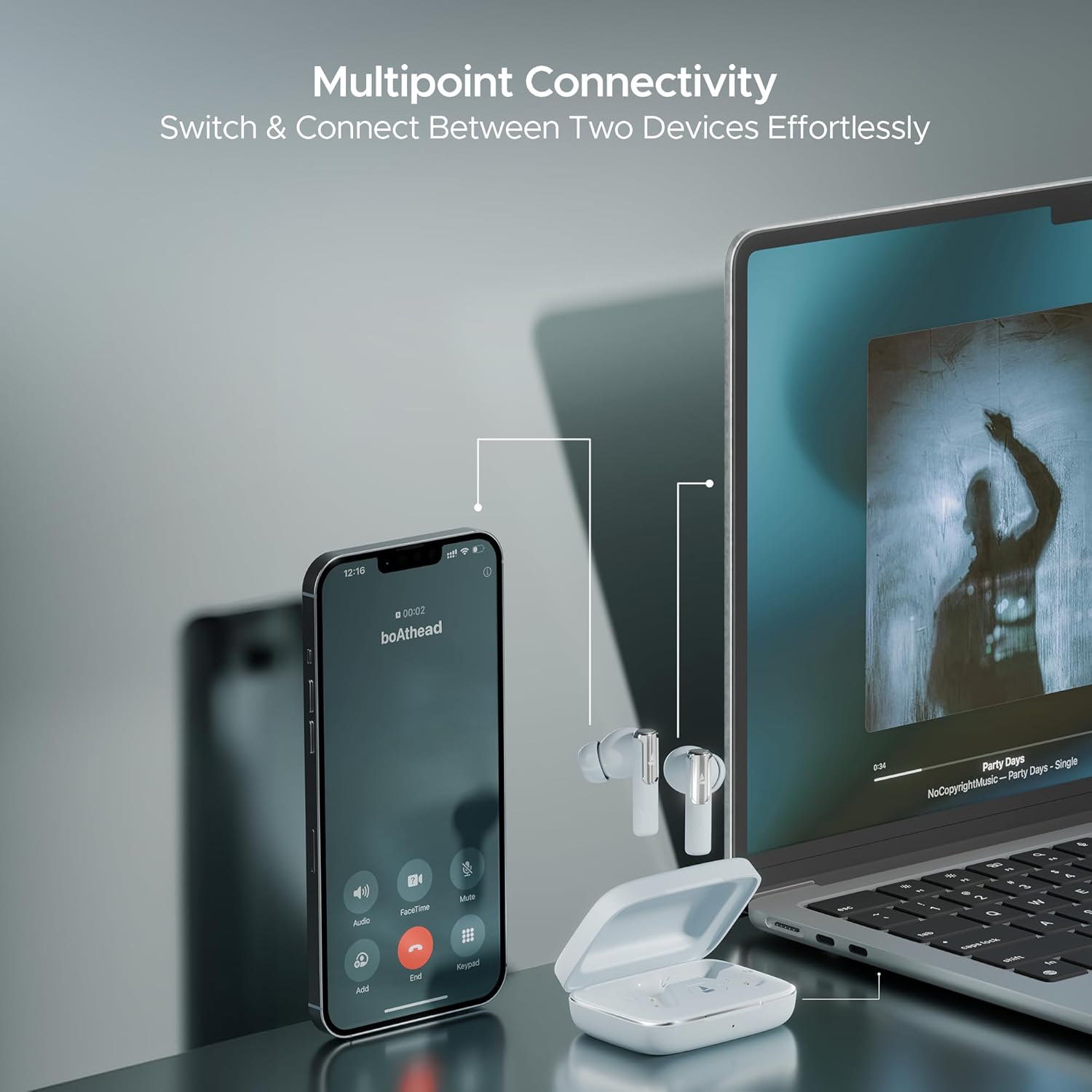
Image: A smartphone displaying an incoming call and a laptop playing music, with the Nirvana Ivy earbuds connected to both, illustrating seamless multipoint connectivity.
Instant In-Ear Detection:
The earbuds automatically detect when they are in your ears. Audio playback will start when inserted and pause when removed.

Image: A man and a woman wearing Nirvana Ivy earbuds, with text indicating 'Plug In to Play' and 'Take Out to Pause', demonstrating the in-ear detection feature.
BEAST™ režimas:
Activate BEAST™ Mode for a low-latency audio experience, ideal for gaming. This mode reduces audio delay to 60ms.

Image: Nirvana Ivy earbuds floating above a stylized race car, representing the BEAST™ Mode for low-latency audio.
Įkrovimas ir akumuliatorius
The boAt Nirvana Ivy earbuds offer up to 50 hours of total playtime. The ASAP Charge feature provides 240 minutes of playback with just 10 minutes of charging.
Ausinių įkrovimas:
Place the earbuds into the charging case. Ensure they are correctly seated. The LED indicator on the case will show the charging status.
Dėklo įkrovimas:
Connect the provided USB charging cable to the charging port on the case and to a power source. The LED indicator will show the charging progress.
Priežiūra
- Valymas: Reguliariai valykite ausines ir įkrovimo dėklą minkštu, sausu skudurėliu. Venkite naudoti stiprias chemines medžiagas ar abrazyvines medžiagas.
- Atsparumas vandeniui: The earbuds have an IPX5 water resistance rating, protecting them from splashes and sweat. Do not submerge them in water.
- Saugykla: Kai nenaudojate, laikykite ausines įkrovimo dėkle, kad apsaugotumėte ir liktų įkrautos.
- Temperatūra: Saugokite ausines nuo ekstremalių temperatūrų (karštos arba šaltos).
Trikčių šalinimas
Ausinės nesusijungia:
- Įsitikinkite, kad abi ausinės yra įkrautos.
- Išjunkite „Bluetooth“ savo įrenginyje, tada vėl jį įjunkite.
- Forget 'Nirvana Ivy' from your device's Bluetooth settings and try pairing again.
- Reset the earbuds (refer to the boAt Hearables App or product support for specific reset instructions).
Mažas garsumas arba prasta garso kokybė:
- Sureguliuokite garsumą tiek savo įrenginyje, tiek ausinėse.
- Ensure the ear tips are properly sealed in your ear canal. Try different sized ear tips for a better fit.
- Nuvalykite visas šiukšles nuo ausinių antgalių.
Ausinės neįkraunamos:
- Įsitikinkite, kad įkrovimo laidas yra tvirtai prijungtas tiek prie dėklo, tiek prie maitinimo šaltinio.
- Patikrinkite, ar ausinių ir dėklo viduje esantys įkrovimo kontaktai yra švarūs ir be šiukšlių.
- Išbandykite kitą įkrovimo laidą arba maitinimo adapterį.
Specifikacijos
| Modelio pavadinimas | Nirvana Ivy |
| Ryšio technologija | Bluetooth v5.3 |
| Triukšmo valdymas | Hybrid Noise Cancellation (up to 50dB) |
| Garso tvarkyklės dydis | 11 milimetrų |
| Žaidimo laikas | Iki 50 valandų |
| ASAP apmokestinimas | 10 mins charge = 240 mins playback |
| Atsparumo vandeniui lygis | IPX5 |
| Valdymo tipas | Touch Control, Application Control |
| Medžiaga | Plastikiniai |
| Prekės svoris | 50 gramų |
| Gaminio matmenys | 5 x 3 x 5 cm |
| Baterijos elementų sudėtis | Ličio polimeras |
Garantija ir palaikymas
Your boAt Nirvana Ivy TWS Earbuds come with a 1-year warranty from the date of purchase. Please refer to the included warranty card for detailed terms and conditions.
For further assistance, troubleshooting, or to register your product, please visit the official boAt website or contact customer support. You can also find more information on the boAt Store on Amazon.


