1. Įvadas
The boAt Nirvana Space TWS Earbuds are designed to provide an immersive audio experience with advanced features. This manual provides detailed instructions for setup, operation, and maintenance to ensure optimal performance and longevity of your earbuds.

Image: boAt Nirvana Space TWS Earbuds (Pink Punch) and their charging case.
2. Pakuotės turinys
- boAt Nirvana Space Truly Wireless In-Ear Earbuds
- Įkrovimo dėklas
- USB įkrovimo laidas
- Vartotojo vadovas
- Additional Eartips
3. Ausinių ir dėklo įkrovimas
Before first use, fully charge the earbuds and charging case. Connect the provided USB cable to the charging port on the case and a power source. The LED indicator on the case will show charging status. A full charge takes approximately 1.5 hours.
The earbuds feature ASAP Charge technology. A quick 15-minute charge provides up to 240 minutes (4 hours) of audio playback.

Image: Charging the boAt Nirvana Space earbuds case via USB-C.

Image: Illustration of ASAP Charge feature, highlighting 15 minutes of charge for 4 hours of playtime.
4. Poravimas ir sujungimas
4.1 Pradinis susiejimas
- Atidarykite įkrovimo dėklą. Ausinės automatiškai įsijungs susiejimo režimu.
- Savo įrenginyje (išmaniajame telefone, planšetiniame kompiuteryje, nešiojamajame kompiuteryje) įjunkite „Bluetooth“.
- Ieškokite 'Nirvana Space' in the list of available Bluetooth devices and select it to connect.
- Prisijungus, išgirsite garso signalą ir pasikeis ausinių LED indikatorius.
4.2 Daugiataškis ryšys
The Nirvana Space earbuds support multipoint connection, allowing you to connect to two devices simultaneously. This enables seamless switching between devices, for example, watching a video on your tablet and answering a call on your phone without re-pairing.

Image: Multipoint Connectivity, showing earbuds connected to both a tablet and a smartphone.
4.3 „Google“ greitasis susiejimas
For Android devices, Google Fast Pair allows for quick and effortless connection. Simply open the charging case near your Android device, and a pop-up notification will appear for instant pairing.
5. Naudojimo instrukcijos
5.1 Jutikliniai valdikliai
The earbuds feature intuitive touch controls for managing music, calls, and features. Refer to the boAt Hearables App for customizable touch functions.
5.2 Ausinių aptikimas ausyje
The earbuds automatically detect when they are in your ears. Music playback will pause when an earbud is removed and resume when re-inserted, providing a seamless listening experience.

Image: Instant In-Ear Detection feature, showing automatic play/pause functionality.
6. Garso funkcijos
6.1 360 Spatial Audio
Experience an immersive soundscape with boAt 360 Spatial Audio. This feature creates a cinematic effect, enveloping you with sound from all directions, enhancing your movie and music experience.

Image: boAt 360 Spatial Audio feature banner.
6.2 Aktyvus triukšmo slopinimas (ANC)
The Nirvana Space earbuds offer up to 32dB Active Noise Cancellation, effectively reducing ambient sounds. This allows you to focus on your audio content without distractions from your surroundings.

Image: Active Noise Cancellation feature banner, highlighting 32dB noise reduction.
6.3 10mm Diamond-Like Carbon (DLC) Drivers
Equipped with 10mm Diamond-Like Carbon (DLC) drivers, these earbuds deliver crisp sound with outstanding balance and tonality, providing a rich audio experience with deep bass.
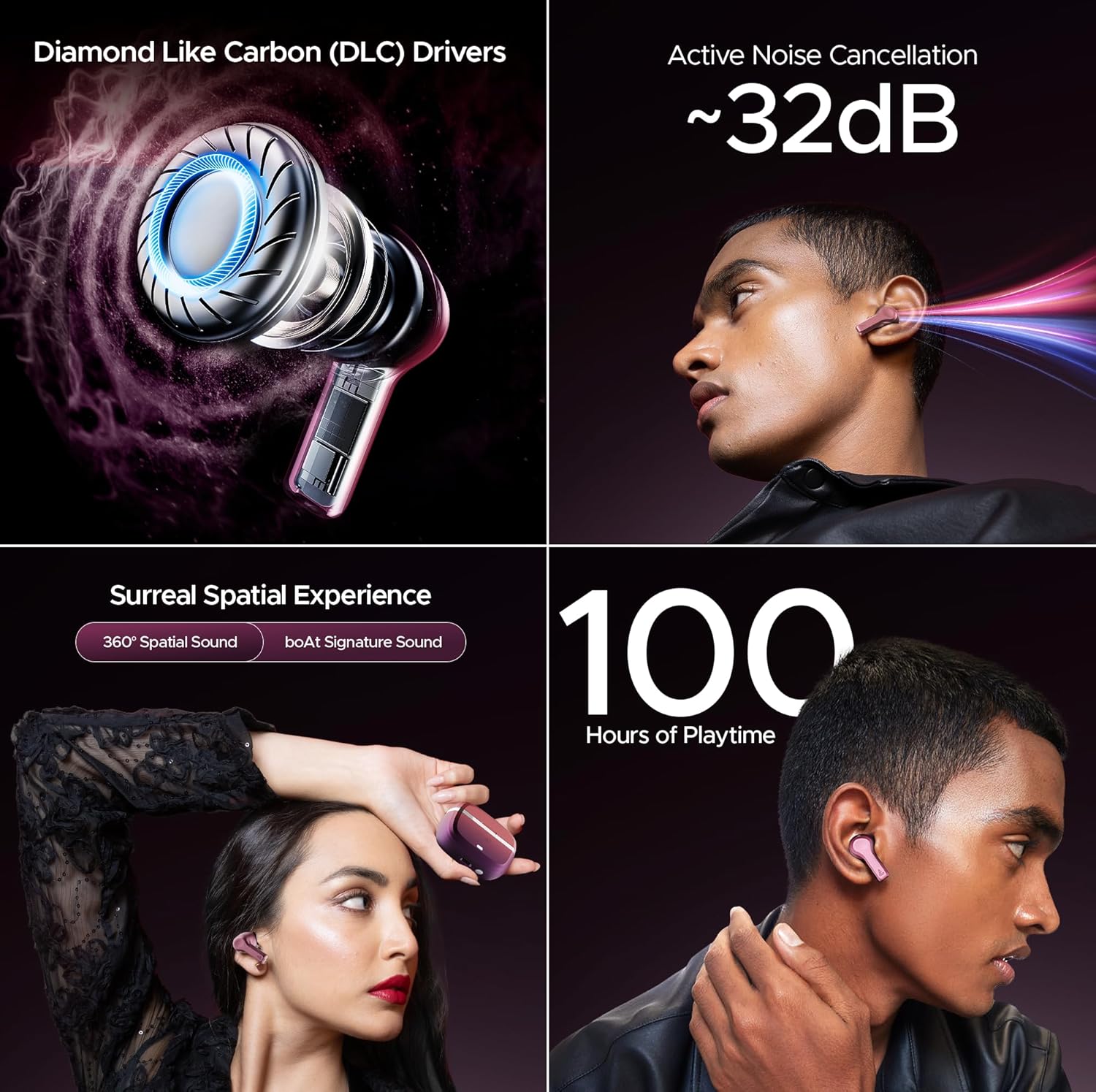
Vaizdas: Viršview of key audio features including DLC Drivers, ANC, Spatial Audio, and battery life.
6.4 boAt Signature Sound
Enjoy the signature boAt sound profile, optimized for a powerful and dynamic listening experience across various genres.
6.5 BEAST Mode
Activate BEAST Mode for ultra-low latency (60ms), ideal for gaming and video streaming, ensuring synchronized audio and visuals.
6.6 Aplinkos režimas
When you need to be aware of your surroundings, switch to Ambient Mode. This feature allows external sounds to pass through, keeping you connected to your environment without removing the earbuds.
7. Skambučių kokybė
The Nirvana Space earbuds are equipped with 4 microphones and AI-ENx Technology. This technology enhances call clarity by isolating your voice and reducing background noise, ensuring clear conversations even in noisy environments.

Image: Quad Mics with AI-ENx Technology for enhanced call clarity.
8. boAt Hearables App
Download the boAt Hearables App to unlock the full potential of your Nirvana Space earbuds. The app allows for customization of touch controls, sound personalization with boAt Adaptive EQ, and access to various features and settings.

Image: boAt Hearables App interface for customizing settings and features. Download the app via this link: https://l.ead.me/bdAX6k
9. Baterijos veikimo laikas
The boAt Nirvana Space earbuds offer an impressive 100 hours of total playback time with the charging case. This extended battery life ensures long listening sessions without frequent recharging.

Image: 100 Hours of Playtime feature banner.
10. Priežiūra
Norėdami išlaikyti ausinių veikimą ir ilgaamžiškumą:
- Ausines ir įkrovimo dėklą laikykite švarius ir sausus.
- Avoid exposing them to extreme temperatures or direct sunlight.
- Use a soft, dry cloth for cleaning. Do not use abrasive cleaners.
- Store in the charging case when not in use to protect them from dust and damage.
11. Problemų sprendimas
11.1 Ausinės nesusijungia
- Įsitikinkite, kad abi ausinės yra įkrautos.
- Place earbuds back in the case, close the lid, wait a few seconds, then open again to re-enter pairing mode.
- Forget 'Nirvana Space' from your device's Bluetooth settings and attempt to pair again.
11.2 Neveikia viena ausinė
- Patikrinkite, ar abi ausinės įkrautos.
- Pabandykite iš naujo nustatyti ausines (konkrečias nustatymo iš naujo instrukcijas rasite išsamiame naudotojo vadove).
11.3 Prasta skambučių kokybė
- Įsitikinkite, kad ausinės tinkamai įstatytos į ausis.
- Check for any obstructions around the microphone areas.
- If in a very noisy environment, try moving to a quieter location.
12. Specifikacijos
| Funkcija | Specifikacija |
|---|---|
| Modelio pavadinimas | Nirvana Space |
| Triukšmo valdymas | Active Noise Cancellation (~32dB) |
| Ryšio technologija | Belaidis ryšys („Bluetooth“ v5.3) |
| Bluetooth diapazonas | 10 metrų |
| Baterijos veikimo laikas | 100 valandos (su įkrovimo dėklu) |
| Įkrovimo laikas | 1.5 valandų |
| Garso tvarkyklės tipas | Dynamic Driver (10mm DLC) |
| Mikrofonai | 4 Mics with AI-ENx Technology |
| Atsparumo vandeniui lygis | Atsparus vandeniui |
| Kontrolės metodas | App / Touch |
| Prekės svoris | 140 gramų |
13. Garantija ir palaikymas
Your boAt Nirvana Space TWS Earbuds come with a manufacturer's warranty. For detailed warranty information, service requests, or technical support, please visit the official boAt websvetainėje arba susisiekite su jų klientų aptarnavimo tarnyba. Išsaugokite pirkimo kvitą garantiniams reikalavimams.
Visit the official boAt Store: boAt Store on Amazon


