1. Įvadas
The Tenda SE108 is an 8-port 2.5G unmanaged Ethernet switch designed to meet the high-speed demands of modern networks. It features 8 RJ45 ports supporting flexible speeds of 100, 1000, and 2500 Mbps, ensuring compatibility with various devices and network requirements. This switch is ideal for enhancing network performance in home entertainment setups, small offices, and e-sports environments.
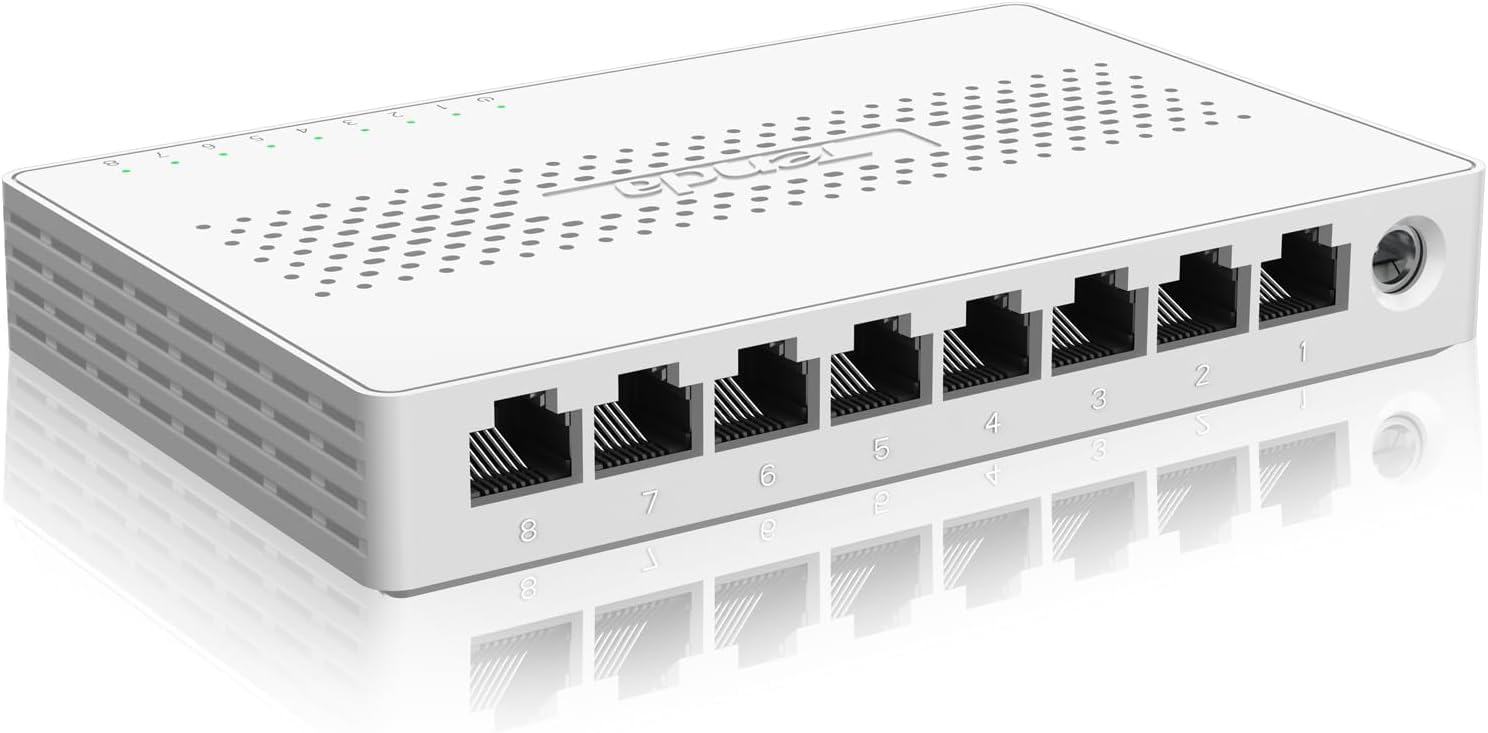
Vaizdas: priekis view of the Tenda SE108 8-Port 2.5G Unmanaged Ethernet Switch, highlighting its compact design and 2.5G speed capability.
2. Pakuotės turinys
Verify the package contents upon unboxing. If any items are missing or damaged, please contact Tenda support.
- „Tenda SE108“ 8 prievadų 2.5 G nevaldomas Ethernet komutatorius
- Maitinimo adapteris
- Greitos pradžios vadovas
- Tvirtinimo prie sienos varžtai ir inkarai
- Guminės kojelės (skirtos pastatyti ant stalo)

Image: The Tenda SE108 switch, its retail box, power adapter, and mounting accessories.
3. Produkto ypatybės
- High-Speed Bandwidth: Equipped with 8 RJ45 ports supporting 100/1000/2500 Mbps speeds, compliant with IEEE 802.3 standards.
- 16K MAC Address Table: Accommodates a wide range of devices with automatic MAC address learning for simplified network management.
- Plug and Play: No software installation or complex configuration required for immediate operation.
- Keli montavimo variantai: Supports both desktop and wall mounting for flexible placement.
- Kompaktiškas ir išskirtinis dizainas: Sleek plastic shell and mini shape save space and blend into any environment.
- Dizainas be ventiliatoriaus: Ensures quiet operation, suitable for various environments.
- Good Heat Dissipation: Heat dissipation holes on three sides ensure effective heat dissipation.

Image: The Tenda SE108 switch illustrating its heat dissipation design with arrows showing airflow.
4. Sąranka ir diegimas
4.1 Tvirtinimas prie darbalaukio
Place the Tenda SE108 switch horizontally on a stable, clean, and flat desktop. Attach the included rubber feet to the bottom of the switch to prevent slipping and protect surfaces.

Image: The Tenda SE108 switch shown in both desktop and wall-mounted configurations.
4.2 Tvirtinimas prie sienos
The switch can be mounted on a wall for space-saving and organized wiring. Use the provided screws and anchors for secure installation.
- Measure the distance between the two wall-mounting holes on the back of the switch.
- Mark the corresponding positions on the wall.
- Drill two holes at the marked positions and insert the wall anchors.
- Insert the screws into the anchors, leaving a small gap for the switch to slide onto.
- Align the wall-mounting holes on the switch with the screw heads and slide the switch down to secure it.
4.3 Įrenginių prijungimas
The Tenda SE108 is a plug-and-play device, requiring no complex configuration.
- Connect the included power adapter to the switch's power input port and then to a power outlet.
- Connect your network devices (e.g., computers, gaming consoles, NAS, routers, IPTV boxes, access points) to any of the 8 RJ45 ports using standard Ethernet cables. The switch will automatically detect the speed and configure the connection.

Image: A step-by-step diagram illustrating the simple plug-and-play setup of the Tenda SE108 switch: Connect to Power, Connect Devices, Enjoy.
5. Naudojimo instrukcijos
Once powered on and devices are connected, the Tenda SE108 operates automatically. The Link/Act LED indicators on each port will illuminate to show a successful connection and blink during data transfer. The switch's auto-negotiation feature ensures optimal speed and duplex mode for each connected device.
The fanless design ensures silent operation, making it suitable for noise-sensitive environments like homes and offices.

Image: A man sleeping peacefully next to the Tenda SE108 switch, emphasizing its fanless and quiet operation.
6. Priežiūra
- Keep the switch in a well-ventilated area to ensure proper heat dissipation.
- Nedėkite sunkių daiktų ant jungiklio viršaus.
- Jungiklio išorę valykite minkštu, sausu skudurėliu. Nenaudokite skystų ar aerozolinių valiklių.
- Ensure the power adapter is securely connected and free from damage.
- Periodically check Ethernet cable connections for any loose or damaged cables.
7. Problemų sprendimas
- Nėra galios: Ensure the power adapter is correctly connected to the switch and a working power outlet. Check if the power LED on the switch is illuminated.
- Nėra nuorodos / veiklos: Verify that Ethernet cables are securely connected to both the switch and the connected device. Try using a different Ethernet cable or port. Ensure the connected device is powered on and functioning correctly.
- Mažas tinklo greitis: Confirm that your connected devices and Ethernet cables support 2.5G speeds for optimal performance. Ensure your router or modem is providing adequate internet speed.
If you encounter persistent issues, please refer to the warranty and support information below.
8. Specifikacijos
| Funkcija | Detalė |
|---|---|
| Modelis | SE108 |
| Prievadų skaičius | 8 x 2.5G Base-T RJ45 Ports |
| Duomenų perdavimo sparta | 100/1000/2500 Mbps (Auto-Negotiation) |
| Perjungimo talpa | 40 Gbps |
| MAC adresų lentelė | 16 tūkst |
| Gaminio matmenys | 5.6 colio ilgio x 3.55 colių pločio x 0.95 colio aukščio |
| Prekės svoris | 0.38 kilogramo (13.4 uncijos) |
| Bylos medžiaga | Plastikiniai |
| ttage | 12 voltų |
| Didžiausia galia | 12 vatų |
| Viršutinės temperatūros įvertinimas | 70 laipsniai Celsijaus |
| Suderinami įrenginiai | Stalinis kompiuteris, žaidimų konsolė, nešiojamas kompiuteris, spausdintuvas, maršrutizatorius |
9. Garantija ir palaikymas
The Tenda SE108 comes with a 3-year manufacturer's support. For any after-sales issues or technical assistance, please contact Tenda's official support team.
El. paštas: support@tenda.cn
10. Produktų vaizdo įrašai
Tenda 8 Port 2.5G Ethernet Switch
Video Description: An official video from Tenda demonstrating the features and benefits of the Tenda 8 Port 2.5G Ethernet Switch.
Tenda 8 Port 2.5G Ethernet Switch--SE108
Video Description: An official video from Tenda specifically showcasing the Tenda SE108 8 Port 2.5G Ethernet Switch, detailing its design and functionality.
Instruction--Tenda 5 & 8 Port 2.5G Switch with 2*10G SFP+
Video Description: An official Tenda instruction video covering the installation and setup of Tenda 5 and 8 Port 2.5G Switches, including models with 10G SFP+ ports.


