Įvadas
Thank you for choosing the TechniSat VIOLA Wall Socket Radio. This compact FM radio is designed for convenience, offering both traditional FM radio reception and modern Bluetooth audio streaming. Its integrated hands-free function allows for easy call management. This manual provides essential information for the safe and efficient use of your device.
Saugos informacija
- Elektros sauga: Ensure the radio is plugged into a standard, properly grounded wall socket. Do not overload the socket. Disconnect from power during electrical storms or when unused for long periods.
- Vanduo ir drėgmė: Do not expose the device to water, rain, or excessive humidity. Avoid using it in bathrooms or near sinks where it could come into contact with water.
- Vėdinimas: Ensure adequate ventilation around the device. Do not cover the ventilation openings.
- Valymas: Valymui naudokite minkštą, sausą šluostę. Nenaudokite skystų ar aerozolinių valiklių.
- Temperatūra: Avoid extreme temperatures. Do not place the device near heat sources or in direct sunlight.
- Vaikai: Prietaisą laikykite vaikams nepasiekiamoje vietoje.
Produktas baigtasview
The TechniSat VIOLA radio features a compact design with intuitive controls and a clear display.
Valdikliai ir ekranas
The top panel of the radio houses all control buttons, while the front features an LCD segment display.
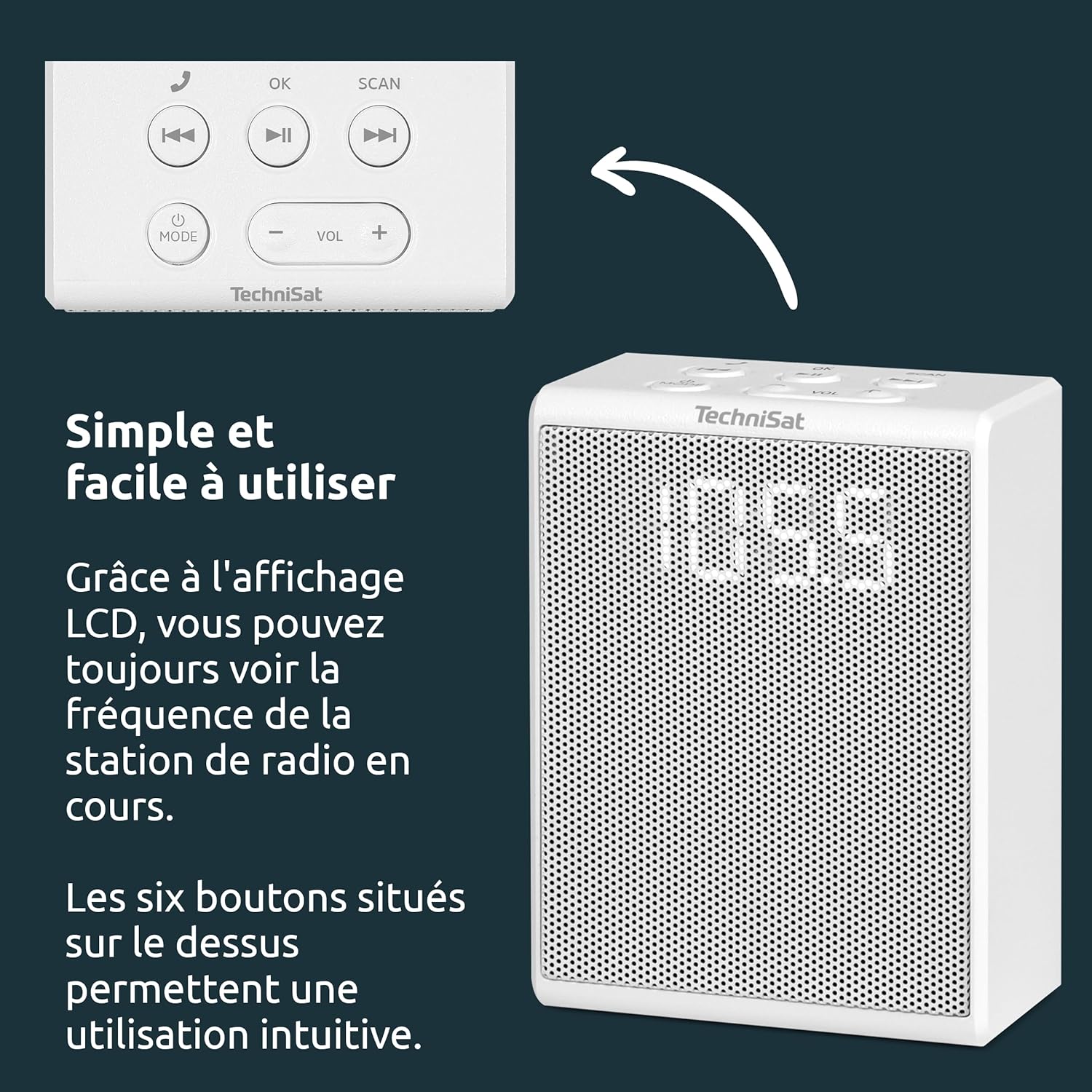
- MODE mygtukas: Switches between FM radio and Bluetooth modes.
- VOL +/- mygtukai: Reguliuoja garsumo lygį.
- Gerai mygtukas: Confirms selections or answers/ends calls.
- SCAN mygtukas: Initiates automatic station scanning in FM mode.
- Ankstesnio / kito takelio mygtukai: Skips tracks in Bluetooth mode or navigates presets in FM mode.
- Atkūrimo / pristabdymo mygtukas: Plays or pauses audio in Bluetooth mode.

Sąranka
Setting up your TechniSat VIOLA radio is straightforward.
1. Maitinimo prijungimas
- Locate a suitable wall socket.
- Plug the TechniSat VIOLA radio directly into the wall socket. The device will power on automatically.

Naudojimo instrukcijos
FM radijo veikimas
- Paspauskite REŽIMAS mygtuką, kol ekrane pasirodys „FM“.
- Paspauskite NUSKAITYTI button to automatically search for available FM stations. The radio will scan and save up to 30 stations.
- Naudokite Ankstesnis/Kitas takelis buttons to cycle through the saved preset stations.
- Reguliuokite garsumą naudodami VOL +/- mygtukai.
Bluetooth Pairing and Streaming
- Paspauskite REŽIMAS button until "BT" (Bluetooth) appears on the display. The radio will enter pairing mode, indicated by a flashing Bluetooth icon or similar.
- On your smartphone or tablet, enable Bluetooth and search for available devices. Select "TechniSat VIOLA" from the list.
- Once paired, the Bluetooth indicator on the radio will become solid. You can now stream audio from your device to the VIOLA radio.
- Naudokite Leisti / pristabdyti ir Ankstesnis/Kitas takelis buttons on the radio or your connected device to control playback.
- Reguliuokite garsumą naudodami VOL +/- buttons on the radio or your connected device.
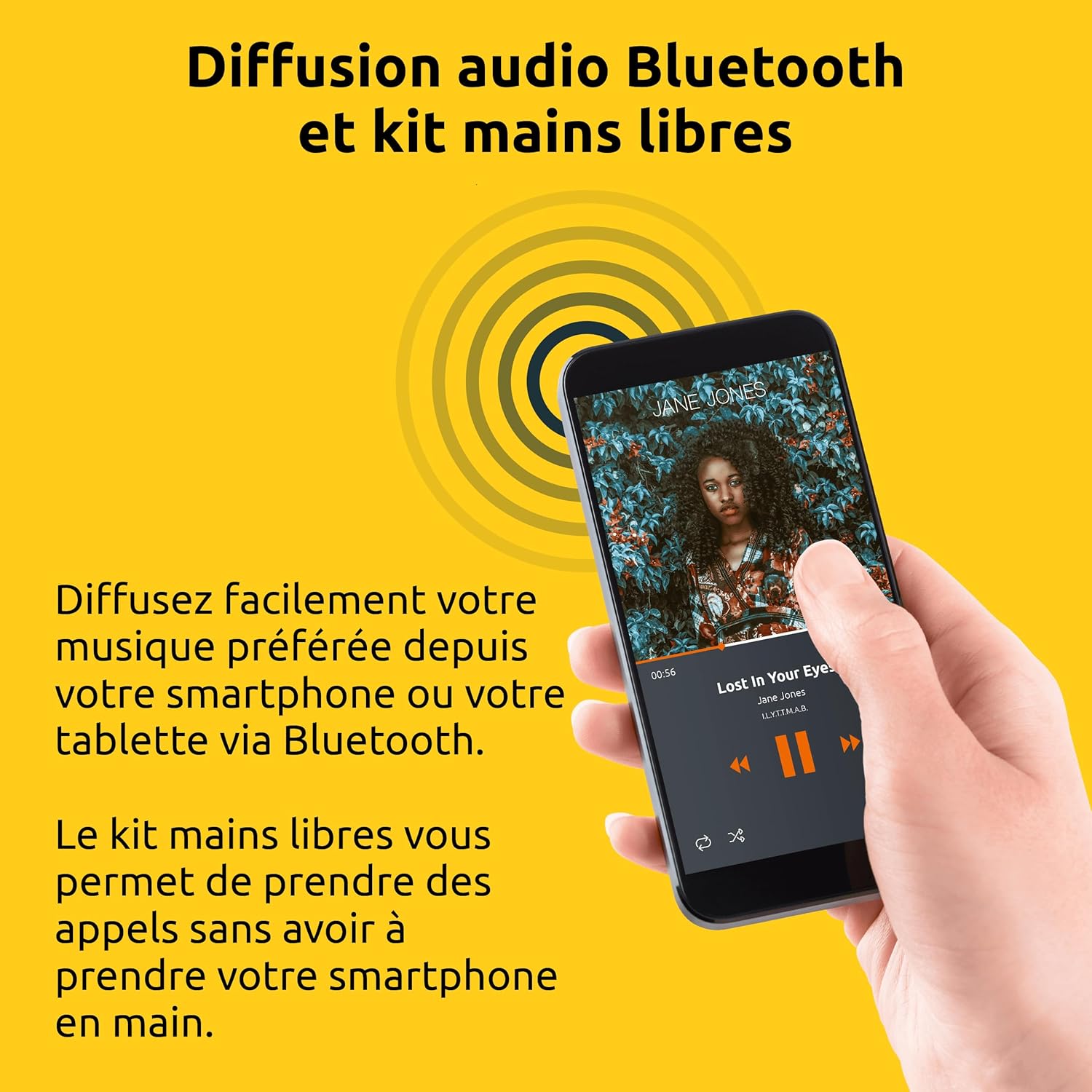
Laisvų rankų funkcija
When your smartphone is paired via Bluetooth:
- Atsiliepimas į skambutį: When an incoming call is received, the radio will ring. Press the OK mygtuką atsiliepti į skambutį.
- Skambučio pabaiga: Pokalbio metu paspauskite OK button to end the conversation.
- Skambučio atmetimas: Norėdami atmesti gaunamą skambutį, paspauskite ir palaikykite OK mygtuką kelias sekundes.
Priežiūra
To ensure the longevity and optimal performance of your TechniSat VIOLA radio, follow these maintenance guidelines:
- Valymas: Regularly wipe the exterior of the radio with a soft, dry, lint-free cloth. Do not use abrasive cleaners, waxes, or solvents as they may damage the finish.
- Venkite skysčių: Never spray liquids directly onto the radio or immerse it in water.
- Saugykla: If storing the radio for an extended period, unplug it from the wall socket and store it in a cool, dry place away from direct sunlight.
Trikčių šalinimas
If you encounter issues with your TechniSat VIOLA radio, refer to the following common problems and solutions:
| Problema | Galima priežastis | Sprendimas |
|---|---|---|
| Nėra galios | Radio not properly plugged in; Wall socket not active. | Ensure the radio is fully inserted into a working wall socket. Test the socket with another appliance. |
| Nėra garso | Per mažas garsumas; pasirinktas neteisingas režimas. | Padidinkite garsumą naudodami VOL+. Check that the correct mode (FM or BT) is selected. |
| Prastas FM priėmimas | Silpnas signalas; trukdžiai. | Try repositioning the radio or moving it to a different wall socket. Avoid placing near other electronic devices that may cause interference. |
| Bluetooth neprisijungia | Radijas neporavimo režime; Įrenginys per toli; „Bluetooth“ ryšys jau prijungtas prie kito įrenginio. | Ensure the radio is in Bluetooth pairing mode ("BT" flashing). Move your device closer to the radio. Disconnect from other Bluetooth devices. Try restarting both the radio and your device. |
| Hands-free not working | Bluetooth not connected; Microphone blocked. | Ensure Bluetooth is successfully paired. Check that nothing is obstructing the radio's microphone. |
Specifikacijos
Detailed technical specifications for the TechniSat VIOLA Wall Socket Radio.
| Funkcija | Detalė |
|---|---|
| Prekės ženklas | TechniSat |
| Modelio numeris | 0000/2982 |
| Spalva | Baltas |
| Ryšio technologija | Bluetooth |
| Ypatingos savybės | LCD Segment Display, Integrated Speaker, Hands-Free Kit, FM Radio Reception, Bluetooth Audio Streaming |
| Suderinami įrenginiai | Smartphone, Tablet, MP3 Player, Speaker |
| Maitinimo šaltinis | Electric Cable (Wall Socket) |
| Palaikomos radijo juostos | FM |
| Tiuningo technologija | FM |
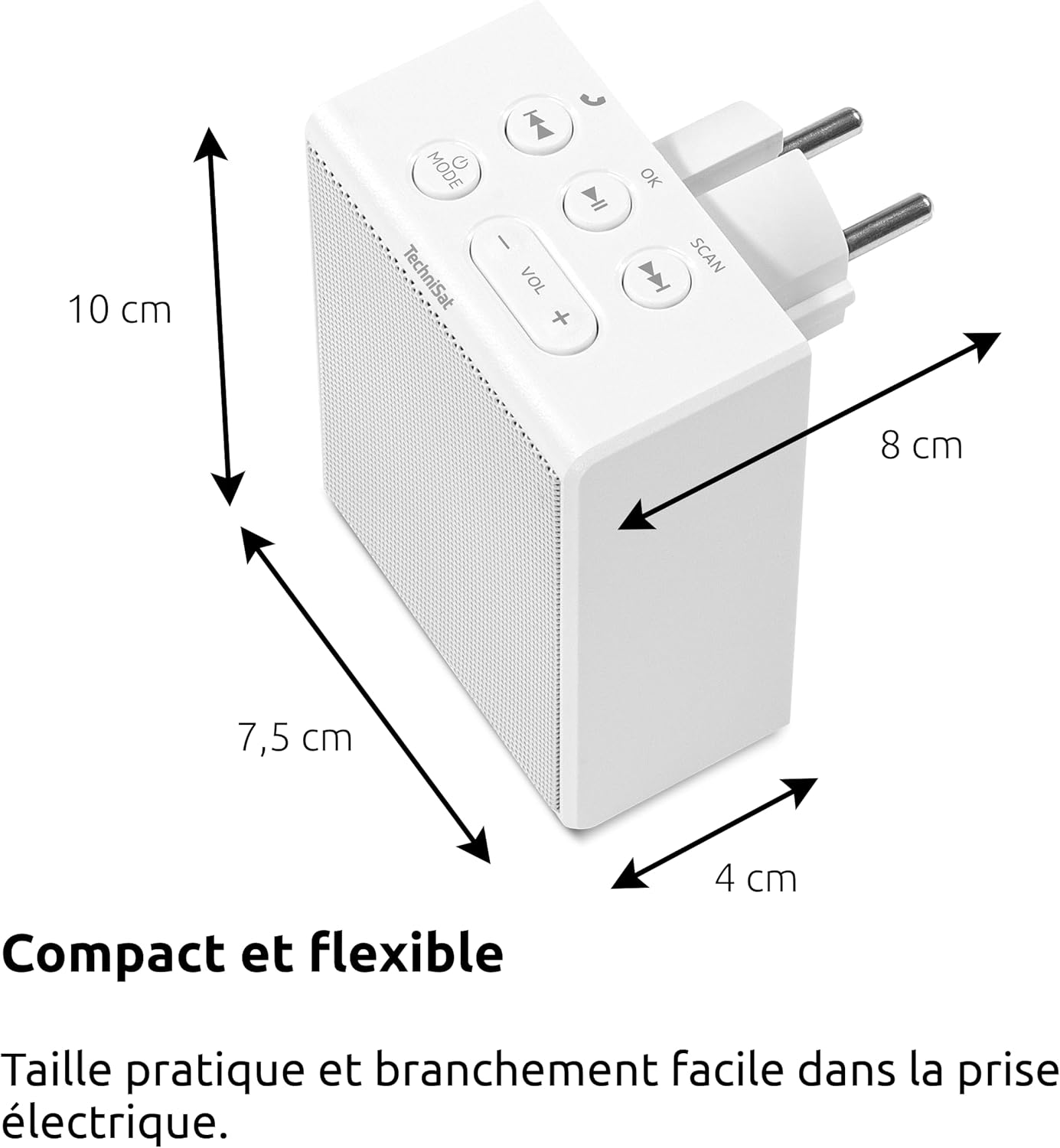
| Gaminio matmenys (I x P x A) | 7.5 x 4 x 10 cm |
| Garsiakalbio išvestis | 1.5 W RMS (Mono) |
| Įkraunama baterija | Nr |
Garantija ir palaikymas
Gamintojo garantija: Information not specified in product details. Please refer to your purchase documentation or contact your retailer for specific warranty terms.
Klientų aptarnavimas: For further assistance, technical support, or warranty claims, please contact your point of purchase or visit the official TechniSat websvetainė kontaktinei informacijai.