1. Įvadas
This manual provides essential information and instructions for the proper use and maintenance of your Casio G-Shock GMDB300-1 Step Tracker Digital Watch. Please read this manual thoroughly before using the watch to ensure optimal performance and longevity.
The Casio G-Shock GMDB300-1 is designed as a robust sports-oriented timepiece, featuring a step tracker and smartphone connectivity to support an active lifestyle. Its key resin components, including the case, bezel, and band, are crafted from bio-based resin, reflecting a commitment to environmental responsibility.

Image 1: The Casio G-Shock GMDB300-1 Step Tracker Digital Watch in black with light blue accents.
2. Sąranka
2.1 Pradinis įjungimas ir laiko nustatymas
Upon first use or after a battery change, the watch may require initial setup. Follow these steps:
- Ensure the watch is exposed to light to charge the solar battery.
- Paspauskite ir palaikykite REGULIUOTI mygtuką (viršuje kairėje), kol pradės mirksėti miesto kodas.
- Naudokite REŽIMAS (bottom left) and PRADĖTI (bottom right) buttons to select your home city code.
- Paspauskite REGULIUOTI again to confirm and exit the setting mode. The time will automatically adjust based on the selected city.
2.2 Smartphone Link Setup
The GMDB300-1 can be linked with a smartphone for enhanced functionality and data management.
- Download the official Casio G-SHOCK Connected app from your smartphone's app store.
- Įjunkite „Bluetooth“ savo išmaniajame telefone.
- Laikrodyje paspauskite ir palaikykite PRISIJUNGTI button (middle left) until the Bluetooth icon appears and flashes.
- Atidarykite programėlę „G-SHOCK Connected“ ir vykdykite ekrane pateikiamus nurodymus, kad susietumėte laikrodį.
- Once paired, the watch time will synchronize with your smartphone, and tracked data can be managed within the app.
3. Naudojimo instrukcijos
3.1 Naršymo režimai
Paspauskite REŽIMAS mygtuką (apačioje kairėje), kad perjungtumėte skirtingus laikrodžio režimus:
- Laiko matavimo režimas: Rodo dabartinį laiką, datą ir savaitės dieną.
- Step Tracker Mode: Shows daily step count and progress towards goals.
- Chronometro režimas: Skirta praėjusio laiko matavimui.
- Laikmačio režimas: A countdown timer function.
- Aliarmo režimas: Set and manage daily alarms.
- Pasaulio laiko režimas: View laikus skirtingose laiko juostose.
3.2 Step Tracker Function
The built-in accelerometer automatically counts your steps. The watch displays your total daily steps and progress towards a set goal. Detailed activity logs can be viewed via the G-SHOCK Connected app.
- In Step Tracker Mode, press PRADĖTI (bottom right) to view daily step data.
- Naudokite REŽIMAS ir PRADĖTI buttons to navigate through different step data views (e.g., daily, weekly, monthly).
3.3 Backlight (Illuminator)
Paspauskite ŠVIESA button (bottom center) to illuminate the display for easy reading in low-light conditions. The illumination duration can be configured in the watch settings or via the smartphone app.

2 paveikslėlis: Išsamus view of the Casio G-Shock GMDB300-1 watch face, highlighting its digital display and various indicators.
4. Pagrindinės savybės
- Bio-based Resin Construction: The watch incorporates bio-based resin in its case, bezel, and band, contributing to reduced environmental impact. This material maintains the renowned G-SHOCK durability and shock resistance.
- Išmaniojo telefono nuoroda: Seamlessly connect your watch to the G-SHOCK Connected app on your smartphone via Bluetooth. This allows for automatic time adjustment, easy watch setting configuration, and management of life log data, including step counts and calorie burn.
- Žingsnių sekiklis: An integrated 3-axis accelerometer accurately counts your steps throughout the day. Set daily step goals and monitor your progress directly on the watch display or through the connected app.
- 200 metrų atsparumas vandeniui: Designed for robust use, the watch is water-resistant up to 200 meters, making it suitable for swimming, snorkeling, and other water activities.
- Atsparumas smūgiams: True to its G-SHOCK heritage, the GMDB300-1 features a shock-resistant structure that protects against impacts and vibrations, ensuring reliability in demanding environments.
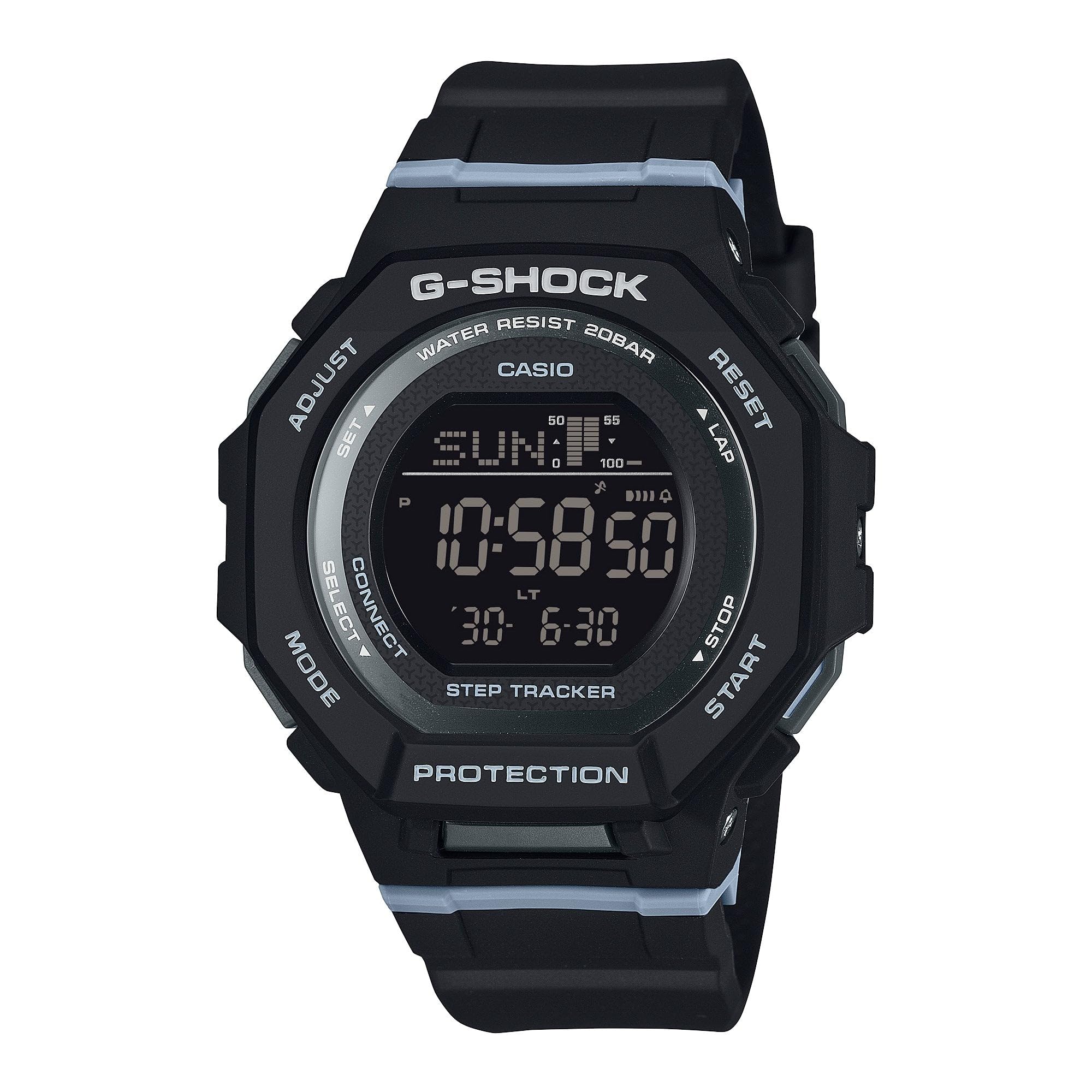
Image 3: The Casio G-Shock GMDB300-1 watch worn by an individual, showcasing jo dizainą ir tinkamumą.
5. Priežiūra
5.1 Laikrodžio valymas
Norėdami išlaikyti laikrodžio išvaizdą ir funkcionalumą:
- Nuvalykite laikrodį minkštu, sausu skudurėliu, kad pašalintumėte nešvarumus ir drėgmę.
- Įsisenėjusiam purvui naudokite minkštą šluostę dampnuplaukite vandeniu ir švelniu neutraliu plovikliu. Venkite stiprių cheminių medžiagų ar tirpiklių.
- Po sąlyčio su sūriu vandeniu laikrodį kruopščiai nuplaukite gėlu vandeniu ir visiškai išdžiovinkite.
5.2 Atsargumas dėl atsparumo vandeniui
While water-resistant, observe the following:
- Do not operate watch buttons while submerged in water.
- Avoid exposing the watch to hot water or steam, as this can damage seals.
- If the watch is exposed to extreme temperature changes, condensation may appear inside the crystal. This should clear up quickly. If it persists, consult an authorized service center.
5.3 Battery Charging (Solar Powered)
This watch is equipped with a solar charging system. Ensure regular exposure to light to keep the battery charged. Avoid prolonged storage in dark places.
- Padėkite laikrodį ten, kur jo ciferblatas būtų veikiamas ryškios šviesos.
- The charging time varies depending on the light intensity.
- Refer to the battery level indicator on the display to monitor charge status.
6. Problemų sprendimas
6.1 Laikas neteisingas
- Check Home City Setting: Ensure your home city is correctly set. Incorrect city settings can lead to incorrect time display.
- Išmaniojo telefono nuoroda: Verify that the watch is successfully paired and connected to the G-SHOCK Connected app for automatic time synchronization.
- Rankinis reguliavimas: If automatic adjustment fails, manually set the time and date as described in the
Susiję dokumentai - GMDB300-1

„Casio G-SHOCK GBA-800 G-SQUAD“: jūsų išmanusis treniruočių palydovas
Atraskite „Casio G-SHOCK GBA-800 G-SQUAD“ – su išmaniuoju telefonu susietą laikrodį, skirtą pagerinti jūsų kasdienes treniruotes. Funkcijos: automatinis žingsnių sekimas, pritaikomi laikmačiai, chronometro funkcijos ir patogus, gerai priglundantis dirželis. Išlikite prisijungę ir motyvuoti su „G-SHOCK Connected“ programėlės integracija.
„Casio EQB-500“ išmaniojo laikrodžio naudotojo vadovas
Išsamus „Casio EQB-500“ išmaniojo laikrodžio naudotojo vadovas, kuriame išsamiai aprašomos jo funkcijos, sąranka, veikimas ir specifikacijos, skirtos sklandžiam išmaniojo telefono integravimui.
CASIO naudojimo vadovas 3475: Jūsų išmaniojo laikrodžio pagalbininkas
Šiame naudojimo vadove išsamiai aprašomas išmanusis laikrodis CASIO 3475, įskaitant GPS sekimą, širdies ritmo stebėjimą, fizinio pasirengimo analizę, mobilųjį ryšį ir pažangias treniruočių funkcijas.
Инструкция к часам Casio G-SHOCK (Модуль 5623) ir международная гарантия
Полное руководство пользователя и информация о международной гарантии для часов Casio G-SHOCK (Модуль 5623-W.a.) включая инструкции по эксплуатации, настройке функций, Bluetooth-подключению ir устранению неполадок.
„Casio G-Shock“ duomenų bazė: patvarumas ir specifikacijos
Išsamios informacijos apie smūgiams ir vandeniui atsparius laikrodžius ieškokite „Casio G-Shock“ duomenų bazėje. Raskite specifikacijas, funkcijas ir istorijas.tagikoninės „G-Shock“ linijos dalis.
CASIO G-SHOCK naudojimo vadovas 3481
Išsamus CASIO G-SHOCK 3481 skaitmeninio laikrodžio naudojimo vadovas, kuriame išsamiai aprašoma sąranka, funkcijos, mobilusis ryšys, mokymo funkcijos ir trikčių šalinimas.