1. Įvadas
Ačiū, kad pirkoteasing the Salange HY300Pro Mini Projector. This manual provides essential information for setting up, operating, and maintaining your projector. Please read it thoroughly before use to ensure optimal performance and longevity of your device.
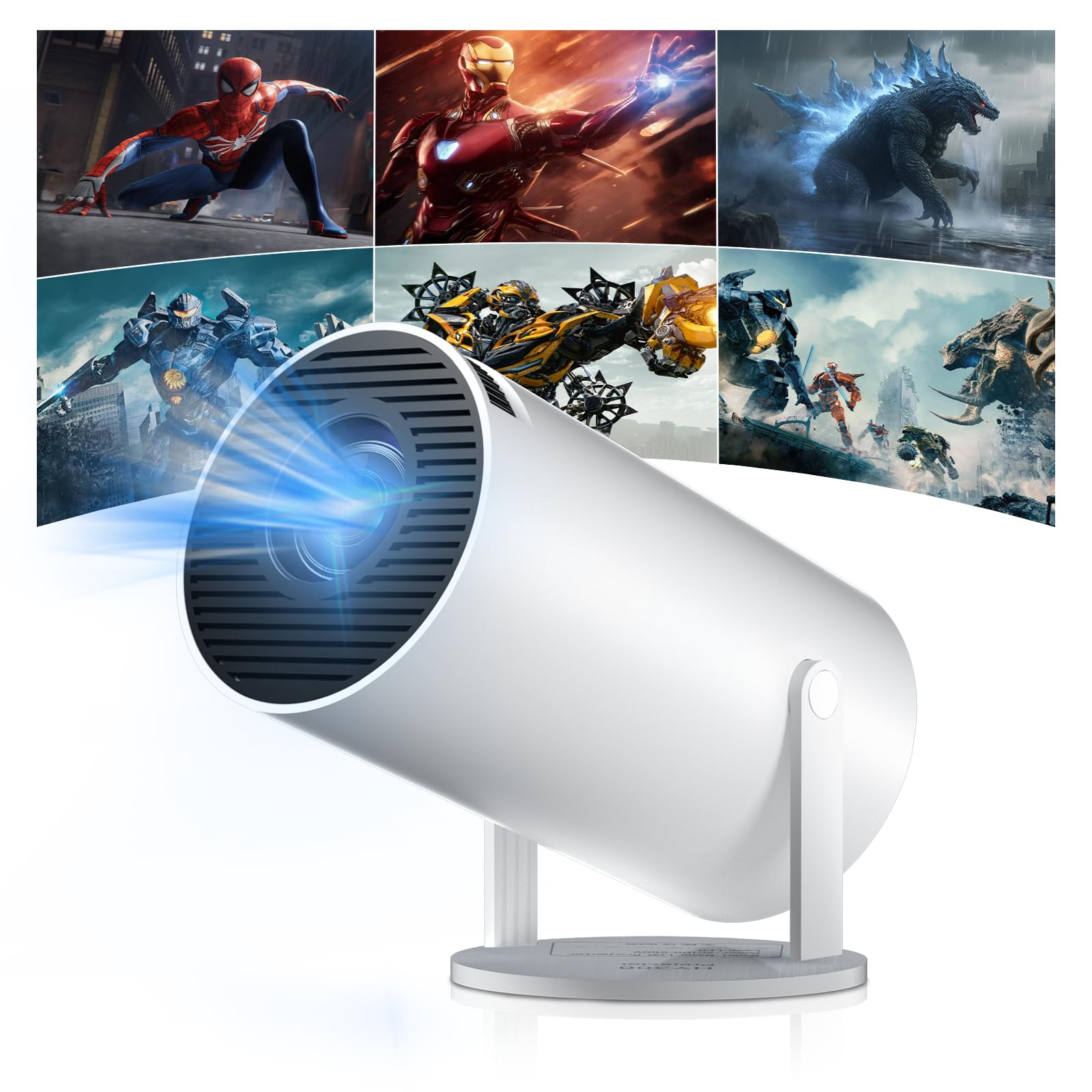
Figure 1: Salange HY300Pro Mini Projector
2. Produktas baigtasview
Pagrindinės savybės
- Dual-Band WiFi 6 & Bluetooth 5.4: Ensures fast and stable network connectivity and seamless audio pairing with external speakers or headphones.
- „Android 11.0“ operacinė sistema: Supports installation of various applications directly on the projector for versatile entertainment and productivity.
- 4K palaikymas ir originali 720P raiška: Delivers clear and vibrant images, supporting 1080P and 4K video playback.
- 180° sukimasis: Flexible projection angles for various setups, including ceiling, wall, or angled surfaces.
- Automatic Keystone Correction & Manual Focus: Intelligently corrects image distortion and allows for fine-tuning clarity.
- Kompaktiškas ir nešiojamas dizainas: Weighs only 700g, making it easy to transport for outdoor activities or different rooms.

2 pav. Baigtaview of Salange HY300Pro features including 8K support, WiFi 6, Bluetooth 5.4, 180° rotation, and auto keystone correction.
Kas yra dėžutėje
- 1 x Salange HY300Pro Projector
- 1 x Vartotojo vadovas
- 1x maitinimo laidas
- 1x nuotolinio valdymo pultas

Figure 3: Contents of the Salange HY300Pro package.
3. Sąranka
3.1 Išpakavimas ir įdėjimas
- Atsargiai išimkite visus komponentus iš pakuotės.
- Place the projector on a stable, flat surface. Ensure adequate ventilation around the device.
- The projector's 180° rotation feature allows flexible placement. Adjust the projector's angle to project onto a wall, ceiling, or screen as desired.

Figure 4: Projector demonstrating 180-degree rotation for various projection surfaces.
3.2 Maitinimo jungtis
Connect the provided power cable to the projector's power input and then to a power outlet.
3.3 Pradinis įjungimas ir fokusavimo reguliavimas
- Norėdami įjungti įrenginį, paspauskite projektoriaus arba nuotolinio valdymo pulto maitinimo mygtuką.
- The projector features automatic keystone correction. It will intelligently detect and correct image distortion to ensure a square image.
- For fine-tuning the image clarity, use the manual focus adjustment ring on the projector.

Figure 5: Illustration of automatic keystone correction and manual focus adjustment.
3.4 Tinklo ryšys („Wi-Fi“)
- Projektoriaus pagrindiniame ekrane eikite į meniu „Nustatymai“.
- Select 'Network & Internet' and enable Wi-Fi.
- Choose your desired Wi-Fi network from the list and enter the password if prompted. The projector supports dual-band 2.4G + 5G WiFi 6 for fast and stable connections.

Figure 6: Visual representation of the projector's WiFi 6 capabilities for ultra-fast streaming.
3.5 Bluetooth poravimas
- From the 'Settings' menu, select 'Connected Devices' or 'Bluetooth'.
- Įjunkite Bluetooth ir ieškokite galimų įrenginių.
- Iš sąrašo pasirinkite „Bluetooth“ garsiakalbį arba ausines, kad suporuotumėte.

Figure 7: Projector connected to various Bluetooth audio devices.
3.6 Išorinių įrenginių prijungimas
The projector supports HDMI and USB connections.
- HDMI: Connect your laptop, game console, Blu-ray player, or TV stick using an HDMI cable. Select the corresponding HDMI input source from the projector's input menu.
- USB: Įkiškite USB atmintinę, kad galėtumėte leisti mediją files directly. Access the files through the media player application on the Android OS.
4. Naudojimo instrukcijos
4.1 Naršymas „Android“ operacinėje sistemoje
The Salange HY300Pro runs on Android 11.0, providing a smart TV experience.
- Use the remote control to navigate through the home screen, applications, and settings.
- The interface is intuitive, similar to an Android smartphone or tablet.

Figure 8: Projector displaying the Android OS home screen with various streaming apps.
4.2 Programėlių valdymas
You can install and manage applications directly on the projector.
- Access the app store (e.g., Google Play Store) to download streaming services, games, and productivity tools.
- To uninstall an app, go to 'Settings' > 'Apps' and select the desired app.
4.3 Ekrano atspindėjimas
Mirror your smartphone or tablet screen to the projector wirelessly.
- Įsitikinkite, kad ir jūsų įrenginys, ir projektorius prijungti prie to paties „Wi-Fi“ tinklo.
- On the projector, select the screen mirroring function (e.g., 'Miracast', 'AirPlay', or 'Screen Share').
- On your smartphone/tablet, enable screen mirroring and select the projector from the list of available devices.
4.4 Vaizdo ir garso nustatymai
Adjust various settings to optimize your viewpatirtį.
- Vaizdo nustatymai: Access 'Settings' > 'Display' to adjust brightness, contrast, color, and aspect ratio.
- Garso nustatymai: Access 'Settings' > 'Sound' to adjust volume, sound mode, and output device.

Figure 9: Projector displaying a large image, illustrating its ability to create a home cinema experience.
5. Priežiūra
5.1 Objektyvo valymas
Projektoriaus objektyvą švelniai nuvalykite minkštu, nepūkuotu audiniu, specialiai skirtu optiniams lęšiams. Nenaudokite abrazyvinių valiklių ar per didelės jėgos.
5.2 Vėdinimas
Ensure the projector's ventilation vents are clear of dust and obstructions. Blocked vents can lead to overheating and reduced performance. Periodically clean the vents with a soft brush or compressed air.
5.3 Saugykla
Jei projektorius ilgesnį laiką nenaudojamas, jį laikykite vėsioje, sausoje vietoje, toliau nuo tiesioginių saulės spindulių ir ekstremalių temperatūrų. Naudokite originalią pakuotę arba apsauginį dėklą, kad nesikauptų dulkės ir nesugadintumėte.
6. Problemų sprendimas
| Problema | Galima priežastis | Sprendimas |
|---|---|---|
| Vaizdas nerodomas | Power cable disconnected; Incorrect input source; Projector in standby mode. | Check power connection; Select correct HDMI/USB input; Press power button to wake up. |
| Vaizdas neryškus | Nenustatytas fokusavimas; projektorius per toli/per arti ekrano. | Adjust manual focus ring; Ensure projector is within optimal projection distance. |
| Nėra garso | Volume too low; Muted; Incorrect audio output selected; Bluetooth device not paired. | Increase volume; Unmute; Check audio settings; Re-pair Bluetooth device. |
| „Wi-Fi“ / „Bluetooth“ ryšio problemos | Incorrect password; Out of range; Interference. | Verify password; Move closer to router/device; Reduce interference from other electronics. |
| Nuotolinio valdymo pultas neveikia | Dead batteries; Obstruction; Not paired. | Replace batteries; Remove obstructions; Re-pair remote if necessary. |
7. Specifikacijos
| Funkcija | Detalė |
|---|---|
| Prekės ženklas | Salange |
| Modelio numeris | X-HY300PRO |
| Serija | Salange Mini Beamer |
| Spalva | Baltas |
| Ekrano tipas | LCD |
| Gimtoji raiška | 1280 x 720p |
| Maksimali ekrano raiška | 3840 x 2160 (palaikoma 4K) |
| Ryšio technologija | Bluetooth, Wi-Fi (WiFi 6) |
| Techninės įrangos sąsaja | „Bluetooth“, HDMI, USB |
| Suderinami įrenginiai | Smartphones, Laptops, Game Consoles, Blu-ray Players, Media Players |
| Prekės matmenys (I x P x A) | 9.5 x 9.5 x 15.7 centimetro |
| Ypatingos savybės | Wi-Fi Compatible, Digital Keystone Correction, Lightweight, Portable, 180° Rotation |
| Rekomenduojami naudojimo būdai | Verslas, namų kinas, žaidimai, švietimas |
| Formos faktorius | Nešiojami |
| Montavimo tipas | Stalo laikiklis |
8. Garantija ir palaikymas
For warranty information and technical support, please refer to the documentation included with your purchase or visit the official Salange websvetainėje. Išsaugokite pirkimo įrodymą garantiniams reikalavimams.


