1. Produktas baigtasview
This Hikity Android 15 Car Radio Stereo is specifically designed for Kia Rio models manufactured between 2015 and 2018. It integrates advanced features to enhance your driving experience, including a high-definition touch screen, smartphone integration, and comprehensive navigation capabilities. The system operates on Android 15, providing a responsive and user-friendly interface.

Figure 1.1: Hikity Android 15 Car Radio Stereo installed in a Kia Rio dashboard (left-hand drive model).
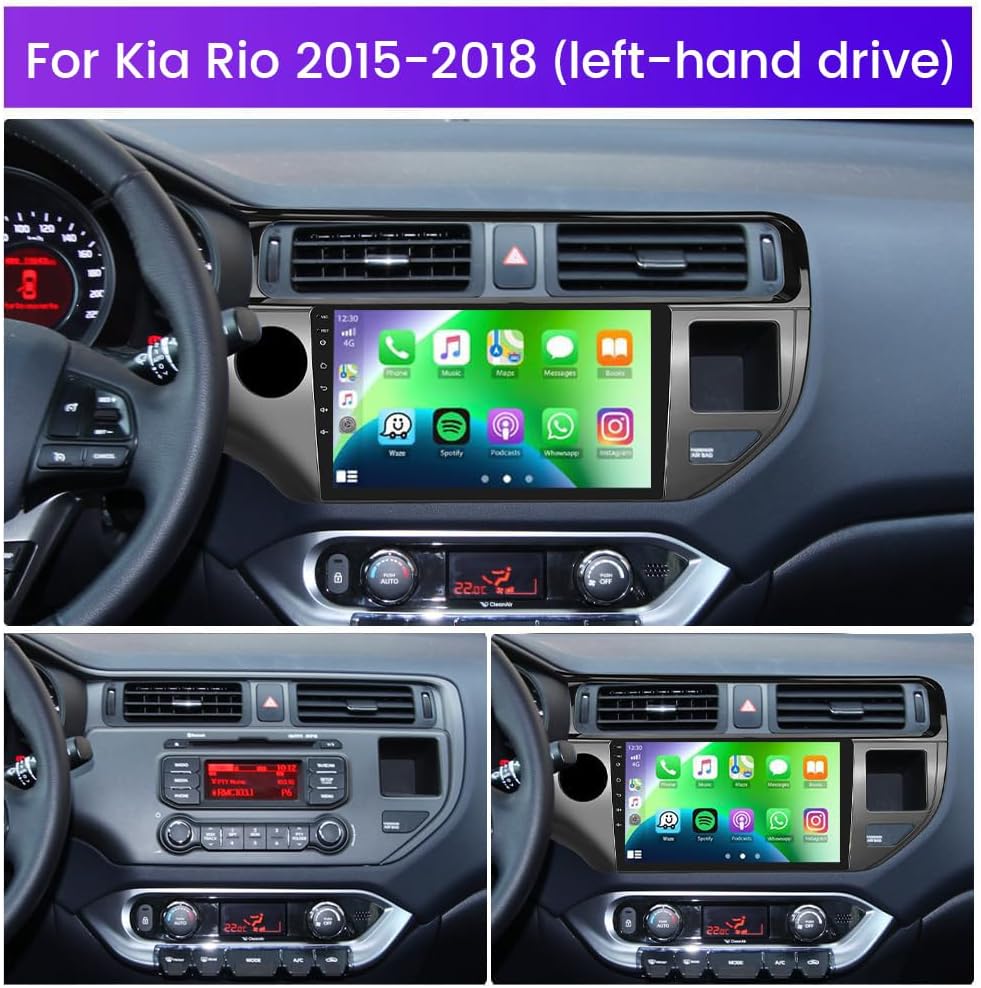
Figure 1.2: Comparison of Kia Rio dashboard configurations (2011-2014 LHD/RHD, 2015-2017 LHD/RHD) showing low and high config options. Ensure to select the correct unit for your vehicle. If your original radio has a large colorful screen, an extra CANBUS decoder may be required.
2. Kas yra dėžutėje
Prieš pradėdami montavimą, patikrinkite, ar yra visi komponentai.
- Car Radio for Kia Rio 2015-2018
- AHD Backup Camera & Camera Input Cable
- Mikrofonas
- Power Cable & GPS Antenna
- RCA Cable & USB Cable

Figure 2.1: Contents of the product package and dimensions of the head unit.
3. Diegimo vadovas
3.1. Galinio vaizdo kameros prijungimas
Proper connection of the AHD backup camera is crucial for its functionality. Follow these steps:
- Connect the red cable (1) from the camera input cable to the positive terminal of the car's reverse light cable.
- Connect the black cable (2) from the camera input cable to the negative terminal of the car's reverse light cable.
- The two red extension cables (3 and 4) are not required for this connection.

Figure 3.1: Wiring diagram for the AHD backup camera.
Video 3.1: Detailed instructions on how to connect the backup camera to the Hikity car stereo system.
3.2. Vairo valdymo sąranka
To enable steering wheel control functionality, connect the SWC wires (Key1/Key2) to the corresponding port or wire of your original car. Then, activate the buttons through the system settings:
- Eikite į Nustatymai ir įeikite Gamyklos sąranka (password: 1234).
- Pasirinkite Party Control Learning.
- Release the steering wheel button, then select the function to learn and press the corresponding button on your steering wheel.

Figure 3.2: Guide for setting up steering wheel controls.
4. Naudojimo instrukcijos
4.1. Belaidis „Carplay“ ir „Android Auto“
The car stereo supports both wireless and wired Carplay and Android Auto. This intelligent interaction technology allows you to integrate your smartphone's features directly onto the 9-inch touch screen. You can activate voice control (Siri for Carplay, Google Assistant for Android Auto) and access navigation, music, messages, and other applications safely while driving.
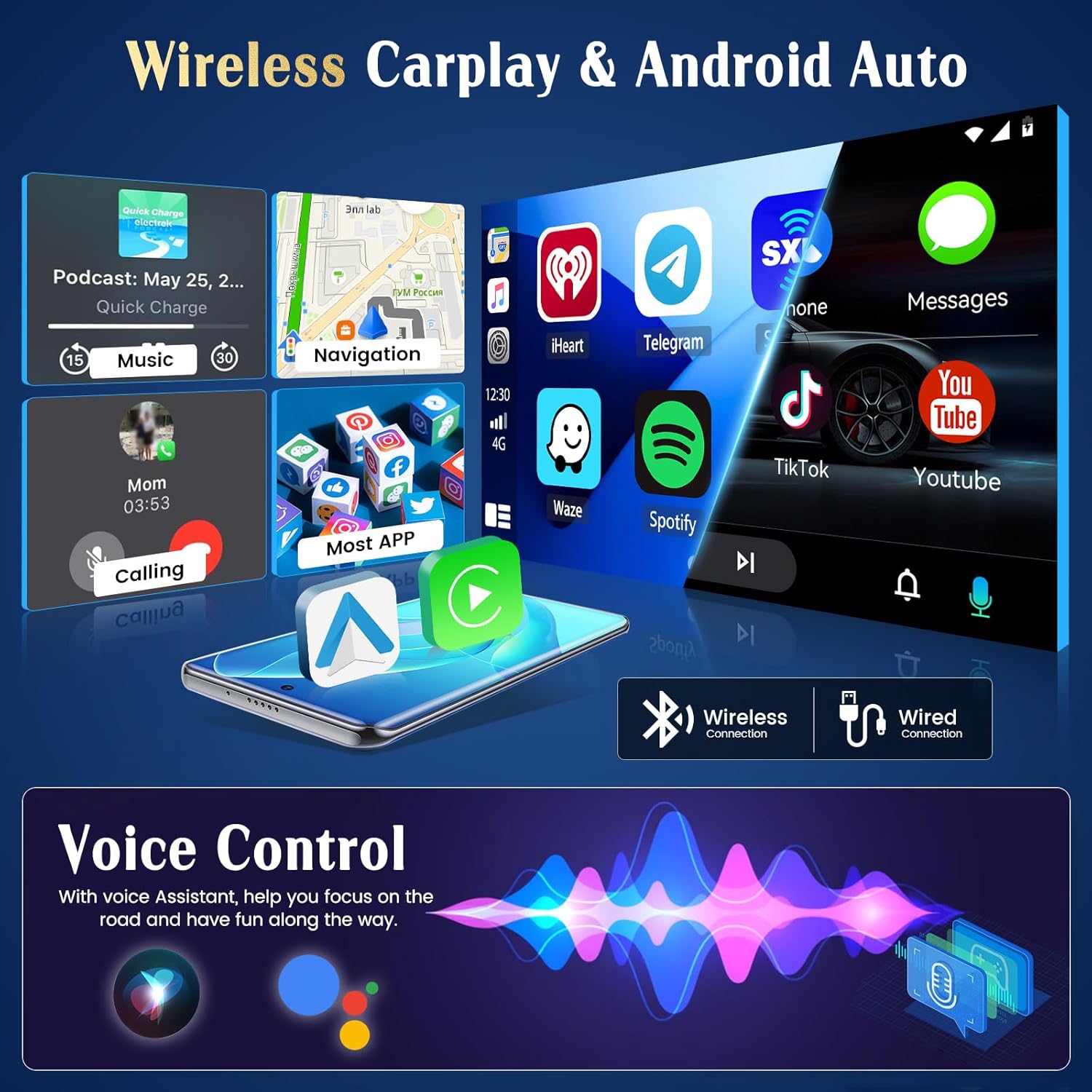
4.1 pav. Baigtaview of Wireless Carplay and Android Auto functionality.
Video 4.1: Demonstration of how to use Carplay with the Hikity car stereo.
Norėdami prisijungti:
- Įsitikinkite, kad jūsų išmaniajame telefone ir automobilio garso sistemoje įjungtas „Bluetooth“ ryšys.
- Ieškokite the car stereo's Bluetooth name (e.g., "Car BTo") on your phone and pair.
- Allow all necessary permissions on your phone for Carplay or Android Auto to function correctly.
- For wired connection, connect your phone via a USB cable.
4.2. GPS navigacija ir „Wi-Fi“ ryšys
The unit features a built-in GPS receiver and includes a GPS antenna. It supports both online and offline navigation. You can use pre-installed offline maps (e.g., Herewego app) or download other navigation apps via WiFi. Connect to a WiFi hotspot to access online music, videos, browse the web, and install applications like YouTube, TikTok, or Spotify.

Figure 4.2: GPS Navigation and WiFi connection interface.

Figure 4.3: Benefits of online and offline navigation.
4.3. Bluetooth and Mirror Link
Pair your smartphone via Bluetooth for hands-free calling and wireless music streaming. The Mirror Link function allows you to synchronize your smartphone screen with the car stereo's display, enabling you to view multimedia content on a larger screen.

Figure 4.4: Bluetooth and Dual Microphone features for clear communication.
4.4. Garso sistema
Experience personalized audio with the integrated EQ and FM/RDS Radio system. Fine-tune your sound using the intuitive Equalizer to match your musical preferences. The system also supports subwoofer output for enhanced bass.
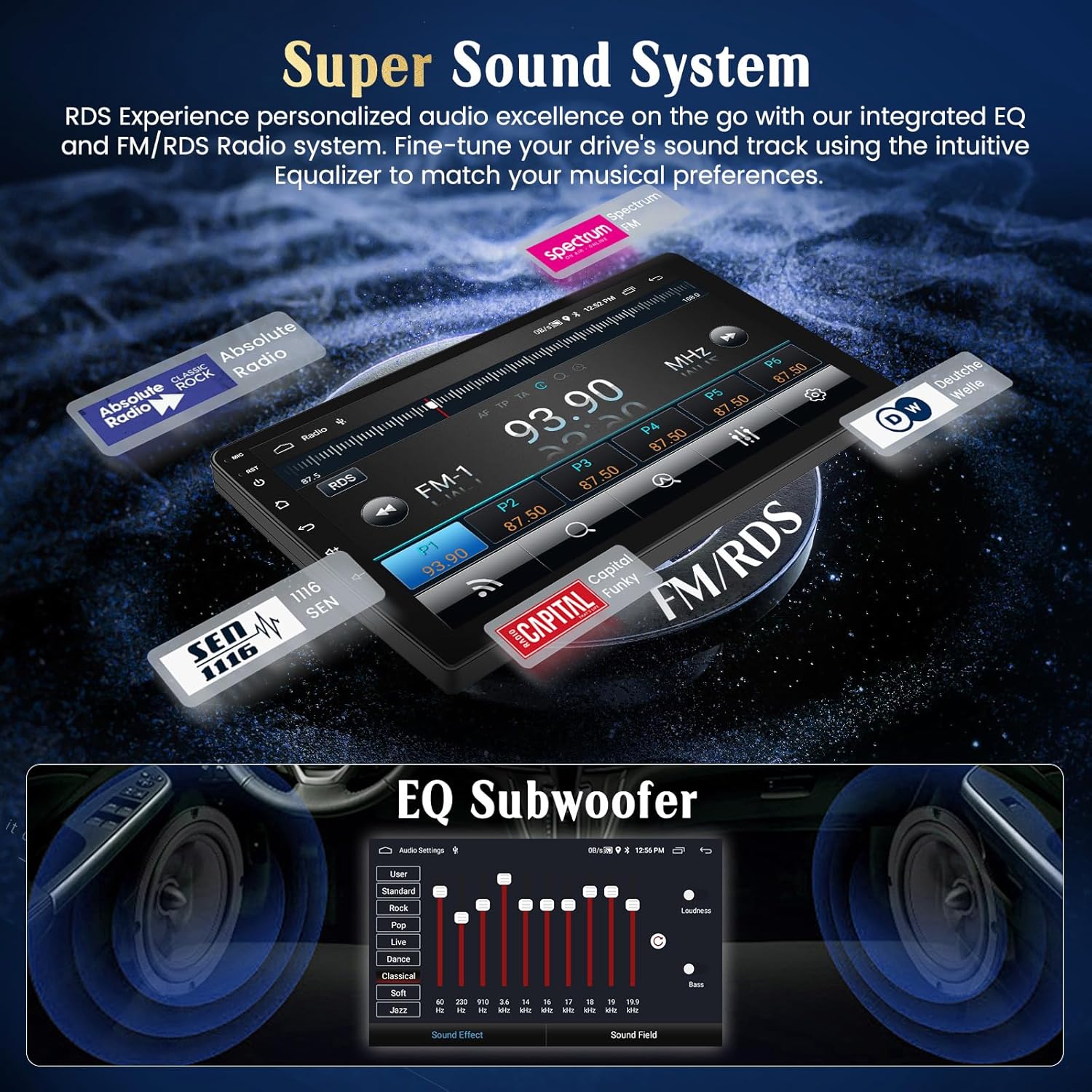
Figure 4.5: Super Sound System with EQ and FM/RDS Radio.
4.5. Ekranas ir vartotojo sąsaja
The 9-inch ultra HD touch screen offers a 1024*600 resolution, providing clear visuals. It features 2.5D scratch-resistant glass, anti-knock protection, and accurate color reproduction. Customize your experience with multiple UI desktop themes.

Figure 4.6: High-definition screen and customizable UI themes.
5. Papildomos funkcijos
- Padalintas ekranas: Paleiskite dvi programas vienu metu ekrane.
- Dviguba USB įvestis: Connect multiple USB devices for media playback or charging.
- Šilumos kriauklė: Designed for efficient heat dissipation to ensure stable performance.

Figure 5.1: Split Screen, Dual USB, and Heat Sink features.
6. Priežiūra
To ensure the longevity and optimal performance of your Hikity car radio stereo, follow these general maintenance guidelines:
- Ekrano valymas: Jutiklinį ekraną švelniai nuvalykite minkšta, nepūkuota šluoste. Venkite abrazyvinių valiklių ar tirpiklių, kurie gali pažeisti ekraną.
- Programinės įrangos atnaujinimai: Periodically check for available software updates to ensure your system has the latest features and security patches. Updates can typically be found through the system settings or the manufacturer's websvetainę.
- Aplinkos priežiūra: Venkite įrenginio ilgalaikio laikymo tiesioginiuose saulės spinduliuose, itin aukštose temperatūrose ar drėgmės.
- Kabelių jungtys: Įsitikinkite, kad visi laidai yra tvirtai prijungti. Atsilaisvinusios jungtys gali sukelti sutrikusį veikimą.
7. Problemų sprendimas
Jei kyla problemų dėl automobilio garso sistemos, žr. šiuos įprastus trikčių šalinimo veiksmus:
- Nėra galios:
- Patikrinkite maitinimo kabelio jungtis, kad įsitikintumėte, jog jos tvirtai pritvirtintos.
- Patikrinkite, ar neperdegęs automobilio saugiklis, susijęs su garso sistema.
- Nėra garso:
- Įsitikinkite, kad garsas nėra nutildytas arba nustatytas per mažas.
- Patikrinkite garsiakalbių laidų jungtis.
- Verify audio settings in the EQ menu.
- Galinio vaizdo kamera nerodoma:
- Confirm the camera input cable is correctly connected to the reverse light power supply.
- Check the video input connection to the head unit.
- „Carplay“ / „Android Auto“ ryšio problemos:
- Ensure Bluetooth is on and paired correctly (for wireless).
- For wired connection, try a different USB cable.
- Verify all necessary permissions are granted on your smartphone.
- Iš naujo paleiskite telefoną ir automobilio garso sistemą.
- GPS signalo praradimas:
- Įsitikinkite, kad GPS antena tinkamai sumontuota ir turi laisvą view dangaus.
- Patikrinkite GPS antenos jungtį su galvos įrenginiu.
Jei šie veiksmai neišsprendžia problemos, susisiekite su klientų aptarnavimo tarnyba.
8. Gaminio specifikacijos
| Modelio numeris | Hikity-Android13-KiaRio |
| Gaminio matmenys | 19.29 x 8.27 x 2.95 colio |
| Prekės svoris | 7.19 svaro |
| Operacinė sistema | Android 15 |
| RAM / ROM | 2 GB RAM / 64 GB ROM |
| Ekrano dydis | 9 colio |
| Ekrano raiška | 1024*600 |
| Ryšys | „Bluetooth“, USB, „Wi-Fi“ |
| Ypatingos savybės | Wireless/Wired CarPlay & Android Auto, Built-In Wi-Fi, GPS Navigation, FM RDS, EQ, Touchscreen & Microphone |
| Suderinami įrenginiai | Išmanusis telefonas, Amplifier, Subwoofer, Kia Rio (2015-2018) |
| Garso išvesties režimas | Stereo (2.1 erdvinio garso kanalų konfigūracija) |
| Vaizdo įrašų kodavimas | RMVB |
9. Garantija ir palaikymas
Hikity is committed to providing quality products and customer satisfaction.
- Garantija: The product typically comes with a 12-month quality warranty. Please refer to your purchase documentation for specific warranty details.
- Grąžinimai: Paprastai taikoma 30 dienų nemokamo grąžinimo politika.
- Techninė pagalba: For any questions regarding installation, operation, or troubleshooting, please contact Hikity Tech customer support. Online replies are typically provided within 24 hours.

Figure 9.1: Hikity customer support information.
When contacting support, please provide your Amazon order number for faster assistance.


