Įvadas
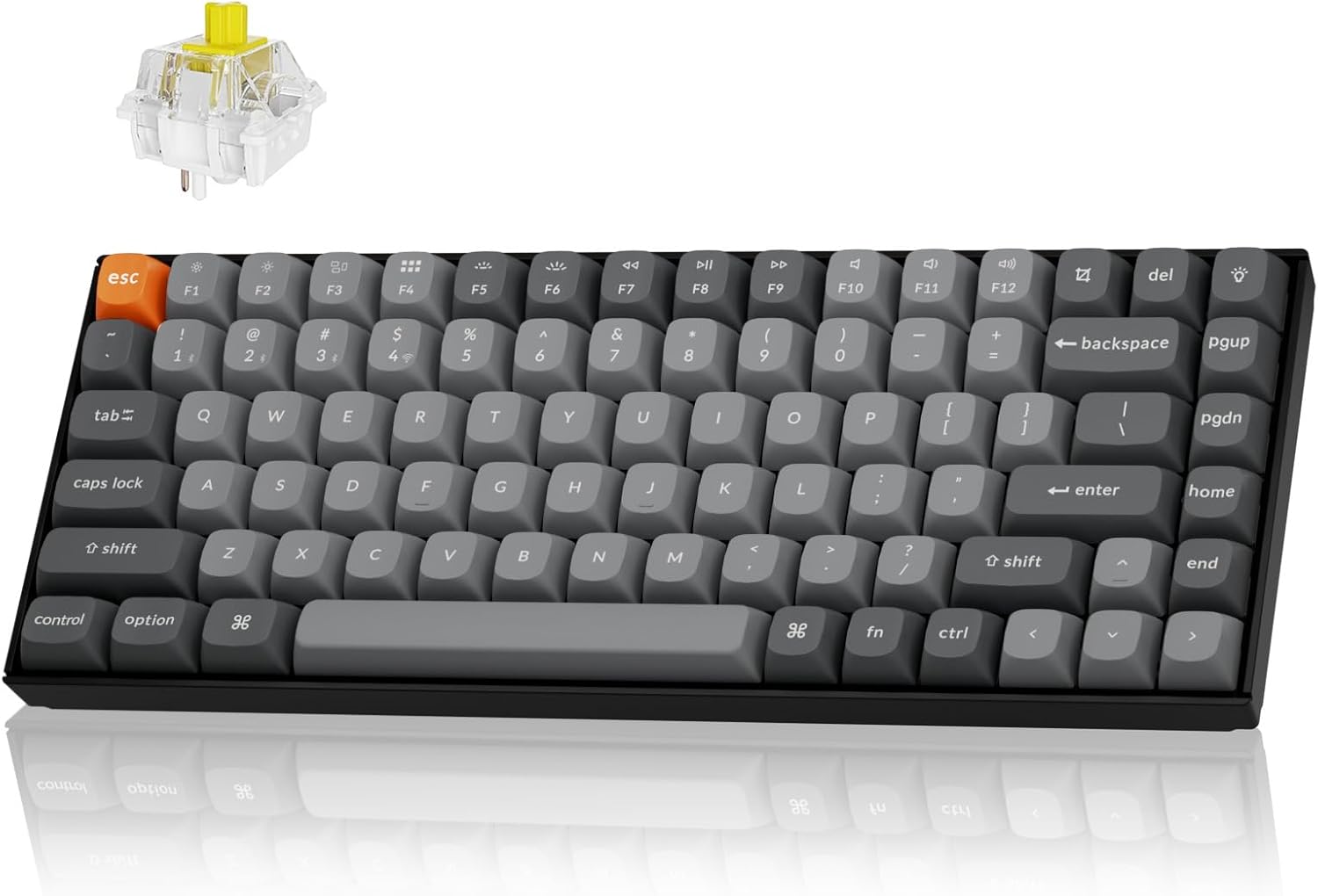
The Keychron K2 Max is a versatile 75% layout mechanical keyboard designed for seamless integration across multiple operating systems and connectivity options. It supports 2.4 GHz wireless, Bluetooth 5.1, and Type-C wired connections, offering a 1000Hz polling rate in 2.4G and wired modes for optimal performance in both gaming and professional environments. This manual provides detailed instructions for setting up, operating, maintaining, and troubleshooting your K2 Max keyboard.
Sąranka
Pakuotės turinys
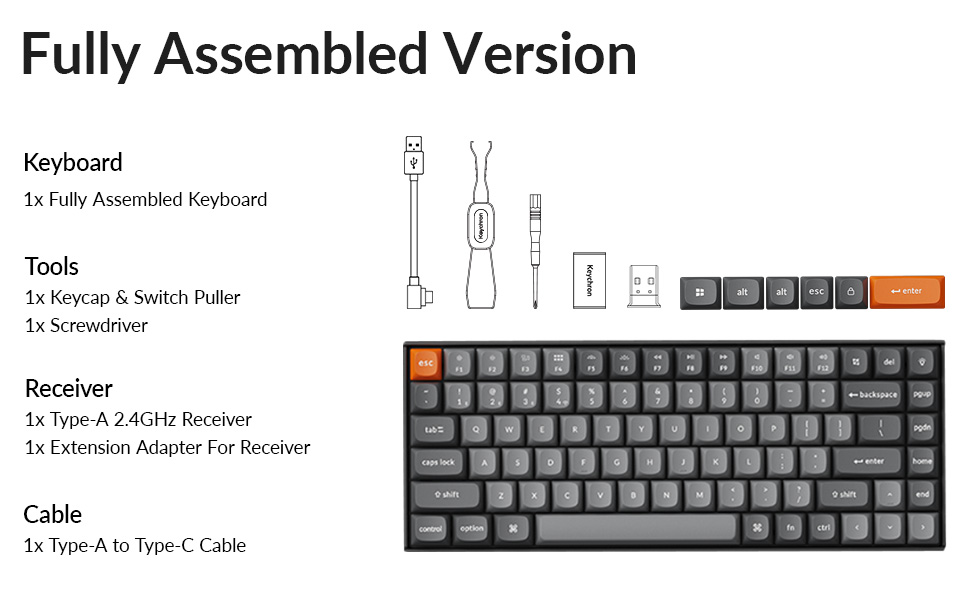
Prieš pradėdami, įsitikinkite, kad pakuotėje yra visi komponentai:
- 1x pilnai surinkta klaviatūra
- 1x raktų dangtelis ir jungiklio ištraukiklis
- 1x Atsuktuvas
- 1x A tipo 2.4 GHz imtuvas
- 1x pratęsimo adapteris imtuvui
- 1x A tipo–C tipo kabelis
- Extra keycaps for Windows layout
Pradinis įkrovimas
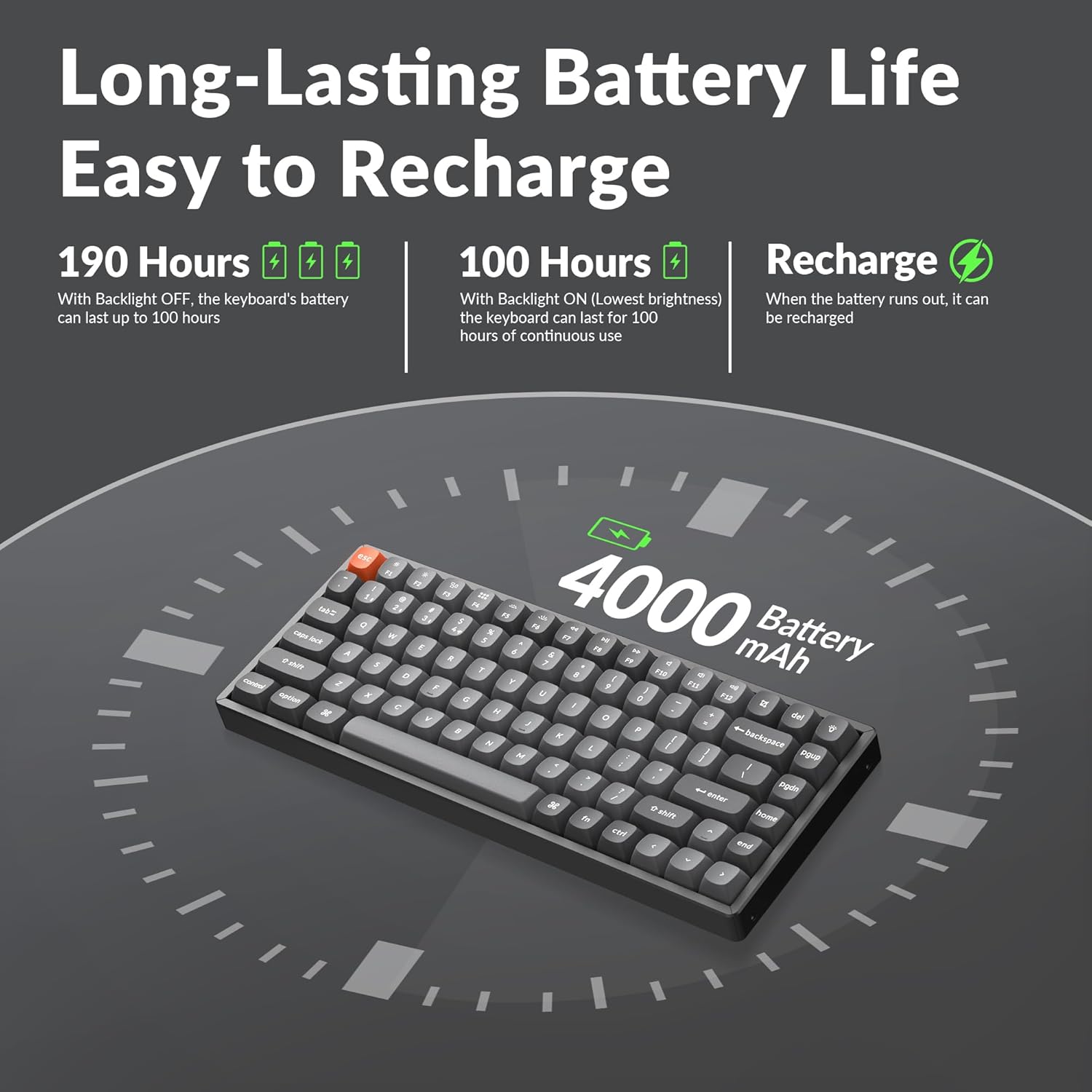
The keyboard comes with a built-in 4000mAh rechargeable battery. For optimal performance, it is recommended to fully charge the keyboard before first use. Connect the provided Type-A to Type-C cable to the keyboard's USB-C port and a power source (e.g., computer USB port or wall adapter).
Ryšio parinktys
The K2 Max offers three connection modes:
- 2.4 GHz belaidis ryšys: For a stable and fast connection, ideal for gaming. Insert the 2.4GHz receiver into a USB port on your device. The receiver can be stored in a dedicated slot on the keyboard's underside when not in use.
- "Bluetooth 5.1": For wireless convenience with up to 3 devices. Pair the keyboard with your laptop, tablet, or smartphone.
- Type-C Wired: For a direct and reliable connection, also allowing charging.


Naudojimo instrukcijos
Operacinių sistemų perjungimas
The K2 Max is optimized for both macOS and Windows. Use the dedicated toggle switch on the keyboard to switch between macOS and Windows layouts. Extra keycaps for Windows are included to match the layout.

QMK/VIA Customization
The keyboard supports QMK open-source firmware, allowing extensive customization of key remapping, macros, and shortcuts. Access the Keychron Launcher web app for configuration without requiring any software installation.

Foninio apšvietimo valdymas
The K2 Max features South-Facing RGB Backlight. Use the dedicated function keys to cycle through various lighting effects, adjust brightness, and change colors. Refer to the keyboard's quick start guide for specific key combinations.
Baterijos veikimo valdymas
The 4000mAh battery provides long-lasting performance. With the backlight off, the keyboard can last up to 190 hours. At the lowest brightness setting, it can provide approximately 100 hours of continuous use. Recharge the keyboard when the battery indicator shows low power.
Priežiūra
Klaviatūros valymas
Norėdami išvalyti klaviatūrą, pirmiausia atjunkite ją nuo visų maitinimo šaltinių. Naudokite minkštą, nepūkuotą šluostę, šiek tiek sudrėkintąampened with water or a mild cleaning solution. For cleaning between keycaps, use compressed air or a small brush. Avoid spraying liquids directly onto the keyboard.
Klaviatūros dangtelio ir jungiklio keitimas
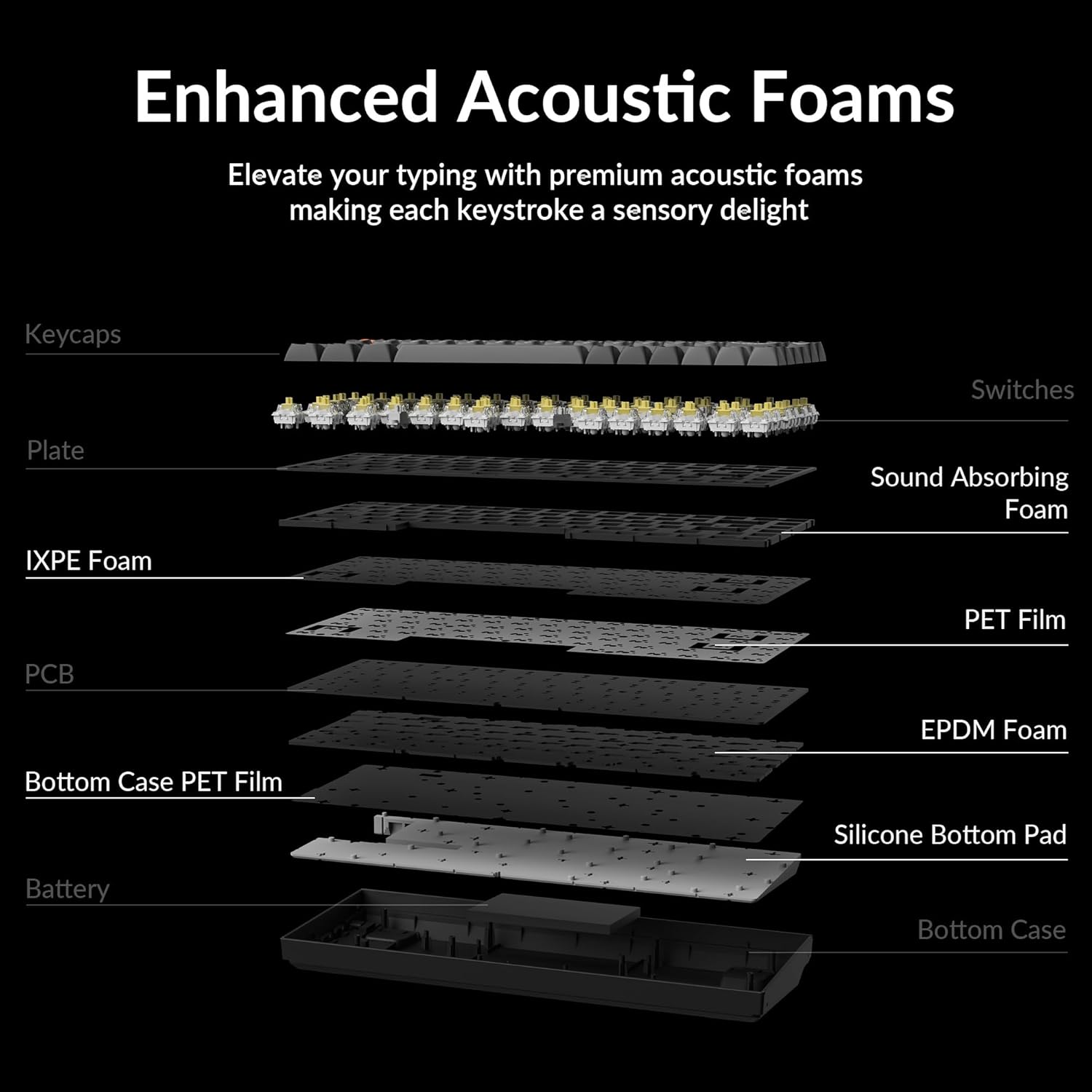
The Keychron K2 Max features hot-swappable switches, allowing you to change switches without soldering. Use the provided keycap and switch puller tools for safe removal and installation.
- Klaviatūros dangtelių nuėmimas: Švelniai patraukite klavišo dangtelį tiesiai į viršų, naudodami klavišo dangtelio traukiklį.
- Jungiklių nuėmimas: Insert the switch puller's prongs under the top and bottom clips of the switch and gently rock it while pulling upwards.
- Jungiklių diegimas: Align the pins of the new switch with the holes on the PCB and press down firmly until it clicks into place. Ensure pins are not bent.
- Klaviatūros dangtelių diegimas: Sulygiuokite klavišo dangtelį su jungiklio kotu ir tvirtai paspauskite žemyn.


Trikčių šalinimas
Ryšio problemos
- 2.4 GHz belaidis ryšys: Ensure the receiver is securely plugged into a USB port. Try a different USB port. Ensure the keyboard is in 2.4G mode.
- Bluetooth: Ensure Bluetooth is enabled on your device. Unpair and re-pair the keyboard if connection is lost. Ensure the keyboard is in Bluetooth mode and selected the correct device slot (BT1, BT2, BT3).
- Laidinis: Check the USB-C cable connection at both ends. Try a different USB-C cable or port.
Raktai nereaguoja
- If a specific key is not responding, it might be a faulty switch. If your model is hot-swappable, try replacing the switch with a spare one or swapping it with a less frequently used key to diagnose.
- Įsitikinkite, kad klaviatūra nėra miego režime.
- Check for any debris under the keycap or switch.
Foninio apšvietimo problemos
- If the backlight is off, check if it's disabled or set to the lowest brightness. Adjust using the backlight control keys.
- Įsitikinkite, kad klaviatūros akumuliatorius yra pakankamai įkrautas.
Įkrovimo problemos
- Įsitikinkite, kad įkrovimo laidas tinkamai prijungtas.
- Išbandykite kitą USB prievadą arba maitinimo adapterį.
- Allow the keyboard to charge for a few hours.
Specifikacijos
| Modelio pavadinimas | K2M-B4 |
| Ryšio technologija | 2.4G Wireless, Bluetooth 5.1, Type-C Wired |
| Klaviatūros aprašymas | Mechaninis |
| Ypatinga funkcija | Backlit (South-Facing RGB) |
| Spalva | Keychron Super Banana Switch (Black keyboard chassis) |
| Suderinami įrenginiai | Gaming Console, Laptop, PC (Mac/Windows/Linux) |
| Baterija | 4000 mAh ličio polimerų baterija (pridedama) |
| Prekės svoris | 3.08 svaro |
| Pakuotės matmenys | 15.27 x 6.42 x 2.24 colio |
| Gamintojas | Keychron |
Garantija ir palaikymas
For warranty information, technical support, or further assistance, please visit the official Keychron website or their Amazon store. Keychron offers various protection plans for extended coverage.
Aplankykite „Keychron“ parduotuvė „Amazon“ platformoje daugiau produktų ir palaikymo išteklių.


