1. Įvadas
Thank you for choosing the SOUYIE GTX13 Smart Watch. This device is designed to enhance your daily life with advanced health monitoring, fitness tracking, and smart communication features. Please read this manual carefully to ensure proper use and optimal performance.
2. Kas yra dėžutėje
- 1 x SOUYIE GTX13 Smart Watch
- 1 x Vartotojo vadovas
- 1 x TPU silikoninis dirželis
- 1 x USB magnetinis įkrovimo laidas

Image: Package Contents of SOUYIE GTX13 Smart Watch.
3. Sąranka
3.1 Pradinis įkrovimas
Before first use, fully charge your SOUYIE GTX13 Smart Watch. The watch features a 350mAh battery and new fast charging technology, allowing a full charge in approximately 1.5 hours. A full charge provides 10-12 days of normal use.

Image: Smart Watch displaying charging status.
3.2 Programėlės atsisiuntimas ir susiejimas
To unlock all features, download the companion app to your smartphone. The watch utilizes advanced Bluetooth 5.3 technology for stable and fast connection.
- Charge the smart watch.
- Download the "VeryFit" app from the Google Play Store or Apple App Store and register.
- Išmaniajame telefone įjunkite „Bluetooth“.
- Open the "VeryFit" app, scan the QR code displayed on the watch screen, or pair via Bluetooth to connect your watch.
- Once connected, you can access all features and synchronize data.

Image: Easy setup guide for the SOUYIE GTX13 Smart Watch.
4. Naudojimo instrukcijos
4.1 Pagrindinė navigacija
The SOUYIE GTX13 features a 1.99-inch AMOLED UHD screen with a 60FPS refresh rate for smooth operation. Swipe across the screen to navigate through different menus and functions. Use the rotary encoder crown on the side for convenient scrolling and selection.

Image: Rotary Encoder Crown for easy navigation.
4.2 Laikrodžio ciferblatų pritaikymas
Choose from over 100 watch face options, including animated, interactive, and custom designs. You can upload your own pictures or designs via the app to personalize your watch face.

Image: Multiple Watch Faces for personalization.
4.3 Skambučiai ir pranešimai
With Bluetooth 5.3, the watch supports making and answering calls directly from your wrist using its built-in microphone and speaker. Receive real-time notifications for text messages, emails, and social media messages.

Image: Bluetooth 5.3 Call and Message Features.
4.4 AI Voice Command
Utilize the built-in AI voice assistant by giving commands to your watch. Easily ask questions, control music, check weather, set alarms, and more, by seamlessly connecting with smartphone AI assistants like Siri, Bixby, or Google Assistant.

Paveikslėlis: DI balso asistento funkcionalumas.
5. Sveikatos stebėsena
The SOUYIE GTX13 Smart Watch is equipped with a fifth-generation optical sensor for comprehensive health tracking.
5.1 PPG Blood Pressure Monitoring
Measure your blood pressure in real-time without a traditional cuff. All data synchronizes to your mobile phone for detailed analysis.
5.2 Širdies ritmo stebėjimas
Continuously monitors your heart rate 24/7 and sends alerts for abnormally high or low rates.
5.3 Kraujo deguonies kiekio stebėjimas (SpO2)
Monitors your blood oxygen level throughout the day.
5.4 Sleep and Stress Monitoring
Tracks sleep patterns (deep sleep, light sleep, awake, REM) and stress levels to help you optimize your lifestyle.
5.5 Women's Menstrual Cycle Tracking
Effectively reminds women of their next menstrual period and provides cycle tracking features.

Image: Comprehensive Health Assistant features.
6. Fitneso stebėjimas
6.1 100+ sporto režimų
Supports over 100 sports modes, including running, cycling, swimming, and yoga. Accurately records data such as steps, distance, and calories.
6.2 Smart Running Plan
Monitors running progress in real-time, provides personalized guidance, and offers tailored training plans to improve performance.
6.3 24/7 Activity Tracking
Stay on top of your daily activities with continuous monitoring of steps, distance, heart rate, and calorie burn.

Image: 100+ Sports Modes for diverse activities.
7. Atsparumas vandeniui
The GTX13 Smart Watch has a 3ATM waterproof rating, supporting water resistance up to 30 meters. It is suitable for activities like hand washing, exercising in rain, and swimming. The watch also features a built-in drainage function.

Image: 3ATM Waterproof feature in action.
8. Ekranas ir dizainas
8.1 1.99-inch AMOLED UHD Screen
Experience a delicate and clear display with a 410x494 pixel resolution, 600 maximum brightness, and 24-bit color depth. The 322 PPI pixel density ensures fine detail visibility in all lighting conditions.
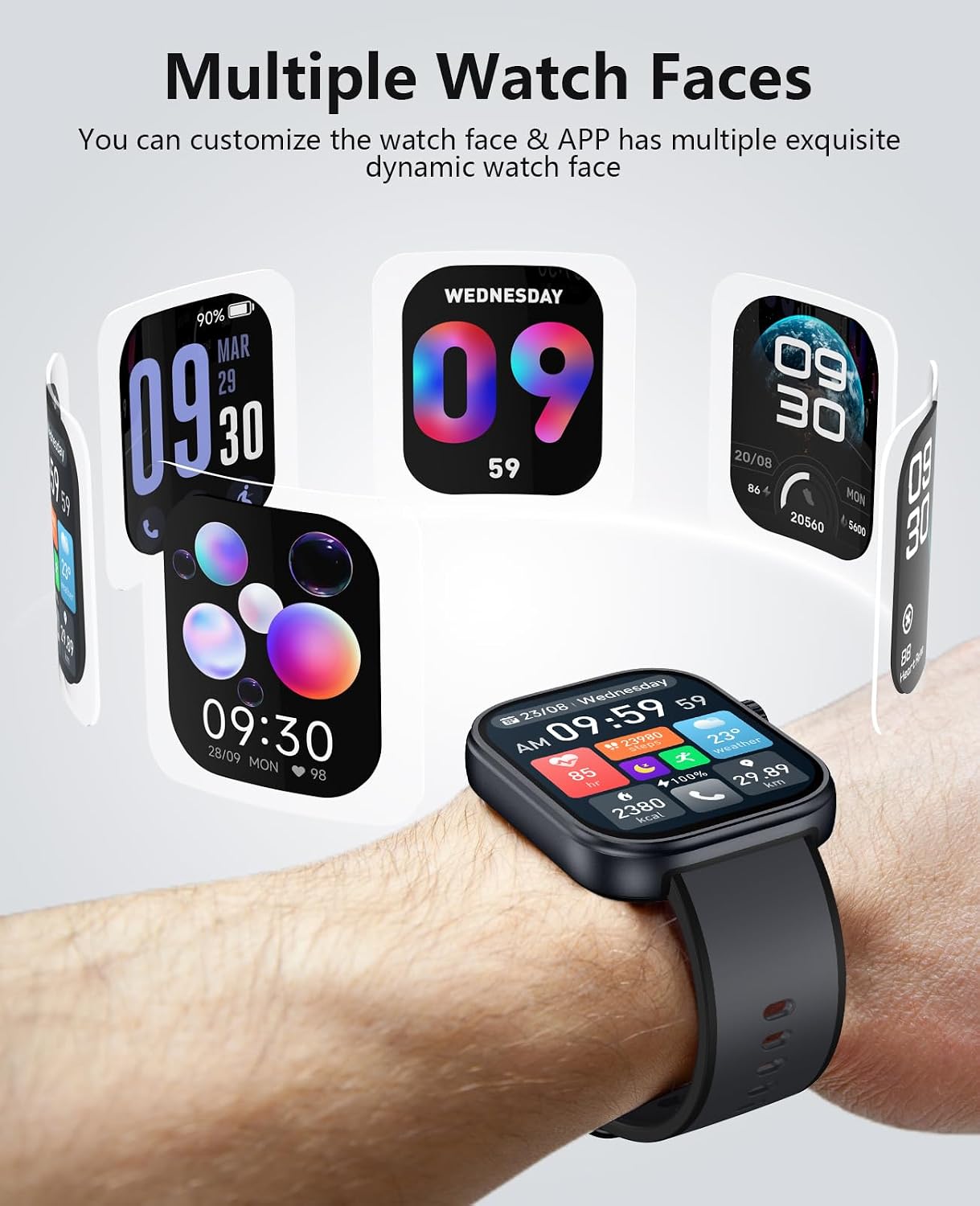
Image: 1.99-inch AMOLED UHD Screen details.
8.2 24-Hour Always-On Display (AOD)
Keep the screen on all day long with customizable start and end times. Both digital and pointer dials are available. Note: This mode will speed up battery consumption.

Image: Always-On Display (AOD) feature.
8.3 Premium Liquid Silicone Wristband
The watch comes with a premium liquid silicone wristband that is soft against the skin, light, and breathable, ensuring comfort during wear and exercise.

Image: Premium Liquid Silicone Wristband.
9. Problemų sprendimas
9.1 Watch Stuck on "Wait OTA"
If your watch is stuck on a "Wait OTA" screen and not progressing, ensure the watch is sufficiently charged and connected to the companion app. If the issue persists, try restarting the watch or performing a factory reset via the app settings if accessible. If the app cannot locate the watch, ensure Bluetooth is active on your phone and the watch, and try restarting both devices.
9.2 Įkrovimo problemos
If the magnetic charger appears finicky or the charging percentage jumps erratically, ensure the charging cable is securely connected to the watch's charging points and a stable power source. Clean the charging contacts on both the watch and the cable to ensure good conductivity.
9.3 App Syncing Issues
For consistent data syncing and notifications, the companion app on your smartphone generally needs to be running in the background. If you close the app frequently, it may lose connection. Reopen the app to re-establish the connection and sync data.
9.4 How to Reset Your Watch
To reset your SOUYIE GTX13 Smart Watch, navigate to the 'Settings' menu on the watch, then select 'General', and choose 'Reset'. Confirm the action to clear all data and restore factory settings.
Video: Instructions on how to reset the SOUYIE GTX13 Smart Watch.
10. Specifikacijos
| Funkcija | Detalė |
|---|---|
| Modelio numeris | GTX13 |
| Ekrano dydis | 1.99 colio AMOLED |
| Rezoliucija | 410 x 494 pikselių |
| Baterijos talpa | 350 mAh |
| Baterijos veikimo laikas | 10–12 dienų (įprastas naudojimas) |
| Įkrovimo laikas | 1.5 valandos |
| Atsparumo vandeniui įvertinimas | 3ATM (iki 30 metrų) |
| Ryšys | Bluetooth 5.3 |
| Operacinė sistema | Suderinamas su „Android“, „iOS“ |
| Sveikatos jutikliai | Fifth-generation optical sensor (Heart Rate, Blood Oxygen, PPG Blood Pressure, Stress, Sleep) |
| Prekės svoris | 43 gramų (1.52 uncijos) |
11. Garantija ir palaikymas
SOUYIE smart watches come with a free 30-day return policy, a 1-year warranty, and 24/7 customer support. For any questions or assistance, please contact us through the "Find Order—Contact Seller" option on your purchase platform. We are committed to providing quality service.

Image: Safety and Quality Certifications.


