Įvadas
This manual provides comprehensive instructions for the setup, operation, maintenance, and troubleshooting of your U.S. Solid 0.001 g Precision Balance. Please read this manual thoroughly before using the device to ensure proper function and accurate measurements. This analytical balance is designed for precise weighing in laboratory and industrial environments.
Kas yra dėžutėje
- Main Body of the Precision Balance
- Svėrimo indas
- Skydo juodraštis
- Maitinimo kabelis
- Kalibravimo svoris
- Instrukcijų vadovas

Figure 1: Components included with the U.S. Solid Precision Balance.
Saugos priemonės
- Visada naudokite svarstykles ant stabilaus, lygaus paviršiaus.
- Avoid placing the balance near strong electromagnetic fields, vibrations, or air currents.
- Do not overload the balance beyond its maximum capacity of 110 g to prevent damage.
- Use only the provided UL-certified power cable.
- Laikykite svarstykles švarias, be dulkių ir ėsdinančių medžiagų.
- Do not attempt to disassemble or repair the balance yourself. Contact qualified service personnel.
Sąranka
1. Išpakavimas ir įdėjimas
Carefully remove all components from the packaging. Place the balance on a sturdy, level, and vibration-free workbench, away from direct sunlight, heat sources, and strong air currents (e.g., air conditioning vents).
2. Surinkimas
- Place the weighing pan onto the pan support in the center of the balance.
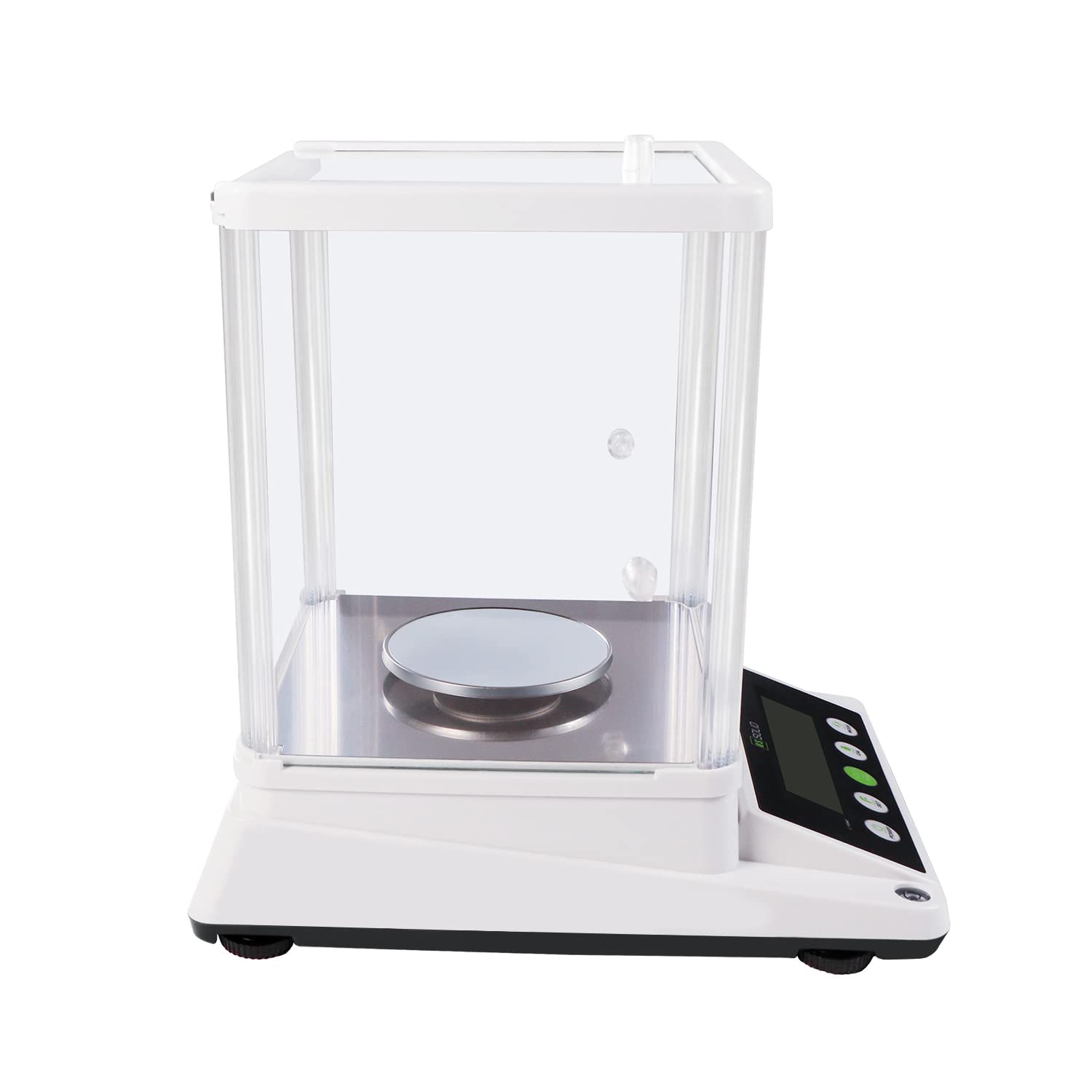
- Assemble the draft shield around the weighing pan. Ensure all panels are securely in place to protect against air disturbances.

Figure 2: Assembled balance with draft shield.
3. Išlyginimas
The balance must be perfectly level for accurate measurements. Adjust the adjustable feet at the bottom of the balance until the bubble in the spirit level (located on the front or side of the balance) is centered.

Figure 3: Leveling the balance using adjustable feet and the bubble level.
4. Maitinimo prijungimas
Connect the UL-certified power cable to the 6V DC input port on the rear of the balance and then plug it into a suitable power outlet.
5. Warm-up Time
After connecting to power, allow the balance to warm up for at least 30 minutes before use. This stabilizes the internal components and ensures optimal accuracy.
Naudojimo instrukcijos

Figure 4: Control panel of the precision balance.
1. Maitinimo įjungimas/išjungimas
- Paspauskite GALIA mygtuką, kad įjungtumėte svarstykles.
- Paspauskite ir palaikykite GALIA mygtuką, kad išjungtumėte svarstykles.
2. Vieneto perskaičiavimas
Paspauskite REŽIMAS button to cycle through available weighing units: grams (g), carats (ct), ounces (oz), and grains (gn). The selected unit will be displayed on the LCD.

Figure 5: Available weighing units.
3. Taros funkcija
To subtract the weight of a container, place the empty container on the weighing pan and press the 0/T (Tare) button. The display will reset to zero, allowing you to measure only the net weight of the contents.
4. Kalibravimas
Regular calibration ensures the accuracy of your balance. It is recommended to recalibrate if the balance has been moved or if accuracy is critical. Refer to the specific calibration procedure in the full manual for detailed steps. Generally, this involves pressing the CAL button and following on-screen prompts using the provided calibration weight.
5. Piece Counting Function
The balance includes a piece-counting function for counting multiple items of uniform weight. To use this feature:
- Padėkite žinomą skaičių sample pieces (e.g., 10, 20, 50, or 100) on the pan.
- Paspauskite NUSTATYTI button and follow the instructions to input the sample kiekis.
- Kartą sample is registered, remove it and place the bulk quantity of items on the pan. The display will show the total count.

Figure 6: Piece counting function.
6. RS232 Data Transfer
The balance is equipped with an RS232 serial port for data transfer to a computer or other compatible device. Connect a compatible RS232 cable (not included) to the port on the rear of the balance. Refer to your software documentation for data acquisition procedures.
7 pav.: galinis view with RS232 port.
7. Apsauga nuo perkrovos
The balance features an overload alarm function. If the weight on the pan exceeds the maximum capacity (110 g), an alarm will sound, and an error message may appear on the display. Immediately remove excess weight to prevent damage to the weighing sensor.
Priežiūra
1. Valymas
Clean the balance regularly with a soft, damp cloth. Do not use abrasive cleaners, solvents, or harsh chemicals, as these can damage the display or housing. Ensure no liquids enter the internal components.
2. Sandėliavimas
When not in use for extended periods, store the balance in a dry, dust-free environment. It is recommended to keep the draft shield assembled to protect the weighing pan.
Trikčių šalinimas
| Problema | Galima priežastis | Sprendimas |
|---|---|---|
| Netikslūs rodmenys | Balance not level, environmental interference (drafts, vibrations), needs calibration, warm-up time insufficient. | Ensure balance is level. Relocate to a stable, draft-free area. Perform calibration. Allow sufficient warm-up time. |
| Display shows 'EEEE' or 'OVER' | Perkrovos būklė. | Remove excess weight immediately. Ensure weight does not exceed 110 g. |
| Svarstyklės neįsijungia | Power cable not connected, power outlet fault, power adapter fault. | Check power cable connection. Test power outlet with another device. Contact support if power adapter is suspected faulty. |
| Vienetų skaičiavimas neteisingas | Neteisingi sample quantity entered, inconsistent piece weight. | Užtikrinkite teisingą sample quantity is entered during setup. Verify that all pieces have a uniform weight. |
Specifikacijos
| Funkcija | Specifikacija |
|---|---|
| Modelio numeris | USS-DBS87-110G |
| Prekės ženklas | JAV solidus |
| Talpa | 110 g |
| Skaitomumas | 0.001 g (1 mg) |
| Svėrimo vienetai | g, ct, oz, gn |
| Ekrano tipas | LCD su foniniu apšvietimu |
| Ypatingos savybės | Piece-counting function, RS232 serial port, Overload protection |
| Maitinimo šaltinis | UL Certified Power Cord (6V DC) |
| Medžiaga | Metal (pan), Plastic ABS (housing) |
| Gaminio matmenys | 10.4 x 13.8 x 14.2 colio |
| Prekės svoris | 3.53 uncijos (apie 100 gramų) |

8 pav.: Gaminio matmenys.
Garantija ir palaikymas
For warranty information or technical support, please refer to the warranty card included with your product or visit the official U.S. Solid websvetainėje. Išsaugokite pirkimo kvitą kaip pirkimo įrodymą garantiniams reikalavimams.