1. Įvadas
The EZAIoT EZ-TP3W WiFi Thermostat Plug is an intelligent temperature control device designed for precise climate management in various environments. It supports both heating and cooling applications, offering versatile control options through a dedicated mobile application, voice commands, or direct device interaction. This manual provides comprehensive instructions for the safe and efficient use of your EZ-TP3W thermostat plug.

Figure 1: EZAIoT EZ-TP3W Thermostat Plug with its mobile application interface and included temperature sensor.
2. Saugos informacija
Please read all safety instructions carefully before using the EZAIoT EZ-TP3W WiFi Thermostat Plug. Failure to follow these instructions may result in electric shock, fire, or other hazards.
- Atjunkite maitinimą: Always disconnect the device from the power supply before performing any maintenance, cleaning, or repair.
- Venkite drėgmės: Do not expose the device to moisture or use it in wet environments. This includes direct water contact or high humidity.
- Patikrinkite, ar nėra pažeidimų: Do not use the device if it is damaged, shows signs of electrical problems, or if the power cord or plug is frayed.
- Profesionalus remontas: All repairs must be performed by qualified service personnel. Do not attempt to disassemble or repair the device yourself.
- Tinkamas ttage: Įsitikinkite, kad įrenginys prijungtas prie maitinimo šaltinio nurodyto tūrio ribosetage range (AC 100-240V; 50-60 Hz).
- Didžiausia apkrova: Do not exceed the maximum load capacity of 16A / 3680W to prevent overheating and potential fire hazards.
- Vaiko sauga: Keep the device out of reach of children. Utilize the child lock function available through the app for added safety.
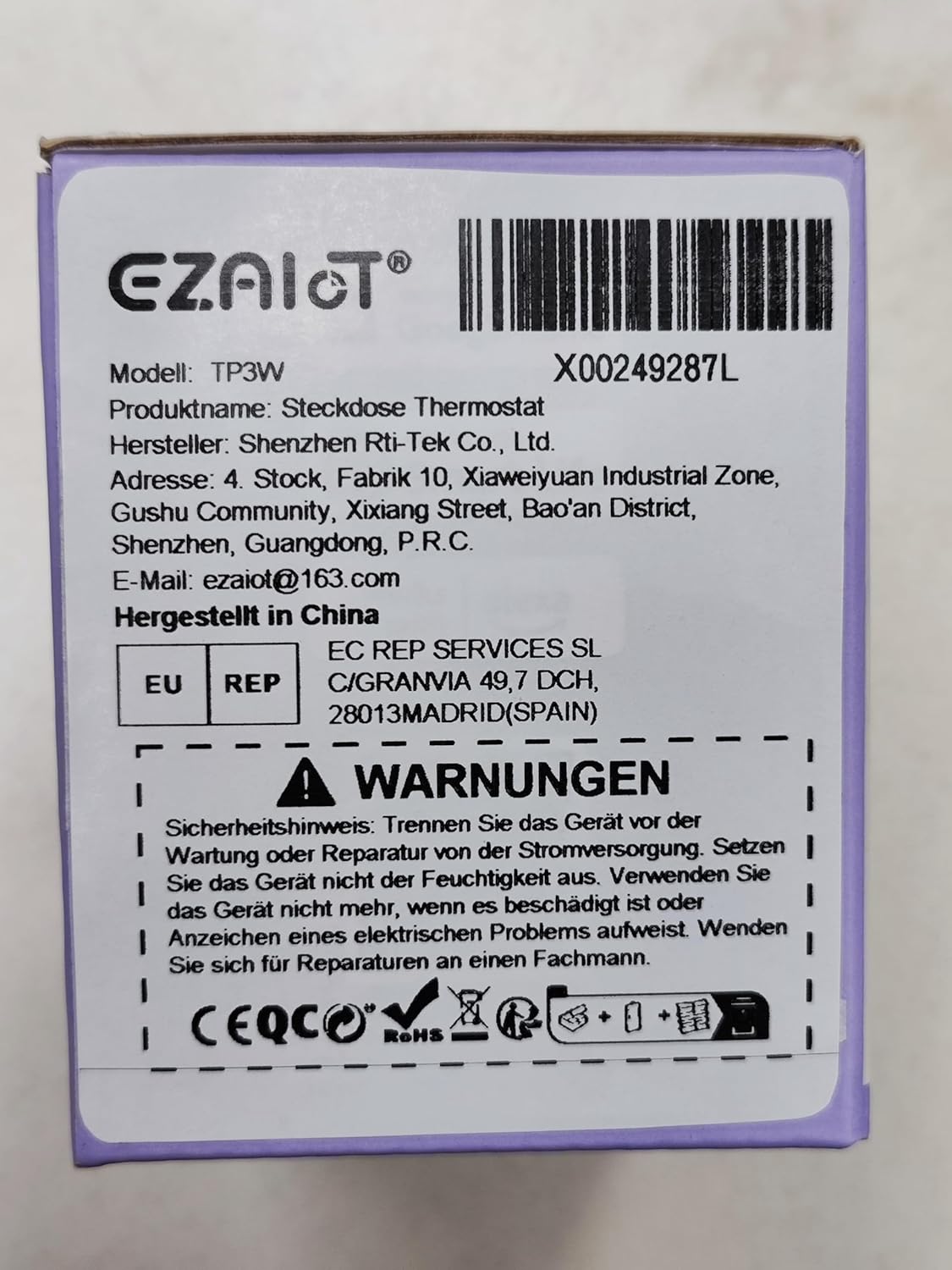
Figure 2: Product packaging displaying important safety warnings and manufacturer information.
3. Produktas baigtasview
3.1 Pakuotės turinys
Patikrinkite, ar pakuotėje yra visi komponentai:
- 1 x EZAIoT EZ-TP3W Thermostat Plug
- 1 x 3-meter Temperature Sensor (waterproof)
- 1 x 5-cm Temperature Sensor (waterproof)
3.2 Pagrindinės savybės
- „Plug and Play“ dizainas: Lengvas montavimas be sudėtingų laidų.
- Įvairūs veikimo režimai: Supports heating, cooling, weekly scheduling, cycle timer, and countdown timer.
- Platus temperatūros diapazonas: Measures from -9.5°C to 99.5°C (device display) and -30°C to 110°C (app display).
- Waterproof Sensors: Includes 3m and 5cm sensors for diverse applications.
- Išmanusis valdymas: Remote control via TUYA Smart Life app, voice control with smart speakers (Google Assistant, Amazon Alexa).
- Rankinis valdymas: Interactive buttons on the device for offline operation.
- Saugos funkcijos: Child lock, temperature alarm, sensor error alarm, and anti-freeze function.
- Tvirta konstrukcija: Made from flame-retardant PC material.

3 pav. Baigtaview of EZAIoT EZ-TP3W features, highlighting precision and safety.
3.3 Gaminio specifikacijos
| Specifikacija | Vertė |
|---|---|
| Modelio pavadinimas | EZ-TP3W |
| Jungties tipas | DIN VDE 0620-1 |
| Maks. Įkelti | 16 A |
| Maks. Galia | 3680 W |
| Maitinimo šaltinis | AC 100-240 V; 50-60 Hz |
| Device Display Temp. Range | -9.5 °C iki 99.5 °C |
| App Display Temp. Range | -30 °C iki 110 °C |
| Gaminio matmenys | 7.8 x 5.4 x 7.65 cm; 190 g |
| Valdiklio tipas | iOS (and Android via Smart Life app) |
| Ypatingos savybės | Audible Alert, Fan Control, Temperature Indicator, Removable Interface, Programmable |

Figure 4: The EZAIoT EZ-TP3W featuring its LED display and key functionalities.
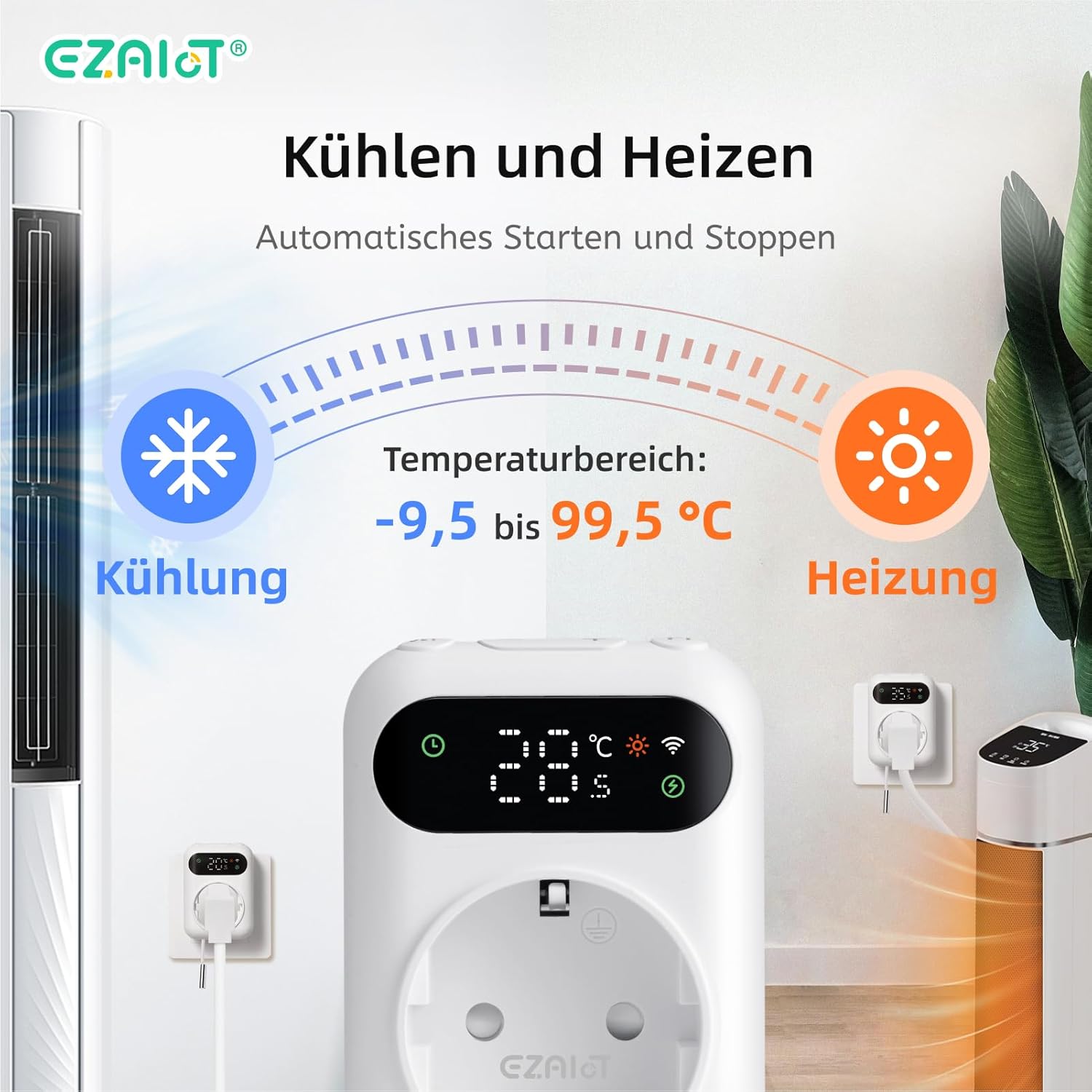
Figure 5: Visual representation of the heating and cooling capabilities of the thermostat plug, showing its operational temperature range.
4. Sąranka
The EZAIoT EZ-TP3W is designed for easy plug-and-play installation.
4.1 Fizinis įrengimas
- Prijunkite jutiklį: Insert one of the provided temperature sensors into the designated port on the bottom of the thermostat plug.
- Padėties jutiklis: Place the sensor in the area where you wish to monitor and control the temperature. Ensure it is not directly exposed to heat sources or drafts that could skew readings.
- Įjungiamas įrenginys: Plug the EZAIoT EZ-TP3W thermostat into a standard electrical outlet.
- Prijunkite prietaisą: Plug your heating or cooling appliance (e.g., heater, fan, incubator) into the socket on the front of the thermostat plug.
Figure 6: The thermostat plug, highlighting its plug-and-play design and the QR code for accessing the online manual.
For detailed setup instructions and app pairing, scan the QR code above or visit the official online manual: EZAIoT EZ-TP3W Online Manual
7 pav. Išsamus view of the thermostat plug, showing its dimensions and the interchangeable temperature sensors.
4.2 App Pairing (TUYA Smart Life)
- Atsisiųsti programą: Download the "TUYA Smart Life" app from your smartphone's app store (iOS or Android).
- Registruotis / Prisijungti: Atidarykite programėlę ir užregistruokite naują paskyrą arba prisijunkite naudodami esamą.
- Pridėti įrenginį: Norėdami pridėti naują įrenginį, palieskite piktogramą „+“ viršutiniame dešiniajame programėlės kampe.
- Pasirinkite įrenginio tipą: Choose "Electrical" -> "Socket (Wi-Fi)" or search for "Thermostat Plug".
- Įveskite „Wi-Fi“ informaciją: Follow the on-screen instructions to connect the device to your 2.4GHz Wi-Fi network. Ensure your phone is connected to the same Wi-Fi network.
- Patvirtinkite susiejimą: The device's Wi-Fi indicator will flash during pairing and become solid once connected.
5. Naudojimo instrukcijos
5.1 Darbo režimai
The EZ-TP3W offers several operating modes to suit various temperature control needs:
- Šildymo režimas: Maintains a minimum temperature by activating the connected appliance when the temperature drops below the set point.
- Aušinimo režimas: Maintains a maximum temperature by activating the connected appliance when the temperature rises above the set point.
- Savaitės tvarkaraštis: Allows you to program different temperature settings for specific times and days of the week.
- Ciklo laikmatis: Configures the device to turn on and off in repeating cycles.
- Atgalinis laikmatis: Sets a specific duration for the device to operate before turning off.
5.2 App Control (TUYA Smart Life)
The TUYA Smart Life app provides comprehensive control and monitoring capabilities:
- Nuotolinis stebėjimas: View current temperature, set temperature, and device status from anywhere.
- Režimo pasirinkimas: Easily switch between heating, cooling, and other programmed modes.
- Tvarkaraščių valdymas: Create, edit, and activate weekly schedules and timers.
- Temperatūros aliarmai: Set high and low-temperature alerts to receive notifications on your smartphone.
- Užraktas nuo vaikų: Activate the child lock function to prevent accidental changes to settings on the device.
- Valdymas balsu: Integrate with smart speakers like Google Assistant or Amazon Alexa for hands-free control.
- Example: "OK Google, set the EZ-TP3W to auto."
- Example: "Alexa, what's the temperature of EZ-TP3?"

Figure 8: Demonstrates remote control via the app and voice commands, alongside local manual control.
5.3 Rankinis valdymas
The device features interactive buttons for direct control, even without an internet connection:
- Maitinimo mygtukas: Įjungia arba išjungia įrenginį.
- Režimo mygtukas: Perjungia galimus veikimo režimus.
- Aukštyn/žemyn mygtukai: Adjusts temperature set points or timer values.
- Patvirtinimo mygtukas: Confirms selections or enters settings menus.
6. Paraiškos
The EZAIoT EZ-TP3W is suitable for a wide range of temperature control applications:
- Home Heating/Cooling: Optimize room temperature.
- Šiltnamiai: Maintain ideal growing conditions for plants.
- Akvariumai: Reguliuokite vandens temperatūrą, kad būtų užtikrinta vandens gyvūnija.
- Roplių aptvarai: Ensure stable temperatures for reptiles.
- Inkubatoriai: Precise temperature control for hatching eggs.
- Home Brewing/Fermentation: Maintain specific temperatures for brewing processes.
- Vyno rūsiai: Control temperature for optimal wine storage.
- Other Appliances: Can be used with attic fans, evaporative coolers, window air conditioners, etc.
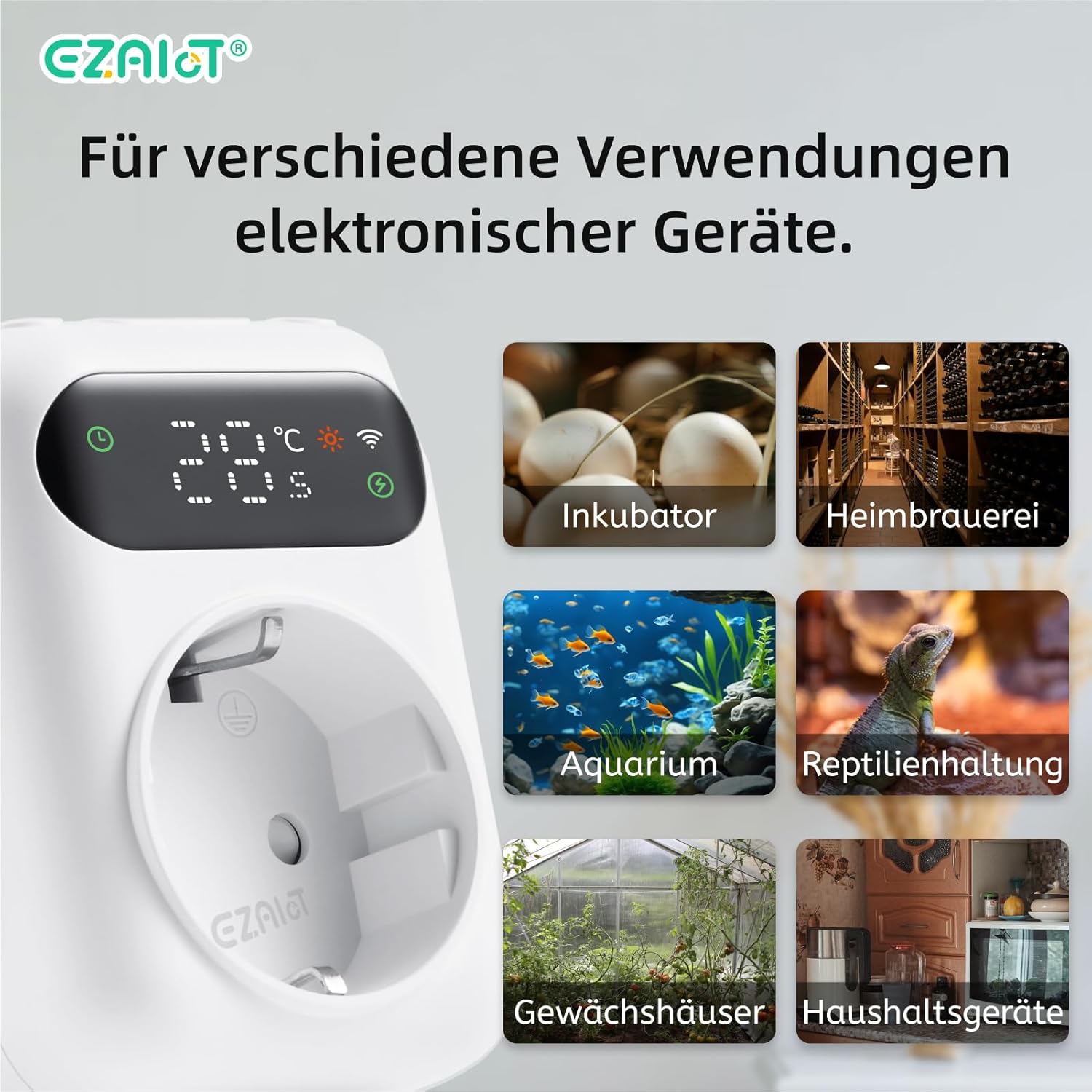
9 pav. Pvzamples of diverse applications for the EZAIoT EZ-TP3W thermostat plug.
7. Priežiūra
Reguliarus techninis aptarnavimas užtikrina optimalų įrenginio veikimą ir ilgaamžiškumą.
- Valymas: Disconnect the device from power before cleaning. Wipe the exterior with a soft, dry cloth. Do not use abrasive cleaners or solvents.
- Jutiklio priežiūra: Ensure the temperature sensors are clean and free from debris. Avoid bending or damaging the sensor cables.
- Firmware atnaujinimai: Periodically check the TUYA Smart Life app for any available firmware updates for the device to ensure you have the latest features and bug fixes.
8. Problemų sprendimas
If you encounter issues with your EZAIoT EZ-TP3W, refer to the following common problems and solutions:
| Problema | Galima priežastis | Sprendimas |
|---|---|---|
| Įrenginys neįsijungia. | No power from outlet; device damaged. | Check the power outlet with another appliance. Ensure the device is not damaged. |
| Nepavyksta prisijungti prie „Wi-Fi“. | Neteisingas „Wi-Fi“ slaptažodis; 5 GHz tinklas; įrenginys per toli nuo maršrutizatoriaus. | Ensure correct 2.4GHz Wi-Fi password. Move device closer to router. Reset device and try pairing again. |
| Temperatūros rodmenys netikslūs. | Sensor improperly placed; sensor damaged; sensor error alarm. | Reposition the sensor away from direct heat/cold sources. Check sensor connection. Replace sensor if damaged. |
| Prietaisas neįsijungia/neišsijungia. | Incorrect mode/settings; appliance not working; exceeding max load. | Verify operating mode and set points in the app. Test the appliance directly. Ensure total load is below 3680W. |
| Device display is off. | Display timeout setting. | The display may turn off after a set period (e.g., 120 seconds) to save power. This setting can usually be adjusted in the app, though a permanent "always on" option might not be available. |
9. Garantija ir palaikymas
EZAIoT products are designed for reliability and performance. For warranty information, please refer to the documentation provided with your purchase or contact your retailer.
For technical support or inquiries, you may contact the manufacturer directly:
- Gamintojas: Shenzhen Rti-Tek Co., Ltd.
- El. paštas: ezaiot@163.com
- Online Manual & Support: https://manual.rti-tek.org/en/TP3
Please have your model number (EZ-TP3W) and purchase details ready when contacting support.


