Įvadas
The R-MUSIC Party Boost S speaker is designed to provide an immersive audio experience, perfect for parties and events. This high-power speaker features Bluetooth 5.3 connectivity, dynamic RGB light effects, a dedicated karaoke mode, and an impressive battery life, combining robust performance with portable design.
This manual provides essential information for setting up, operating, and maintaining your Party Boost S speaker to ensure optimal performance and longevity.
Kas yra dėžutėje
Upon unboxing your R-MUSIC Party Boost S, please verify that all components are present:
- Party Boost S Speaker
- Laidinis mikrofonas
- Įkrovimo kabelis
- Įkroviklis
- Vartotojo vadovas (šis dokumentas)
Produktas baigtasview
Familiarize yourself with the key features and components of your Party Boost S speaker.

The R-MUSIC Party Boost S speaker, showcasing its integrated RGB lighting on the front grille and top control panel. The speaker is black with a textured finish on the sides and a convenient carry handle on top.
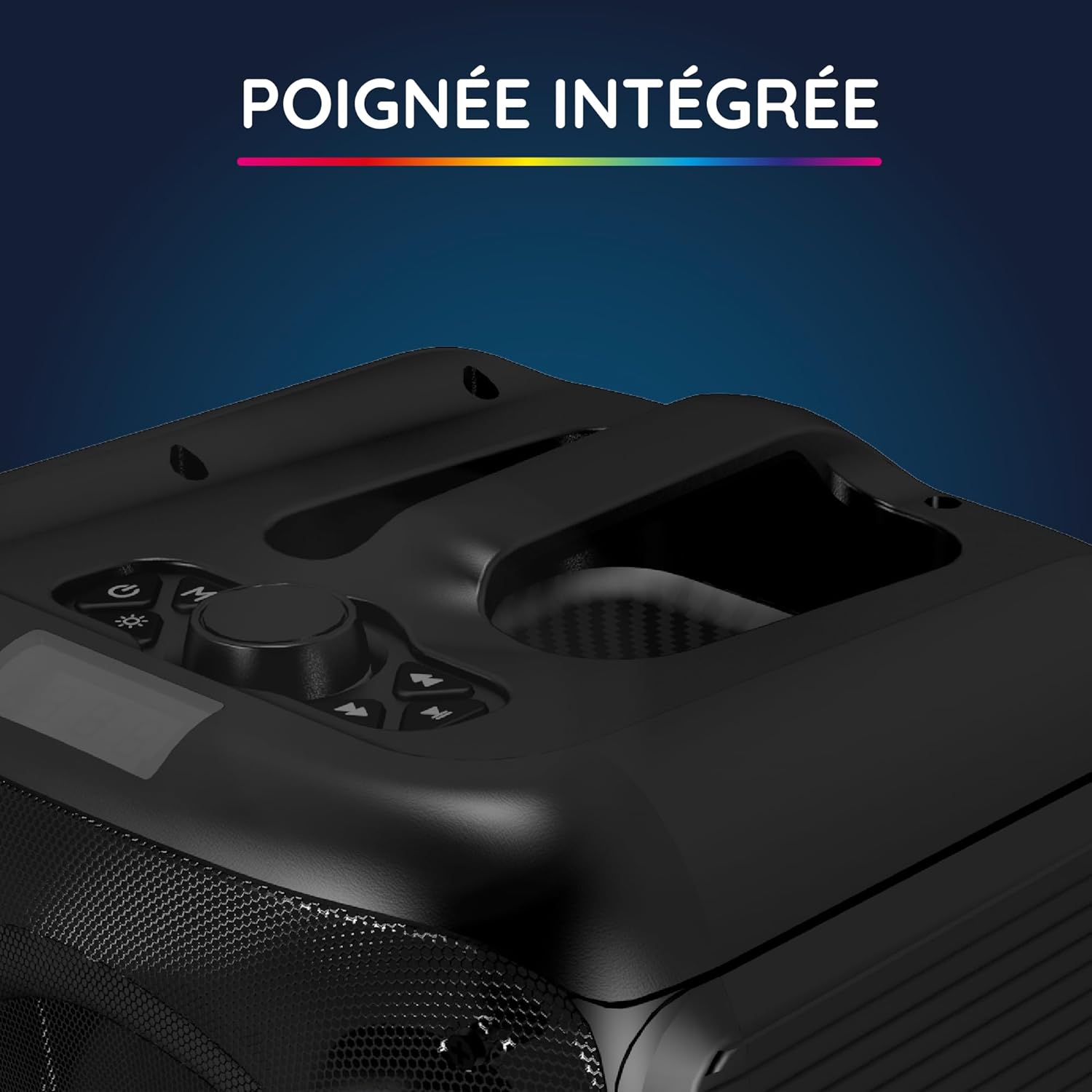
Iš arti view of the integrated handle located on the top of the Party Boost S speaker, designed for easy portability and transport.

The connectivity panel of the Party Boost S speaker, featuring various input ports including USB, USB-C, AUX, and Micro-SD slots for versatile device connections.

The top control panel of the Party Boost S speaker, showing buttons for equalizer settings, volume adjustment, and echo control, along with a digital display.
Sąranka
Garsiakalbio įkrovimas
Before first use, fully charge the speaker. Connect the provided charging cable to the speaker's charging port and the other end to the charger. Plug the charger into a power outlet. The charging indicator will show the charging status. A full charge takes approximately 5 hours and provides up to 10 hours of continuous playback.
Pradinis įjungimas
Locate the power button on the speaker's control panel. Press and hold the power button for a few seconds until the speaker powers on and the LED lights illuminate.
Naudojimo instrukcijos
Bluetooth ryšys
- Ensure the Party Boost S speaker is powered on.
- Activate Bluetooth on your smartphone, tablet, PC, or laptop.
- Ieškokite "R-MUSIC Party Boost S" in your device's Bluetooth settings.
- Pasirinkite garsiakalbį, kurį norite susieti. Patvirtinimo garsas rodys sėkmingą ryšį.
- Garsiakalbis naudoja „Bluetooth 5.3“, kad užtikrintų stabilų ryšį iki 10 metrų atstumu.
Using Other Connectivity Options
- USB prievadas: Įdėkite USB atmintinę su garsu fileį USB prievadą. Garsiakalbis automatiškai aptiks ir paleis muziką.
- AUX įvestis: Connect an external audio device (e.g., MP3 player) using a 3.5mm AUX cable to the AUX port.
- „Micro SD“ kortelė: Įdėkite „Micro SD“ kortelę su garso įrašu files into the Micro SD slot.
- 6.35 mm lizdas: This port is primarily for the wired microphone.
Karaoke Mode and Microphone Use
To use the karaoke feature:
- Connect the wired microphone to the 6.35mm jack port on the speaker.
- Play your desired instrumental track via Bluetooth or other input methods.
- Adjust the microphone volume and echo effects using the controls on the speaker's top panel for an optimal karaoke experience.

The wired microphone included with the Party Boost S speaker, featuring an on/off switch and a standard audio jack for connection.
Sound Adjustment (Bass & Treble)
Use the dedicated controls on the speaker's top panel to adjust the bass and treble levels according to your audio preferences. This allows for fine-tuning the sound output for various music genres or environments.
RGB šviesos efektai
The speaker features integrated RGB light shows that synchronize with your music. Use the light mode button on the control panel to cycle through different light animations or turn them off.
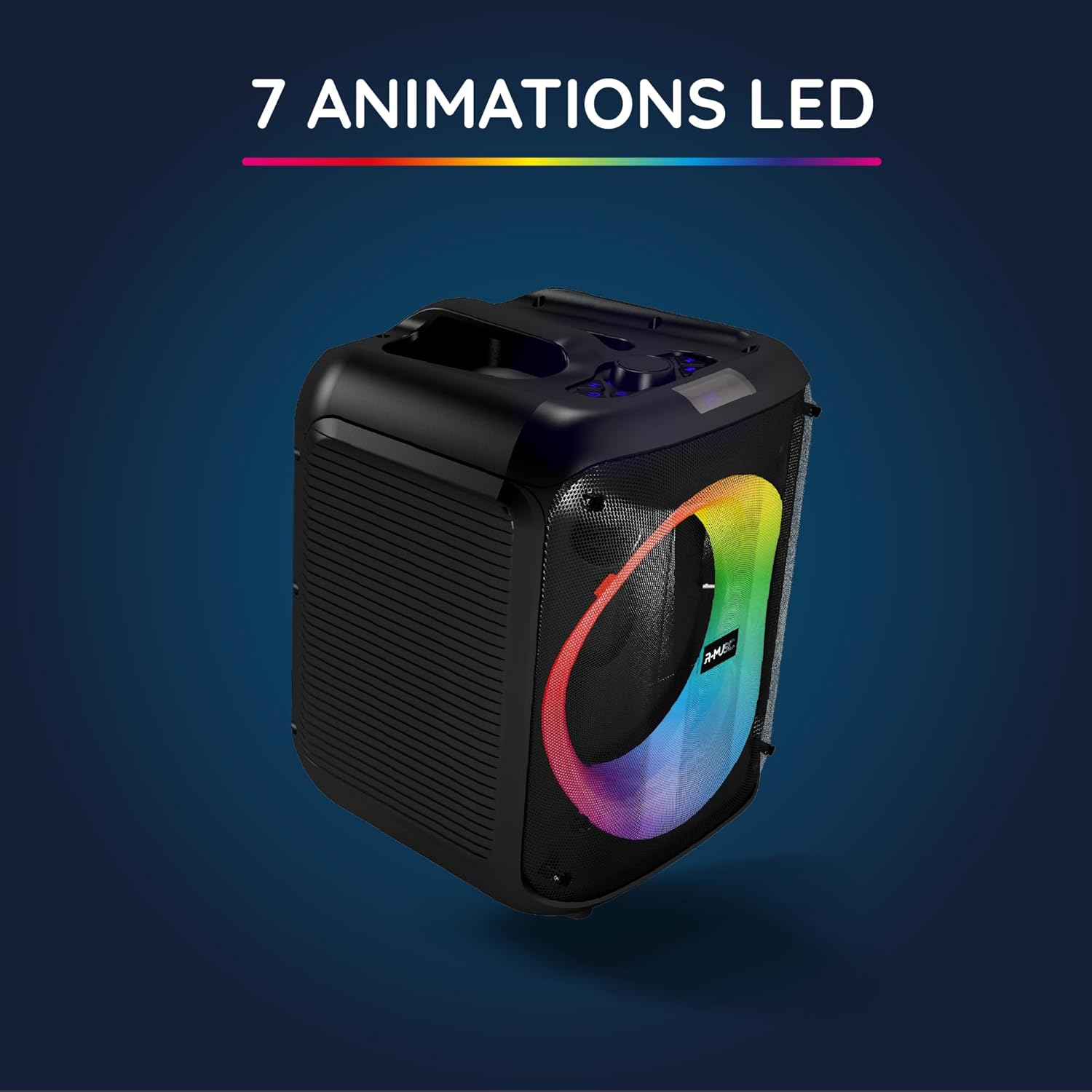
The Party Boost S speaker illuminated with vibrant RGB LED animations, showcasing its ability to create a dynamic visual experience synchronized with audio.
Kelių garsiakalbių jungtis
For an enhanced stereo experience, you can connect two Party Boost S speakers together. Refer to the specific instructions for TWS (True Wireless Stereo) pairing, usually initiated by a dedicated button or a long press on the Bluetooth button on both speakers. Ensure both speakers are in pairing mode before attempting to connect them to each other.
Priežiūra
- Valymas: Garsiakalbio išorę valykite minkšta, sausa šluoste. Nenaudokite abrazyvinių valiklių, vaško ar tirpiklių.
- Saugykla: Kai garsiakalbio nenaudojate ilgesnį laiką, laikykite jį vėsioje, sausoje vietoje, toliau nuo tiesioginių saulės spindulių ir ekstremalių temperatūrų.
- Akumuliatoriaus priežiūra: Norėdami pailginti baterijos veikimo laiką, venkite dažnai visiškai ją iškrauti. Reguliariai įkraukite garsiakalbį, net jei jo nenaudojate.
- Atsparumas vandeniui: Šis garsiakalbis nėra atsparus vandeniui. Venkite sąlyčio su skysčiais.
Trikčių šalinimas
| Problema | Galima priežastis | Sprendimas |
|---|---|---|
| Nėra galios | Baterija išsikrovusi; Maitinimo laidas netinkamai prijungtas. | Charge the speaker fully; Ensure power cable is securely connected. |
| Nėra garso | Volume is too low; Incorrect input source selected; Device not paired correctly. | Increase volume on speaker and connected device; Select correct input (Bluetooth, AUX, USB, SD); Re-pair Bluetooth device. |
| „Bluetooth“ ryšys nestabilus | Device is out of range; Interference from other devices. | Move device closer to speaker (within 10m); Move speaker away from other wireless devices. |
| Mikrofonas neveikia | Microphone not plugged in correctly; Microphone switch is off. | Ensure microphone is fully inserted into the 6.35mm jack; Turn on the microphone switch. |
Specifikacijos
| Modelio numeris | RM484529 |
| Prekės ženklas | R-MUZIKA |
| Ryšio tipas | Bluetooth 5.3 |
| Garso įėjimai | Bluetooth, USB, 6.35mm Jack, AUX, Micro SD |
| Dažnio atsakas | 20 Hz–20 kHz |
| Baterijos veikimo laikas | Up to 10 hours (3600mAh Lithium-ion) |
| Įkrovimo laikas | apytiksliai 5 valandas |
| Matmenys (I x P x A) | 29 x 34 x 26 cm |
| Svoris | 3.95 kg |
| Spalva | Juoda |
| Suderinami įrenginiai | Smartphones, Tablets, PCs, Laptops |
| Ypatingos savybės | Integrated RGB Lights, Karaoke Mode, Wired Microphone Included, Bass & Treble Adjustment, Multi-speaker Connection (TWS), Integrated Handle |
Garantija ir palaikymas
Gamintojo garantija
The R-MUSIC Party Boost S speaker comes with a 2 metų gamintojo garantija nuo įsigijimo datos. Ši garantija taikoma medžiagų ir gamybos defektams, atsiradusiems įprasto naudojimo sąlygomis. Ji netaikoma žalai, atsiradusiai dėl netinkamo naudojimo, nelaimingų atsitikimų, neleistinų modifikacijų ar įprasto nusidėvėjimo.
Išsaugokite pirkimo įrodymą, kad galėtumėte kreiptis dėl garantijos.
Pagalba klientams
For technical assistance, warranty claims, or any questions regarding your R-MUSIC Party Boost S speaker, please contact your retailer or the manufacturer's customer support. Refer to the product packaging or the retailer's websvetainė kontaktinei informacijai.


