1. Įvadas
This manual provides detailed instructions for the installation, operation, and maintenance of your GHome Smart Fingerprint Door Lock K10PRO. Please read this manual thoroughly before installation and use to ensure proper function and safety.

Image: GHome Smart Fingerprint Door Lock K10PRO, showcasing the exterior and interior knobs, mechanical keys, and smartphone app interface.
2. Kas yra dėžutėje
Prieš pradėdami diegti, patikrinkite, ar yra visi komponentai:
- Exterior Door Knob x 1
- Interior Door Knob x 1
- Užraktas x 1
- Mechaniniai raktai x 2
- Atmušimo plokštė x 1
- Strike Box x 1
- Screws x 6 (various types)
- Vartotojo vadovas x 1
Video: Unboxing the GHome Smart Door Knob with Keypad, showing all included components.
3. Montavimo reikalavimai
Prieš montuodami duris, įsitikinkite, kad jos atitinka šiuos reikalavimus:
- Durų storis: 1-3/8" to 2-1/8" (35-55mm)
- Durų angos skersmuo: 2-1/8 colio (55 mm)
- Durų krašto angos skersmuo: 1 colio (25 mm)
- Atgal: 2-3/8 colio (60 mm) arba 2-3/4 colio (70 mm)
The lock is compatible with single cylinder doors. Mortise locks are NOT compatible.

Image: Diagram illustrating required door dimensions and compatibility for installation.
4. Diegimo vadovas
Follow these steps carefully to install your GHome Smart Fingerprint Door Lock K10PRO.
4.1. Prepare the Latch
- Adjust the latch size to match your door's backset (60mm or 70mm).
- Insert the latch into the door edge hole.
- Secure the latch with Screw A.
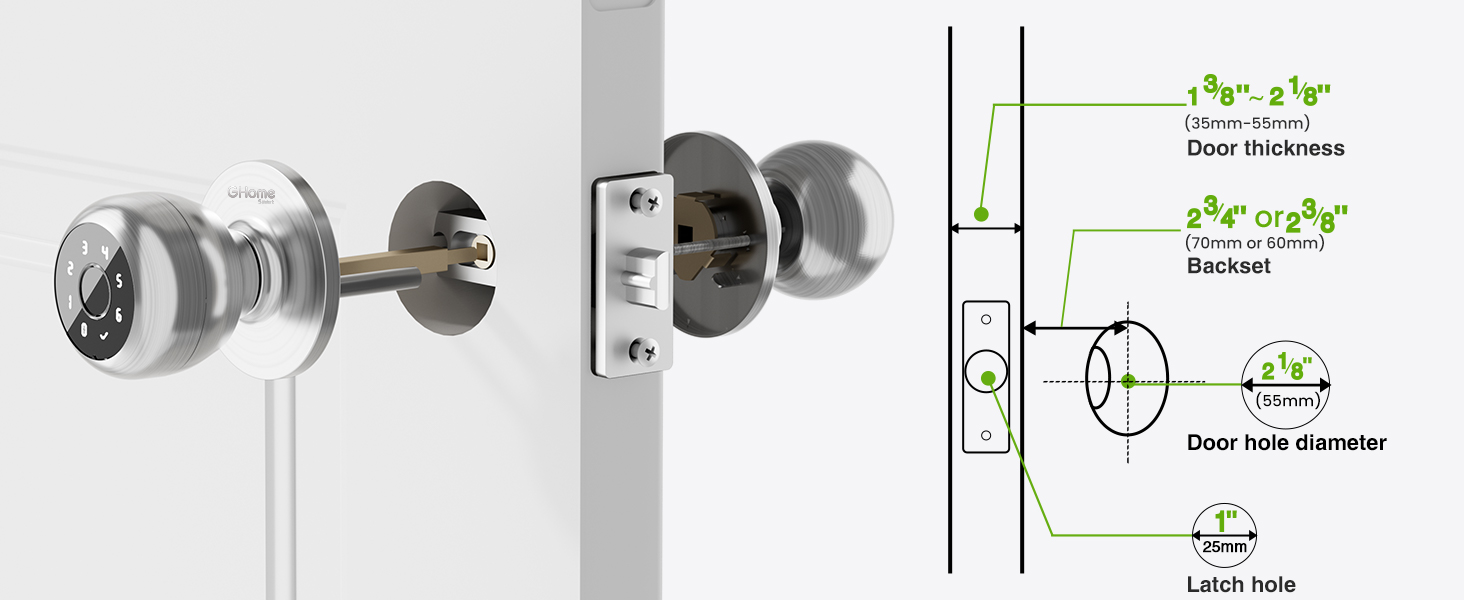
Image: Visual guide for checking door dimensions and installing the latch mechanism.
4.2. Install the Exterior Knob
- Remove the screen protector sticker from the exterior knob.
- Align the spindle bar of the exterior knob with the latch mechanism, ensuring the 'UP' arrow on the knob is facing upwards.
- Gently push the exterior knob into place.
4.3. Įstatykite vidinę rankenėlę
- Remove the interior knob cover by pulling it off.
- Remove Screw B from the interior knob assembly.
- Align the interior knob with the exterior knob's spindle bar, ensuring the 'UP' arrow is facing upwards and the knob is centered.
- Insert Screw B to secure the interior knob.
- Reattach the interior knob cover.
Video: Step-by-step installation guide for the GHome Smart Door Lock K10PRO, demonstrating latch and knob assembly.
5. Naudojimo instrukcijos
The GHome Smart Fingerprint Door Lock K10PRO offers multiple convenient ways to unlock your door.
5.1. Unlock Methods
- Piršto atspaudo atrakinimas: Place your registered fingerprint on the sensor for quick access. The lock features 0.2-second recognition and stores up to 20 fingerprints.
- Atrakinimas slaptažodžiu: Enter a personalized 6-10 digit password on the keypad. Up to 20 unique codes can be stored. The anti-peep security feature allows you to enter random digits before or after your code to protect your privacy.
- Programos valdymas: Use the GHome app (available for iOS and Android) to unlock the door via Bluetooth within range. With an optional Wi-Fi gateway (sold separately), you can control the lock remotely from anywhere.
- Mechaninis raktas: Two mechanical backup keys are provided for emergency access.

Image: Visual representation of the four unlocking methods: fingerprint, password, app, and mechanical key.
5.2. Programėlių valdymas
The GHome app allows for comprehensive management of your lock:
- Vartotojo valdymas: Easily add or remove fingerprints and passwords for family members and guests.
- Temporary Access Codes: Generate time-limited or one-time passwords for visitors, deliveries, or services.
- Prieigos žurnalai: Monitor detailed access logs to track who entered your home and when.
- Pranešimai: Receive smartphone notifications when your door is accessed (within Bluetooth range or via Wi-Fi gateway).
- Režimo perjungimas: Customize settings with silent mode for undisturbed rest or passage mode for continuous access.
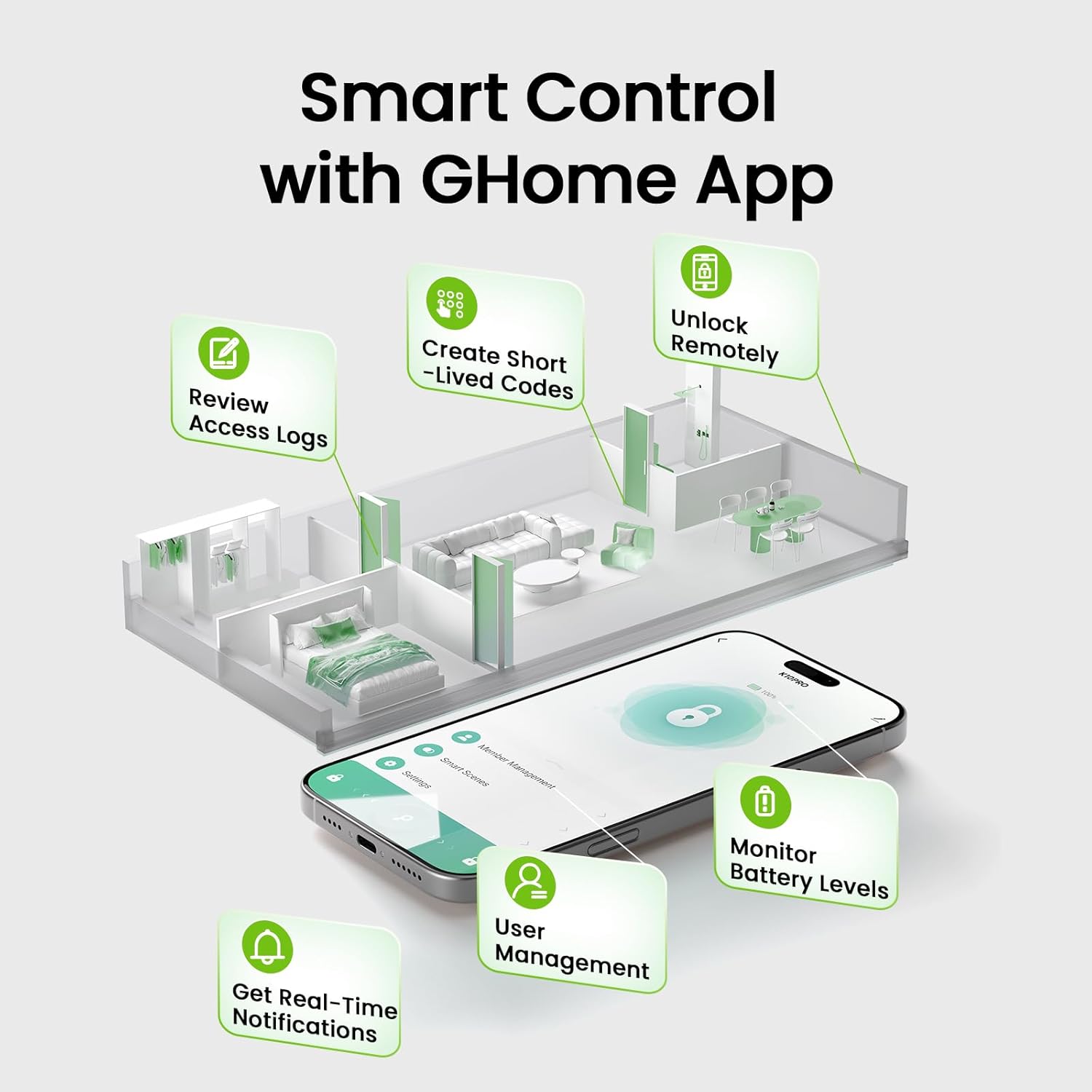
Image: Screenshot of the GHome app demonstrating various smart control features.
5.3. Automatinio užrakinimo funkcija
The lock automatically engages after 5 seconds of unlocking. This feature can be customized within the app to auto-lock between 5 seconds and 30 minutes after unlocking, or set to passage mode for continuous access.
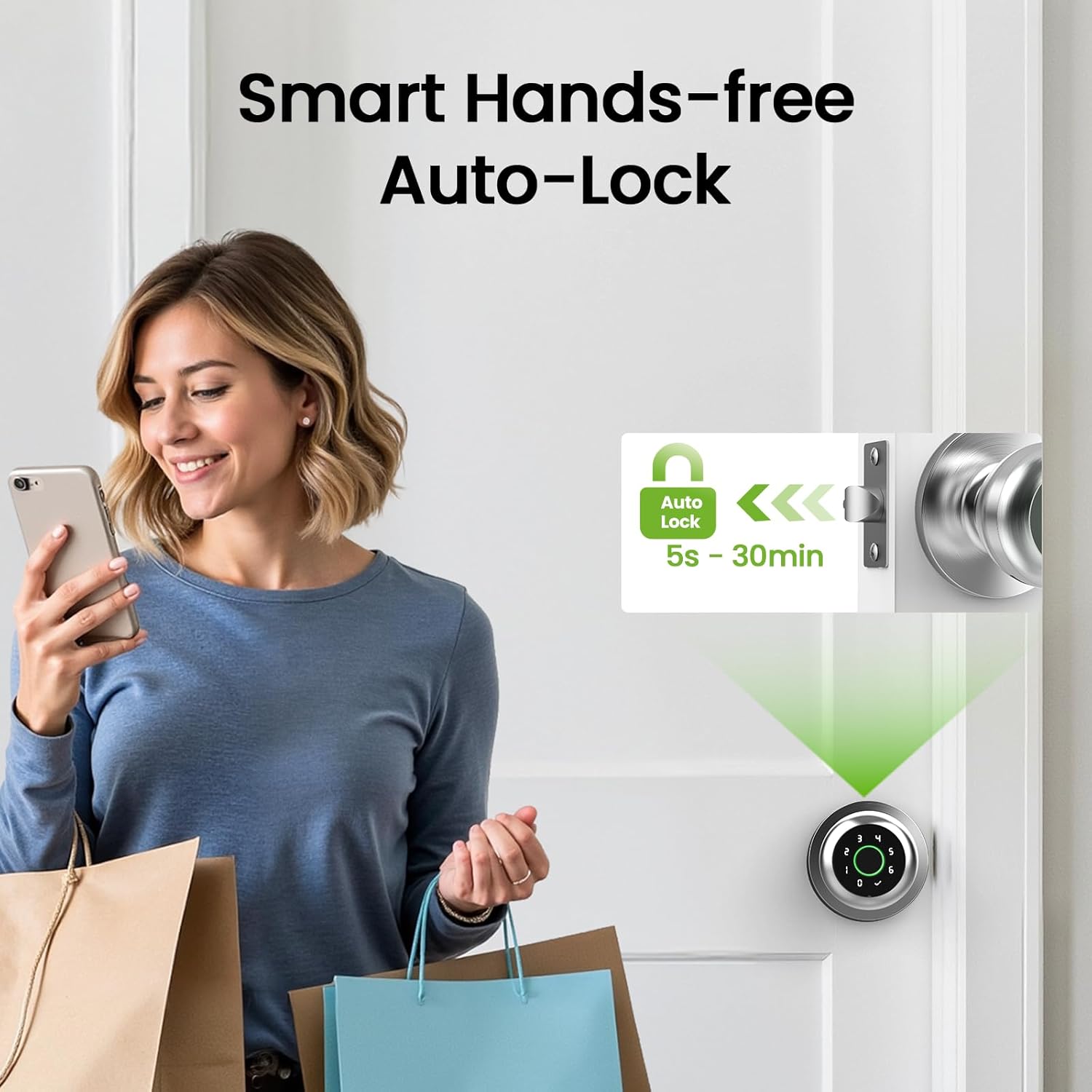
Image: Illustration of the smart hands-free auto-lock feature.
6. Priežiūra
6.1. Akumuliatoriaus įkrovimas
The GHome Smart Fingerprint Door Lock K10PRO is equipped with a 400mAh rechargeable Lithium Polymer battery. A full charge takes 4-6 hours and provides power for approximately 10,000 unlocks or 300+ days, depending on usage frequency.
- Senkančios baterijos indikatorius: The app will display a low battery warning when the battery level drops below 20%.
- Įkrovimas: Use a Type-C cable (5V/2A required) to charge the lock. The charging port is located on the exterior knob.

Image: Visual guide to the USB Type-C charging port and low battery alert.
6.2. Valymas
Spynos paviršių nuvalykite minkšta, sausa šluoste. Nenaudokite abrazyvinių valiklių ar tirpiklių, kurie gali pažeisti apdailą ar elektroninius komponentus.
7. Problemų sprendimas
- Piršto atspaudas neatpažintas: Ensure your finger is clean and dry. Try re-registering your fingerprint or registering multiple angles of your finger. The self-learning AI improves recognition over time.
- Klaviatūra nereaguoja: Ensure the battery is charged. If the keypad lights up but doesn't respond, try restarting the lock (refer to the app for specific instructions).
- Programėlės ryšio problemos: Ensure Bluetooth is enabled on your smartphone and you are within range of the lock. If using a Wi-Fi gateway, ensure it is properly configured and connected to your network.
- Lock not engaging/disengaging: Check for any obstructions in the door frame or latch mechanism. Ensure the installation was performed correctly, particularly the alignment of the spindle bar.
- Lost password/fingerprint access: Use the mechanical backup keys for immediate access. Reset passwords or re-register fingerprints via the GHome app.
8. Specifikacijos
| Funkcija | Detalė |
|---|---|
| Modelis | K10PRO |
| Medžiaga | Aliuminis |
| Spalva | Sidabras |
| Gaminio matmenys | 3.93 colio ilgio x 9.05 colio pločio |
| Prekės svoris | 1.65 svaro (0.75 kilogramo) |
| Atrakinimo metodai | Fingerprint, Keypad, App Control, Mechanical Key |
| Pirštų atspaudų talpa | Iki 20 |
| Slaptažodžio talpa | Iki 20 |
| Baterijos tipas | 1 Lithium Polymer (400mAh, included) |
| Įkrovimo prievadas | USB Type-C (5V/2A) |
| Darbinė temperatūra | nuo 23°F iki 131°F (nuo -5°C iki 55°C) |
| Ypatingos savybės | Auto-Lock, Backup Keys, Fingerprint Access, Local Data Storage, Password Unlock |
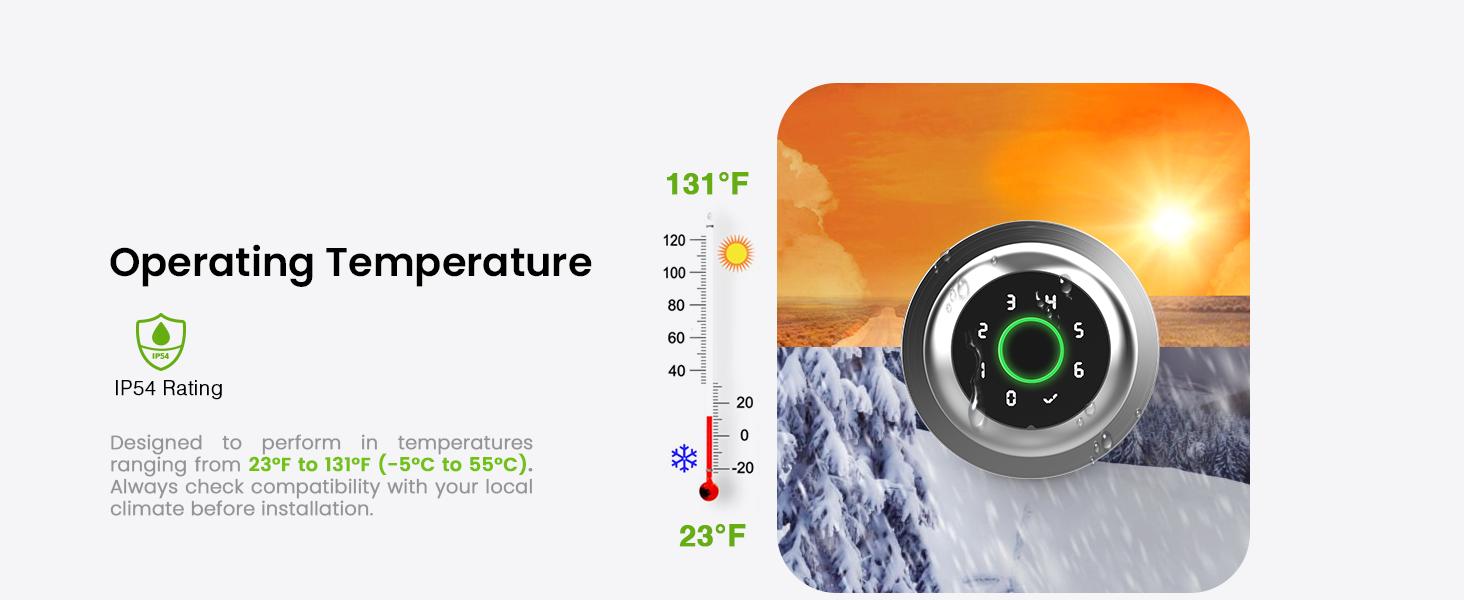
Image: Graphic illustrating the operating temperature range of the lock.
9. Garantija ir palaikymas
GHome Smart offers a 1-year warranty for the K10PRO Smart Fingerprint Door Lock. For any issues or inquiries, please contact GHome Smart customer support.
- Gamintojas: GHome Smart
- Klientų aptarnavimas: Refer to your product packaging or the GHome Smart websvetainė, kurioje rasite naujausią kontaktinę informaciją.


