1. Įvadas
Thank you for choosing the Edifier X1 Lite True Wireless Earbuds. This manual provides detailed instructions for setting up, operating, and maintaining your new earbuds to ensure optimal performance and longevity. Please read this manual thoroughly before use.

Image: Edifier X1 Lite True Wireless Earbuds in their open charging case.
2. Kas yra dėžutėje
The Edifier X1 Lite package includes the following components:
- Edifier X1 Lite True Wireless Earbuds (Left and Right)
- Įkrovimo dėklas
- USB įkrovimo laidas
- Vartotojo vadovas (šis dokumentas)
3. Sąranka
3.1 Pradinis įkrovimas
Prieš pirmą kartą naudodami, visiškai įkraukite ausines ir įkrovimo dėklą.
- Įdėkite abi ausines į įkrovimo dėklą.
- Prijunkite USB įkrovimo laidą prie dėklo įkrovimo prievado ir prie maitinimo šaltinio (pvz., USB sieninio adapterio, kompiuterio USB prievado).
- The indicator light on the charging case will show charging status. Refer to the LED indicator section for details.
- Dėklo ir ausinių pilnas įkrovimas paprastai trunka maždaug 1.5 valandos.
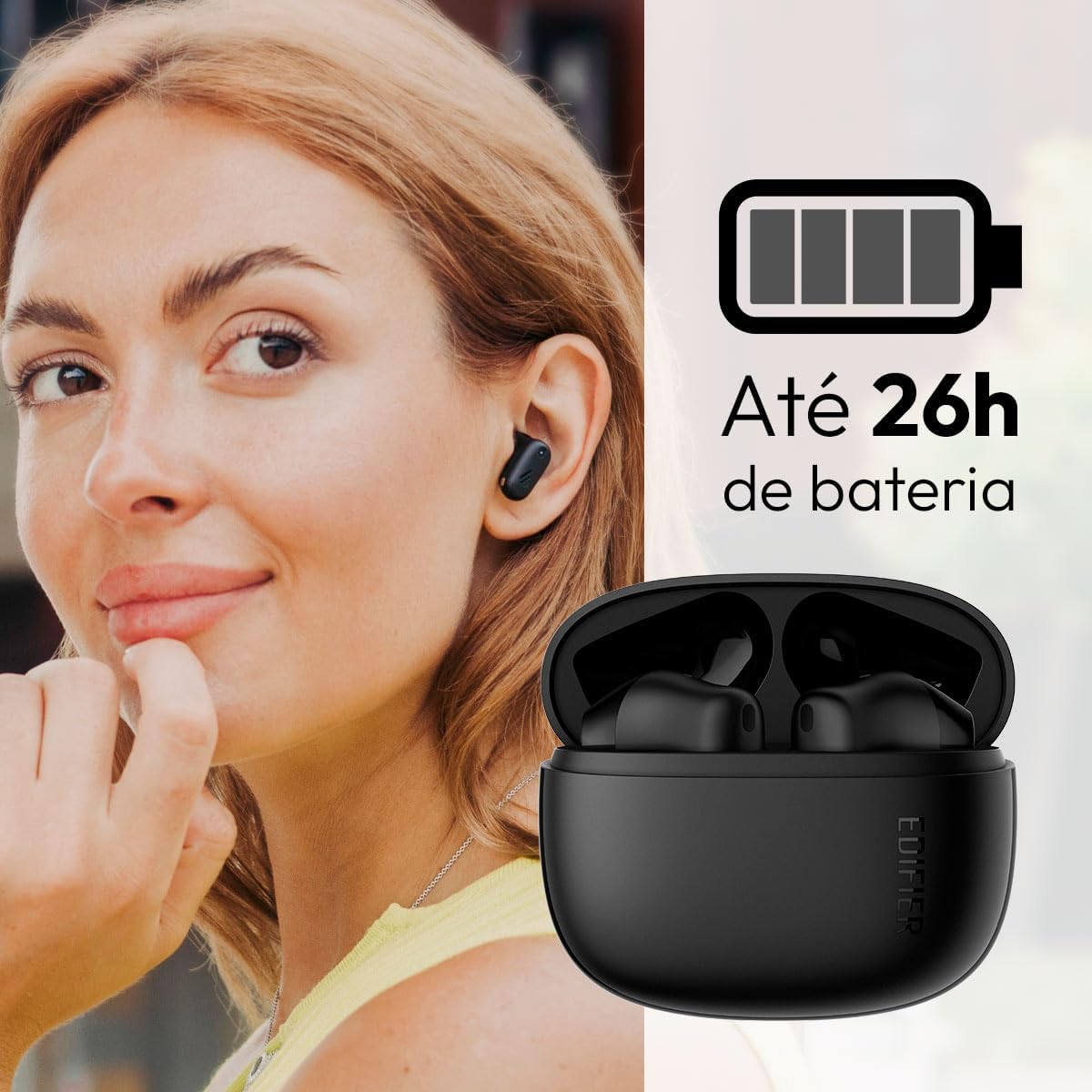
Image: Woman wearing an earbud, with the charging case and a battery icon indicating charging.
Fast Charging Feature:
A 15-minute quick charge can provide approximately 1.5 hours of playtime for the earbuds.

Paveikslėlis: Vizualinis baterijos veikimo laiko ir greito įkrovimo galimybių vaizdas.
3.2 Bluetooth poravimas
Follow these steps to pair your Edifier X1 Lite earbuds with your device:
- Poravimas pirmą kartą: Open the charging case. The earbuds will automatically power on and enter pairing mode. The indicator light on the earbuds will flash rapidly.
- Savo įrenginyje (išmaniajame telefone, planšetiniame kompiuteryje, nešiojamajame kompiuteryje) įjunkite „Bluetooth“.
- Ieškokite "EDIFIER X1 Lite" in the list of available Bluetooth devices.
- Select "EDIFIER X1 Lite" to connect. Once connected, the indicator lights on the earbuds will turn off, and you will hear a confirmation tone.
- Re-pairing/Connecting to a New Device: If the earbuds are already connected to another device, disconnect them first. Alternatively, with the earbuds in the case and the lid open, press and hold the button on the charging case for 3 seconds to enter pairing mode.

Image: Man using earbuds, highlighting Bluetooth 5.4 connectivity.
3.3 „Edifier ConneX“ programėlės diegimas
For enhanced features and customization, download the EDIFIER ConneX app:
- Scan the QR code provided in the image below or visit the official Edifier app download page.
- Įdiekite programą savo išmaniajame telefone ar planšetiniame kompiuteryje.
- Open the app and follow the on-screen instructions to connect your X1 Lite earbuds.
- The app allows for sound effect customization, game mode activation, and touch control settings.

Image: EDIFIER ConneX app interface with QR code. Download the Edifier ConneX App
4. Naudojimo instrukcijos
4.1 Ausinių dėvėjimas
Proper fit ensures optimal sound quality and comfort:
- Atpažinkite kairiąsias (L) ir dešines (R) ausines.
- Švelniai įkiškite kiekvieną ausinės antgalį į atitinkamą ausies kanalą.
- Šiek tiek pasukite ausinę, kol ji bus tvirtai ir patogiai pritvirtinta.

Image: Man demonstrating proper earbud placement.
4.2 Maitinimo įjungimas/išjungimas
- Maitinimas: Ausinės automatiškai įsijungia, kai išimamos iš įkrovimo dėklo.
- Išjungti: Ausinės automatiškai išsijungia ir pradeda krautis, kai įdedamos atgal į įkrovimo dėklą ir uždaromas dangtelis.
4.3 Jutikliniai valdikliai
The Edifier X1 Lite earbuds feature touch-sensitive controls on each earbud. These controls can be customized via the EDIFIER ConneX app.
| Veiksmas | Kairė ausinė (L) | Dešinė ausinė (R) |
|---|---|---|
| Atsiliepti / Baigti skambutį | Dukart bakstelėjimas | Dukart bakstelėjimas |
| Atmesti skambutį | Trigubas bakstelėjimas | Trigubas bakstelėjimas |
| Leisti / pristabdyti muziką | Dukart bakstelėjimas | Dukart bakstelėjimas |
| Kitas takelis | N/A (Customize via App) | Trigubas bakstelėjimas |
| Ankstesnis takelis | Trigubas bakstelėjimas | N/A (Customize via App) |
| Žaidimo režimas įjungtas/išjungtas | Keturis kartus bakstelėkite | Keturis kartus bakstelėkite |
Note: These are default settings. Functions can be reconfigured using the EDIFIER ConneX app.

Image: Visual guide to earbud touch controls.
5. Priežiūra
5.1 Valymas
- Reguliariai valykite ausines ir įkrovimo dėklą minkštu, sausu, nepūkuotu skudurėliu.
- Nenaudokite abrazyvinių valiklių, alkoholio ar cheminių tirpiklių.
- Kad įkrovimas būtų tinkamas, įsitikinkite, kad abiejų ausinių ir dėklo įkrovimo kontaktai yra švarūs ir be šiukšlių.
5.2 Atsparumas vandeniui (IP54)
The Edifier X1 Lite earbuds are IP54 rated, meaning they are protected against dust ingress and splashing water from any direction. This makes them suitable for workouts and light rain.
- Nenardinkite ausinių į vandenį.
- Įkrovimo dėklas nėra atsparus vandeniui. Laikykite jį sausą.
- If earbuds get wet, wipe them dry completely before placing them back in the charging case to prevent damage.

Image: Demonstrating IP54 sweat resistance during exercise.
5.3 Akumuliatoriaus priežiūra
- Saugokite ausines ir dėklą nuo ekstremalių temperatūrų (karštos arba šaltos).
- Nenaudojamą prietaisą laikykite vėsioje, sausoje vietoje.
- Reguliariai kraukite įrenginį, net jei jis nenaudojamas dažnai, kad palaikytumėte akumuliatoriaus būklę.
6. Problemų sprendimas
If you encounter issues with your Edifier X1 Lite earbuds, refer to the following common problems and solutions:
6.1 Nėra garso arba ryšys nutrūksta
- Patikrinkite akumuliatorių: Įsitikinkite, kad abi ausinės ir įkrovimo dėklas yra pakankamai įkrauti.
- Iš naujo suporuoti: Atjunkite ausines nuo savo įrenginio „Bluetooth“ nustatymų ir vėl jas suporuokite.
- Atstumas: Ensure the earbuds are within the Bluetooth range (typically 10 meters) of your device.
- Trikdžiai: Move away from strong Wi-Fi signals or other Bluetooth devices that might cause interference.
- Atstatyti: Place both earbuds in the charging case, close the lid, wait a few seconds, then open the lid and try pairing again.
6.2 Ausinės neįkraunamos
- Patikrinkite kabelį: Ensure the USB charging cable is securely connected to both the case and the power source.
- Maitinimo šaltinis: Išbandykite kitą USB prievadą arba sieninį adapterį.
- Išvalyti kontaktus: Clean the charging contacts on the earbuds and inside the charging case with a dry cotton swab.
- Tinkamas išdėstymas: Įsitikinkite, kad ausinės tinkamai įdėtos į įkrovimo dėklą.
6.3 Prasta skambučių kokybė
- Mikrofono kliūtis: Ensure the microphone on the earbuds is not covered.
- Aplinka: Move to a quieter environment if possible. The AI algorithm helps, but extreme noise can still affect clarity.
- Ryšio stabilumas: Užtikrinkite stabilų Bluetooth ryšį.

Image: Man using earbuds for a clear call, highlighting AI voice pick-up technology.
6.4 Programėlės ryšio problemos
- „Bluetooth“ įjungtas: Ensure Bluetooth is enabled on your device and the earbuds are connected.
- Programos leidimai: Check if the EDIFIER ConneX app has necessary Bluetooth and location permissions.
- Restart App/Device: Uždarykite ir vėl atidarykite programą arba iš naujo paleiskite išmanųjį telefoną.
- Programos atnaujinimas: Įsitikinkite, kad programa atnaujinta į naujausią versiją.
7. Specifikacijos
| Funkcija | Detalė |
|---|---|
| Modelio pavadinimas | „X1 Lite“ |
| Ryšio technologija | Belaidis ryšys („Bluetooth“) |
| Bluetooth versija | 5.4 |
| Garso tvarkyklės tipas | Dynamic Driver (Φ13mm) |
| Dažnių diapazonas | 20Hz-20kHz |
| Baterijos veikimo laikas | Iki 7 valandų (ausinės), iki 26 valandų (su įkrovimo dėklu) |
| Greitas įkrovimas | 15 minučių įkrovimas suteikia 1.5 valandas grojimo laiko |
| Mažas delsos laikas | 60 ms |
| Atsparumas vandeniui | IP54 (tik ausinės) |
| Mikrofonas | Single Mic AI algorithm voice pick-up |
| Kontrolės metodas | Touch Control, App (EDIFIER ConneX) |
| Medžiaga | Plastikiniai |
| Ausinės svoris | Maždaug 4 g vienai ausinei |
| Spalva | Juoda |
8. Garantija ir palaikymas
Edifier products are designed with quality and reliability in mind. For warranty information and customer support, please refer to the official Edifier websvetainėje arba susisiekite tiesiogiai su jų klientų aptarnavimo tarnyba.
- Oficialus Websvetainė: Apsilankykite www.edifier.com produktų registracijai, DUK ir pagalbos ištekliams.
- Klientų aptarnavimas: Contact Edifier customer support for technical assistance or warranty claims. Contact details can typically be found on the official websvetainėje arba produkto pakuotėje.
Prašome išsaugoti pirkimo įrodymą garantijos tikslais.