1. Įvadas
Thank you for choosing the OHAYO Portable Bluetooth Speaker. This manual provides essential information for setting up, operating, and maintaining your speaker to ensure optimal performance. Designed for both indoor and outdoor use, this speaker delivers exceptional audio quality with its 15W loud stereo sound, IPX7 waterproof rating, and versatile connectivity options.
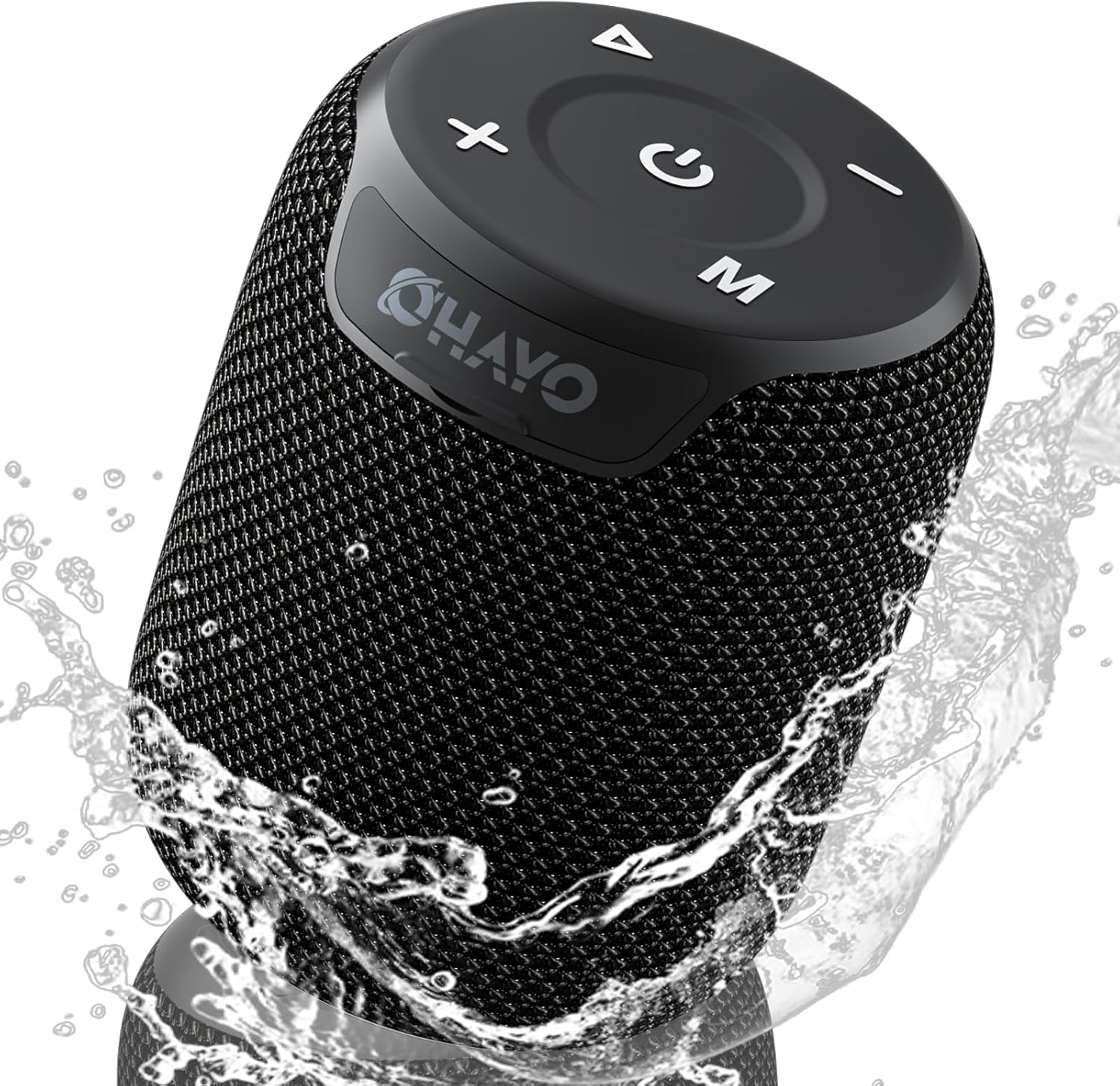
Image: The OHAYO Portable Bluetooth Speaker, showcasing its compact design and IPX7 waterproof capability with water splashing around it.
2. Produktas baigtasview
2.1 Pagrindinės savybės
- Išskirtinis garso našumas: Features a 60mm mid-high speaker and a 65mm bass diaphragm for clear treble and rich bass.
- „IPX7“ atsparus vandeniui: Fully submersible up to 3 feet for 30 minutes, resistant to rain, dust, snow, and spills.
- Bluetooth V5.3: Ensures quick pairing and stable connection with automatic re-connection.
- TWS poravimas: Connect two speakers for synchronized, immersive stereo sound.
- Universalus atkūrimas: Supports Bluetooth, TF cards, and 3.5mm AUX input.
- Ilgas grojimo laikas: Iki 18 valandų muzikos atkūrimo vienu įkrovimu.
- Integruotas mikrofonas: For high-quality, hands-free calls.
- Nešiojamas dizainas: Compact, lightweight, and includes a handy lanyard for easy carrying.

Paveikslėlis: sprogęs view of the speaker's internal components highlighting the 60mm mid-high speaker and 65mm bass diaphragm, alongside icons representing key features like Aux-in, HD Mic, Hand-free Call, IPX7 Waterproof, Bluetooth 5.3, Micro SD support, and 16 hours of playtime.
2.2 Valdikliai ir prievadai
The OHAYO speaker features intuitive controls located on the top panel and essential ports for connectivity.

Paveikslėlis: detalus view of the speaker's top panel, showcasing the sleek black design with bold white buttons for power, volume control, mode selection, and track navigation.
- Maitinimo mygtukas: Paspauskite ir palaikykite, kad įjungtumėte/išjungtumėte.
- Garsumo padidinimas (+): Padidinti garsumą.
- Sumažinti garsumą (-): Sumažinti garsumą.
- Atkūrimo / pristabdymo mygtukas: Leisti arba pristabdyti garso įrašą.
- Režimo (M) mygtukas: Perjunkite „Bluetooth“, AUX ir TF kortelės režimus.
- USB-C įkrovimo prievadas: Garsiakalbio įkrovimui.
- AUX įvesties prievadas: Laidiniam garso prijungimui.
- TF kortelės lizdas: Skirta muzikai leisti tiesiai iš „Micro SD“ kortelės.
3. Darbo pradžia
3.1 Garsiakalbio įkrovimas
Before first use, fully charge the speaker. Use the provided Type-C charging cable.
- Connect the Type-C end of the cable to the speaker's charging port.
- Prijunkite USB-A galą prie suderinamo USB maitinimo adapterio (nepridedamas) arba kompiuterio USB prievado.
- Užsidegs įkrovimo indikatoriaus lemputė. Pilnas įkrovimas trunka maždaug 3 valandas.
- Kai įkrovimas bus baigtas, indikatoriaus lemputė pasikeis arba užges.

Image: The OHAYO speaker connected to a USB-C charging cable, illustrating its fast charging capability and long battery life.
3.2 Įjungimas / išjungimas
- Norėdami įjungti: Paspauskite ir palaikykite maitinimo mygtuką 2–3 sekundes, kol išgirsite garsinį signalą ir užsidegs indikatoriaus lemputė.
- Norėdami išjungti: Paspauskite ir palaikykite maitinimo mygtuką 2–3 sekundes, kol išgirsite garsinį signalą ir užges indikatoriaus lemputė.
4. Ryšys
4.1 Bluetooth poravimas
Garsiakalbis automatiškai įsijungs „Bluetooth“ susiejimo režimu, kai bus įjungtas pirmą kartą arba jei nebus prijungtas joks įrenginys.
- Ensure the speaker is powered on and in Bluetooth mode (blue indicator light blinking).
- Savo įrenginyje (išmaniajame telefone, planšetiniame kompiuteryje, nešiojamajame kompiuteryje) įjunkite „Bluetooth“ ir ieškokite galimų įrenginių.
- Select "OHAYO X2" from the list of devices.
- Once connected, the speaker will emit a confirmation sound, and the blue indicator light will remain solid.
- Įjungus garsiakalbį, jis automatiškai prisijungs prie paskutinio susieto įrenginio, jei įrenginio „Bluetooth“ ryšys aktyvus ir jis yra diapazone.
4.2 Tikrojo belaidžio stereo (TWS) susiejimas
You can pair two OHAYO X2 speakers together for a true stereo sound experience.
- Ensure both OHAYO X2 speakers are powered on and not connected to any Bluetooth device.
- Viename garsiakalbyje (tai bus pagrindinis garsiakalbis) dukart paspauskite maitinimo mygtuką. Išgirsite pranešimą, rodantį, kad įjungtas TWS susiejimo režimas.
- Du garsiakalbiai automatiškai ieškos vienas kito ir prisijungs. Prisijungus išgirsite patvirtinimo garsą.
- Dabar prijunkite savo įrenginį prie pagrindinio garsiakalbio per „Bluetooth“, kaip aprašyta 4.1 skyriuje. Garsas bus grojamas per abu garsiakalbius stereo režimu.

Image: Two OHAYO Portable Bluetooth Speakers wirelessly connected to a laptop, demonstrating the True Wireless Stereo (TWS) pairing feature for an immersive audio experience.
4.3 AUX įvesties režimas
Use the 3.5mm AUX input for wired connection to devices without Bluetooth.
- Connect one end of a 3.5mm audio cable (not included) to the speaker's AUX-in port.
- Kitą galą prijunkite prie savo įrenginio garso išvesties lizdo.
- Garsiakalbis automatiškai persijungs į AUX režimą. Jei ne, paspauskite mygtuką „M“ (režimas), kad pasirinktumėte AUX režimą.
4.4 TF kortelės režimas
Play music directly from a Micro SD (TF) card.
- Insert a Micro SD (TF) card with MP3 audio files į TF kortelės lizdą.
- The speaker will automatically switch to TF Card mode and begin playing music. If not, press the 'M' (Mode) button to select TF Card mode.
5. Garsiakalbio valdymas
5.1 Muzikos atkūrimas
- Leisti / pristabdyti: Vieną kartą paspauskite paleidimo/pauzės mygtuką.
- Kitas takelis: Paspauskite ir palaikykite garsumo didinimo (+) mygtuką.
- Ankstesnis takelis: Paspauskite ir palaikykite garsumo mažinimo (-) mygtuką.
- Garsumo valdymas: Trumpai paspauskite garsumo didinimo (+) arba garsumo mažinimo (-) mygtukus.
5.2 Skambinimas laisvų rankų įranga
When connected via Bluetooth, you can use the speaker for hands-free calls.
- Atsiliepti į skambutį: Vieną kartą paspauskite paleidimo/pauzės mygtuką.
- Baigti skambutį: Skambučio metu vieną kartą paspauskite mygtuką „Paleisti / pristabdyti“.
- Atmesti skambutį: Paspauskite ir 2 sekundes palaikykite paleidimo/pauzės mygtuką.
- Perrink paskutinį numerį: Du kartus paspauskite paleidimo/pauzės mygtuką.
6. Priežiūra ir priežiūra
Proper care ensures the longevity of your OHAYO Portable Bluetooth Speaker.
6.1 Atsparumas vandeniui (IPX7)
The speaker is IPX7 waterproof, meaning it can be submerged in water up to 1 meter (3 feet) for up to 30 minutes. Ensure the charging port cover is securely closed before exposing the speaker to water.

Image: A person submerged in water, holding the OHAYO speaker, demonstrating its fully IPX7 waterproof capability and seamless, enclosed design.
6.2 Valymas
- Nuvalykite garsiakalbį minkšta, damp audinys.
- Nenaudokite abrazyvinių valiklių, alkoholio ar cheminių tirpiklių.
- Prieš įkraunant, įsitikinkite, kad garsiakalbis yra sausas.
6.3 Saugykla
- Garsiakalbį laikykite vėsioje, sausoje vietoje, toliau nuo ekstremalių temperatūrų.
- Venkite ilgalaikio tiesioginių saulės spindulių poveikio.
7. Problemų sprendimas
If you encounter issues with your speaker, please refer to the following common problems and solutions.
| Problema | Galima priežastis | Sprendimas |
|---|---|---|
| Garsiakalbis neįsijungia. | Išsikrovusi baterija; Maitinimo mygtukas nepakankamai ilgai nuspaustas. | Visiškai įkraukite garsiakalbį. Paspauskite ir palaikykite maitinimo mygtuką 2–3 sekundes. |
| Nepavyksta susieti per „Bluetooth“. | Garsiakalbis neįjungtas susiejimo režimu; Įrenginio „Bluetooth“ išjungtas; Per toli nuo garsiakalbio. | Ensure speaker is in Bluetooth pairing mode (blinking blue light). Turn on Bluetooth on your device. Move device closer to speaker (within 33 feet/10 meters). |
| Nėra garso. | Per mažas garsumas; pasirinktas neteisingas režimas; įrenginys neatkuria garso. | Increase speaker and device volume. Press 'M' button to select correct mode (Bluetooth, AUX, TF Card). Ensure audio is playing on your device. |
| Nepavyko susieti TWS. | Speakers already connected to another device; Incorrect pairing steps. | Disconnect both speakers from any Bluetooth devices. Follow TWS pairing steps carefully (Section 4.2). |
| Prasta garso kokybė. | Low battery; Obstructions between speaker and device; Source audio quality. | Charge the speaker. Reduce distance or remove obstructions. Try a different audio source. |
8. Specifikacijos
Detailed technical specifications for the OHAYO Portable Bluetooth Speaker.
| Funkcija | Detalė |
|---|---|
| Modelio pavadinimas | X2 |
| Prekės ženklas | OHAYO |
| Garsiakalbio tipas | Lauke |
| Ryšio technologija | Bluetooth |
| Belaidžio ryšio technologija | Bluetooth V5.3 |
| Didžiausia garsiakalbio išėjimo galia | 15 vatų |
| Garso tvarkyklės tipas | Dynamic Driver (60mm mid-high, 65mm bass diaphragm) |
| Dažnio atsakas | 20 KHz (typical range for portable speakers) |
| Garso išvesties režimas | Stereo (su TWS susiejimu) |
| Atsparumo vandeniui įvertinimas | IPX7 |
| Baterijos veikimo laikas | Iki 16-18 val |
| Baterijos talpa | 3300 mAh |
| Įkrovimo laikas | apytiksliai 3 valandos |
| Maitinimo šaltinis | Maitinamas baterijomis |
| Gaminio matmenys | 3.97 "D x 3.97" P x 4.8" A |
| Prekės svoris | 14.9 uncijos |
| Kontrolės metodas | Touch (buttons on top) |
| Suderinami įrenginiai | Nešiojamasis kompiuteris, išmanusis telefonas, planšetinis kompiuteris, televizorius |
| Medžiaga | Other (durable mesh and plastic) |
9. Garantija ir palaikymas
9.1 Informacija apie garantiją
The OHAYO Portable Bluetooth Speaker comes with a Ribota garantija. Please retain your proof of purchase for warranty claims. For specific terms and conditions, refer to the warranty card included in your product packaging or contact customer support.
9.2 Pagalba klientams
For any questions, technical assistance, or warranty inquiries, please contact OHAYO customer support. We offer 24-hour customer support and easy, hassle-free returns & replacements. Support Extended Term of Service is also available.
Kontaktinė informacija: Please refer to the contact details provided on the product packaging or the official OHAYO websvetainę.