1. Įvadas
The Lexibook Disney Stitch Angel 2-in-1 Headphones offer a versatile audio experience for children. These headphones support both wireless Bluetooth 5.0 connectivity and a wired connection via an included audio cable. Designed with an adjustable headband and a foldable structure, they provide comfort and portability. Key features include a built-in microphone for calls, control buttons for audio management, and a volume limit of 85 dB to protect young listeners' hearing. The headphones are rechargeable via a USB Type-C cable and offer extended battery life in wireless mode, with unlimited use in wired mode.
2. Kas yra dėžutėje
- 1 x Lexibook Disney Stitch Angel 2-in-1 Headphones
- 1 x USB Type-C įkrovimo laidas
- 1 x Detachable Audio Cable (3.5mm jack)
- 1 x Vartotojo vadovas
3. Sąranka
3.1. Ausinių įkrovimas
Before initial use, fully charge the headphones. Connect the provided USB Type-C cable to the charging port on the headphones and the other end to a compatible USB power source (e.g., computer USB port, USB wall adapter). The charging indicator light will show the charging status.
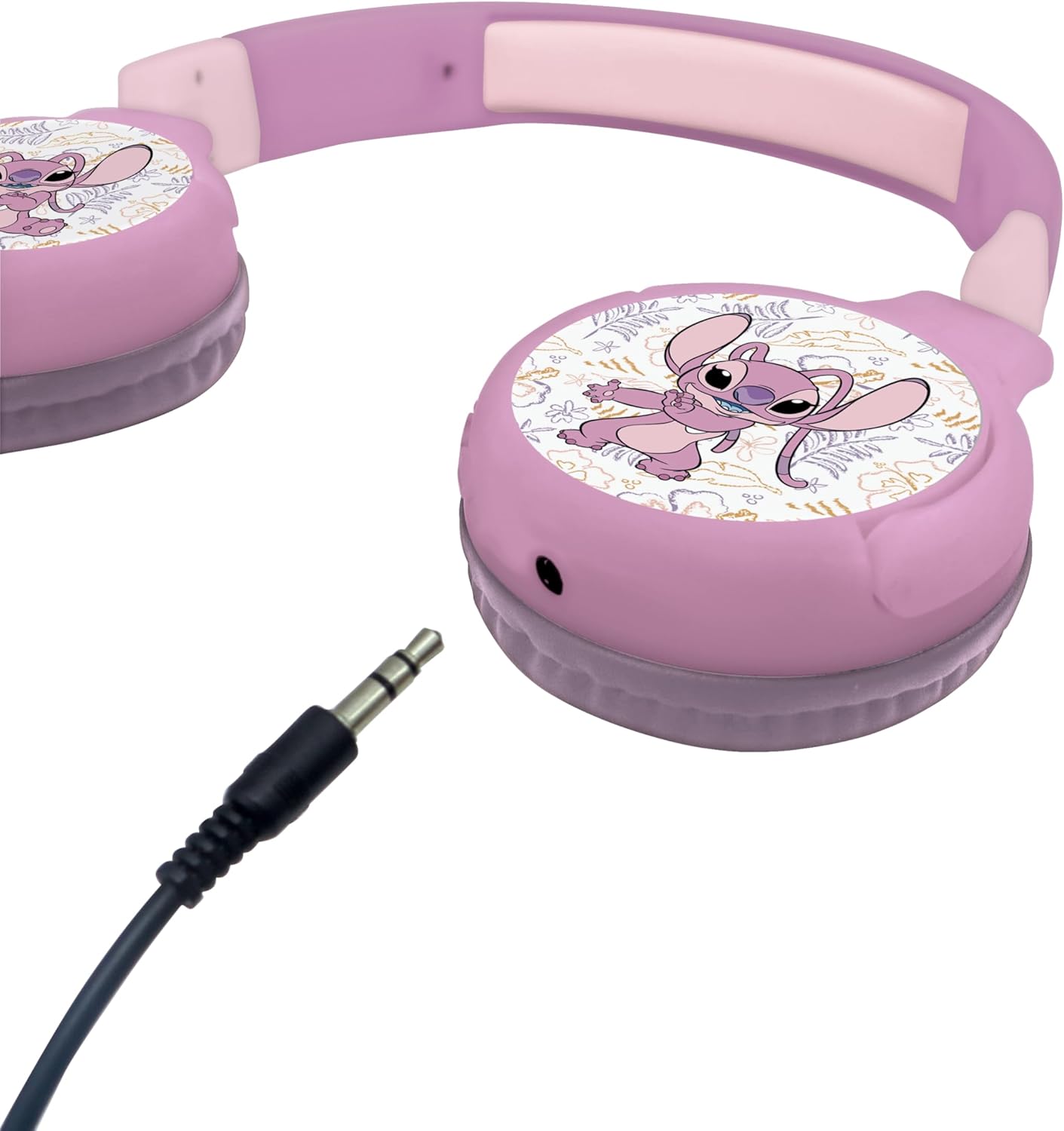
Figure 1: Headphones with 3.5mm audio jack, also indicating the USB-C charging port location.
3.2. „Bluetooth“ susiejimas (belaidis režimas)
- Įsitikinkite, kad ausinės yra įkrautos ir išjungtos.
- Paspauskite ir palaikykite ausinių maitinimo mygtuką, kol pradės mirksėti LED indikatorius, rodantis susiejimo režimą.
- Savo įrenginyje (išmaniajame telefone, planšetiniame kompiuteryje ir kt.) įjunkite „Bluetooth“ ir ieškokite galimų įrenginių.
- Select "HPBT010D1" or "Lexibook Stitch Headphones" from the list of devices.
- Once paired, the LED indicator on the headphones will show a steady light or flash slowly.
3.3. Laidinis ryšys
For a wired connection, plug the provided 3.5mm audio cable into the audio jack on the headphones and the other end into your audio device's 3.5mm port. The headphones will automatically switch to wired mode.
4. Naudojimo instrukcijos
4.1. Maitinimo įjungimas/išjungimas
- Maitinimas: Paspauskite ir palaikykite maitinimo mygtuką, kol užsidegs LED indikatorius.
- Išjungti: Paspauskite ir palaikykite maitinimo mygtuką, kol užges LED indikatorius.
4.2. Garsumo valdymas
Use the volume control buttons located on the headphones to adjust the audio level. The headphones feature a built-in volume limiter set to 85 dB for hearing protection.
4.3. Playback and Call Management
The control buttons allow for playback management (play/pause) and hands-free call answering via the integrated microphone.
4.4. Sulankstymas sandėliavimui
The headphones feature a foldable design for easy storage and portability. Gently fold the earcups inwards towards the headband.
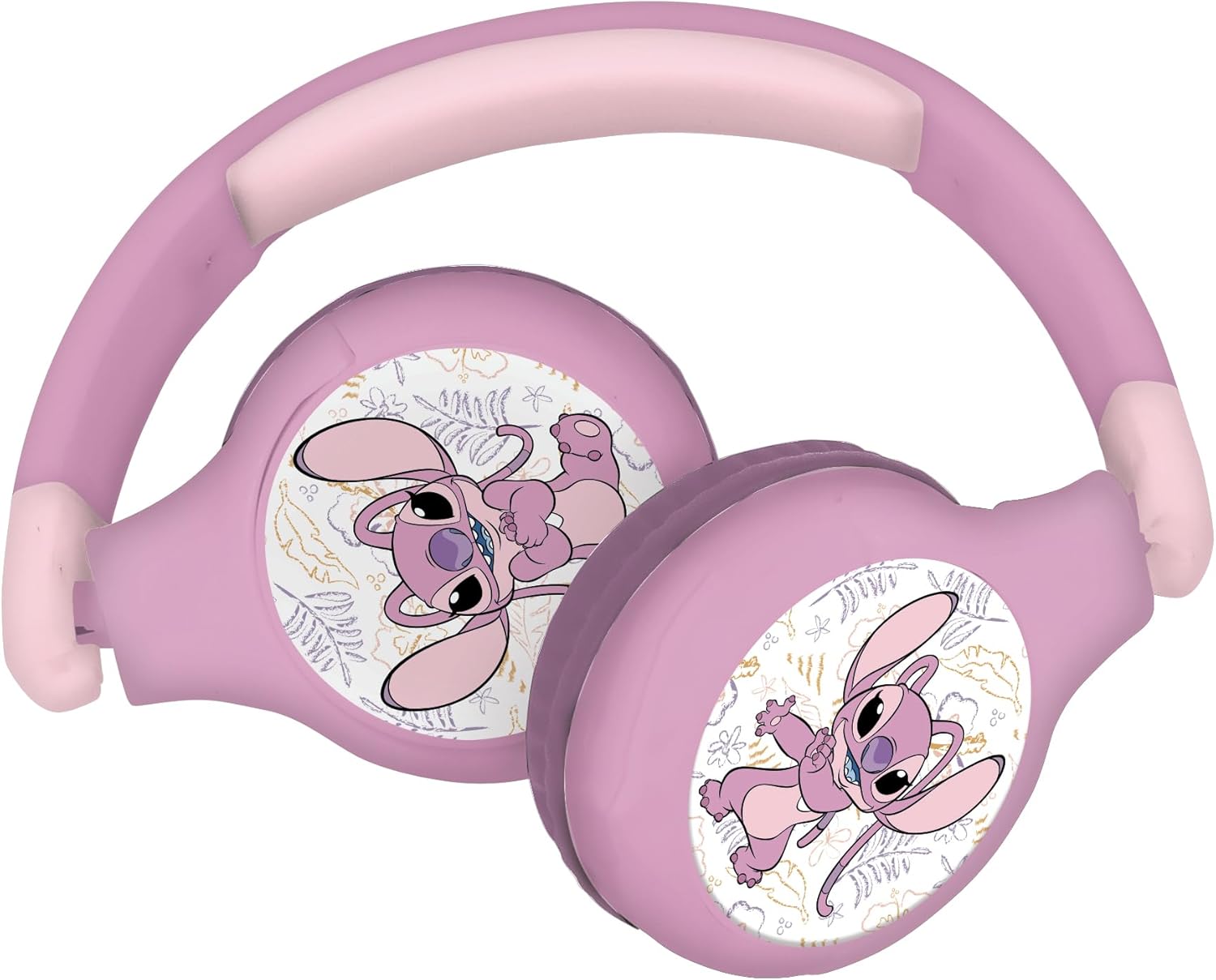
Figure 2: Folded headphones demonstrating compact design.
5. Priežiūra
- Ausines valykite minkšta, sausa šluoste.
- Saugokite ausines nuo ekstremalių temperatūrų, drėgmės ar tiesioginių saulės spindulių.
- Kai nenaudojate, laikykite vėsioje, sausoje vietoje.
6. Problemų sprendimas
- Nėra galios: Įsitikinkite, kad ausinės yra visiškai įkrautos.
- Nepavyksta susieti per „Bluetooth“: Make sure the headphones are in pairing mode (flashing LED) and within range of your device. Check that your device's Bluetooth is enabled.
- Nėra garso belaidžiu režimu: Verify that the headphones are paired correctly and the volume on both the headphones and your device is turned up.
- Nėra garso laidiniu režimu: Ensure the audio cable is securely connected to both the headphones and your device. Check the volume levels.
7. Specifikacijos
| Modelio pavadinimas: | HPBT010D1 |
| Prekinis ženklas: | LEXiBOOK |
| Ryšio technologija: | Wireless (Bluetooth 5.0) / Wired (3.5mm Audio Jack) |
| Jautrumas: | 85 dB (ribotas garsumas) |
| Ausinės forma: | Virš ausies |
| Kontrolės metodas: | Mygtukas |
| Ypatinga funkcija: | Lightweight, Foldable, Built-in Microphone |
| Rekomenduojamas amžius: | 4 metai ir daugiau |
| Matmenys: | 6.37 x 2.76 x 7.4 colio |
| Prekės svoris: | 5.6 uncijos (0.16 kilogramo) |
| Medžiaga: | Plastikiniai |
| Spalva: | Rožė |
8. Saugos informacija
This product is not a toy. Adult supervision is recommended for young children. Do not expose to water or extreme temperatures. Ensure proper volume levels to protect hearing.
9. Garantija ir palaikymas
For warranty information or technical support, please refer to the contact details provided in the original product packaging or visit the official LEXiBOOK websvetainę.


