Produktas baigtasview
The Mesqool CR1025 is a versatile alarm clock radio designed to provide multiple functionalities in a compact form factor. It integrates an alarm clock, Bluetooth speaker, FM radio, LED night light, and dual USB charging ports for convenience.
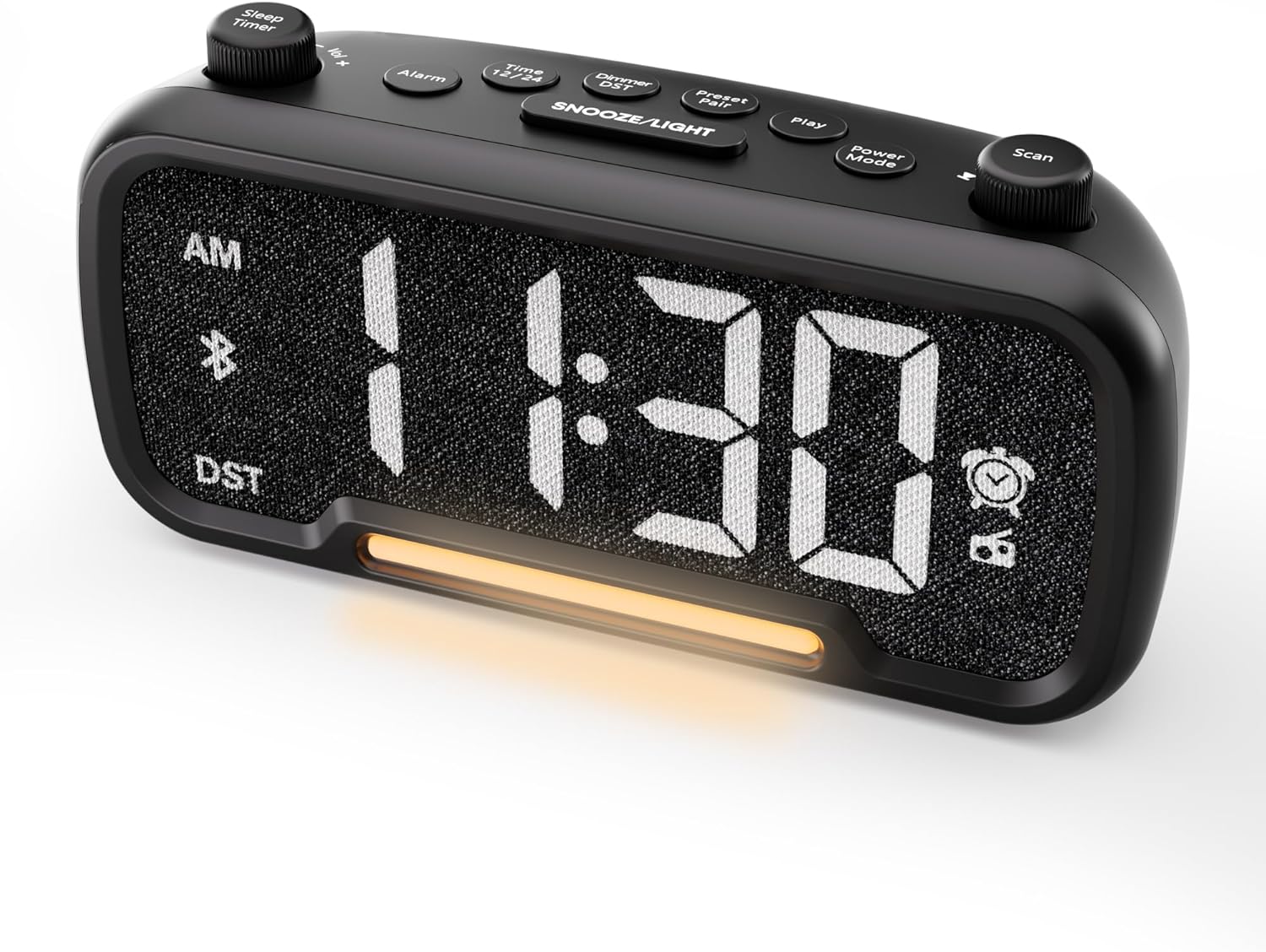
1 pav.: priekis view of the Mesqool CR1025 Alarm Clock Radio, displaying the digital time and control layout.

Figure 2: Key features of the Mesqool CR1025, highlighting its multi-functional design.
Sąrankos vadovas
1. Maitinimo prijungimas
- Prijunkite pridedamą maitinimo adapterį prie žadintuvo gale esančio DC IN prievado.
- Plug the adapter into a standard electrical outlet. The clock will power on and the display will illuminate.

Figure 3: The alarm clock radio connected to power, ready for use.
2. Baterijos atsarginės kopijos įrengimas
- The unit includes a CR2032 lithium battery for backup. This battery retains alarm settings and time during a power outage, but the display will not show the time and the alarm will not sound until power is restored.
- Įrenginio apačioje raskite baterijų skyrių.
- Insert the CR2032 battery with the correct polarity (+ side up).
- Saugiai uždarykite akumuliatoriaus skyrių.
3. Pradinis laiko nustatymas
- Paspauskite Laikas 12/24 mygtuką. Valandų skaitmenys pradės mirksėti.
- Pasukite Nuskaityti knob (right knob) to adjust the hour.
- Paspauskite Laikas 12/24 mygtuką dar kartą. Pradės mirksėti minučių skaitmenys.
- Pasukite Nuskaityti rankenėlę, kad sureguliuotumėte minutę.
- Paspauskite Laikas 12/24 button once more to confirm and exit time setting.
4. 12/24 valandų laiko formatas
- To switch between 12-hour and 24-hour time formats, press and hold the Laikas 12/24 mygtuką 2 sekundes.
- In 12-hour format, 'AM' or 'PM' indicators will appear on the display.

Figure 4: Display options for 12-hour and 24-hour time formats.
5. Daylight Saving Time (DST) Mode
- Norėdami įjungti arba išjungti vasaros laiką, paspauskite ir palaikykite Dimmer DST mygtuką 2 sekundes.
- The time will adjust by one hour forward or backward, and the 'DST' indicator will appear or disappear.
Naudojimo instrukcijos
1. Aliarmo nustatymas
- Paspauskite ir palaikykite Signalizacija button for 2 seconds. The hour digits will flash.
- Pasukite Vol -/+ knob (left knob) to adjust the alarm hour.
- Paspauskite Signalizacija mygtuką dar kartą. Pradės mirksėti minučių skaitmenys.
- Pasukite Vol -/+ knob to adjust the alarm minute.
- Paspauskite Signalizacija button again. The alarm source icon will flash. Rotate the Vol -/+ knob to select between buzzer or FM radio as the alarm sound.
- Paspauskite Signalizacija button again. The volume level will flash. Rotate the Vol -/+ knob to adjust the alarm volume (L01-L16).
- Paspauskite Signalizacija button once more to confirm and activate the alarm. The alarm icon will appear on the display.
Signalo atšaukimas
- To cancel the alarm, press the Signalizacija button. The alarm icon will turn off, indicating the alarm has been deactivated.
Snaudimo funkcija
- Kai skamba žadintuvas, paspauskite SNAIGĖ / ŠVIESA mygtuką, kad įjungtumėte snaudimo funkciją. Žadintuvas sustos 9 minutėms ir vėl suskambės.
- This can be repeated up to 9 times. To stop the alarm for the day, press the Signalizacija mygtuką.

Figure 5: The alarm clock radio offers two alarm sound options: radio or buzzer.
2. Bluetooth Speaker Operation
- Paspauskite Maitinimo režimas button repeatedly until 'bt' appears on the display and the Bluetooth icon starts flashing. This indicates the clock is in Bluetooth pairing mode.
- On your mobile device, enable Bluetooth and search for available devices. Select 'CR1025' from the list.
- Once connected, the Bluetooth icon on the clock's display will stop flashing and remain solid. You can now play audio from your device through the clock's speaker.

Figure 6: Bluetooth 5.0 connectivity for wireless audio streaming.
3. FM radijo veikimas
- Paspauskite Maitinimo režimas button repeatedly until the radio icon lights up on the display, indicating FM radio mode.
- Automatinis nuskaitymas: Paspauskite Nuskaityti button to automatically search for and store up to 20 FM radio stations. The clock will cycle through frequencies and save strong signals as presets (P01, P02, etc.).
- Rankinė paieška: Pasukite Nuskaityti knob to manually browse FM frequencies.
- Išsaugoti išankstinį nustatymą: To save a manually found station, press and hold the Preset Pair button for 2 seconds. The preset number will flash. Rotate the Nuskaityti knob to select a preset slot, then press Preset Pair vėl išsaugoti.
- Atšaukti išankstinį nustatymą: FM režime trumpai paspauskite Preset Pair mygtuką, kad peržiūrėtumėte išsaugotas stotis.
- Reguliuoti garsumą: Pasukite Vol -/+ knob to adjust the radio volume (16 levels).

Figure 7: Enjoying FM radio with a wide frequency range and 20 presets.
4. Night Light and Brightness Dimmer
- The clock features a built-in LED night light.
- Paspauskite SNAIGĖ / ŠVIESA button to cycle through 5 adjustable brightness levels for the main display and the night light.
- The lowest setting is suitable for sleeping, while the brightest is for daytime visibility.

Figure 8: The 5-level brightness dimmer allows customization for various lighting conditions.
5. Phone Charging Ports
- The Mesqool CR1025 is equipped with two USB charging ports: one USB-C and one USB-A.
- Connect your devices (e.g., smartphone, smartwatch) to these ports using appropriate charging cables.
- The clock must be powered via its AC adapter for the charging ports to function.
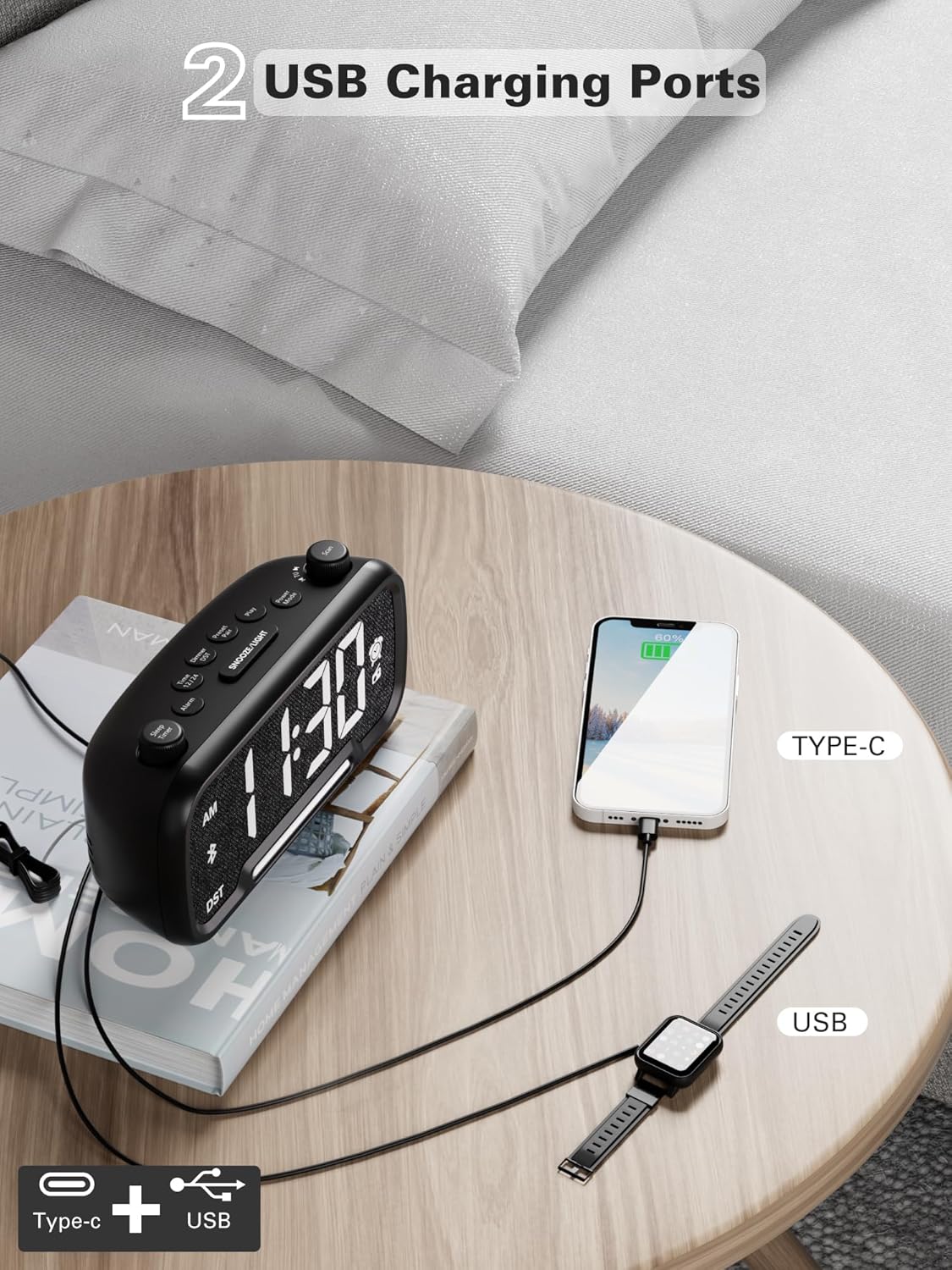
Figure 9: Dual USB charging ports for convenient device power.
6. Sleep Timer Setting
- When using the FM radio or Bluetooth speaker, you can set a sleep timer to automatically turn off playback after a set duration.
- Paspauskite Miego laikmatis button (left knob) to access the settings.
- Pasukite Miego laikmatis knob to select the desired duration: 15, 30, 60, 90, or 120 minutes, or OFF.
- The display will show the selected duration, and then return to the current time. The music/radio will play for the set time and then automatically turn off.
Mokomasis vaizdo įrašas
Video 1: This instructional video demonstrates various settings for the Mesqool CR1025, including alarm setting, time setting, 12/24H format, DST mode, dimmer setting, Bluetooth pairing, FM radio operation, and sleep timer. Refer to the specific sections above for detailed steps.
Priežiūra
- Valymas: Use a soft, dry cloth to clean the surface of the alarm clock. Do not use liquid cleaners or abrasive materials.
- Baterijos keitimas: If the battery backup is no longer retaining settings during power outages, replace the CR2032 battery in the compartment on the bottom of the unit. Ensure correct polarity.
- Saugykla: Jei įrenginį ilgesnį laiką sandėliuosite, atjunkite jį nuo maitinimo šaltinio ir išimkite atsarginę bateriją.
Trikčių šalinimas
- Be maitinimo / ekranas išjungtas: Ensure the power adapter is securely connected to both the clock and a working electrical outlet. Check if the outlet has power.
- Signalizacija neskamba: Verify that the alarm is set correctly (time, source, volume) and that the alarm icon is visible on the display. Ensure the alarm volume is not set to L00.
- Prastas FM radijo signalas: Extend the FM antenna fully. Try repositioning the clock to improve signal reception. Perform an auto-scan to find stronger stations.
- „Bluetooth“ neprisijungia: Ensure the clock is in Bluetooth pairing mode (flashing 'bt' icon). Make sure your device's Bluetooth is enabled and within range. Forget the device on your phone and try pairing again.
- USB Charging Not Working: Confirm the clock is connected to AC power. Check if the charging cable is functional and properly connected to both the clock and your device.
- Ekranas per ryškus/tamsus: Paspauskite SNAIGĖ / ŠVIESA mygtuką, kad sureguliuotumėte ryškumo lygį.
Specifikacijos
| Funkcija | Specifikacija |
|---|---|
| Prekės ženklas | Mesqool |
| Modelio numeris | CR1025 |
| Gaminio matmenys | 5.9 x 3.81 x 8.4 cm |
| Prekės svoris | 216 g |
| Medžiaga | Audinys |
| Ekrano tipas | Skaitmeninis LED |
| Ypatingos savybės | Radio Clock, LED Display, Bluetooth Speaker, Night Light, Phone Charger |
| FM radijo dažnis | 87.5 MHz–108.0 MHz |
| Signalizacijos garsumo lygiai | 16 (L01–L16) |
| Ekrano ryškumo lygiai | 5 |
| USB įkrovimo išvestis | USB-C and USB-A ports |
| Baterijos atsarginė kopija | CR2032 (for settings retention) |
Garantija ir palaikymas
For warranty information, technical support, or further assistance, please refer to the contact details provided with your product packaging or visit the official Mesqool websvetainę.


