1. Įvadas
This manual provides essential information for the safe and efficient operation of your THOMSON Wireless Bluetooth Speaker, model BG002-1. Please read this manual thoroughly before using the product and retain it for future reference. This speaker combines advanced audio technology with an artistic design, suitable for various indoor environments.
2. Pakuotės turinys
Patikrinkite, ar pakuotėje yra visi toliau išvardyti daiktai. Jei kurių nors daiktų trūksta arba jie pažeisti, susisiekite su klientų aptarnavimo tarnyba.
- THOMSON BG002-1 Wireless Bluetooth Speaker
- Nuotolinio valdymo pultas
- C tipo įkrovimo laidas
- Vartotojo vadovas (šis dokumentas)
3. Produktas baigtasview
3.1 Komponentai
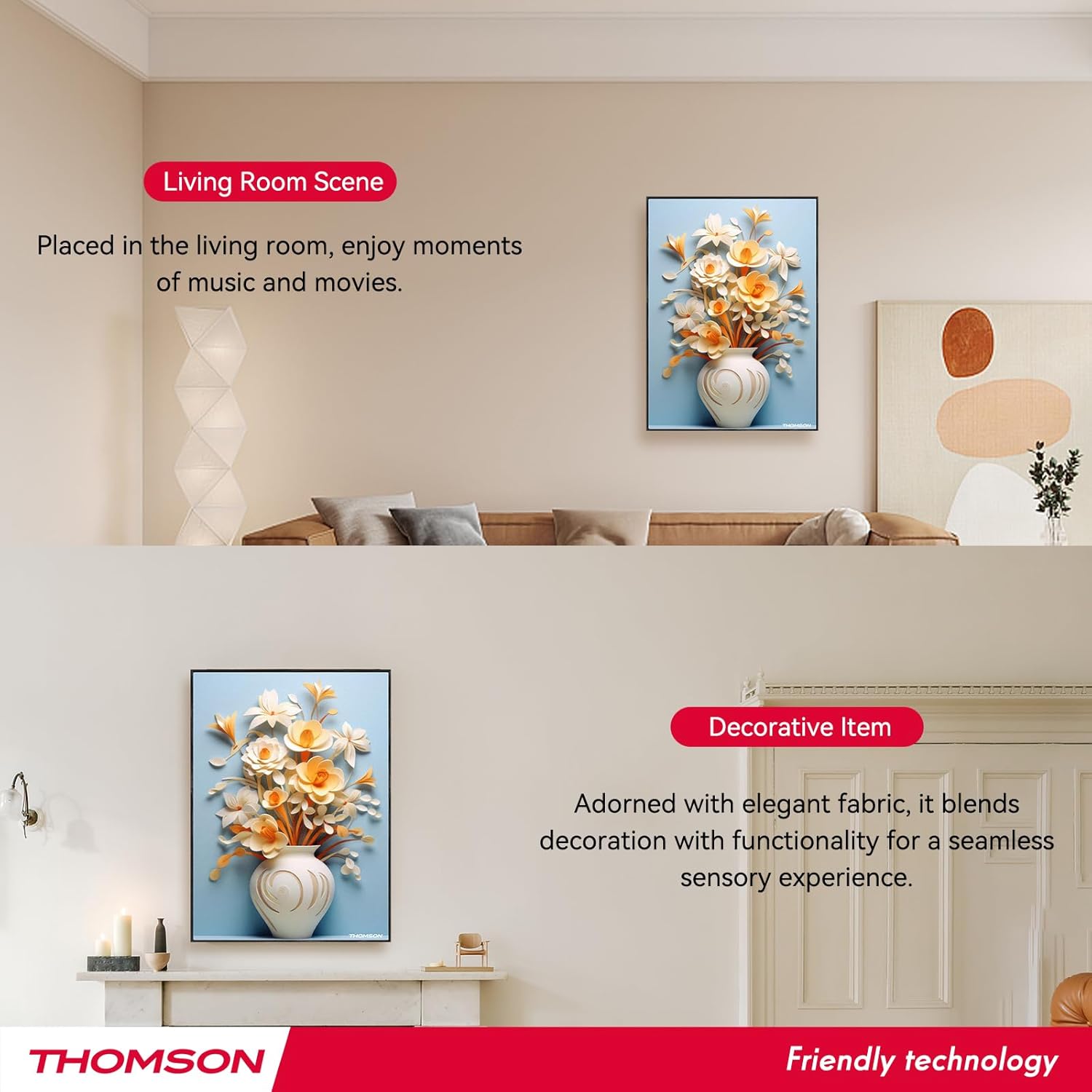
The THOMSON BG002-1 speaker features a unique wall-mounted design with an art painting decoration. The audio system is engineered for clear sound reproduction.

Vaizdas: Galinis view of the speaker, illustrating the four sound units.
- Sound Units: Equipped with 2 x 2.5-inch woofers and 2 x 2.5-inch tweeters for balanced audio output.
- Valdymo skydelis: Integrated buttons for basic functions (Power, Volume, Mode).
- Įkrovimo prievadas: Type-C port for power input.
- Tvirtinimo taškai: Designed for secure wall installation.
3.2 Pagrindinės savybės

Vaizdas: Viršview of key features including Bluetooth 5.2, output power, remote control, Type-C charging, TWS function, and battery capacity.
- "Bluetooth 5.2": Provides stable wireless connectivity with an effective range of up to 10 meters.
- HiFi garso kokybė: Delivers clear audio with 3D surround sound effects.
- Integruota baterija: Features a 6000 mAh Li-ion battery for portable use, offering approximately 8 hours of playback on a full charge.
- TWS funkcija: Supports True Wireless Stereo pairing for connecting two BG002-1 speakers for enhanced stereo sound.
- Nuotolinio valdymo pultas: Leidžia patogiai valdyti per atstumą.
- Patvarios medžiagos: Constructed from solid wood and a colorfast mural, with a waterproof and dustproof canvas surface.
4. Sąranka
4.1 Pradinis įkrovimas
Before first use, fully charge the speaker using the provided Type-C charging cable. Connect the cable to the speaker's charging port and a compatible USB power adapter (not included). The charging indicator will show the charging status.
4.2 Tvirtinimas prie sienos
The speaker is designed for wall mounting. Ensure the chosen wall location is sturdy and can support the speaker's weight. Use appropriate mounting hardware (not included) and follow standard safety procedures for wall installation. Position the speaker at an optimal listening height for the best audio experience.
5. Naudojimo instrukcijos
5.1 Maitinimo įjungimas/išjungimas
Press and hold the Power button on the speaker or the remote control to turn the speaker on or off. A sound indicator will confirm the action.
5.2 Bluetooth poravimas

Image: The speaker connecting wirelessly to various devices via Bluetooth 5.2.
- Įjunkite garsiakalbį. Jis automatiškai įsijungs „Bluetooth“ susiejimo režimu, ką parodys mirksintis LED indikatorius.
- Savo įrenginyje (išmaniajame telefone, planšetiniame kompiuteryje, nešiojamajame kompiuteryje ir kt.) įjunkite „Bluetooth“ ir ieškokite galimų įrenginių.
- Select 'THOMSON BG002-1' from the list of devices.
- Once connected, the LED indicator will stop flashing, and a confirmation sound will play.
Įjungus garsiakalbį, jis automatiškai bandys prisijungti prie paskutinio suporuoto įrenginio.
5.3 TWS (tikro belaidžio stereo) funkcija

Image: Two speakers wirelessly connected to form a stereo pair using TWS function.
To pair two BG002-1 speakers for a stereo experience:
- Įsitikinkite, kad abu garsiakalbiai įjungti ir neprijungti prie jokio „Bluetooth“ įrenginio.
- On one speaker, press the TWS button (if available) or a designated pairing button. The speaker will enter TWS pairing mode.
- Du garsiakalbiai automatiškai susijungs. Patvirtinimo garsas praneš apie sėkmingą TWS susiejimą.
- Once TWS is established, connect your device to one of the speakers via Bluetooth as described in section 5.2. Both speakers will then play audio in stereo.
5.4 Nuotolinio valdymo pulto valdymas
Paveikslėlis: Nuotolinio valdymo pulto išdėstymas su pažymėtomis funkcijomis.
Nuotolinio valdymo pultas suteikia patogią prieigą prie įvairių funkcijų:
- Maitinimo įjungimas/išjungimas: Įjungia arba išjungia garsiakalbį.
- Režimas: Switches between input modes (e.g., Bluetooth).
- Tūris +/-: Reguliuoja garso garsumą.
- Ankstesnis / kitas takelis: Skips to the previous or next song.
- Leisti / pristabdyti: Pradeda arba pristabdo garso atkūrimą.
- 3D režimas: Activates or deactivates 3D surround sound.
- EQ režimas: Perjungia iš anksto nustatytus ekvalaizerio parametrus.
- TWS režimas: Initiates TWS pairing (refer to section 5.3).
- Nutildyti: Nutildo arba įjungia garsą.
5.5 Garsiakalbio įkrovimas

Image: Visual representation of the speaker's 6000mAh battery capacity.
When the battery is low, the speaker will provide a low battery reminder. Connect the Type-C charging cable to the speaker's charging port and a power source. The charging indicator will illuminate during charging and turn off or change color when fully charged. A full charge typically provides up to 8 hours of playback.
6. Priežiūra
Norėdami užtikrinti garsiakalbio ilgaamžiškumą ir optimalų veikimą, laikykitės šių priežiūros nurodymų:
- Valymas: The speaker's canvas surface is waterproof and dustproof. Wipe it gently with a soft, damp audinys. Venkite naudoti stiprių cheminių medžiagų ar abrazyvinių valiklių.
- Saugykla: Kai garsiakalbio nenaudojate ilgesnį laiką, laikykite jį vėsioje, sausoje vietoje.
- Akumuliatoriaus priežiūra: To preserve battery life, avoid fully discharging the battery frequently. Charge the speaker regularly, even if not in active use.
- Aplinkos sąlygos: Saugokite garsiakalbį nuo ekstremalių temperatūrų, tiesioginių saulės spindulių ar didelės drėgmės.
7. Problemų sprendimas
Jei kyla problemų dėl garsiakalbio, žr. šias dažniausiai pasitaikančias problemas ir sprendimus:
- Nėra galios:
- Ensure the speaker is fully charged. Connect the Type-C charging cable and check if the charging indicator lights up.
- Press and hold the Power button for a few seconds. - Nėra garso:
– Patikrinkite garsumo lygį tiek garsiakalbyje, tiek prijungtame įrenginyje.
- Ensure the speaker is correctly paired via Bluetooth (refer to section 5.2).
- Make sure the speaker is not muted. - „Bluetooth“ poravimo problemos:
- Ensure the speaker is in pairing mode (flashing LED).
– Išjunkite „Bluetooth“ savo įrenginyje ir vėl jį įjunkite.
- Move your device closer to the speaker (within 10 meters).
- Disconnect the speaker from any other devices it might be paired with. - TWS susiejimo klaida:
- Ensure both speakers are powered on and not connected to any other Bluetooth devices.
- Follow the TWS pairing steps carefully (refer to section 5.3).
- Try resetting both speakers and attempting TWS pairing again. - Nuotolinio valdymo pultas neveikia:
- Check if the remote control's battery needs replacement.
- Ensure there are no obstructions between the remote and the speaker.
- Point the remote directly at the speaker's sensor.
Jei problema išlieka ir išbandžius šiuos sprendimus, susisiekite su klientų aptarnavimo tarnyba.
8. Specifikacijos
| Funkcija | Specifikacija |
|---|---|
| Modelio pavadinimas | THOMSON wallmounted bluetooth speaker |
| Modelio numeris | BG002-1 |
| Garsiakalbio tipas | Erdvinis garsas |
| Ryšio technologija | Bluetooth |
| Bluetooth versija | 5.2 |
| Bluetooth diapazonas | 10 metrai |
| Maitinimo šaltinis | Maitinamas baterijomis |
| Baterijos talpa | 6000 mAh |
| Didžiausia garsiakalbio išėjimo galia | 50 vatų |
| Žemų dažnių garsiakalbio skersmuo | 2.5 colių (x2) |
| Aukštų dažnių garsiakalbio skersmuo | 2.5 colių (x2) |
| Gaminio matmenys | 18.11 "D x 1.85" P x 12.99" A |
| Prekės svoris | 8.53 svaro (3.88 kilogramo) |
| Kontrolės metodas | Nuotolinis |
| Yra atsparus vandeniui | Tiesa |
| Montavimo tipas | Sieninis laikiklis |
9. Garantija ir palaikymas
This THOMSON product comes with a Limited Warranty. For specific warranty terms and conditions, please refer to the documentation provided at the time of purchase or contact THOMSON customer support.
For technical assistance, troubleshooting, or warranty claims, please visit the official THOMSON website or contact their customer service department. Keep your purchase receipt as proof of purchase for warranty services.


