Ourl„ife 5K“ veiksmo kameros naudotojo vadovas
Model: AT-M41TR
1. Įvadas
This user manual provides comprehensive instructions for the Ourlife 5K Action Camera. It covers product features, setup, operation, maintenance, and troubleshooting. Please read this manual thoroughly before using your camera to ensure proper operation and to maximize its capabilities.
2. Saugos informacija
- Nelaikykite fotoaparato ilgą laiką tiesioginiuose saulės spinduliuose ar itin aukštose temperatūrose.
- Laikykite fotoaparatą ir priedus vaikams nepasiekiamoje vietoje.
- Use only original or certified compatible accessories.
- Ensure the waterproof case is properly sealed before submerging the camera in water.
- Venkite fotoaparato numetimo ar stiprių smūgių.
- Nebandykite ardyti ar modifikuoti fotoaparato.
3. Kas yra dėžutėje
Ourlife 5K Action Camera package includes the following items:
- Ourlife 5K veiksmo kamera
- 32GB SD kortelė
- 2 x 1050 mAh įkraunamos baterijos
- Vandeniui atsparus dėklas
- Nuotolinio valdymo pultas
- Išorinis mikrofonas
- Dviejų lizdų įkrovimo dokas
- Various Multifunctional Mounting Kits
- USB kabelis
- Valymo šluostė
- Vartotojo vadovas

Image: All accessories included with the Ourlife 5K Action Camera.
4. Produktas baigtasview
Ourlife 5K Action Camera is designed for capturing high-quality video and photos in various environments. It features dual screens for versatile framing, a wide-angle lens, and robust waterproofing.

Paveikslėlis: Ourlife 5K Action Camera and its primary components.
Pagrindinės funkcijos:
- High-Resolution Capture: Records video at 5K/30FPS, 4K/30FPS, 4K/60FPS, 1080P, and captures photos from 8MP to 50MP.
- Dvigubo ekrano dizainas: Front and rear screens for easy framing, especially for selfies or vlogging.
- Reguliuojamas View Kampas: Selectable angles including 170°, 140°, 110°, and 70°.
- Belaidis nuotolinio valdymo pultas: Conveniently control recording and photo capture from a distance.
- Integruotas Wi-Fi: Connects to the XDV App for wireless photo/video sharing and remote control.
- Išorinio mikrofono palaikymas: Improves audio quality by reducing ambient noise.
- Atsparumas vandeniui: Submersible up to 140ft (40m) with the included waterproof case.
- Advanced Shooting Modes: Includes time-lapse, loop recording, slow motion, and 5x zoom.
- Anti-shake stabilizavimas: Built-in template performs vibration correction for smoother footage.

Vaizdas: Viršview of the camera's features and touch screen usage.
5. Sąranka
5.1. Akumuliatoriaus įdėjimas
- Atidarykite baterijų skyriaus dangtelį, esantį fotoaparato apačioje.
- Insert one of the two included 1050mAh batteries, ensuring the correct orientation.
- Saugiai uždarykite akumuliatoriaus skyriaus dangtelį.
5.2. SD kortelės diegimas
- Raskite SD kortelės lizdą fotoaparato šone.
- Insert the included 32GB SD card with the metal contacts facing the front of the camera until it clicks into place.
- Norėdami išimti, švelniai stumkite kortelę, kol ji iššoks.
5.3. Baterijų įkrovimas
Use the provided dual slot charging dock and USB cable to charge the batteries. Connect the USB cable to a power source (e.g., computer USB port or USB wall adapter). The indicator lights on the dock will show charging status.
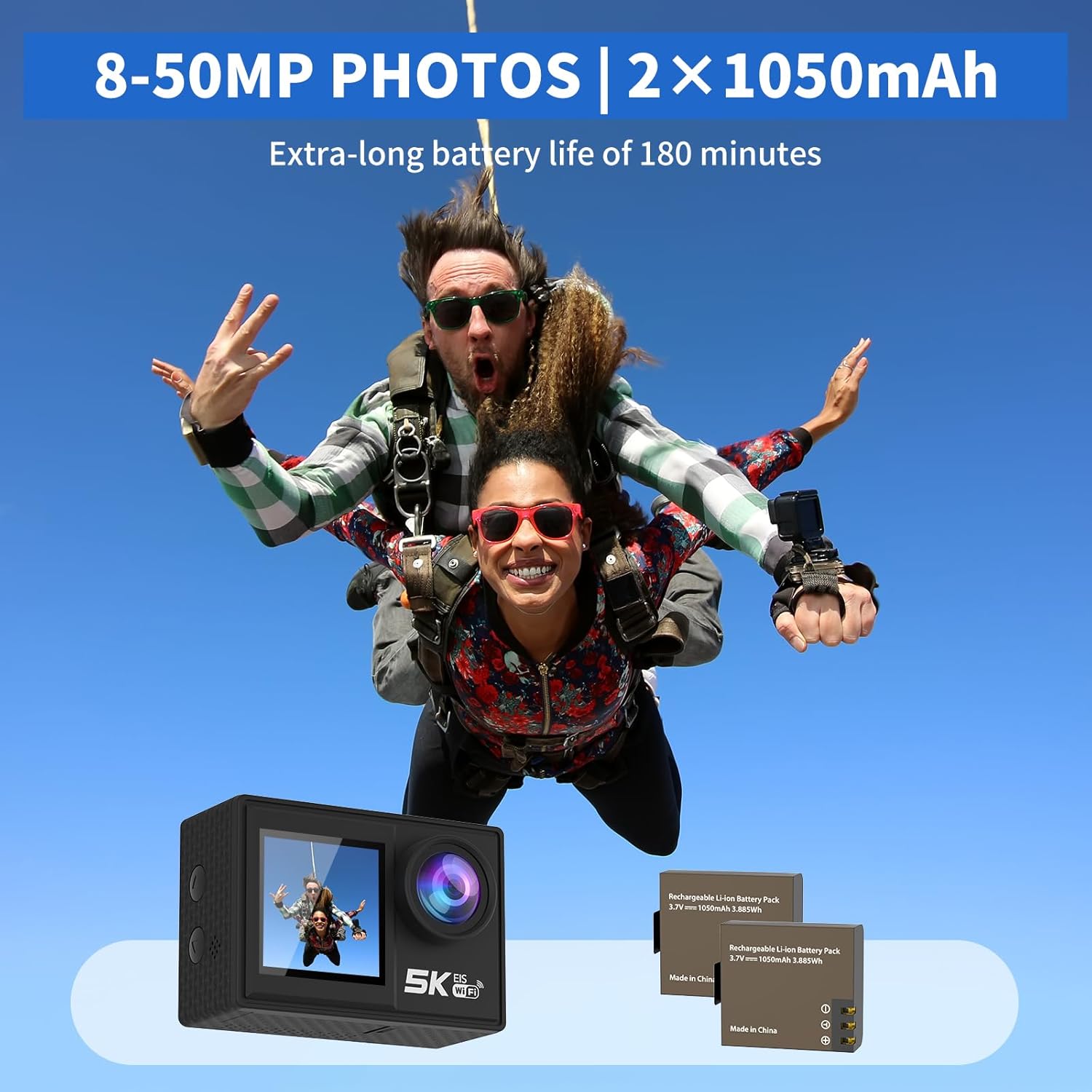
Image: The camera and its two rechargeable batteries.
5.4. Vandeniui atsparaus dėklo naudojimas
The waterproof case allows the camera to be used underwater up to a depth of 140 feet (40 meters). Ensure the camera is dry before placing it inside the case. Close the latch securely and perform a dry test before submerging with the camera inside.
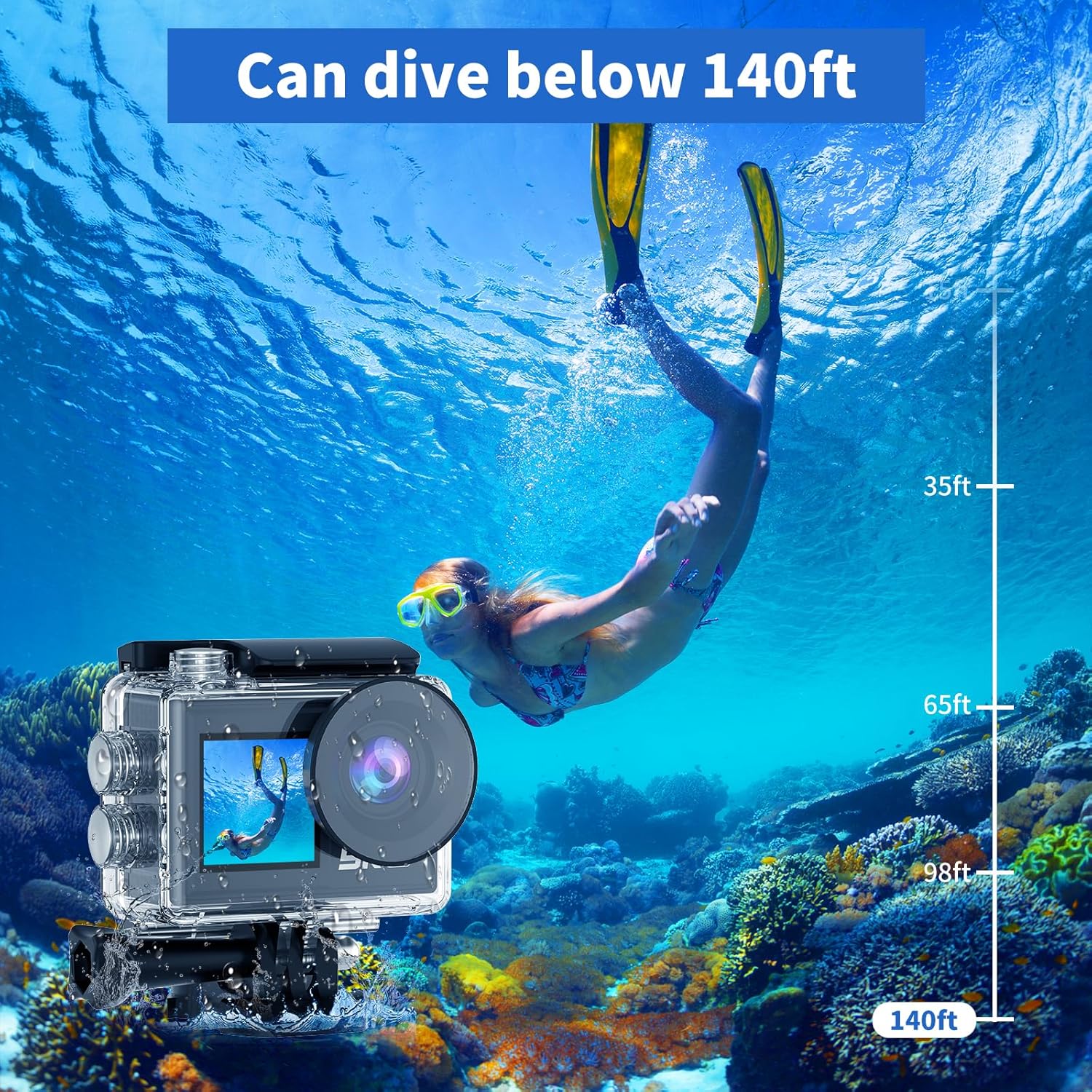
Image: The camera in its waterproof housing, suitable for diving.
6. Fotoaparato valdymas
6.1. Maitinimo įjungimas/išjungimas
- To power on, press and hold the Power/Mode button until the screen lights up.
- To power off, press and hold the Power/Mode button until the screen turns off.
6.2. Režimo pasirinkimas
Pakartotinai spauskite maitinimo / režimo mygtuką, kad perjungtumėte skirtingus režimus: vaizdo įrašymo, nuotraukų fiksavimo, atkūrimo ir nustatymų.
6.3. Vaizdo įrašymas
- In Video Recording mode, press the Shutter/OK button to start recording.
- Norėdami sustabdyti įrašymą, dar kartą paspauskite mygtuką „Užraktas / Gerai“.
- Supported resolutions include 5K/30FPS, 4K/30FPS, 4K/60FPS, 2.7K/30FPS, and 1080P/30FPS.
6.4. Nuotraukų fotografavimas
- In Photo Capture mode, press the Shutter/OK button to take a photo.
- Photo resolutions range from 8MP to 50MP.
6.5. Dual Screen Usage
The camera features both a rear main screen and a front screen. You can switch between screens by pressing a dedicated button (refer to camera diagram for exact button location) or through the settings menu. The front screen is ideal for framing self-portraits or vlogs.
6.6. Reguliavimas View Kampas
Navigate to the settings menu to adjust the camera's view angle. Options include 170°, 140°, 110°, and 70°, allowing you to choose between a wide field of view or a narrower perspective.
6.7. Nuotolinio valdymo pulto naudojimas
The included wireless wrist remote control allows for convenient operation from a distance. Pair the remote with the camera via the settings menu. Once paired, you can start/stop recording or take photos without touching the camera.
6.8. Wi-Fi Connectivity and XDV App
The camera supports Wi-Fi connectivity with a range of up to 10 meters. Download the "XDV" app on your smartphone or tablet. Enable Wi-Fi on the camera and connect your device to the camera's Wi-Fi network. Through the app, you can view gyvas kvailystage, control the camera, and transfer photos/videos wirelessly.

Image: Wireless sharing of content via the XDV app.
6.9. External Microphone Usage
Connect the external microphone to the camera's designated port to enhance audio recording quality, especially in noisy environments. The external microphone helps to eliminate unwanted background noise.
6.10. Specialūs fotografavimo režimai
- Laikas: Captures a series of photos at set intervals and combines them into a video.
- Ciklo įrašymas: Records video continuously, overwriting the oldest footage kai atminties kortelė pilna.
- Lėtas judėjimas: Records video at a higher frame rate to allow for slow-motion playback.
- 5 kartų priartinimas: Digitally zoom in on your subject during recording or photo capture.
- Anti-shake: Activates electronic image stabilization to reduce blur from camera movement.

Image: Demonstration of the camera's anti-shake feature.
7. Priežiūra
7.1. Kameros valymas
- Fotoaparato korpusą ir objektyvą valykite minkštu, nepūkuotu audiniu.
- Įsisenėjusiam purvui šiek tiek pamirkykiteampNuplaukite šluostę vandeniu. Nenaudokite stiprių cheminių medžiagų.
- Ensure the camera is dry before storing or using the waterproof case.
7.2. Akumuliatoriaus priežiūra
- Nenaudojamas baterijas laikykite vėsioje, sausoje vietoje.
- Avoid fully discharging batteries before recharging them.
- Jei akumuliatorius sandėliuojamas ilgesnį laiką, įkraukite jį iki maždaug 50 % talpos.
7.3. Sandėliavimas
When not in use, store the camera in a protective case or bag to prevent scratches and damage. Remove the battery if storing for a long duration.
8. Problemų sprendimas
| Problema | Galima priežastis | Sprendimas |
|---|---|---|
| Kamera neįsijungia. | Baterija išsikrovusi arba netinkamai įdėta. | Įkraukite bateriją arba įdėkite ją teisingai. |
| Nepavyksta įrašyti vaizdo / fotografuoti. | SD card is full, corrupted, or not inserted. | Insert SD card, format it, or delete old files. |
| „Wi-Fi“ ryšio problemos. | Incorrect password, too far from camera, or app issue. | Ensure correct password, stay within 10m range, restart camera/app. |
| Prasta garso kokybė. | External microphone not connected, or high ambient noise. | Ensure external microphone is connected properly. Use in quieter environments if possible. |
| Kamera užstringa arba nereaguoja. | Programinės įrangos gedimas arba senka baterija. | Išimkite ir vėl įdėkite bateriją, kad nustatytumėte iš naujo. Įsitikinkite, kad baterija įkrauta. |
9. Specifikacijos
| Funkcija | Detalė |
|---|---|
| Modelio numeris | AT-M41TR |
| Vaizdo raiška | 5K/30FPS, 4K/30FPS, 4K/60FPS, 2.7K/30FPS, 1080P/30FPS |
| Nuotraukų raiška | 8MP - 50MP |
| Nuotraukų jutiklių technologija | CMOS |
| Ekrano dydis | 2 Inches (Dual Screen) |
| Ryšys | Wi-Fi |
| Atsparus vandeniui gylis | Up to 140ft (40m) with waterproof case |
| Baterijos tipas | Lithium Ion (2 x 1050mAh included) |
| Sandėliavimas | Supports SD card (32GB included) |
| Prekės svoris | 2.82 uncijos |
| Gaminio matmenys | 0.96 x 2.31 x 1.57 colio |
| Maksimalus židinio nuotolis | 16 milimetrų |
| Didžiausia diafragma | 3.5 f |
| Vaizdo įrašymo formatas | MP4 |
| Palaikomas garso formatas | MP4 |
10. Garantija ir palaikymas
Ourlife products are manufactured to high quality standards. For warranty information, technical support, or service inquiries, please refer to the contact information provided on the product packaging or visit the official Ourljei websvetainėje. Prašome išsaugoti pirkimo įrodymą garantiniams reikalavimams.
Dėl papildomos pagalbos taip pat galite kreiptis į Ourl„ife“ parduotuvė „Amazon“ platformoje.


