Įvadas
The Tera Pro 2025 Barcode Scanner (Model 8200_US) is an advanced, industrial-grade scanning device designed for efficient and reliable barcode reading in various environments. This manual provides comprehensive instructions for setting up, operating, maintaining, and troubleshooting your scanner.
Pagrindinės funkcijos:
- Unparalleled and Unique Design Globally: Features patented NFC technology allowing quick switching between up to 10 user settings in 1 second using NFC cards. Five NFC cards are included.
- Battery Level Indicator & 2200mAh Capacity: Equipped with a high-capacity 2200mAh battery and a built-in indicator light for real-time charge updates, ensuring efficient usage and minimizing downtime.
- Industrial Grade Long-Lasting: Built for durability with a sturdy stand, top-tier waterproof (IP66) and dustproof protection, and drop resistance up to 9.84 feet (3 meters), suitable for rugged environments.
- Superior Global CMOS Imaging Scanning: Excels in fast and accurate reading of both ordinary and high-density 1D, 2D, and QR barcodes, including challenging formats like PDF417. Capable of scanning barcodes on silver paper, reflective materials, and even underwater.
- 3-in-1 Connectivity & Support 1D 2D Codes: Offers versatile connectivity options including Bluetooth, 2.4G wireless (via USB dongle), and USB wired. Compatible with Windows 11/10/8/7/XP, Mac OS, iOS, Android, and Linux.
Pakuotės turinys
Atidarę pakuotę, patikrinkite, ar yra visi šie daiktai:
- Tera Pro 2025 Barcode Scanner (Model 8200)
- Skaitytuvo stovas
- USB laidas (C tipo į USB-A)
- 2.4G USB raktas
- NFC Cards (x5)
- Vartotojo vadovas (šis dokumentas)

Sąranka
1. Pradinis įkrovimas
Before first use, fully charge the scanner using the provided USB cable. Connect the USB-C end to the scanner and the USB-A end to a power adapter (not included) or a computer USB port. The battery level indicator will show charging progress.

2. Ryšio parinktys
The Tera Pro 2025 scanner offers three connection modes:
- Bluetooth Connection (Wireless Mode): Ideal for connecting to smartphones, tablets, and Bluetooth-enabled computers.
- 2.4G belaidis ryšys (belaidis režimas): Use the included 2.4G USB dongle for wireless connection to computers. Offers a range of up to 328ft in open spaces and 114ft with obstacles.
- USB laidinis jungtis: Connect directly to a computer via the USB cable for stable, wired operation and charging.

3. Setting Up NFC Cards for User Profiles
The scanner supports saving up to 10 user settings using NFC cards. This allows for quick switching of scanner configurations based on individual user preferences or specific tasks.
- To program an NFC card, scan the configuration barcodes from the full user manual (PDF link available in the Support section) to set desired parameters such as volume, vibration, data format (prefix/suffix), and connection mode.
- Once settings are configured, scan the 'Save Settings to NFC Card' barcode (found in the full manual), then tap an NFC card to the scanner's NFC reader area. The settings will be saved to that card.
- To load settings, simply tap the programmed NFC card to the scanner. The scanner will automatically apply the stored configuration.

Video: This video demonstrates how to set up the Tera 8200 barcode scanner, highlighting the ease and speed of configuration.
Skaitytuvo valdymas
1. Brūkšninių kodų nuskaitymas
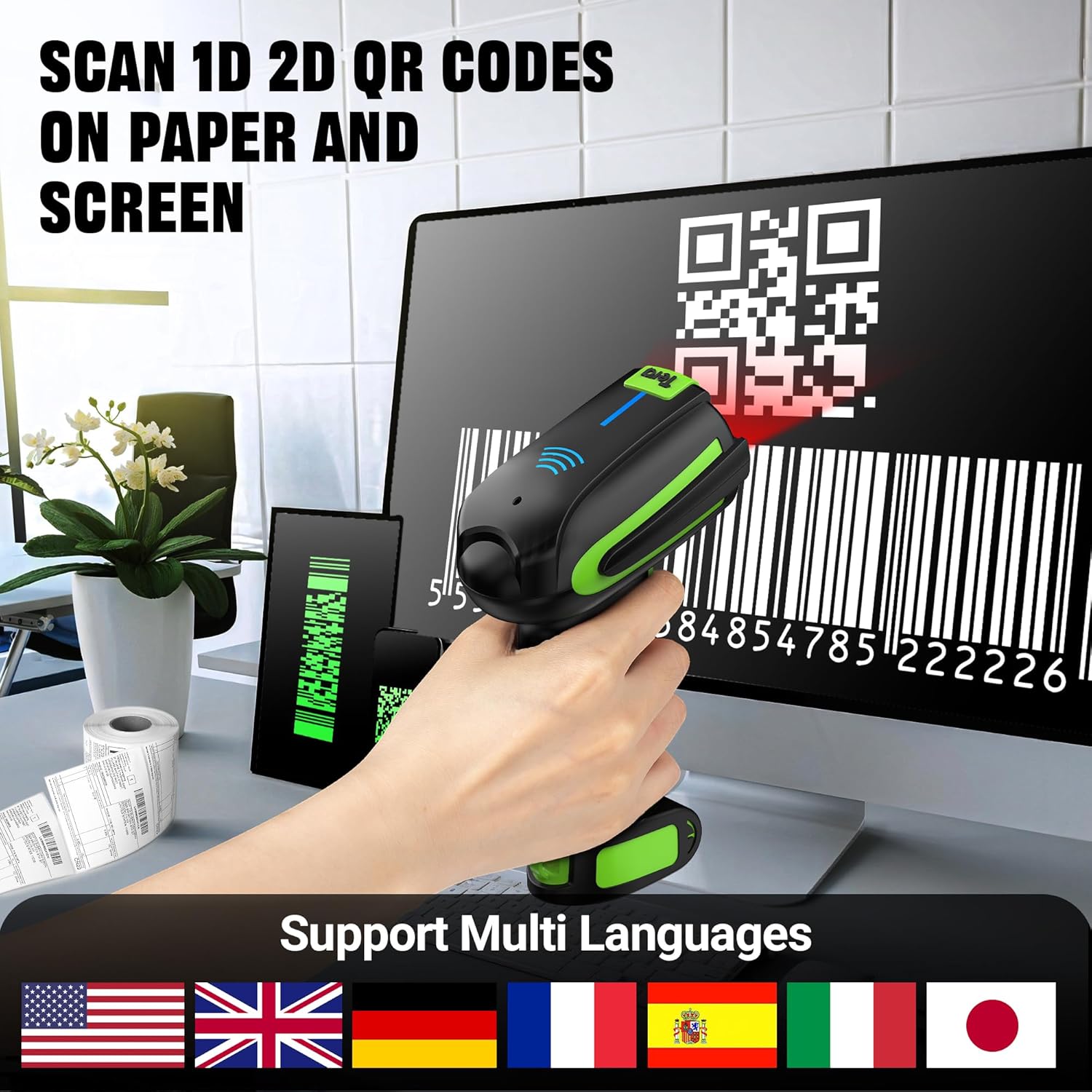
The Tera Pro 2025 can scan both 1D and 2D barcodes, including QR codes, from paper and digital screens. Point the scanner's window at the barcode and press the trigger button. A successful scan will typically be indicated by a beep and/or vibration.

2. Skenavimo režimai
Skaitytuvas palaiko du pagrindinius nuskaitymo režimus:
- Klavišo paleidimo režimas: Press the trigger button for each scan. This mode is suitable for individual item scanning.
- Nepertraukiamo nuskaitymo režimas: When placed on its stand, the scanner can be configured to continuously scan barcodes as they pass through its field of view, ideal for hands-free operation.
3. Data Formatting (Prefix/Suffix)
The scanner can be configured to add prefixes or suffixes to scanned data, or to drop leading/trailing characters. This is useful for integrating scanned data into specific software systems or spreadsheets.

4. Volume and Vibration Settings
Adjust the scanner's feedback settings (volume and vibration) by scanning specific configuration codes. Options typically include turning off, low, medium, and high volume, and enabling or disabling vibration.
Priežiūra
1. Valymas
To maintain optimal performance, regularly clean the scanner's window and exterior. Use a soft, lint-free cloth slightly dampened with water or a mild cleaning solution. Avoid abrasive materials or harsh chemicals that could damage the device.
2. Patvarumas ir apsauga
The Tera Pro 2025 is designed with industrial-grade durability:
- IP66 Grade: Provides excellent protection against dust ingress and powerful water jets.
- 9.84 Feet Drop Resistant: Engineered to withstand drops from up to 9.84 feet (3 meters), ensuring resilience in demanding work environments.

3. Akumuliatoriaus priežiūra
To prolong battery life, avoid fully discharging the scanner frequently. Recharge the battery when the indicator shows low levels. If storing the scanner for an extended period, ensure it is charged to approximately 50% and store in a cool, dry place.
Trikčių šalinimas
This section addresses common issues you might encounter with your Tera Pro 2025 Barcode Scanner. For more detailed troubleshooting steps, please refer to the comprehensive user manual PDF linked in the Support section.
| Problema | Galima priežastis | Sprendimas |
|---|---|---|
| Skaitytuvas neprisijungia per „Bluetooth“ / 2.4G. | Out of range, low battery, incorrect pairing mode, interference. | Ensure scanner is charged and within range. Re-enter pairing mode. Check for other wireless devices causing interference. |
| Nepavyksta nuskaityti tam tikrų brūkšninių kodų. | Barcode damaged, poor lighting, unsupported barcode type, scanner settings. | Ensure barcode is clear and well-lit. Verify the barcode type is supported. Reset scanner to factory defaults or adjust settings as per manual. |
| No beep/vibration on successful scan. | Volume/vibration settings turned off. | Scan the appropriate configuration barcodes from the manual to enable volume and/or vibration feedback. |
| NFC card not changing settings. | Card not programmed, incorrect tapping area, scanner not in NFC mode. | Ensure the NFC card is correctly programmed. Tap the card directly to the NFC sensing area on the scanner. Refer to the manual for NFC programming steps. |
Specifikacijos
| Funkcija | Detalė |
|---|---|
| Modelio numeris | 8200_US |
| Prekės ženklas | Tera |
| Ryšio technologija | 2.4G belaidis ryšys, Bluetooth, USB laidas |
| Maitinimo šaltinis | Maitinamas baterija (2200 mAh) |
| Suderinami įrenginiai | Kompiuteris, išmanusis telefonas, planšetė |
| Prekės svoris | 2 svaro (apie 0.91 kg) |
| Pakuotės matmenys | 9.17 x 5.43 x 3.9 colio (apytiksliai 23.3 x 13.8 x 9.9 cm) |
| Atsparumas kritimui | Iki 9.84 pėdų (3 metrų) |
| Apsauga nuo vandens / dulkių | IP66 Grade |
| Palaikomi brūkšniniai kodai | 1D (UPC, Code 128, GS1, Codabar, ITF-14, etc.), 2D (QR, Data Matrix, PDF417, Aztec, etc.) |
Garantija ir palaikymas
For detailed warranty information and customer support, please refer to the official Tera website or contact your point of purchase. Additional resources are available:
- Visas naudotojo vadovas (PDF): For comprehensive instructions and advanced configurations, download the complete user manual from the official Tera websvetainėje arba per šią tiesioginę nuorodą: Tera 8200 User Manual PDF
- Apsaugos planai: Gali būti galima įsigyti išplėstinius apsaugos planus. Dėl tokių variantų kaip 3 metų arba 4 metų apsaugos planai kreipkitės į savo pardavėją.
- Tera Brand Store: Explore other Tera products and accessories by visiting the official Tera store: Tera Store on Amazon


