Produktas baigtasview
The AERMOTOR V410 OBD2 Car Scanner is a versatile diagnostic tool designed to help vehicle owners identify and resolve issues related to their vehicle's engine and emissions systems. It provides essential information such as fault codes, live data, and vehicle information, empowering users to perform basic diagnostics without professional assistance.
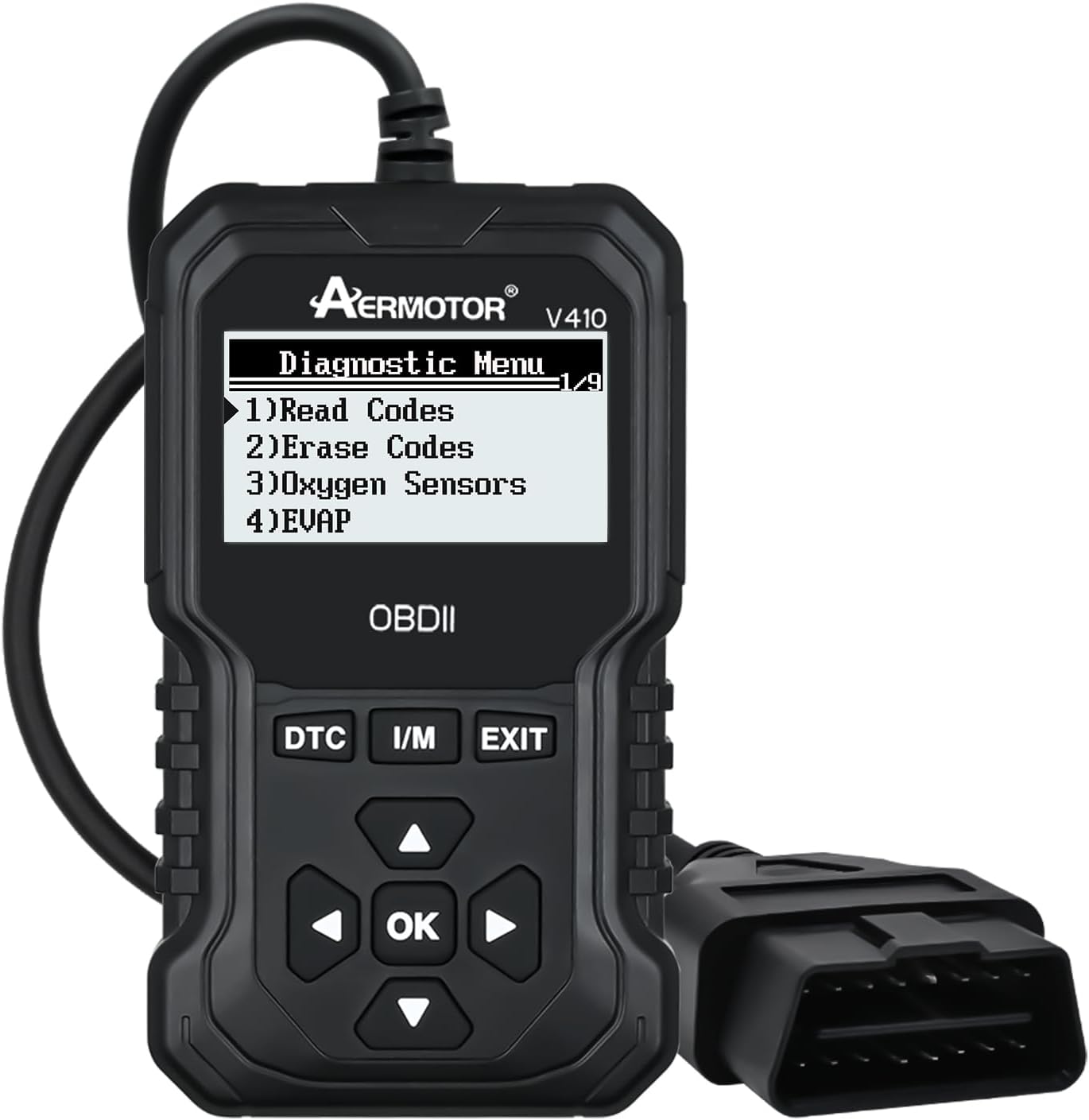
Figure 1: AERMOTOR V410 OBD2 Car Scanner
Kas yra dėžutėje
Upon unboxing your AERMOTOR V410, ensure all components are present:
- OBD2 skaitytuvas
- Vartotojo vadovas
Sąranka
To begin using your AERMOTOR V410, follow these simple setup steps:
- Raskite OBDII prievadą: The OBDII port is typically located under the dashboard on the driver's side of your vehicle. Refer to your vehicle's owner's manual if you have difficulty locating it.
- Prijunkite skaitytuvą: Plug the V410 scanner's OBDII connector firmly into your vehicle's OBDII port. The scanner will power on automatically.
- Įjunkite automobilio degimą: Turn your vehicle's ignition to the 'ON' position (do not start the engine unless performing live data streaming). This provides power to the OBDII system and allows the scanner to communicate with the vehicle's computer.

Figure 2: Typical OBDII Port Location (Driver's Side)
For a visual guide on connecting the scanner and navigating the initial menu, please refer to the video below:
Video 1: Connecting the AERMOTOR V410 OBDII Scanner and Basic Menu Navigation. This video demonstrates the physical connection of the scanner to the vehicle's OBDII port and shows the initial menu display and navigation through diagnostic options.
Naudojimo instrukcijos
The AERMOTOR V410 features a user-friendly interface with clear icons and navigation buttons. Use the directional arrows and 'OK' button to select options and confirm actions.

3 pav. Baigtaview of V410 Scanner Capabilities
Diagnostinės funkcijos
The V410 offers a range of diagnostic capabilities:
Read & Erase Codes
Quickly read Diagnostic Trouble Codes (DTCs) that illuminate the Check Engine Light (CEL). Once the underlying issue is resolved, you can erase the codes to turn off the CEL.

Figure 4: Check Engine Light Status Before and After Code Clearing
DTC paieška
The built-in DTC lookup library provides detailed definitions for generic and manufacturer-specific codes, helping you understand the nature of the fault.
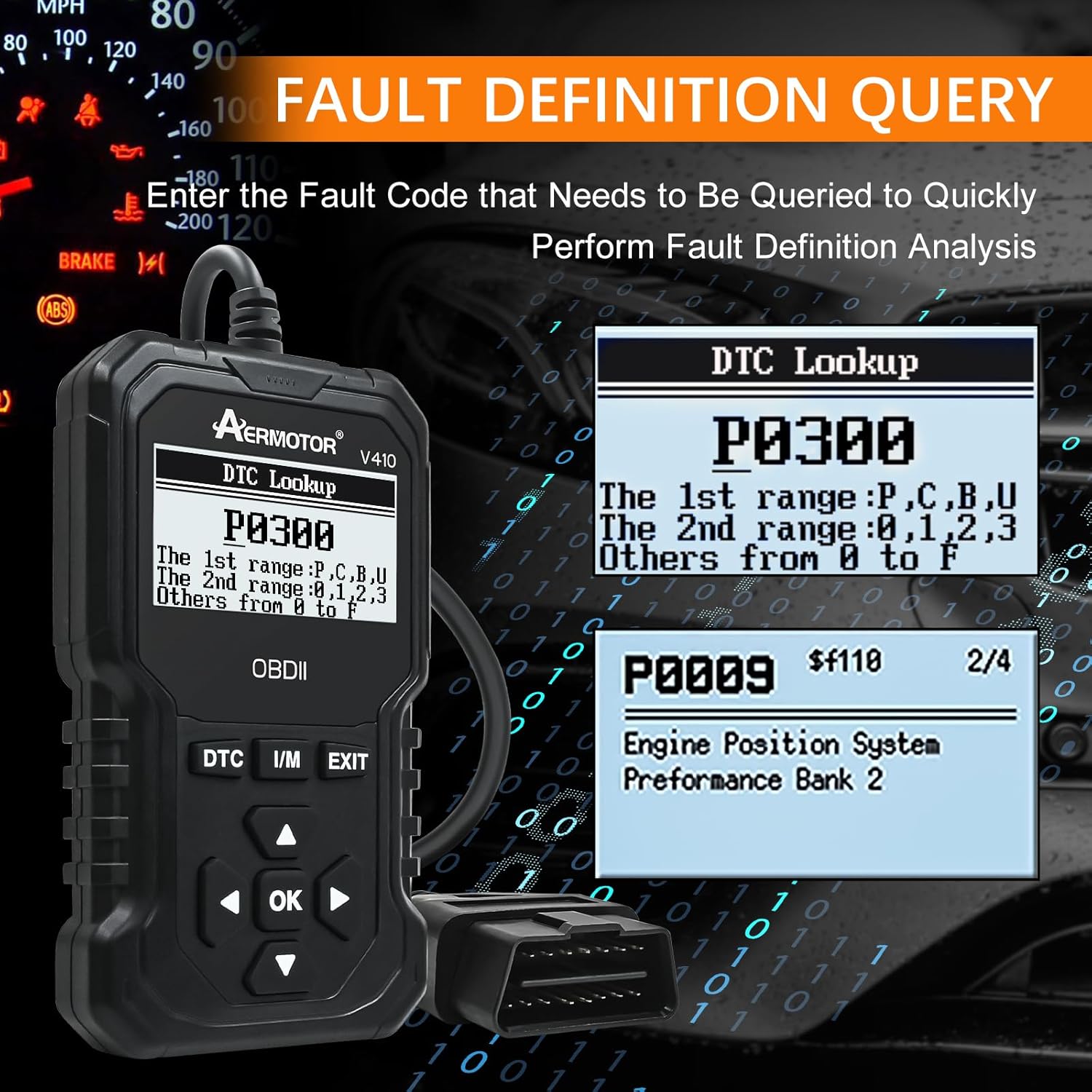
Figure 5: Fault Definition Query Interface
I/M pasirengimas
Check the readiness status of various emission-related monitors to ensure your vehicle is ready for an emissions test.

Figure 6: One-Click I/M Readiness Test Display
Real-Time Data & Graphing
Monitor live sensor data from your vehicle's engine control unit (ECU) in real-time. This includes parameters like engine RPM, vehicle speed, oxygen sensor readings, and more. The graphing feature allows for visual analysis of data trends.

Figure 7: Real-Time Data Stream Display
The V410 also provides battery voltage readings, crucial for assessing your vehicle's battery health.
Suderinamumas
The AERMOTOR V410 car code reader is compatible with almost all 12V diesel and gasoline cars that support OBD2 protocols after 1996. It supports 9 OBDII/EOBD standard protocols:
- SAE J1850 PWM (41.6 kt)
- „SAE J1850 VPW“ (10.4 KB)
- ISO9141-2 (5 bodų init, 10.4 Kbaud)
- ISO14230-4 KWP (5 bodų init, 10.4 Kbaud)
- ISO14230-4 KWP (greitasis įvedimas, 10.4 Kbaud)
- ISO15765-4 CAN (11 bitų ID, 500 Kbaud)
- ISO15765-4 CAN (29 bitų ID, 500 Kbaud)
- ISO15765-4 CAN (11 bitų ID, 250 Kbaud)
- ISO15765-4 CAN (29 bitų ID, 250 Kbaud)
Figure 8: V410 Compatibility with OBDII Cars After 1996
Trikčių šalinimas
Fault Codes Cannot Be Cleared: If fault codes cannot be cleared, it indicates an underlying hardware problem with the vehicle. Codes can only be cleared after the hardware issue has been repaired.
No Power to Scanner: Ensure the OBDII connector is firmly seated in the vehicle's port. Verify the vehicle's ignition is in the 'ON' position. Check your vehicle's fuse box for any blown fuses related to the OBDII port.
Susiejimo klaida: If the scanner fails to link to the vehicle, ensure your vehicle is OBDII compliant and manufactured after 1996. Try connecting the scanner to a different OBDII compliant vehicle to rule out a scanner issue.
Specifikacijos
| Funkcija | Detalė |
|---|---|
| Prekės ženklas | AERMOTORIAUS |
| Modelis | V410 |
| Gaminio matmenys | 3.5 colio ilgio x 0.94 colių pločio x 5.98 colio aukščio |
| Prekės svoris | 9.6 uncijos |
| Ekrano raiška | 128x64 |
| Operacinė sistema | Integruota sistema |
| Tinkamo automobilio tipas | Universalus tinka |

Figure 9: AERMOTOR V410 Product Dimensions
Garantija ir palaikymas
For warranty information or technical support, please refer to the official AERMOTOR website or contact their customer service directly. Your satisfaction is important, and assistance is available for any questions regarding your product.
An electronic version of this user manual is also available for download: Vartotojo vadovas (PDF)