Įvadas
Ačiū, kad pirkoteasing the LINQ 8in1 PRO USB-C Multiport Hub 140W. This manual provides detailed instructions for setting up, operating, and maintaining your device. Please read this manual thoroughly before use to ensure optimal performance and longevity of your product.
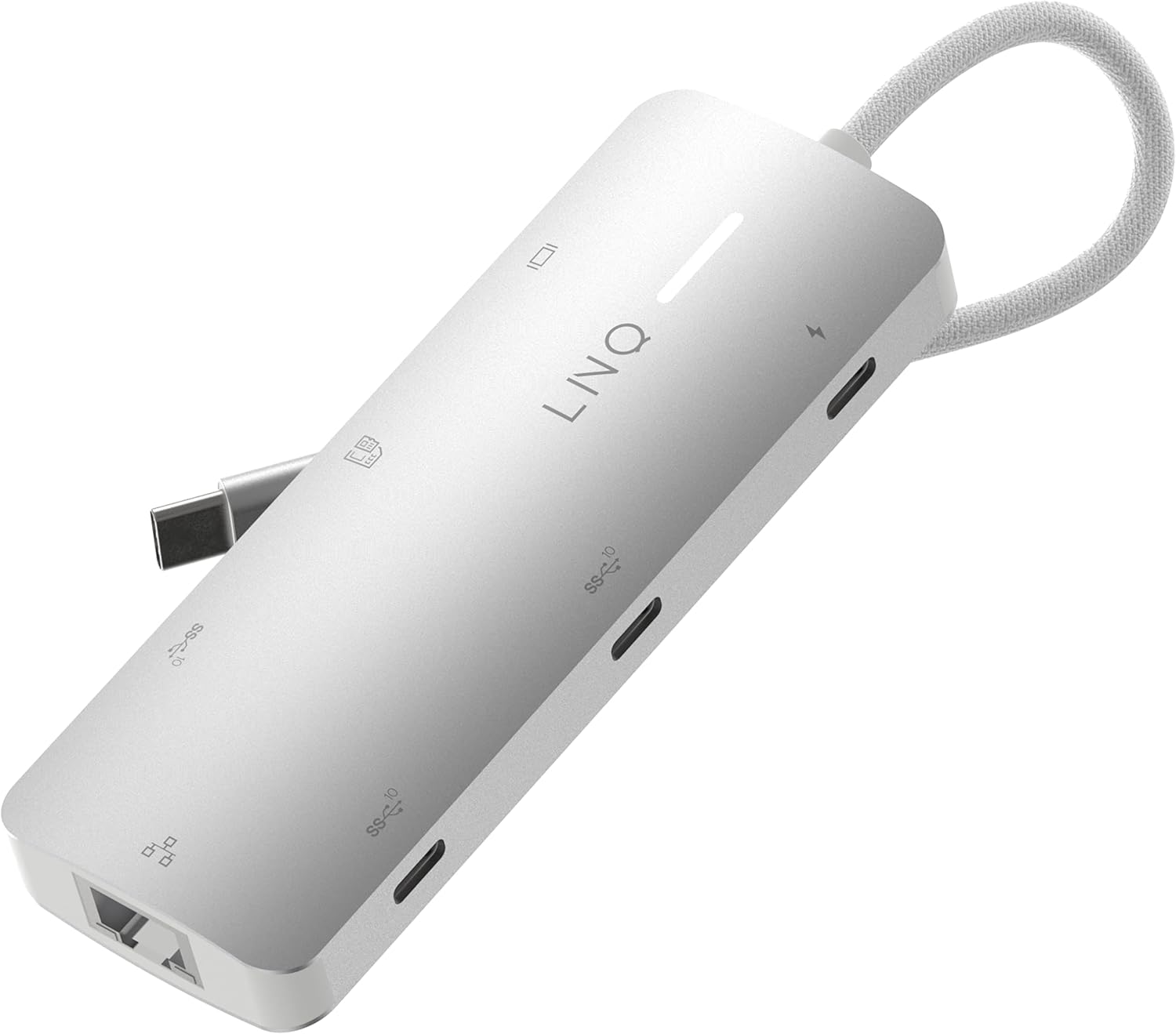
Image: The LINQ 8in1 PRO USB-C Multiport Hub 140W, a compact gray device with a braided USB-C cable, showcasindėl savo elegantiško dizaino ir kelių prievadų.
Pagrindinės savybės
- Expands one USB-C port into eight versatile connections.
- HDMI 2.0 išvestis: Supports up to 4K resolution at 60Hz with HDR for high-quality video output.
- USB-C PD3.1 Charging: Delivers up to 140W Power Delivery, ensuring fast charging for connected devices. (Note: The hub requires 15W for its own operation).
- USB-A Data Port: One USB-A port with 10Gbps data transfer speed (USB 3.2 Gen 2).
- USB-C Data Ports: Two USB-C ports, each offering 10Gbps data transfer speed (USB 3.2 Gen 2).
- Multi-Gigabit Ethernet: Provides a stable wired internet connection up to 2500Mbps (2.5Gbps).
- TF/Micro SD Card Reader: Integrated slot for reading TF/Micro SD memory cards.
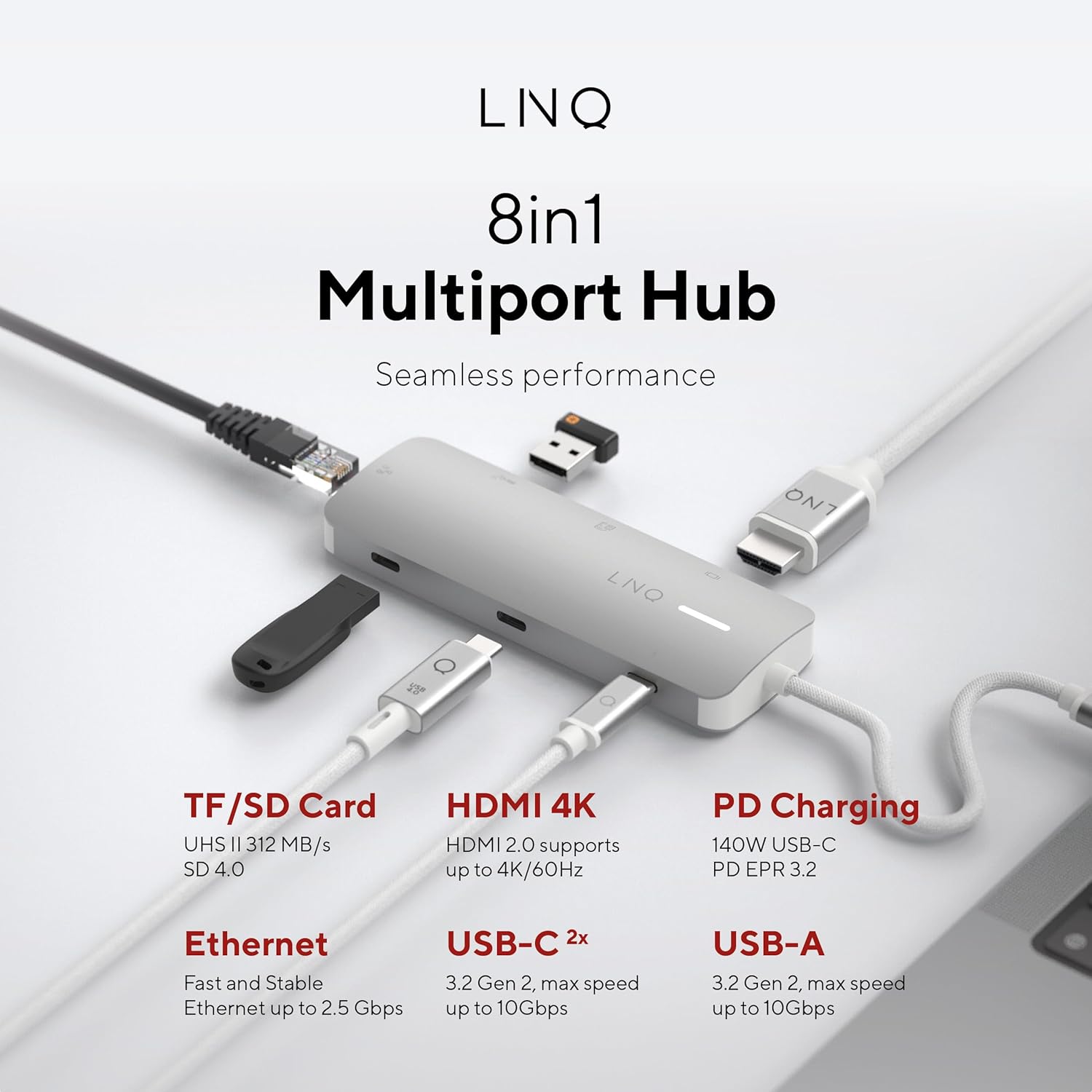
Paveikslėlis: Viršutinė dalis view of the LINQ 8in1 PRO USB-C Multiport Hub, illustrating its various ports including TF/SD Card, HDMI 4K, PD Charging, Ethernet, USB-C (2x), and USB-A, with their respective functionalities.
Sąrankos vadovas
Follow these steps to set up your LINQ 8in1 PRO USB-C Multiport Hub:
- Prijungti prie pagrindinio įrenginio: Prijunkite šakotuvo integruotą USB-C laidą prie laisvo nešiojamojo kompiuterio, planšetinio kompiuterio ar išmaniojo telefono USB-C prievado. Įsitikinkite, kad pagrindinio įrenginio USB-C prievadas palaiko vaizdo išvestį („DisplayPort Alternate Mode“) ir maitinimo tiekimą, kad veiktų visos funkcijos.
- Maitinimo jungtis (nebūtina, bet rekomenduojama): For optimal performance and to charge your host device, connect a USB-C Power Delivery charger (up to 140W) to the USB-C PD3.1 port on the hub.
- Prijunkite išorinius įrenginius:
- HDMI ekranas: Connect an HDMI cable from the hub's HDMI 2.0 port to your monitor or TV.
- Ethernet: Connect an Ethernet cable from your router or modem to the hub's Multi-Gigabit Ethernet port.
- USB įrenginiai: Plug in your USB-A and USB-C peripherals (e.g., external hard drives, keyboards, mice, flash drives) into the corresponding data ports.
- Atminties kortelės: Insert your TF/Micro SD card into the card reader slot.
- Tvarkyklės diegimas: The hub is typically plug-and-play and does not require specific drivers for most operating systems (Windows, macOS, Chrome OS, Linux). If you encounter issues, ensure your operating system is up to date.

Image: The LINQ 8in1 PRO USB-C Multiport Hub with various cables connected, demonstrating its ability to expand connectivity for a laptop, including an HDMI display, Ethernet, and USB devices.
Naudojimo instrukcijos
Once connected, the LINQ 8in1 PRO USB-C Multiport Hub operates automatically. Here are specific instructions for using its various functions:
Vaizdo išvestis (HDMI)
Connect an HDMI cable from the hub to your external display. Your operating system should automatically detect the new display. You can configure display settings (e.g., extend, duplicate, resolution) through your computer's display settings.

Image: A close-up of a computer monitor displaying a vibrant image, illustrating the high-quality video output achieved via the hub's HDMI connection.
Data Transfer (USB-A, USB-C, SD/TF Card)
Simply plug your USB devices or memory cards into the respective ports. They will appear as removable storage or connected peripherals on your host device. For optimal data transfer speeds, ensure your devices and cables support USB 3.2 Gen 2 (10Gbps) and SD 4.0 (UHS-II).
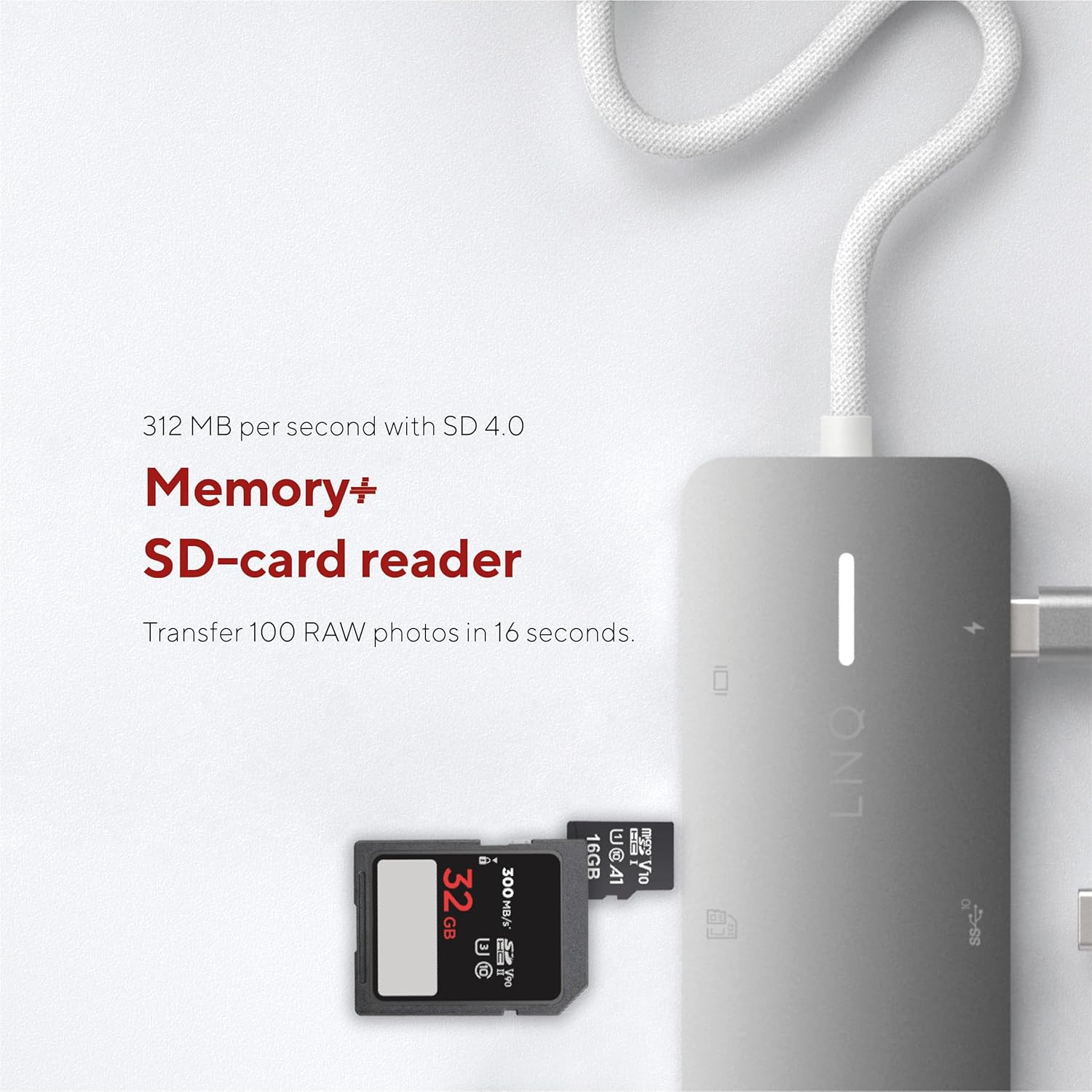
Image: A close-up of an SD card being inserted into the hub's card reader slot, highlighting its memory expansion capability.
Network Connection (Ethernet)
Connect an Ethernet cable to the hub's Ethernet port. Your host device will automatically detect the wired network connection. This provides a stable and fast internet connection, ideal for large file pervedimai ar internetiniai žaidimai.

Image: An Ethernet cable plugged into the hub's Ethernet port, demonstrating its network connectivity feature.
Power Delivery (USB-C PD)
When a compatible USB-C PD charger is connected to the hub's PD port, it will pass power through to your host device and other connected peripherals. This allows you to charge your laptop while using the hub's other functions.
Priežiūra
- Valymas: Stebulės paviršių valykite minkštu, sausu skudurėliu. Nenaudokite skystų valiklių ar aerozolių.
- Saugykla: Laikykite stebulę vėsioje, sausoje vietoje, apsaugotoje nuo tiesioginių saulės spindulių ir ekstremalių temperatūrų.
- Tvarkymas: Saugokite stebulę nuo kritimo ir stiprių smūgių. Nebandykite ardyti įrenginio.
- Kabelio priežiūra: Do not bend or crimp the integrated USB-C cable excessively.
Trikčių šalinimas
| Problema | Galima priežastis | Sprendimas |
|---|---|---|
| Nėra vaizdo išvesties per HDMI. |
|
|
| USB įrenginiai neatpažinti. |
|
|
| Slow Ethernet speed or no connection. |
|
|
| Pagrindinis įrenginys neįkraunamas. |
|
|
Specifikacijos
| Funkcija | Detalė |
|---|---|
| Modelio numeris | LQ49081 |
| Matmenys (IxPxH) | 4.41 x 1.69 x 0.63 colio |
| Svoris | 2.43 uncijos |
| Spalva | Pilka |
| HDMI išvestis | 1x HDMI 2.0 (up to 4K@60Hz, HDR support) |
| USB-C PD prievadas | 1x USB-C PD3.1 (up to 140W charging input, 15W reserved for hub) |
| USB-A duomenų prievadas | 1x USB-A (10Gbps, USB 3.2 Gen 2) |
| USB-C duomenų prievadai | 2x USB-C (10Gbps, USB 3.2 Gen 2) |
| Ethernet prievadas | 1x Multi-Gigabit Ethernet (up to 2.5Gbps) |
| Kortelių skaitytuvas | 1x TF/Micro SD (UHS-II, SD 4.0 compatible) |
| Suderinami įrenginiai | Universal (USB-C enabled devices with DisplayPort Alt Mode and Power Delivery support) |
Informacija apie garantiją
LINQ products typically come with a limited manufacturer's warranty. Please refer to the warranty card included with your product or visit the official LINQ webIšsamias garantijos sąlygas ir nuostatas rasite svetainėje. Išsaugokite pirkimo kvitą kaip pirkimo įrodymą garantijos pretenzijoms.
Pagalba klientams
For technical assistance, troubleshooting, or general inquiries regarding your LINQ 8in1 PRO USB-C Multiport Hub 140W, please contact LINQ customer support through their official websvetainėje arba kontaktinę informaciją, pateiktą jūsų produkto pakuotėje.
Websvetainė: www.linqbyelements.dk (Atkreipkite dėmesį: tai yra vietos rezervavimo ženklas URL, refer to actual product documentation for correct support contact.)


