1. Įvadas
This manual provides comprehensive instructions for the installation, operation, and maintenance of your Xigmatek FENIX 240 ARCTIC AIO ARGB CPU Liquid Cooler. Please read this manual thoroughly before installation to ensure proper setup and optimal performance.
Pakuotės turinys:
- 240 mm radiatorius
- Pump/CPU Block
- Two High-Performance ARGB Fans
- CPU Socket Mounting Kit (for Intel LGA 1700/1200/115X and AMD AM5/AM4)
- Terminė pasta
- MINI ARGB Controller
- Vamzdžių spaustukai
2. Saugos informacija
Montuodami ir eksploatuodami laikykitės šių saugos priemonių:
- Prieš diegdami įsitikinkite, kad jūsų sistema išjungta ir atjungta nuo elektros tinklo.
- Su komponentais elkitės atsargiai, kad nepažeistumėte.
- Do not open the pump or radiator; it contains liquid coolant.
- Laikyti vaikams nepasiekiamoje vietoje.
- Refer to your motherboard manual for specific fan and ARGB header locations.
3. Sąranka ir diegimas
Follow these steps to install your Xigmatek FENIX 240 ARCTIC AIO Liquid Cooler.
3.1 Radiatoriaus ir ventiliatorių paruošimas
Attach the two 120mm ARGB fans to the 240mm radiator using the provided screws. Ensure the fan airflow direction is appropriate for your case (typically exhausting air out of the case or drawing cool air in).
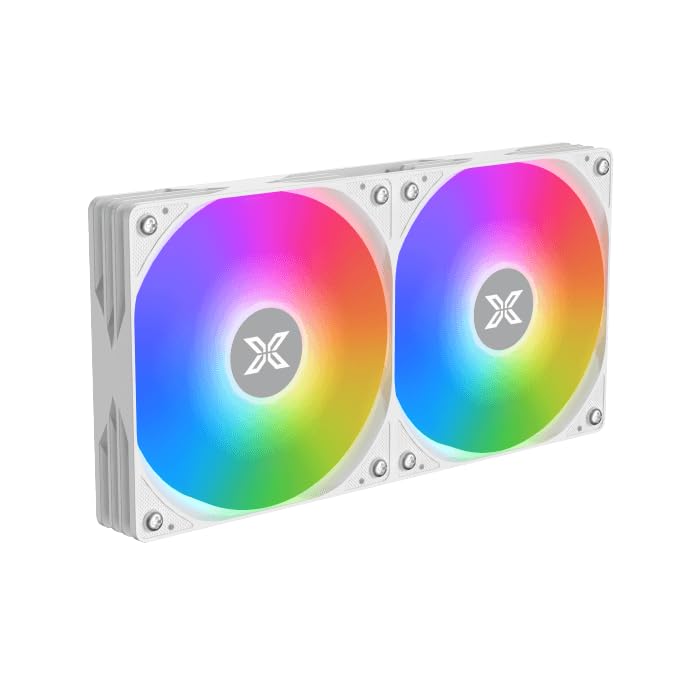
Image: Two ARGB fans are shown mounted on the white radiator, ready for installation.
3.2 Install the CPU Mounting Bracket
Select the appropriate mounting bracket for your CPU socket (Intel LGA 1700/1200/115X or AMD AM5/AM4). Follow the instructions in the mounting kit for your specific socket type to secure the backplate and standoffs to your motherboard.
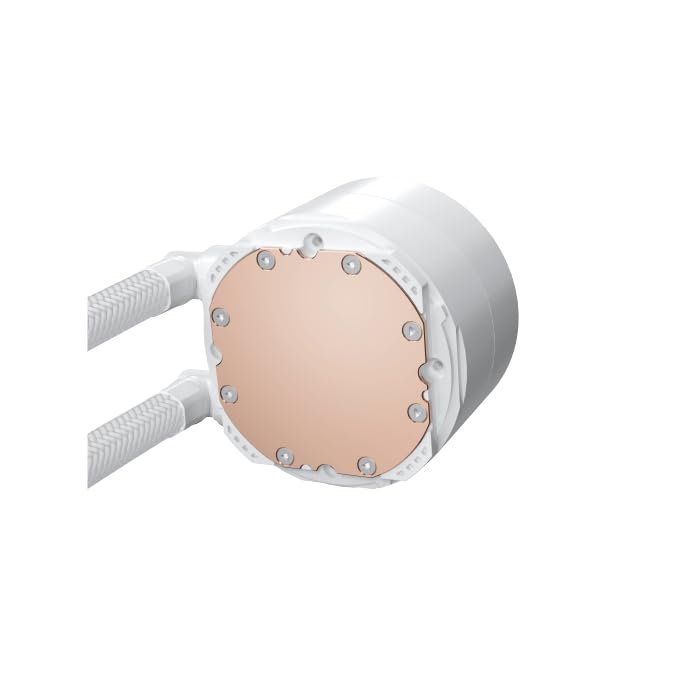
Image: The copper cold plate of the CPU pump block is visible, which makes direct contact with the CPU.
3.3 Užtepkite terminę pastą
Clean the CPU surface thoroughly. Apply a small amount of the included thermal paste to the center of your CPU's integrated heat spreader (IHS). A pea-sized dot is generally sufficient.
3.4 Mount the Pump/CPU Block
Carefully place the pump/CPU block onto the CPU, aligning it with the standoffs. Secure it with the provided thumb screws, tightening them in a cross pattern until snug. Avoid overtightening.

Image: The complete Xigmatek FENIX 240 ARCTIC AIO Liquid Cooler, showcasing the radiator, fans, and pump with ARGB lighting.
3.5 Install the Radiator
Mount the radiator and fan assembly into an available 240mm fan mount location in your PC case. Common locations include the top or front of the case. Use the appropriate screws to secure it.
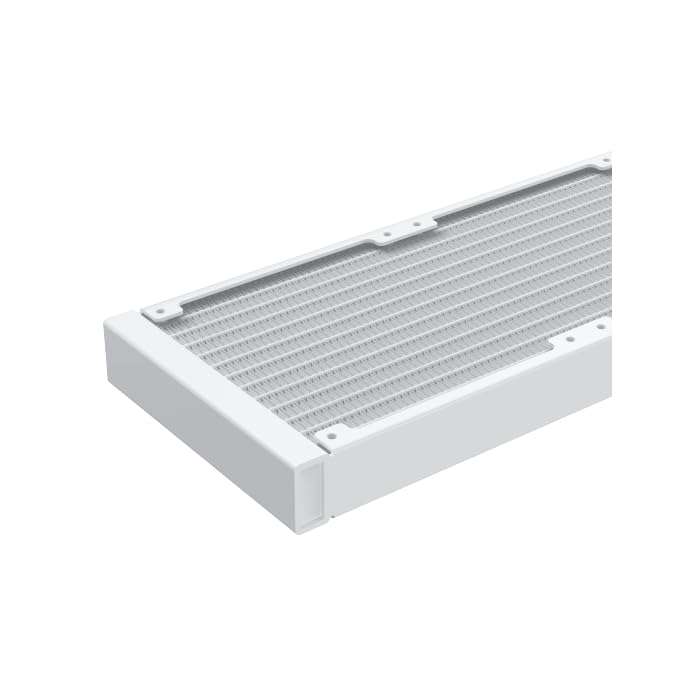
Vaizdas: Stambus planas view of the radiator fins, highlighting the high-density aluminum construction for efficient heat dissipation.
3.6 Prijunkite kabelius
- Prijunkite siurblio 3 kontaktų arba 4 kontaktų maitinimo laidą prie specialios AIO_PUMP arba CPU_FAN jungties pagrindinėje plokštėje.
- Connect the fan power cables to available fan headers on your motherboard or to the included MINI ARGB Controller.
- Connect the ARGB cables from the fans and pump to the MINI ARGB Controller. Then, connect the controller to a 5V 3-pin ARGB header on your motherboard for software control, or use the controller's built-in modes.
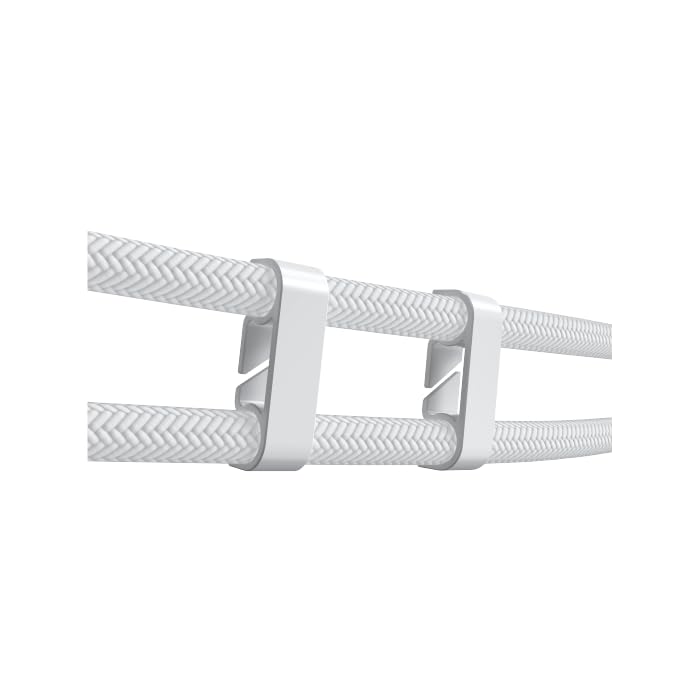
Image: Tube clips are shown securing the braided liquid cooler tubing, helping with cable management and preventing kinks.
4. Naudojimo instrukcijos
Once installed, power on your system. The Xigmatek FENIX 240 ARCTIC AIO will begin cooling your CPU automatically. The pump and fans will adjust their speed based on CPU temperature, as controlled by your motherboard's BIOS settings or fan control software.
ARGB apšvietimo valdymas:
The integrated ARGB lighting can be controlled via the included MINI ARGB Controller or through compatible motherboard software (e.g., ASUS Aura Sync, MSI Mystic Light Sync, Gigabyte RGB Fusion, ASRock Polychrome Sync). Connect the controller to your motherboard's 5V 3-pin ARGB header to synchronize lighting effects.
5. Priežiūra
Regular maintenance ensures optimal performance and longevity of your liquid cooler.
- Dulkių valymas: Reguliariai valykite dulkes nuo radiatoriaus briaunų ir ventiliatoriaus menčių suslėgtu oru. Valymo metu įsitikinkite, kad ventiliatoriai nesisuka.
- Vamzdžių patikra: Check the tubing for any signs of kinks, leaks, or damage.
- Siurblio triukšmas: Monitor the pump for unusual noises, which could indicate an issue.
6. Problemų sprendimas
Jei kyla problemų, žr. toliau pateiktas dažniausiai pasitaikančias problemas ir sprendimus:
- Aukšta procesoriaus temperatūra:
- Ensure the pump is running and connected to the correct header.
- Verify fans are spinning and correctly oriented.
- Check if the CPU block is securely mounted and thermal paste is properly applied.
- Nėra ARGB apšvietimo:
- Confirm all ARGB cables are securely connected to the controller and motherboard (5V 3-pin header).
- Check motherboard software settings for ARGB control.
- Ensure the MINI ARGB Controller is powered.
- Neįprastas siurblio triukšmas:
- Ensure there are no air bubbles trapped in the pump. Gently tilt your PC case to help dislodge any air.
- Verify the pump is running at an appropriate speed (check BIOS settings).
7. Specifikacijos
| Funkcija | Specifikacija |
|---|---|
| Modelio numeris | EN42980 |
| Radiatoriaus dydis | 240 mm |
| Radiatoriaus medžiaga | Aliuminis |
| Aušinimo būdas | Vanduo |
| Ventiliatoriaus greitis | Iki 1800 XNUMX RPM |
| Oro srauto talpa | 82.8 kubinių colių per minutę |
| Triukšmo lygis | 29.8 decibelų |
| ttage | 12 volto (DC) |
| Vattage | 280 vatų |
| Suderinami lizdai | Intel LGA 1700/1200/115X, AMD AM5/AM4 |
| Gaminio matmenys | 12.91 x 8.11 x 5.71 colio |
| Svoris | 3.62 svaro |
8. Garantija ir palaikymas
Xigmatek products are manufactured to high-quality standards. For warranty information and technical support, please refer to the official Xigmatek websvetainėje arba susisiekite su vietiniu platintoju. Išsaugokite pirkimo įrodymą, jei prireiktų pateikti garantinį prašymą.
Dėl papildomos pagalbos apsilankykite: www.xigmatek.com


