1. Įvadas
This manual provides comprehensive instructions for the operation and maintenance of your EBTOOLS Body Camera, Model EBTOOLSs1gq2a4o5t-12. This portable, body-mounted camcorder is designed for various recording needs, including law enforcement, security, and outdoor activities, offering 1080P HD video recording, night vision capabilities, and a wide-angle lens.
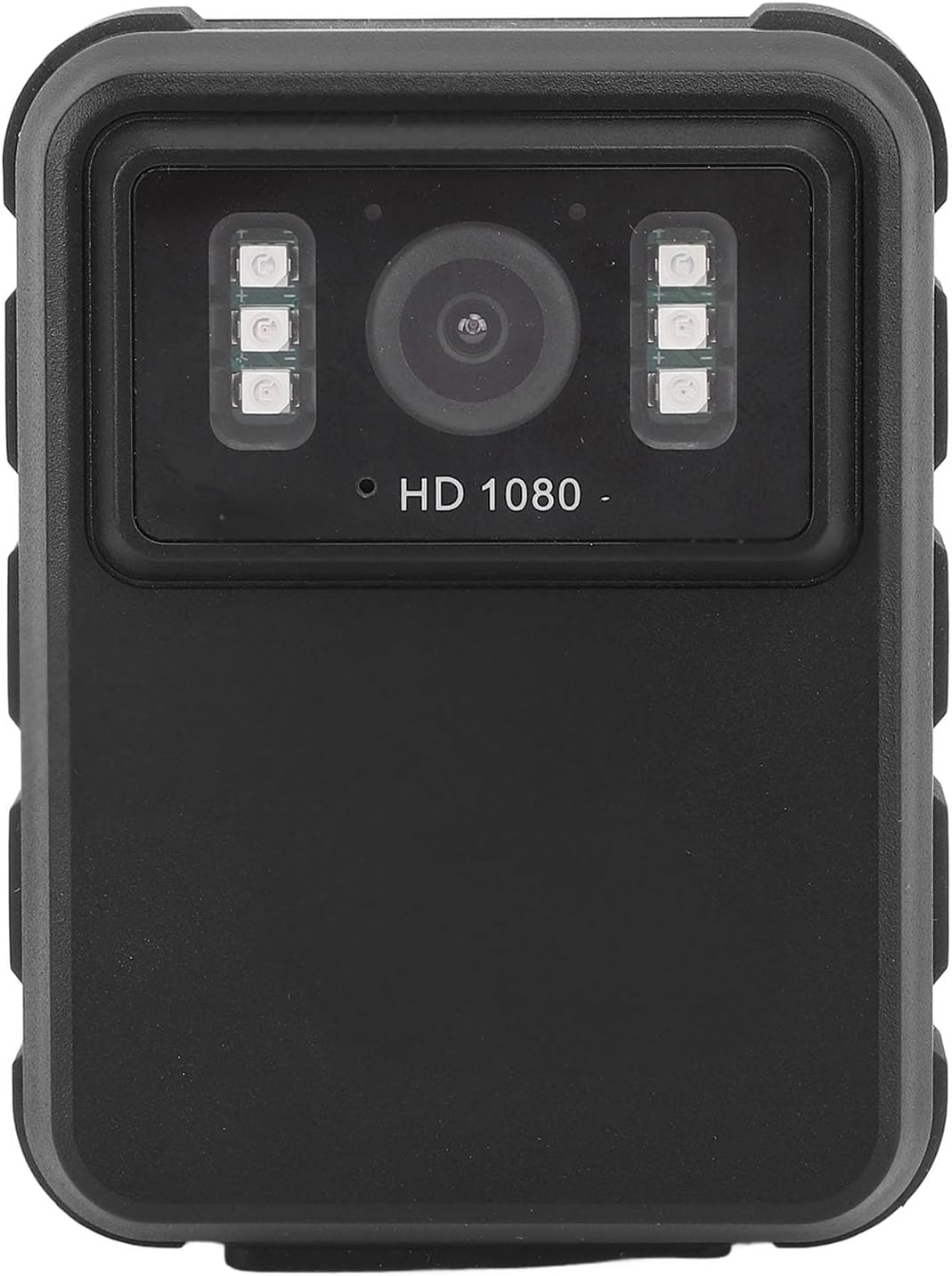
1 paveikslas: Priekyje view of the EBTOOLS Body Camera, showing the lens and infrared LEDs.
2. Produktas baigtasview
2.1 Pagrindinės savybės
- 1080P HD Video Recording: Captures high-definition video for clear footage.
- Naktinis matymas: Equipped with 6 infrared LEDs for clear recording up to 33 feet in low-light or dark conditions, with manual and automatic activation modes.
- 130° plataus kampo objektyvas: Provides a broader field of view to capture more of the surroundings.
- Ciklo įrašymas: Automatiškai perrašo seniausią „foo“tagkai saugykla pilna, užtikrinant nepertraukiamą įrašymą.
- 2.0 colių IPS ekranas: Allows for immediate video playback and photo viewing directly on the device.
- Įvairios montavimo parinktys: Can be clipped to clothing, mounted on a motorcycle, or used as a dash cam.
- Ilgas baterijos veikimo laikas: Built-in 1800mAh lithium battery supports approximately 8 hours of continuous recording.

2 paveikslas: Illustration of the 130° wide-angle lens and the 2.0-inch IPS display for clear viewing.

3 paveikslas: The camera's built-in infrared lights for night vision and its robust design suitable for various conditions.
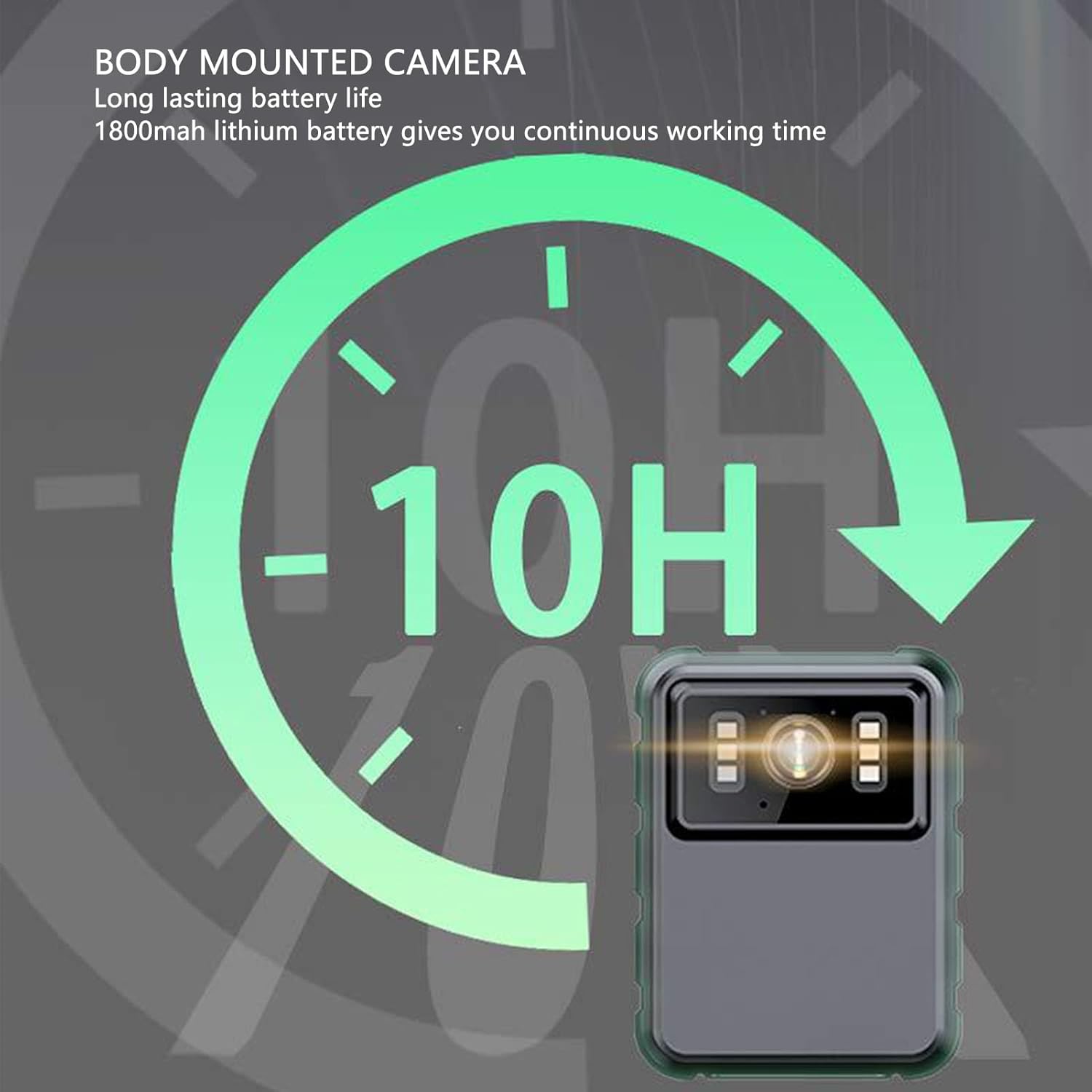
4 paveikslas: The camera features a long-lasting 1800mAh lithium battery, providing extended operational time.
2.2 Pakuotės turinys
Patikrinkite, ar pakuotėje yra visi reikalingi daiktai:
- 1 x EBTOOLS Body Camera
- 2 x tvirtinimo laikikliai
- 1x adapteris
- 1 x įkrovimo laidas (USB)
- 1 x Naudotojo vadovas (šis dokumentas)
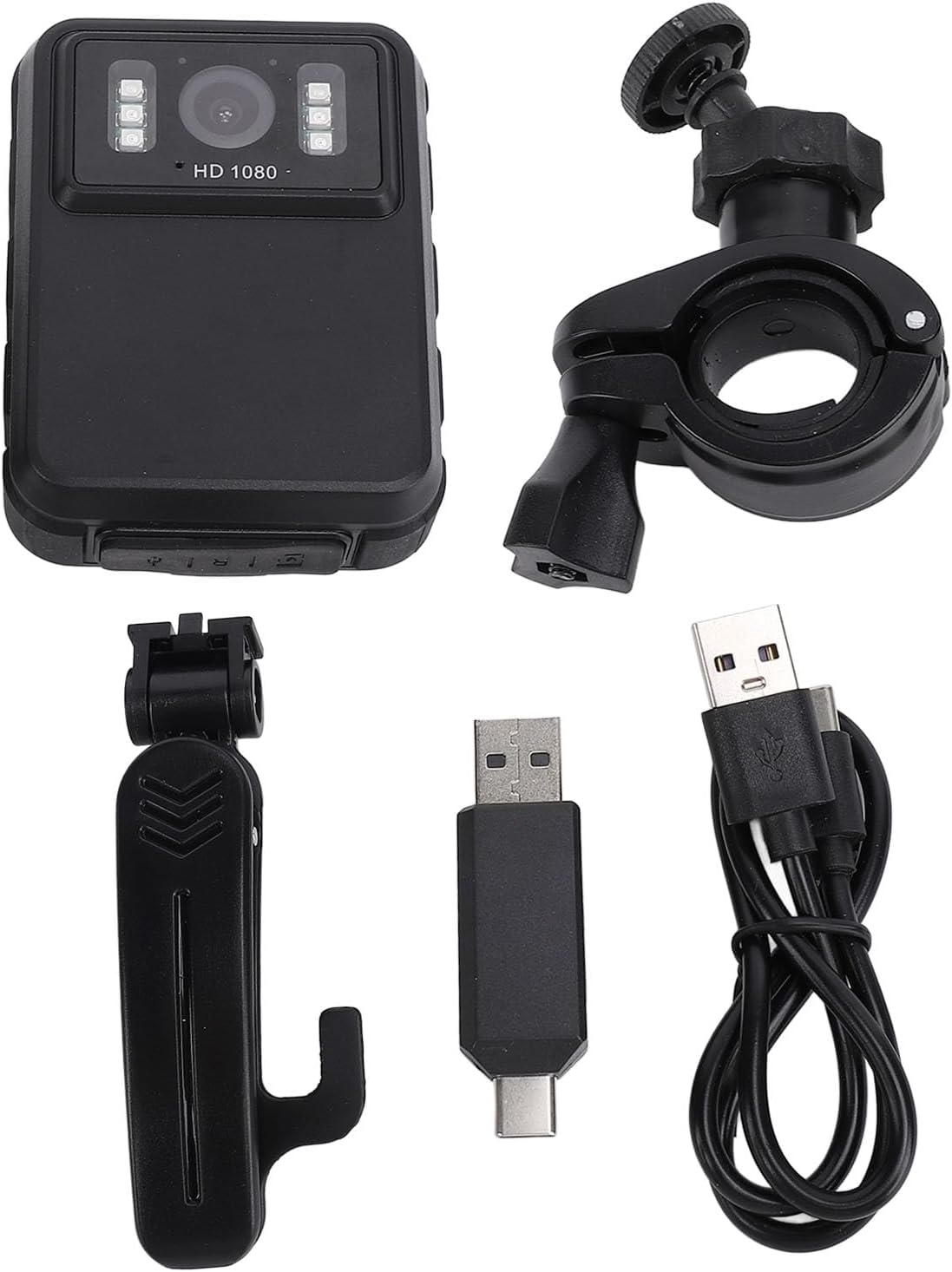
5 paveikslas: All components included in the EBTOOLS Body Camera package.
3. Sąranka
3.1 Pradinis įkrovimas
- Connect the provided charging cable to the camera's USB port.
- Connect the other end of the charging cable to the adapter, then plug the adapter into a standard power outlet.
- Allow the camera to charge fully before first use. The charging indicator light will typically change color or turn off when charging is complete.
3.2 Įjungimas / išjungimas
- Norėdami įjungti: Paspauskite ir kelias sekundes palaikykite nuspaudę maitinimo mygtuką (paprastai esantį šone arba viršuje), kol ekranas įsijungs.
- Norėdami išjungti: Dar kartą paspauskite ir palaikykite maitinimo mygtuką, kol įrenginys išsijungs.
3.3 Attaching Brackets
The camera comes with two types of brackets for versatile mounting:
- Sąvaržėlės laikiklis: For attaching to clothing, pockets, or straps. Slide the camera onto the clip until it securely locks.
- Universal Mount Bracket: For motorcycle handlebars, dashboards, or other surfaces. Attach the camera to the bracket's screw mount, then secure the bracket to the desired location.

6 paveikslas: Detail of the camera's universal mounting screw thread.
4. Naudojimo instrukcijos
4.1 Vaizdo įrašymas
- Įsitikinkite, kad fotoaparatas įjungtas.
- Press the dedicated Record button (often marked with a red dot or camera icon) to start video recording. A recording indicator (e.g., a flashing red light or icon on the screen) will appear.
- Press the Record button again to stop recording. The video file bus išsaugotas automatiškai.
- The camera supports 1080P and 2K resolution. Refer to the on-screen menu for resolution selection.

7 paveikslas: The camera supports both 2K and 1080P video recording resolutions.
4.2 Fotografavimas
- With the camera powered on, switch to photo mode (if applicable, via a mode button or menu).
- Press the Shutter button (often the same as the Record button, or a separate button) to capture a still image.
4.3 Night Vision Activation
The camera features both automatic and manual night vision modes:
- Automatinis režimas: The camera will detect low light conditions and automatically activate the infrared LEDs.
- Rankinis režimas: Access the camera's menu settings to manually turn night vision on or off.
4.4 Ciklo įrašymas
When the storage capacity is full, the camera will automatically overwrite the oldest video files to continue recording. This feature ensures continuous operation without manual intervention to clear space.
4.5 Atkūrimas ir File Valdymas
- Atkūrimas įrenginyje: Use the 2.0-inch IPS display and navigation buttons to browse and play recorded videos or view photos directly on the camera.
- Prijungimas prie kompiuterio: Prijunkite fotoaparatą prie kompiuterio naudodami USB laidą, kad galėtumėte perkelti files for backup or viewing on a larger screen. The camera will appear as a removable disk drive.

8 paveikslas: The camera's display and control buttons for navigation and playback.

9 paveikslas: Examples of the camera's versatile applications, such as for delivery personnel or motorcycle riders.
5. Priežiūra
- Valymas: Use a soft, dry cloth to clean the camera body. For the lens, use a specialized lens cleaning cloth and solution to avoid scratches. Do not use harsh chemicals.
- Saugykla: Fotoaparatą laikykite vėsioje, sausoje vietoje, toliau nuo tiesioginių saulės spindulių ir ekstremalių temperatūrų.
- Akumuliatoriaus priežiūra: Norėdami pailginti akumuliatoriaus veikimo laiką, venkite dažnai visiškai jį iškrauti. Reguliariai įkraukite fotoaparatą, net jei jo nenaudojate, kad palaikytumėte akumuliatoriaus būklę.
- Firmware atnaujinimai: Patikrinkite gamintojo websvetainėje periodiškai ieškokite visų galimų programinės įrangos atnaujinimų, kad užtikrintumėte optimalų našumą ir naujas funkcijas.
6. Problemų sprendimas
6.1 Kamera neįsijungia
- Ensure the battery is sufficiently charged. Connect the camera to a power source and allow it to charge for at least 30 minutes before attempting to power on again.
- Verify that the power button is being pressed and held for the required duration (typically 3-5 seconds).
6.2 Recording Issues (e.g., not saving, corrupted files)
- Check available storage space. If the storage is full and loop recording is not enabled or functioning correctly, new recordings may not save.
- Ensure the camera's internal storage is not corrupted. If issues persist, consider formatting the storage via the camera's settings menu (this will erase all data).
6.3 Night Vision Not Activating
- Verify that night vision is enabled in the camera's settings, either in automatic or manual mode.
- Ensure there are no obstructions blocking the infrared LEDs on the front of the camera.
6.4 Computer Not Recognizing Camera
- Išbandykite kitą kompiuterio USB prievadą.
- Įsitikinkite, kad USB kabelis yra tvirtai prijungtas tiek prie fotoaparato, tiek prie kompiuterio.
- Restart both the camera and the computer.
7. Specifikacijos
| Funkcija | Detalė |
|---|---|
| Prekės ženklas | EBTOOLS |
| Modelio pavadinimas | EBTOOLSs1gq2a4o5t-12 |
| Ekranas | 2.0 inch IPS Screen (Resolution: 320x240) |
| Objektyvas Viewing kampas | 100° (Wide Angle) |
| Kameros raiška | 3840x2160p (2K), 2560x1440p, 1920x1080p (1080P) |
| Garso perdavimo sparta | WAV (512 KB/s) |
| Infraraudonųjų spindulių naktinis matymas | Support, Built-in 6 Enhanced Energy Saving Infrared Lights |
| Infrared Switching Mode | Off, Auto, Manual Adjustment |
| Mikrofonas | Omnidirectional Built-in Capacitor MIC |
| Integruota baterija | Ličio baterija 1800 mAh |
| Recording Working Time | Maždaug 8 val |
| Nepertraukiamo įrašymo laikas | Maždaug 8 val |
| Longest Photo Time | Approximately 10 hours (1080p 30fps High Grade Video) |
| Ryšio technologija | USB |
| Prekės svoris | 10.9 uncijos |
| Pakuotės matmenys | 5.91 x 5.12 x 2.36 colio |
8. Garantija ir palaikymas
For warranty information, technical support, or service inquiries, please refer to the official EBTOOLS websvetainėje arba susisiekite su jų klientų aptarnavimo skyriumi. Išsaugokite pirkimo kvitą kaip pirkimo įrodymą garantijos pretenzijoms.
Paprastai palaikymo komandos kontaktinę informaciją galite rasti gamintojo svetainėje. websvetainėje arba per pardavėją, iš kurio įsigijote produktą.


