KOFIRE UG-06

KOFIRE UG-06 belaidės žaidimų ausinės naudojimo vadovas

Modelis: UG-06 | Prekės ženklas: KOFIRE

Įvadas

Thank you for choosing the KOFIRE UG-06 Wireless Gaming Headset. This manual provides detailed instructions for setup, operation, and maintenance to ensure you get the best experience from your new headset. The UG-06 is designed to deliver superior audio performance and comfort for gaming, work, and entertainment across multiple platforms.

Kas yra dėžutėje

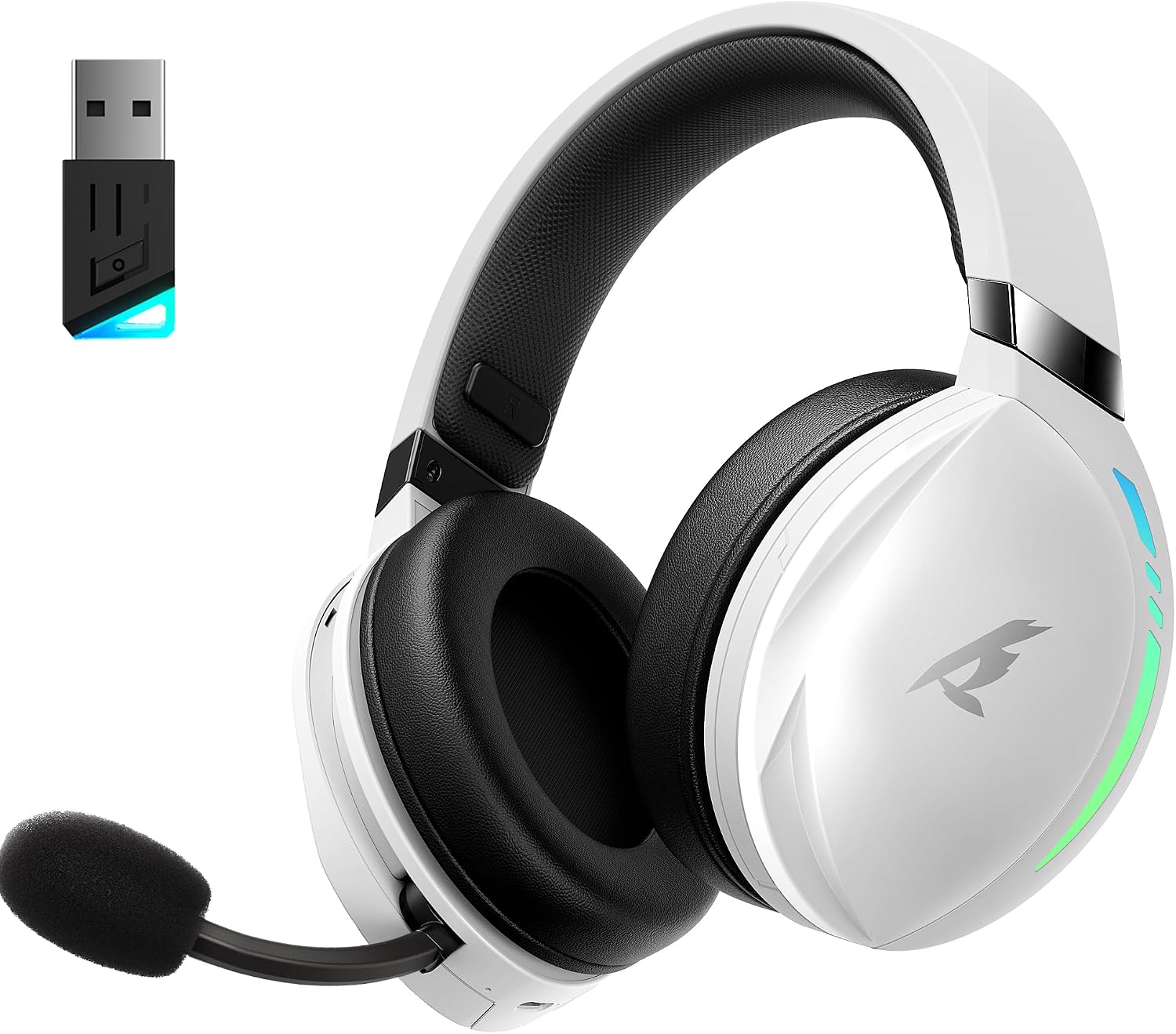
KOFIRE UG-06 Wireless Gaming Headset with USB dongle

The KOFIRE UG-06 Wireless Gaming Headset in white and black, shown with its USB dongle.

Produktas baigtasview ir Pagrindinės funkcijos

Person wearing KOFIRE UG-06 headset experiencing 3D spatial audio

A user wearing the headset, illustrating the immersive 3D spatial audio experience.

Close-up of the hidden noise-canceling microphone on KOFIRE UG-06 headset

Iš arti view of the retractable, hidden noise-canceling microphone.

KOFIRE UG-06 headset showing multi-platform compatibility with various devices

The headset demonstrating its compatibility with multiple gaming platforms and devices.

Sąrankos instrukcijos

1. Pradinis įkrovimas

Before first use, fully charge your headset using the provided USB Type-C charging cable. Connect the Type-C end to the headset's charging port and the USB-A end to a compatible power source (e.g., computer USB port, USB wall adapter). The charging indicator light will show charging status.

2. Connecting via 2.4GHz USB Dongle (Recommended for Gaming)

  1. Insert the 2.4GHz USB dongle into an available USB port on your device (PS4, PS5, PC, Mac, Switch).
  2. Power on the headset by pressing and holding the Power button until you hear a confirmation tone or see the indicator light.
  3. The headset should automatically pair with the dongle. A solid indicator light on both the headset and dongle typically signifies a successful connection.
  4. Ensure the headset is selected as the audio output and input device in your system's sound settings.

3. Prisijungimas per „Bluetooth 5.4“

  1. With the headset powered on, triple-click the Power button to switch to Bluetooth mode. The indicator light will flash, indicating pairing mode.
  2. On your device (phone, tablet, PC), go to Bluetooth settings and search for "KOFIRE UG-06" (or similar).
  3. Select the headset to pair. Once connected, the indicator light will become solid.

4. Connecting via 3.5mm Wired Connection

  1. Prijunkite vieną 3.5 mm garso kabelio galą prie ausinių 3.5 mm prievado.
  2. Kitą galą prijunkite prie savo įrenginio 3.5 mm garso lizdo.
  3. The headset will operate in passive mode, drawing no power from its internal battery.

Naudojimo instrukcijos

Ausinių valdikliai

Close-up of KOFIRE UG-06 headset controls on earcup

Išsamus view of the control buttons and volume wheel on the headset's earcup.

KOFIRE UG-06 headset with dynamic breathing RGB lights

The headset showcasing its dynamic breathing RGB lighting feature.

Priežiūra

Trikčių šalinimas

problemaSprendimas
No sound/microphone not working (2.4GHz)
  • Ensure the USB dongle is securely plugged in.
  • Check if the headset is powered on and in 2.4GHz mode (triple-click power button).
  • Verify that the headset is selected as the default audio device in your computer/console settings.
  • Ensure the microphone is not muted on the headset.
Bluetooth poravimo problemos
  • Ensure the headset is in Bluetooth pairing mode (indicator light flashing).
  • Išjunkite ir vėl įjunkite „Bluetooth“ savo įrenginyje.
  • Pamirškite įrenginį iš „Bluetooth“ sąrašo ir bandykite susieti dar kartą.
Trumpas baterijos veikimo laikas
  • Prieš naudodami įsitikinkite, kad ausinės yra visiškai įkrautos.
  • Turn off RGB lighting when not needed, as it consumes more power.
  • Sumažinkite garsumo lygius.
Sound quality issues (wired mode)
  • Ensure the 3.5mm audio cable is fully inserted into both the headset and the device.
  • Try a different 3.5mm audio cable to rule out cable issues.

Specifikacijos

FunkcijaDetalė
Modelio pavadinimasUG-06
Ryšio technologija2.4Ghz Wireless, Bluetooth 5.4, 3.5mm Wired
Garso tvarkyklės dydis50 milimetrų
Baterijos veikimo laikasUp to 65 Hours (music/video, lights off), 40 Hours (2.4Ghz gaming)
Įkrovimo laikas3 valandų
Garso vėlavimas15 milisekundės
Triukšmo valdymasGarso izoliacija, ENC triukšmą slopinantis mikrofonas
Suderinami įrenginiaiPS4, PS5, PC, Switch, Mac, Phone, Tablet
MedžiagaLeather, Plastic, Polycarbonate (PC), Soft Memory Sponge Cushions
Prekės svoris1.19 svaro
Gaminio matmenys7.5 x 1 x 7.9 colio

Garantija ir palaikymas

KOFIRE provides a reliable 24-hour online service to ensure customer satisfaction. For any issues, questions, or support needs, please contact KOFIRE customer service through the retailer's platform or the official KOFIRE websvetainę.

Please refer to your purchase documentation for specific warranty details and duration.

Susiję dokumentai - UG-06

Preview UG-09 belaidės žaidimų ausinės vartotojo vadovas
„KOFIRE UG-09“ belaidžių žaidimų ausinių naudotojo vadovas, kuriame išsamiai aprašomi LED indikatorių paaiškinimai, mygtukų veikimas, ryšio režimai (2.4G ir „Bluetooth“), garso nustatymai kompiuteriui ir „PlayStation“ bei techninės specifikacijos.
Preview UG-05 belaidžių ausinių naudotojo vadovas
Belaidžių ausinių UG-05 naudotojo vadovas, kuriame išsamiai aprašytas nustatymas, veikimas, funkcijos ir specifikacijos. Įtraukta informacija apie susiejimą, įkrovimą, garso režimus ir trikčių šalinimą.
Preview „Kofire XG One“ belaidžių žaidimų ausinių trikčių šalinimo vadovas
„Kofire XG One“ belaidžių žaidimų ausinių trikčių šalinimo ir naudotojo vadovas, kuriame aptariamos dažniausiai pasitaikančios problemos, sprendimai ir naudojimo instrukcijos, skirtos įvairiems ryšio tipams.
Preview „KOFIRE UT-01“ belaidžių žaidimų ausinių naudotojo vadovas ir garantijos informacija
Išsamus belaidžių žaidimų ausinių „KOFIRE UT-01“ naudotojo vadovas ir garantijos informacija, apimanti kompiuterio, „PlayStation“ ir „Nintendo Switch“ sąranką, veikimą, funkcijas, specifikacijas ir trikčių šalinimą. Įskaitant LED indikatorių aprašymus, mygtukų funkcijas, prijungimo vadovus ir gaminio priežiūrą.
Preview „Kofire XG ONE“ belaidžių žaidimų ausinių naudotojo vadovas
Išsamus „Kofire XG ONE“ belaidžių žaidimų ausinių naudotojo vadovas, kuriame išsamiai aprašomos funkcijos, sąranka ir valdymas, kad žaidimo patirtis būtų optimali.
Preview „Kofire XG One“ trikčių šalinimo vadovas, 2.0 versija
„Kofire XG One“ ausinių trikčių šalinimo vadovas, kuriame aptariamos dažniausiai pasitaikančios problemos, pvz., „Bluetooth“ ryšys, mikrofono problemos, garso kokybė ir maitinimo problemos. Įtraukta LED būsenos nuoroda.