1. Įvadas
The ExtreLife Key Finder MFK02 is a versatile and durable item tracker designed to help you locate your belongings using the Apple Find My network. It features a rechargeable battery, IP67 water resistance, and a multi-functional design including a built-in bottle opener and carabiner.

Image: The ExtreLife Key Finder utilizes the Apple Find My network to help you locate your items, displaying its position on a map within the Find My app on an iPhone.
2. Pakuotės turinys
Prašome patikrinti, ar pakuotėje yra visi reikalingi daiktai:
- ExtreLife Key Finder (MFK02)
- Key Ring (2 sizes)
- USB-C įkrovimo laidas
- Vartotojo vadovas
3. Sąranka
3.1 Pradinis įkrovimas
Before first use, fully charge your ExtreLife Key Finder. Connect the provided USB-C cable to the charging port on the device and to a compatible USB power source. A full charge typically takes approximately 1.5 hours and provides up to 120 days of usage.

Image: The ExtreLife Key Finder features a sustainable rechargeable battery, charged via USB-C, offering up to 120 days of use per 1.5-hour charge.
3.2 Susiejimas su „Apple Find My“
- Įsitikinkite, kad jūsų „iPhone“ arba „iPad“ įrenginyje veikia naujausia „iOS“ / „iPadOS“ versija.
- Įrenginyje atidarykite programą „Apple Find My“.
- Tap the "Items" tab, then tap "Add Item" and select "Other Supported Item."
- Follow the on-screen instructions to connect your ExtreLife Key Finder. You may need to press a button on the Key Finder to initiate pairing (refer to the device for specific button location if applicable).
- Once connected, you can name your Key Finder and assign an emoji to it for easy identification.
Pastaba: This device is compatible only with Apple iOS devices and does not support Android.
4. Naudojimo instrukcijos
4.1 Jūsų daikto paieška
To find your item, open the Find My app on your iPhone or iPad:
- Paleisti garsą: If your item is within Bluetooth range (approximately 50m/160ft), tap "Play Sound" to make the Key Finder emit a loud sound, helping you pinpoint its exact location.
- Nurodymai: If your item is out of Bluetooth range, the Find My network will show its last known location on a map. You can get directions to this location.
4.2 Left-Behind Remind
Your iPhone will receive a notification if you leave your ExtreLife Key Finder behind and it goes out of Bluetooth range. This feature helps prevent loss. You can customize safe locations (e.g., home) where you do not wish to receive these alerts.

Image: The Key Finder can play a loud sound to help you locate it nearby, and your iPhone will notify you if you leave it behind.
4.3 Daugiafunkcis dizainas
The ExtreLife Key Finder is designed for versatility:
- Karabinas: Easily attach the Key Finder to keys, luggage, backpacks, pet collars, or other items using the integrated carabiner. Two key rings are also included for additional attachment options.
- Butelių atidarytuvas: The device features a built-in bottle opener for convenience.

Image: The ExtreLife Key Finder features a robust carabiner design, offering two key ring choices, a built-in bottle opener, and an all-metal construction for durability.

Image: The integrated bottle opener on the ExtreLife Key Finder provides a convenient tool for various occasions.

Image: The ExtreLife Key Finder offers peace of mind by being attachable to various items such as luggage, pet collars, bags, and backpacks.
5. Priežiūra
5.1 Įkrovimas
Recharge the device using the provided USB-C cable when the battery is low. The battery lasts up to 120 days on a single charge. Regular charging ensures continuous tracking functionality.
5.2 Valymas ir patvarumas
The ExtreLife Key Finder has an IP67 waterproof rating, meaning it is protected against dust and can withstand immersion in water up to 1 meter for 30 minutes. You can rinse the device with fresh water if it gets dirty. Its rugged stainless steel and metal construction provide excellent protection against drops and scratches.
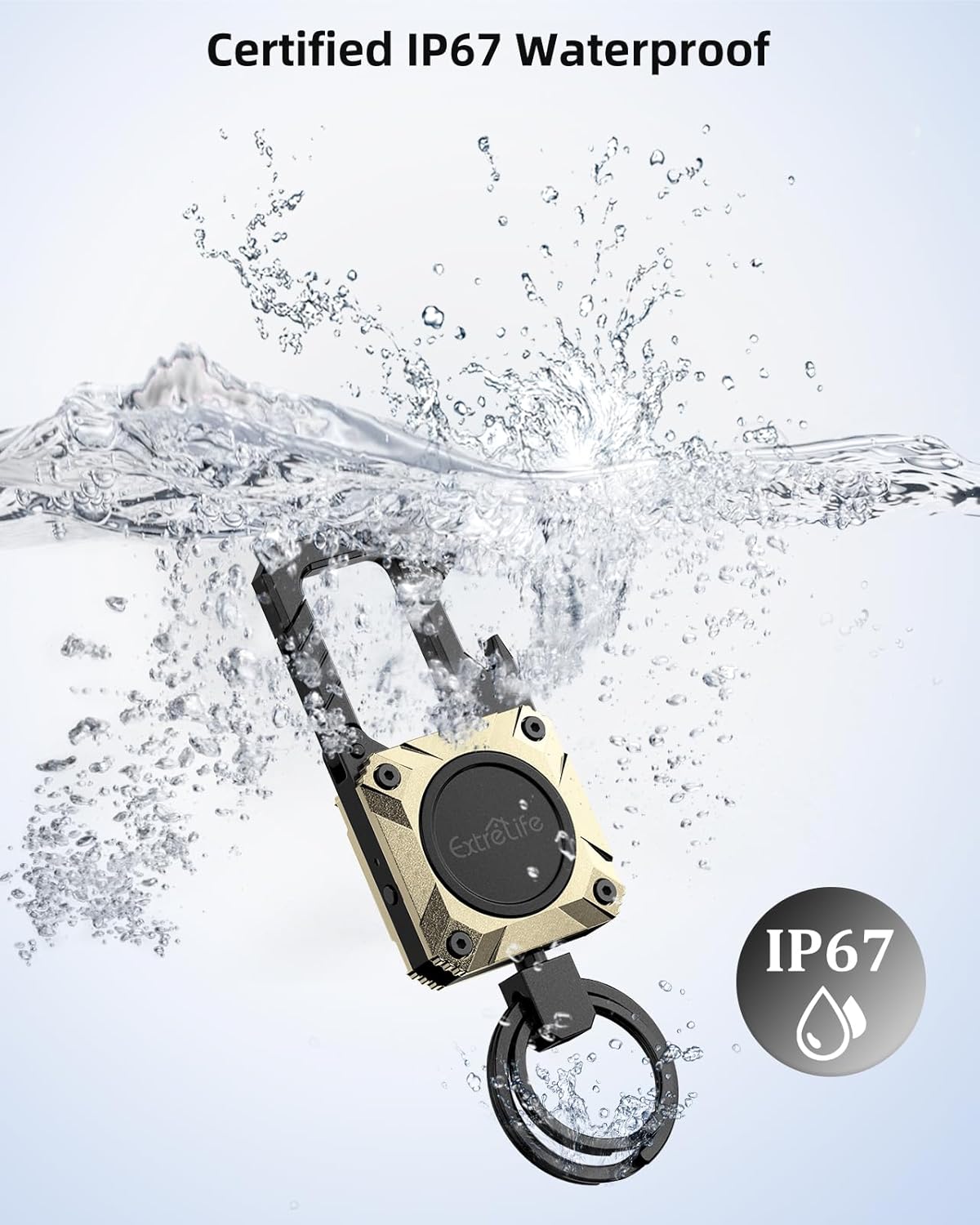
Image: The ExtreLife Key Finder is certified IP67 waterproof, ensuring protection against dust and water immersion.
6. Problemų sprendimas
- Įrenginys nesusijungia: Ensure your iPhone/iPad is updated to the latest iOS/iPadOS. Make sure Bluetooth is enabled. Try restarting your iPhone and the Key Finder.
- No sound from Key Finder: Check if the device is charged. Ensure your iPhone's volume is up. The Key Finder must be within Bluetooth range to play a sound.
- Not receiving Left-Behind Remind notifications: Verify that notifications are enabled for the Find My app in your iPhone's settings. Ensure you have not set your current location as a 'safe location' where alerts are suppressed.
- Netiksli vieta: The accuracy of location tracking depends on the Apple Find My network. In areas with fewer Apple devices, location updates might be less frequent or precise.
- Baterija neišlaiko įkrovos: Ensure you are using the provided USB-C cable and a working power adapter. If issues persist, contact customer support.
- „Android“ suderinamumas: The ExtreLife Key Finder works exclusively with Apple Find My and is not compatible with Android devices.
7. Specifikacijos
| Prekės ženklas | Ekstremalus gyvenimas |
| Modelis | MFK02 |
| Suderinami įrenginiai | Smartphone (iOS only) |
| Ypatingos savybės | Built-in Bottle Opener, IP67 Waterproof, Loud speaker, Rechargeable Battery, Works with Apple Find My |
| Baterijos tipas | Ličio jonų (1 komplekte) |
| Vidutinis akumuliatoriaus veikimo laikas | 120 dienų |
| Įkrovimo laikas | apytiksliai 1.5 valandas |
| Ryšio technologija | Bluetooth |
| Medžiagos tipas | Aliuminis |
| Gaminio matmenys | 10.03 x 3.56 x 1.09 cm (3.95 x 1.4 x 0.43 colio) |
| Prekės svoris | 54.43 g (0.12 svaro) |
| Kontrolės metodas | App (Apple Find My) |
8. Garantija ir palaikymas
Pateiktuose produkto duomenyse nebuvo informacijos apie produkto garantiją ir klientų aptarnavimą. Žr. produkto pakuotę arba oficialią gamintojo informaciją. websvetainėje rasite informacijos apie garantiją ir kaip susisiekti su klientų aptarnavimo tarnyba.


