Įvadas
Welcome to the Quip Ultra Next Generation Smart Toothbrush user manual. This guide provides essential information for setting up, operating, maintaining, and troubleshooting your new Quip Ultra toothbrush. Designed for effective oral hygiene, the Quip Ultra combines advanced technology with user-friendly features to enhance your daily brushing routine.
Kas yra dėžutėje
Upon unboxing your Quip Ultra, please ensure all components are present:
- Quip Ultra Smart Toothbrush Handle
- EasyClick Brush Pod(s)
- Magnetinis įkroviklis
- Kelioninis dėklas
- Vartotojo vadovas (šis dokumentas)

Image: The Quip Ultra Smart Toothbrush, its packaging, and included accessories like brush pods and travel case.
Sąranka
1. Pradinis įkrovimas
Before first use, fully charge your Quip Ultra toothbrush. Connect the magnetic charger to a power source and attach the toothbrush handle. The LED touch bar will indicate charging status. A full charge provides up to 30 days of use when brushing twice daily for two minutes on medium intensity.

Image: The Quip Ultra toothbrush being charged via its magnetic charger, illustrating its versatile placement options.
2. Attaching the Brush Pod
Align the EasyClick Brush Pod with the top of the toothbrush handle and press firmly until it clicks into place. Ensure it is securely attached before brushing.

Image: A visual guide demonstrating the simple EasyClick mechanism for attaching the brush pod, highlighting its waste-reducing design.
3. Connecting to the Quip App
For smart features and habit tracking, download the Quip app from your device's app store. Follow the in-app instructions to pair your Quip Ultra toothbrush. The app provides personalized feedback and tracks your brushing habits.
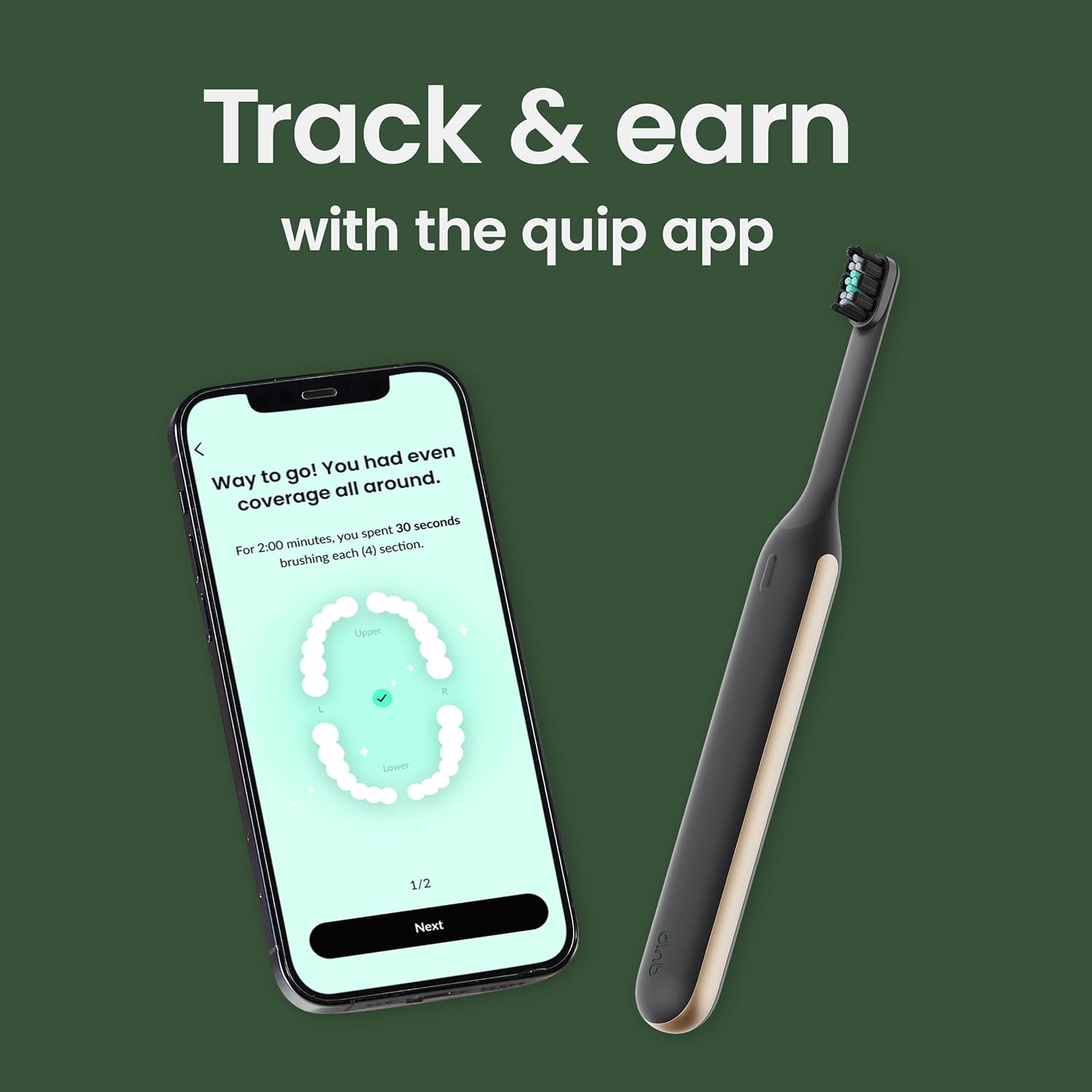
Image: The Quip Ultra toothbrush positioned beside a smartphone showing the Quip app interface, which helps users track and improve their brushing habits.
Naudojimo instrukcijos
1. Powering On and Adjusting Intensity
Press the power button to turn on the toothbrush. Use the dynamic LED touch bar to slide and select from over 10 brushing intensities. The LED display also shows brush time, charge level, and pressure feedback.
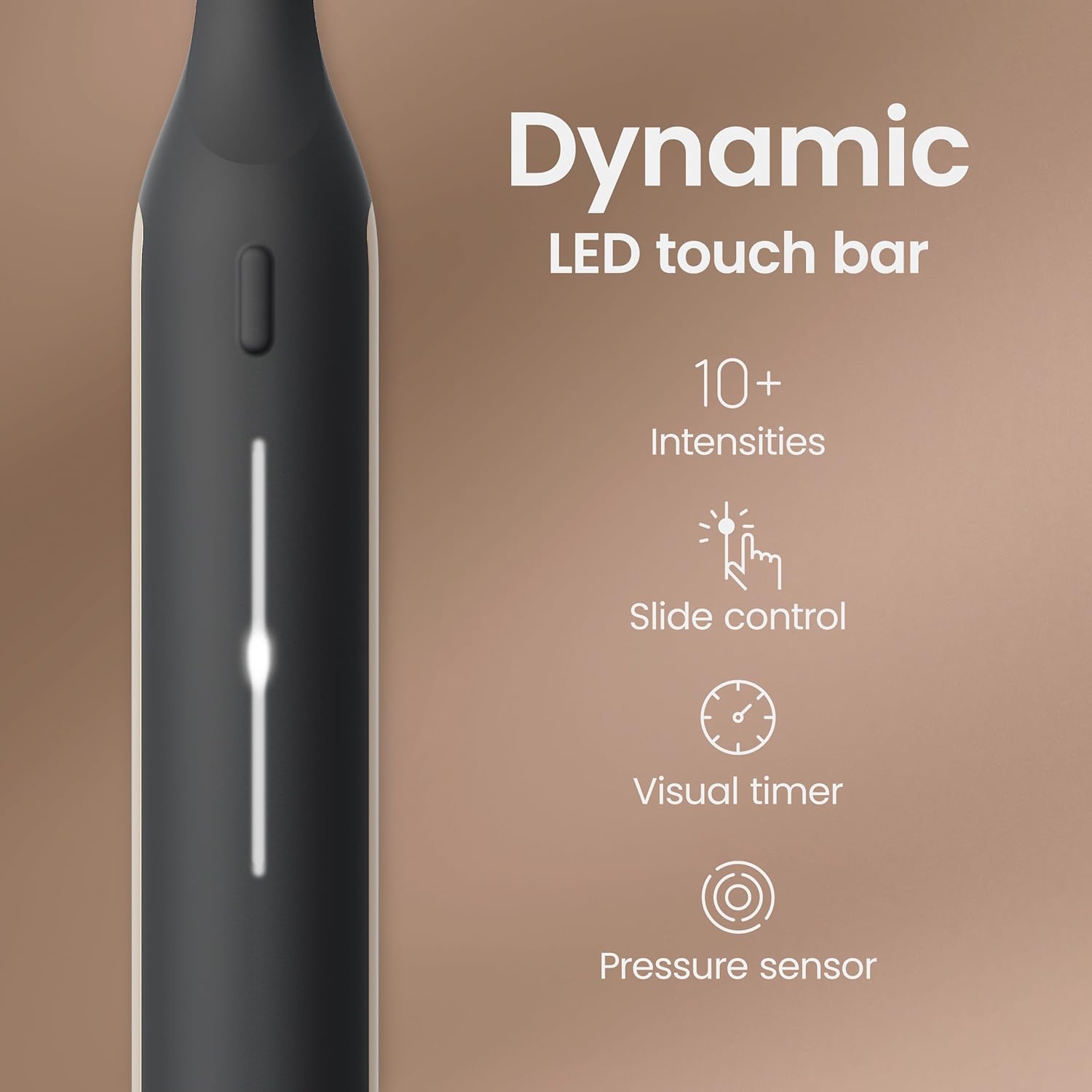
Paveikslėlis: detalus view of the Quip Ultra's LED touch bar, which allows users to control brushing intensity and provides visual feedback on brushing time and pressure.
2. Brushing Technique and Guided Timer
Apply a pea-sized amount of toothpaste to the brush head. Place the bristles at a 45-degree angle to your gums. The Quip Ultra features a 2-minute built-in timer with 30-second pulses to guide you through brushing each quadrant of your mouth, ensuring a complete and even clean.

Image: A person demonstrating the use of the Quip Ultra toothbrush, illustrating its ability to remove significantly more plaque compared to a manual toothbrush.
3. Slėgio daviklis
The integrated pressure sensor provides light and pulse alerts if you are brushing too hard. This feature helps protect your teeth and gums from excessive pressure, promoting healthier brushing habits.

Image: This image highlights both the EasyClick brush pod, emphasizing reduced waste, and the pressure sensor, which protects gums during brushing.
Oficialus produkto vaizdo įrašas
Video: "quip Ultra: Think with your mouth" - This official video from Quip provides a visual overview of the Quip Ultra toothbrush's features and benefits, including its design, smart capabilities, and brushing experience.
Priežiūra
1. Dantų šepetėlio valymas
After each use, rinse the brush head and handle thoroughly under running water. Wipe the handle dry with a clean cloth. Do not submerge the entire handle in water for extended periods.
2. Replacing the Brush Pod
Dentists recommend replacing your brush head every 3 months to maintain optimal cleaning performance. The Quip Ultra uses EasyClick Brush Pods, which contribute to 70% less waste by weight compared to the Quip Sonic Toothbrush refill.
3. Akumuliatoriaus priežiūra
To preserve battery life, avoid fully discharging the toothbrush frequently. Recharge it when the battery indicator on the LED touch bar shows low power. Store the toothbrush on its magnetic charger or in its travel case when not in use.
Trikčių šalinimas
1. Toothbrush Not Turning On/Charging
- Ensure the magnetic charger is properly connected to a working power outlet.
- Verify the toothbrush handle is correctly seated on the magnetic charger.
- Allow sufficient time for initial charging (at least 24 hours for the first charge).
2. Programėlės ryšio problemos
- Įsitikinkite, kad jūsų išmaniajame telefone įjungtas „Bluetooth“.
- Ensure the Quip app is updated to the latest version.
- Try restarting both your toothbrush and your smartphone.
- If issues persist, try unpairing and re-pairing the toothbrush within the app settings.
3. Inconsistent Brushing Intensity
- Ensure your finger is making full contact with the LED touch bar when adjusting intensity.
- Avoid pressing too hard, as the pressure sensor may temporarily reduce intensity.
Specifikacijos
| Funkcija | Detalė |
|---|---|
| Modelio numeris | 920-00299 |
| Maitinimo šaltinis | Maitinamas su baterijomis (pridedama 1 ličio jonų baterija) |
| Baterijos veikimo laikas | Up to 30 days (on medium intensity, 2 min, 2x daily) |
| Šerių tvirtumas | Minkštas |
| Ypatingos savybės | Brushing Timer, Pressure Sensor, LED Touch Bar, Smart App Connectivity |
| Pakuotės matmenys | 10.31 x 5.98 x 2.13 colio |
| Prekės svoris | 1.08 svaro |
Garantija ir palaikymas
For detailed warranty information and customer support, please refer to the documentation included with your product packaging or visit the official Quip websvetainėje. Daugiau informacijos ir susisiekti su palaikymo tarnyba taip pat galite rasti Quip Brand Store on Amazon.
Svarbi saugos informacija
Teiginiai dėl maisto papildų nebuvo įvertinti FDA ir nėra skirti diagnozuoti, gydyti, išgydyti ar užkirsti kelią kokiai nors ligai ar sveikatos būklei.
Always consult with a dental professional for personalized oral health advice. Do not use this product for purposes other than its intended use as an oral hygiene device.


