Įvadas
Thank you for choosing the GEARit Wireless Bluetooth Headset. This headset is designed for clear communication and comfortable all-day use, featuring advanced Environmental Noise Cancelling (ENC) technology and multipoint connectivity. This manual provides detailed instructions for setting up, operating, and maintaining your headset to ensure optimal performance.

The GEARit Wireless Bluetooth Headset, showcasing its sleek design and microphone.
Produktas baigtasview
Komponentai ir valdikliai
Familiarize yourself with the various parts and controls of your GEARit headset:
- Reguliuojama galvos juosta: Patogiam ir saugiam prigludimui.
- Soft Padded Earcup: Provides comfort during extended wear.
- Rotating Mic: A 270° rotatable microphone for flexible positioning and optimal voice capture.
- Power / MFB Button: Multi-function button for power, pairing, and call management.
- Garsumo +/- mygtukai: Garso garsumui reguliuoti.
- Nutildymo mygtukas: For instant microphone muting during calls.
- LED indikatorius: Displays status such as power, pairing, and charging.
- Padded Pillow: Provides additional comfort on the opposite side of the earcup.
- C tipo USB įkrovimo prievadas: Ausinių įkrovimui.

Išsamus view of the headset's components and controls.

Baigėsiview of key features including battery life, Bluetooth version, and comfort elements.
Sąranka
Ausinių įkrovimas
Before first use, fully charge your headset. Use the included USB Type-C cable to connect the headset to a power source (e.g., computer USB port or wall adapter). The LED indicator will show charging status and turn off when fully charged. A full charge takes approximately 2 hours.

The headset and its USB-C charging cable.
Maitinimo įjungimas/išjungimas
- Norėdami įjungti: Press and hold the Power / MFB Button for 3 seconds until the LED indicator flashes blue.
- Norėdami išjungti: Press and hold the Power / MFB Button for 3 seconds until the LED indicator flashes red and then turns off.
"Bluetooth" poravimas
Norėdami prijungti ausines prie įrenginio:
- Įsitikinkite, kad laisvų rankų įranga išjungta.
- Press and hold the Power / MFB Button for 5-7 seconds until the LED indicator flashes red and blue alternately, indicating pairing mode.
- Savo įrenginyje (išmaniajame telefone, planšetiniame kompiuteryje, nešiojamajame kompiuteryje) įjunkite „Bluetooth“ ir ieškokite naujų įrenginių.
- Select "GEARit Headset" from the list of available devices.
- Prijungus, LED indikatorius lėtai mirksės mėlynai.
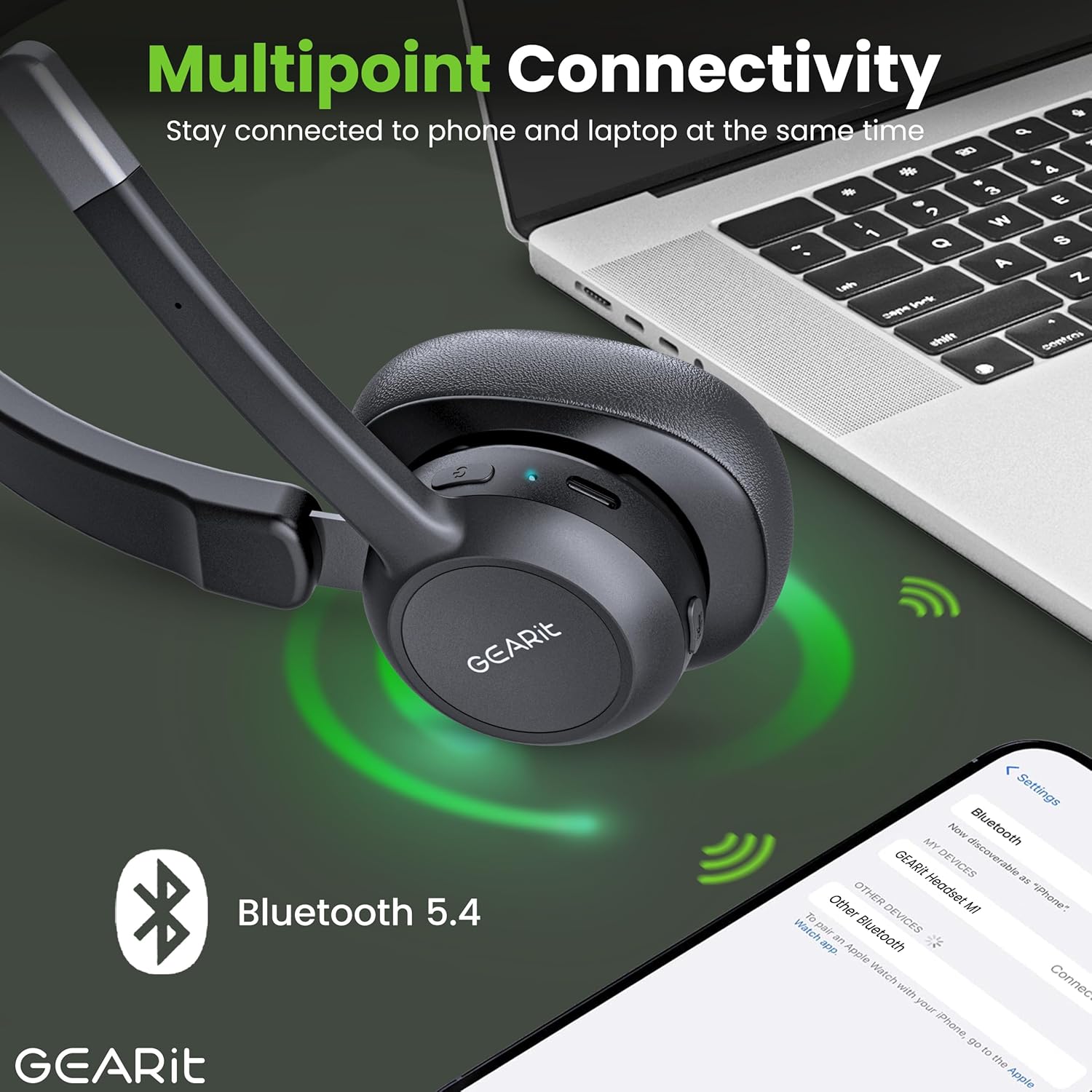
The headset connected to multiple devices via Bluetooth 5.2.
Ausinių naudojimas
Skambinimas ir skambučių priėmimas
- Atsiliepti į skambutį: Press the Power / MFB Button once.
- Baigti skambutį: Press the Power / MFB Button once during a call.
- Atmesti skambutį: Press and hold the Power / MFB Button for 2 seconds.
- Perrink paskutinį numerį: Double-press the Power / MFB Button.
Garsumo valdymas
- Padidinti garsumą: Paspauskite garsumo + mygtuką.
- Sumažinti garsumą: Paspauskite garsumo mygtuką.
Nutildymo funkcija
To mute or unmute your microphone during a call, press the dedicated Mute Button located on the microphone boom. The LED indicator may change to indicate mute status.
Daugiataškis ryšys
The GEARit headset supports multipoint connectivity, allowing it to connect to two Bluetooth devices simultaneously. This enables seamless switching between calls on your phone and audio from your laptop without needing to re-pair. To use this feature, pair the headset with the first device, then disconnect its Bluetooth. Pair with the second device. Finally, re-enable Bluetooth on the first device, and the headset should connect to both.
Priežiūra
Valymas
- Nuvalykite ausines minkštu, sausu, nepūkuotu skudurėliu.
- Do not use abrasive cleaners, solvents, or spray directly onto the headset.
Sandėliavimas
- Laikykite ausines vėsioje, sausoje vietoje, toliau nuo ekstremalių temperatūrų ir tiesioginių saulės spindulių.
- Venkite dėti sunkių daiktų ant ausinių.
Trikčių šalinimas
Bendros problemos ir sprendimai
| Problema | Sprendimas |
|---|---|
| Ausinės neįsijungia. | Įsitikinkite, kad ausinės įkrautos. Prijunkite jas prie maitinimo šaltinio naudodami USB-C laidą. |
| Nepavyksta susieti ausinių su įrenginiu. | Ensure the headset is in pairing mode (LED flashing red/blue). Make sure Bluetooth is enabled on your device and it's within range (33 feet). Try restarting both devices. |
| Nėra garso arba garso kokybė prasta. | Check the volume levels on both the headset and your connected device. Ensure the headset is selected as the audio output device. Move closer to your device to improve signal. |
| Mikrofonas neveikia. | Įsitikinkite, kad mikrofonas nėra nutildytas. Patikrinkite prijungto įrenginio mikrofono nustatymus. |
| Ausinės dažnai atsijungia. | Ensure you are within the Bluetooth range (33 feet). Avoid obstacles between the headset and your device. Fully charge the headset. |
Specifikacijos
Techninės detalės
| Funkcija | Detalė |
|---|---|
| Prekės ženklas | GEARit |
| Modelio numeris | GI-HSET-BT-MONO-BK-1 |
| Belaidžio ryšio technologija | Bluetooth 5.2 |
| Triukšmo valdymas | Aplinkos triukšmo slopinimas (ENC) |
| Baterijos veikimo laikas (pokalbių laikas) | Iki 16 valandų |
| Baterijos veikimo laikas (muzikos laikas) | Iki 26 valandų |
| Baterijos veikimo laikas (budėjimo režimas) | Iki 100 valandų |
| Įkrovimo laikas | Approx. 2 Hours (via USB Type-C) |
| Bluetooth diapazonas | Iki 10 metrų (33 pėdų) |
| Suderinami įrenginiai | Smartphones, Tablets, Laptops, Desktops, PCs |
| Ausinės forma | Over Ear (Mono) |
| Prekės svoris | 6.4 uncijos |
| Spalva | Juoda |
| UPC | 810166801652 |
Garantija ir palaikymas
For detailed warranty information, please refer to the warranty card included with your product or visit the official GEARit website. If you encounter any issues not covered in this manual, please contact GEARit customer support.
Taip pat galite peržiūrėti oficialų naudotojo vadovą (PDF), kuriame pateikiama daugiau informacijos: Atsisiųsti naudotojo vadovą (PDF)


