1. Įvadas
This manual provides essential information for the installation, operation, and maintenance of your ADATA Legend 860 Solid State Drive. Please read this guide thoroughly before using the product to ensure optimal performance and longevity.
The ADATA Legend 860 is a high-performance NVMe SSD designed for expanding storage in compatible devices such as desktop PCs, laptops, and gaming consoles like the PlayStation 5. It utilizes PCIe Gen4 x4 interface for fast data transfer speeds.

Figure 1: ADATA Legend 860 NVMe Solid State Drive
2. Saugos informacija
- Visada imkite SSD diską už kraštų, kad neliestumėte auksinių jungčių ar komponentų.
- Prieš diegdami įsitikinkite, kad jūsų sistema išjungta ir atjungta nuo elektros tinklo.
- Discharge any static electricity from your body before handling the SSD. Use an anti-static wrist strap if available.
- SSD diską saugokite nuo drėgmės, ekstremalių temperatūrų ir stiprių magnetinių laukų.
- Do not attempt to disassemble or modify the SSD, as this will void the warranty.
3. Pakuotės turinys
Patikrinkite, ar pakuotėje yra visi reikalingi daiktai:
- ADATA Legend 860 Solid State Drive

Figure 2: ADATA Legend 860 SSD Retail Packaging
4. Specifikacijos
| Prekės ženklas | DUOMENYS |
| Serija | Legenda 860 |
| Modelio numeris | SLEG-860-1000GCS |
| Skaitmeninės atminties talpa | 1 TB |
| Kietojo disko sąsaja | NVMe |
| Ryšio technologija | PCIe Gen4 x4 |
| Formos faktorius | M.2 2280 |
| Suderinami įrenginiai | Desktop, Gaming Console (PS5), Laptop |
| Prekės svoris | 0.353 uncijos |
| Gaminio matmenys | 5.24 x 0.31 x 1.57 colio |
5. Sąranka ir diegimas
The ADATA Legend 860 SSD is designed for easy installation into compatible M.2 slots. Follow these general steps for installation:
- Paruoškite savo sistemą: Power off your computer or gaming console and unplug all cables. Open the casing to access the motherboard or M.2 expansion slot.
- Raskite M.2 lizdą: Raskite laisvą M.2 lizdą savo pagrindinėje plokštėje. Šie lizdai paprastai yra paženklinti ir gali būti uždengti radiatoriumi.
- Įdėkite SSD diską: Gently slide the ADATA Legend 860 SSD into the M.2 slot at a 30-degree angle. Ensure the gold connectors are fully seated.
- Apsaugokite SSD diską: Once inserted, push the SSD down until it is parallel with the motherboard. Secure it with the provided screw (usually included with your motherboard or console).
- Uždaryti Casing: Replace any heatsinks or covers, and close your system's casing.
- Power On and Initialize: Reconnect all cables and power on your system. You may need to initialize and format the new SSD through your operating system's Disk Management (Windows) or Disk Utility (macOS) before it can be used. Refer to your operating system's documentation for detailed instructions.
Montavimas Pvzampmažiau:
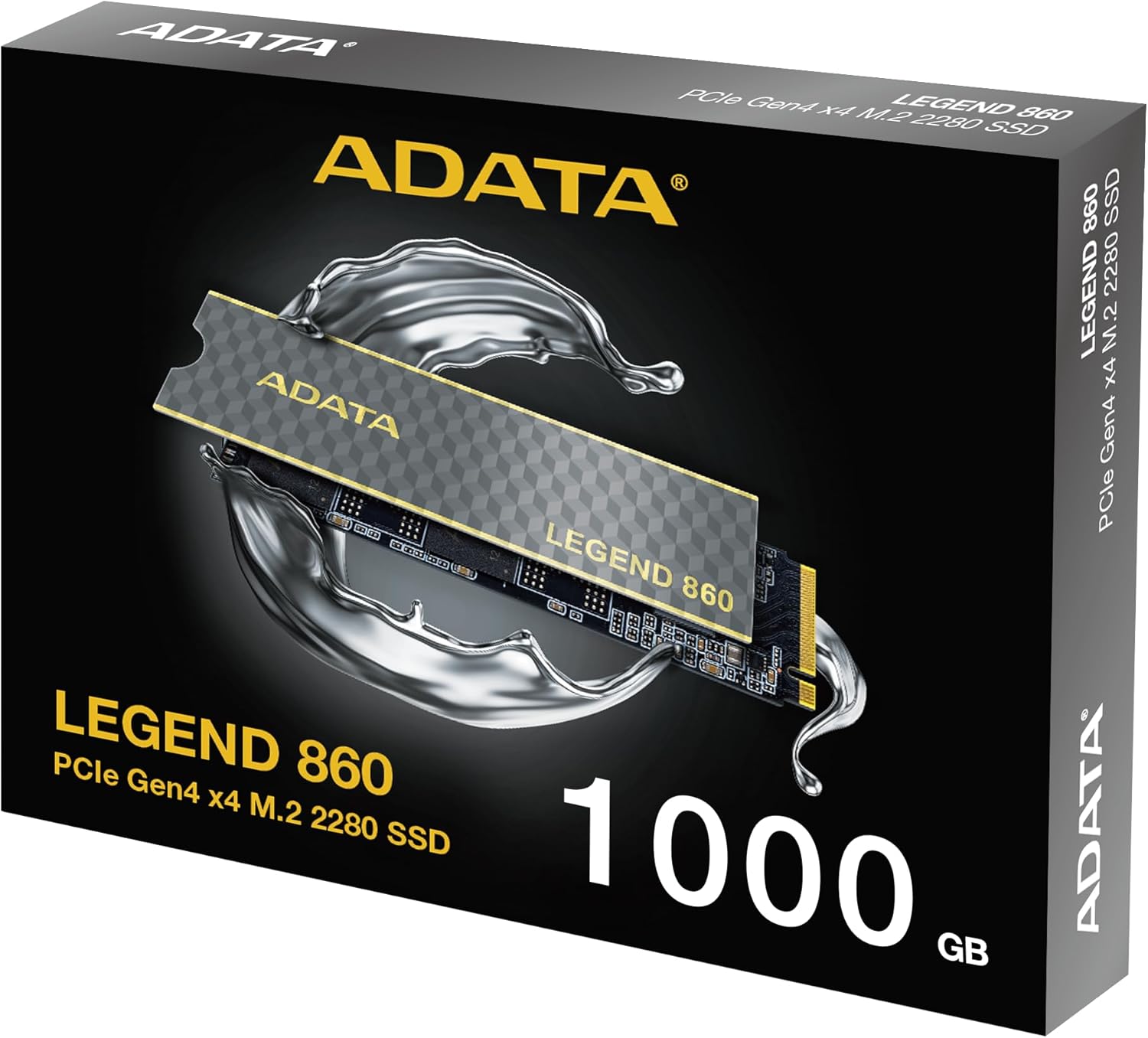
Figure 3: SSD installed in a desktop motherboard
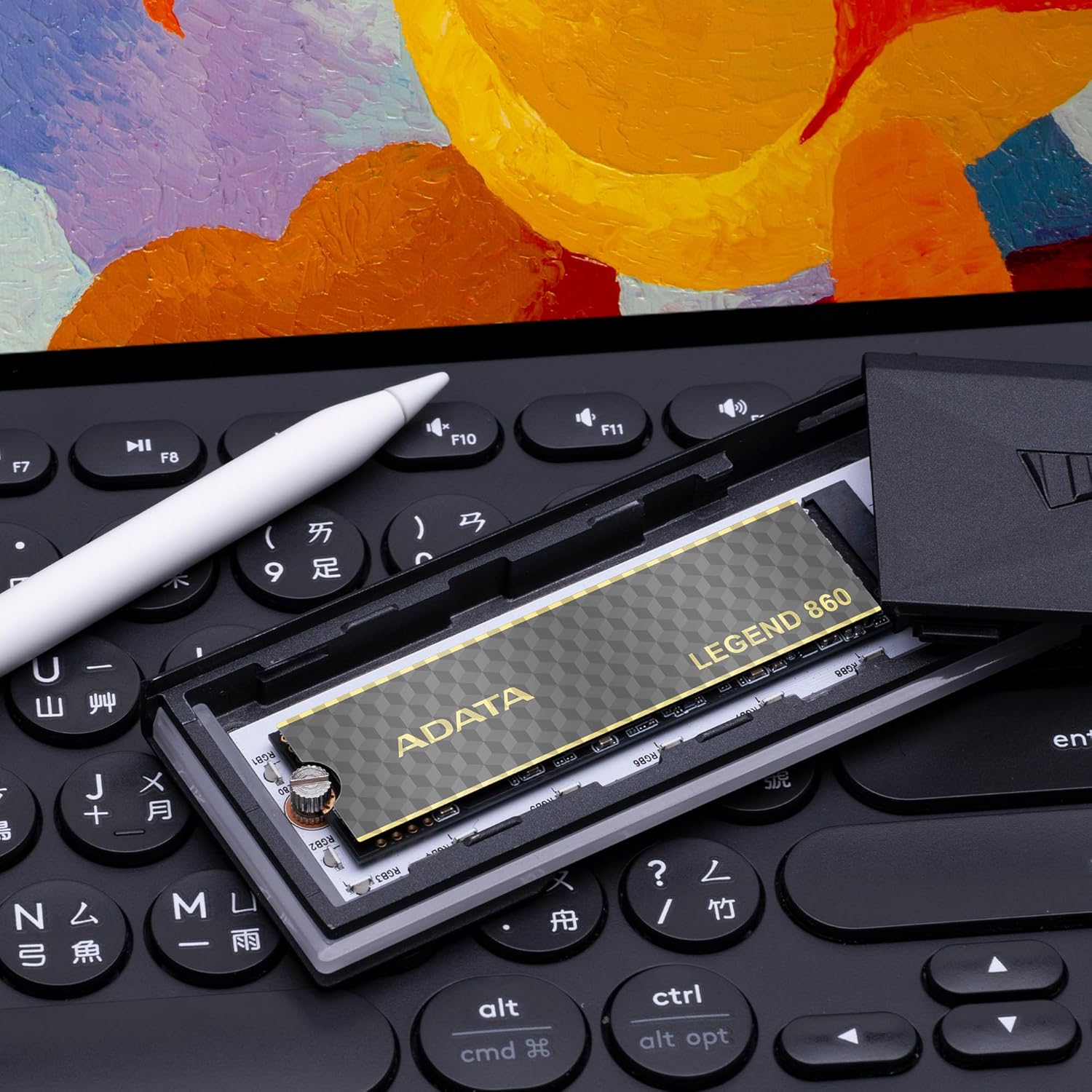
Figure 4: SSD installed in a PlayStation 5 console
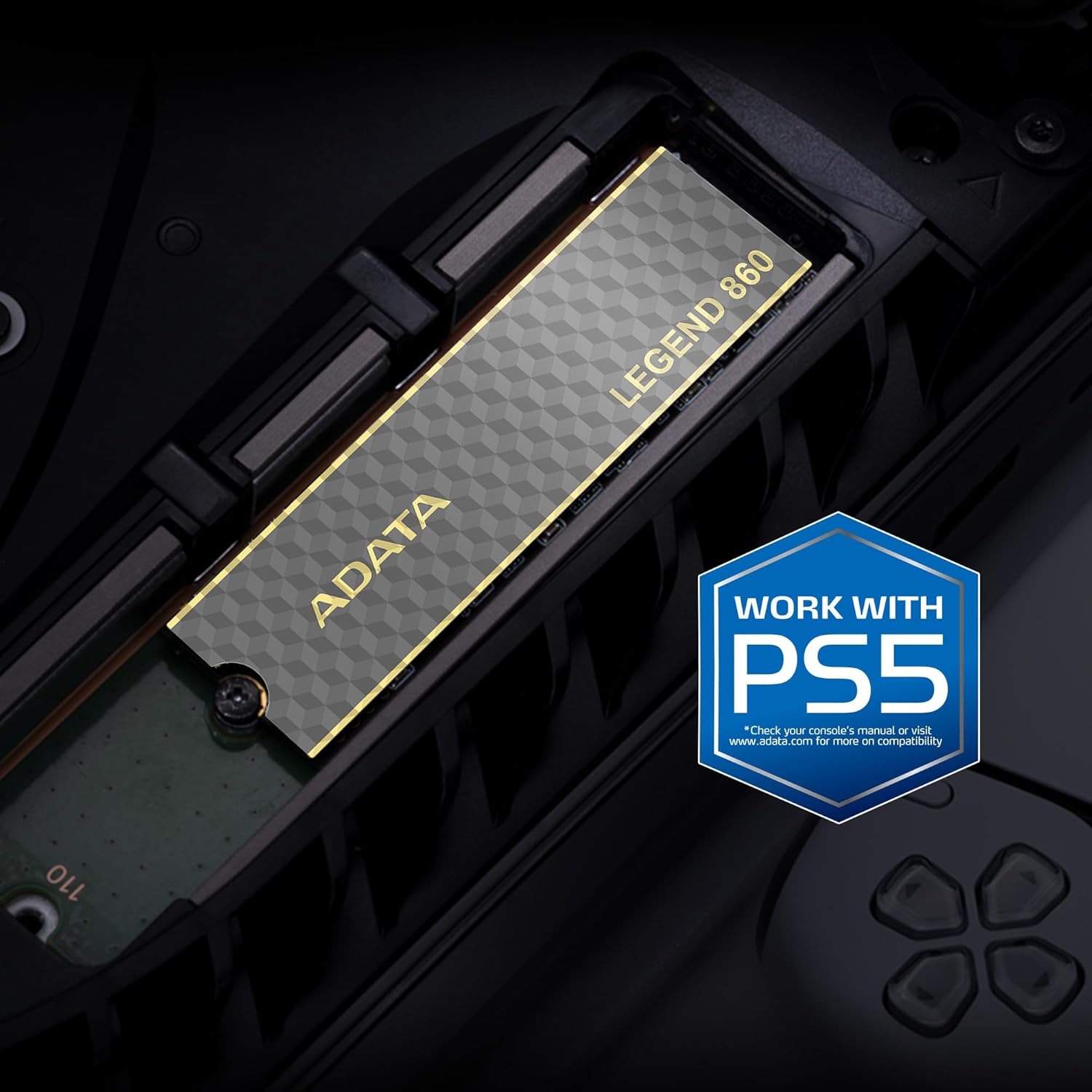
Figure 5: SSD installed in a laptop
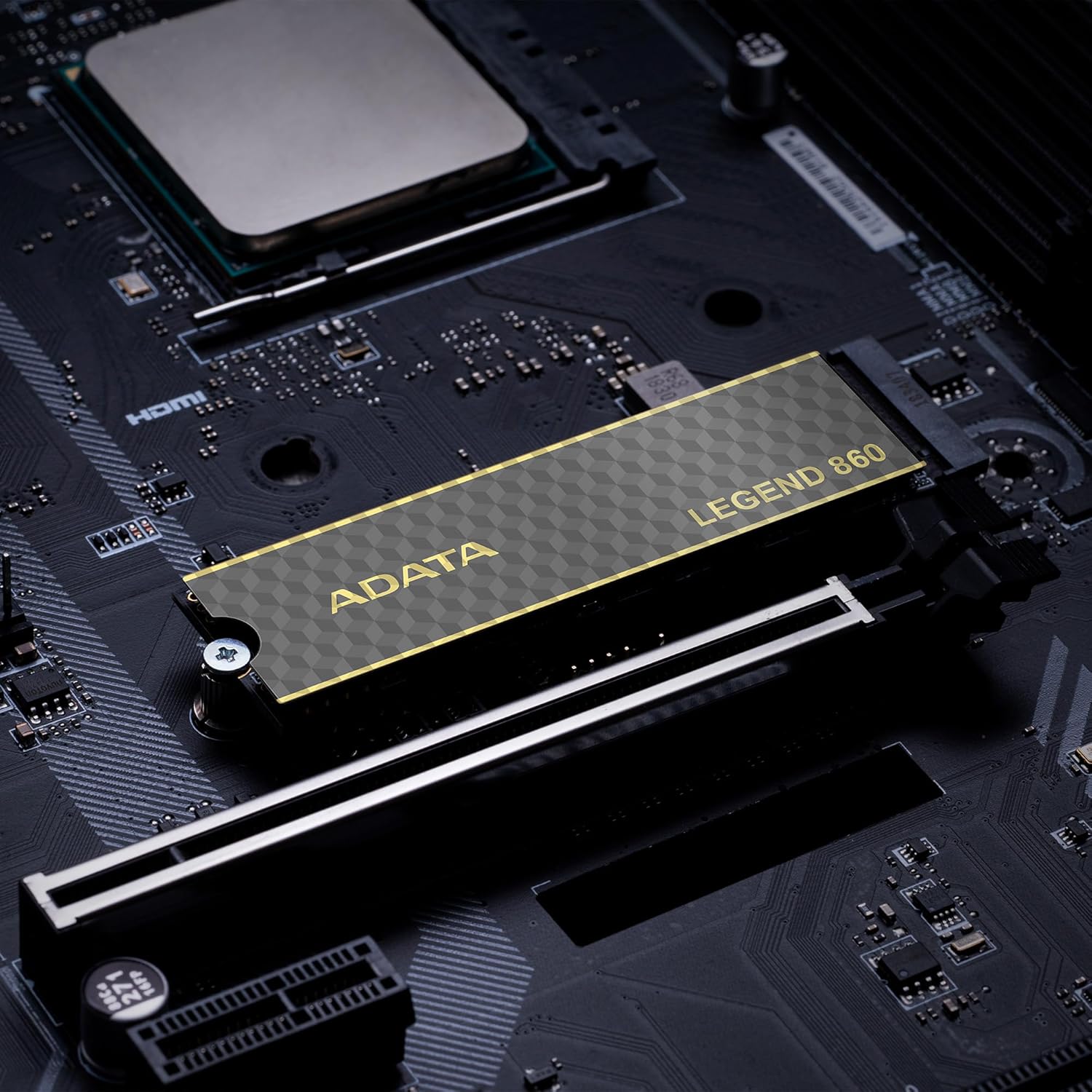
Figure 6: SSD in an external enclosure for portable use
6. Operacija
Once installed and formatted, your ADATA Legend 860 SSD will function as a high-speed storage device. You can use it for:
- Operacinės sistemos diskas: Install your operating system for faster boot times and overall system responsiveness.
- Gaming Library: Store your games to significantly reduce load times and improve gaming experience.
- Programų saugykla: Install demanding applications for quicker launch and operation.
- Duomenų saugykla: Use it for high-speed storage of large files, such as 4K videos, high-resolution images, and large project files.
For optimal performance, ensure your system's drivers and firmware are up to date.
7. Priežiūra
To maintain the performance and longevity of your ADATA Legend 860 SSD:
- Nuolat atnaujinkite programinę-aparatinę įrangą: Periodically check the ADATA official website for firmware updates for your SSD. Firmware updates can improve performance, stability, and compatibility.
- Venkite perpildymo: While SSDs perform well even when nearly full, leaving some free space (typically 10-15%) can help maintain optimal performance and extend lifespan.
- Įgalinti TRIM: Įsitikinkite, kad jūsų operacinėje sistemoje įjungta TRIM funkcija. TRIM padeda SSD diskui efektyviai valdyti atminties vietą, neleisdamas laikui bėgant pablogėti našumui. Daugumoje šiuolaikinių operacinių sistemų TRIM funkcija SSD diskams įjungta pagal numatytuosius nustatymus.
- Stebėkite sveikatą: Use SSD monitoring tools (often provided by ADATA or third-party software) to check the health and estimated lifespan of your drive.
- Įprastos atsarginės kopijos: Regularly back up important data to another storage device. While SSDs are reliable, no storage device is immune to failure.
8. Problemų sprendimas
If you encounter issues with your ADATA Legend 860 SSD, consider the following troubleshooting steps:
- SSD neaptiktas:
- Įsitikinkite, kad SSD diskas tinkamai įdėtas į M.2 lizdą.
- Check your system's BIOS/UEFI settings to confirm the M.2 slot is enabled and configured correctly.
- Verify that your motherboard or console supports NVMe PCIe Gen4 SSDs.
- Try the SSD in a different M.2 slot or a compatible external enclosure to rule out a motherboard issue.
- Lėtas našumas:
- Ensure your system's M.2 slot supports PCIe Gen4 speeds. If it's a Gen3 slot, the SSD will operate at Gen3 speeds.
- Check if TRIM is enabled (as mentioned in Maintenance).
- Ensure the SSD is not nearly full.
- Update your motherboard's chipset drivers and SSD firmware.
- Sistemos nestabilumas / gedimai:
- Ensure the SSD is properly secured and not overheating.
- Run a diagnostic tool to check the SSD's health.
- Check for system-wide issues (RAM, CPU, power supply).
If problems persist, contact ADATA customer support for further assistance.
9. Garantija ir palaikymas
The ADATA Legend 860 Solid State Drive typically comes with a manufacturer's warranty. Please refer to the official ADATA website or your product packaging for specific warranty terms and conditions, including the duration and coverage details.
For technical support, driver downloads, firmware updates, and additional product information, please visit the official ADATA support websvetainė: www.adata.com
Išsaugokite pirkimo įrodymą, kad galėtumėte kreiptis dėl garantijos.


