1. Įvadas
Welcome to the user manual for your new MageGee SKY87 75% Wireless Mechanical Keyboard. This keyboard is designed for versatility and performance, offering multiple connectivity options, customizable features, and a comfortable typing experience. Please read this manual carefully to ensure proper setup and optimal use of your device.

This image displays the MageGee SKY87 75% Wireless Mechanical Keyboard in its Gradient White Blue color scheme, showcasindėl kompaktiško išdėstymo ir RGB foninio apšvietimo.
2. Pakuotės turinys
Patikrinkite, ar jūsų siuntinyje yra visi toliau išvardyti daiktai:
- MageGee SKY87 75% Wireless Mechanical Keyboard
- USB-C į USB-A laidas
- 2.4GHz USB Receiver (stored in the keyboard's base)
- Klaviatūros traukiklis
- Jungiklio traukiklis
- Atsarginiai jungikliai (kiekis gali skirtis)
- Vartotojo vadovas (šis dokumentas)

This image shows the complete contents of the MageGee SKY87 keyboard package, including the keyboard, cables, tools, and documentation.
3. Savybės
The MageGee SKY87 keyboard boasts a range of features designed to enhance your typing and gaming experience:
- Kelių įrenginių ryšys: Supports BT5.0, 2.4GHz wireless, and USB wired modes, allowing connection to up to five devices simultaneously.
- Karšto keitimo dizainas: Easily replace 3-pin or 5-pin switches without soldering, enabling full customization of your typing feel. Comes with pre-lubed linear switches for smooth operation.
- RGB foninis apšvietimas: Features 18+ RGB backlight modes and a separate strip light, with N-key rollover for responsive gaming.
- Tarpiklio struktūra: Enhanced resilience and stability with an extended integrated silicone pad and PCB single key slotting, reducing hollow sounds.
- PBT klavišų dangteliai: Durable double-shot PBT keycaps ensure characters remain vibrant and do not fade over time.
- Didelės talpos baterija: Built-in 8000mAh rechargeable battery for extended wireless use.
- Kompaktiškas 75 % išdėstymas: 87 keys layout saves desktop space while retaining essential arrow keys and a number area.
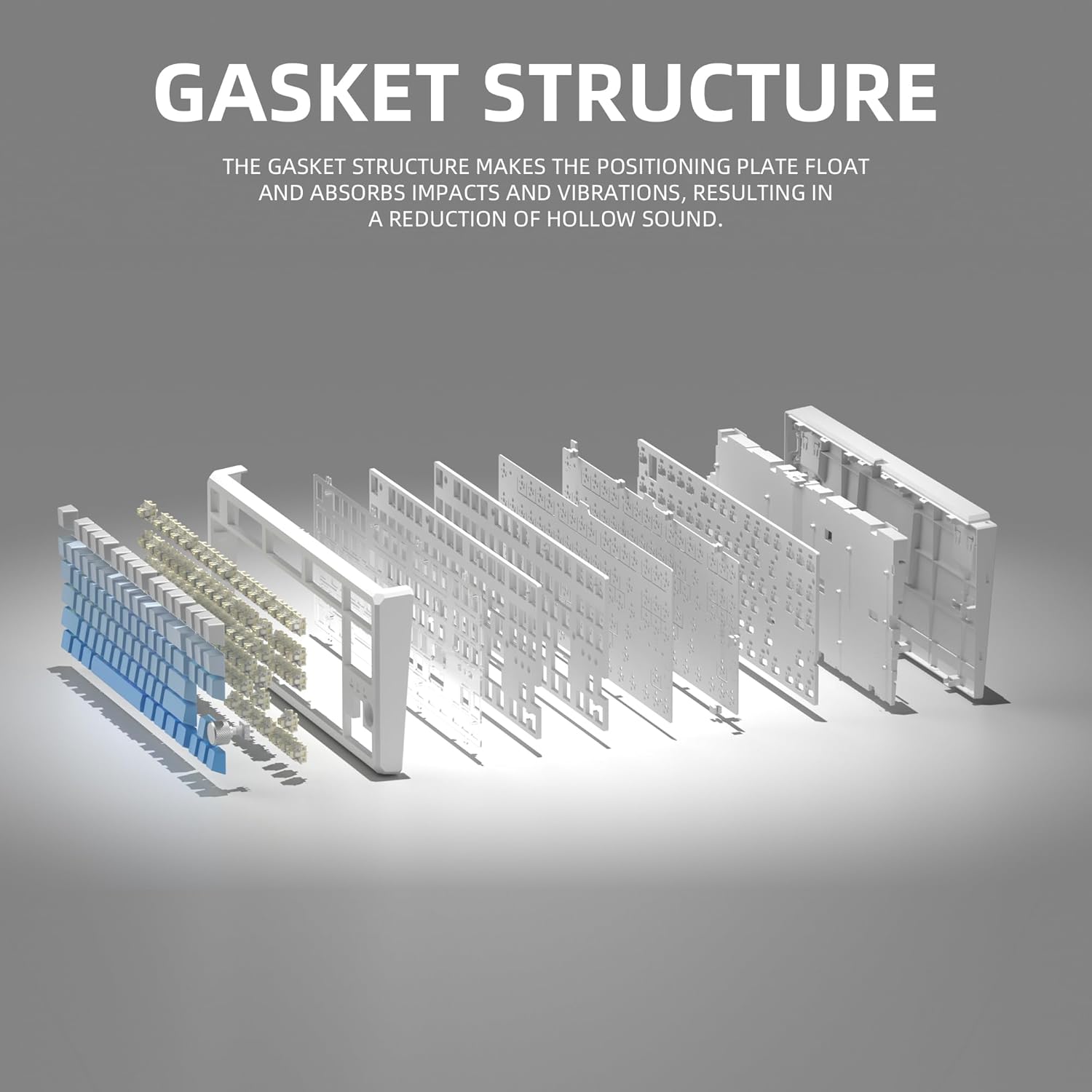
This image illustrates the internal gasket structure of the keyboard, highlighting its components that contribute to a softer and more elastic typing feel.

Sprogo view detailing the various layers and components that form the keyboard's gasket structure, including the top case, keycaps, switches, foam pads, and PCB board.
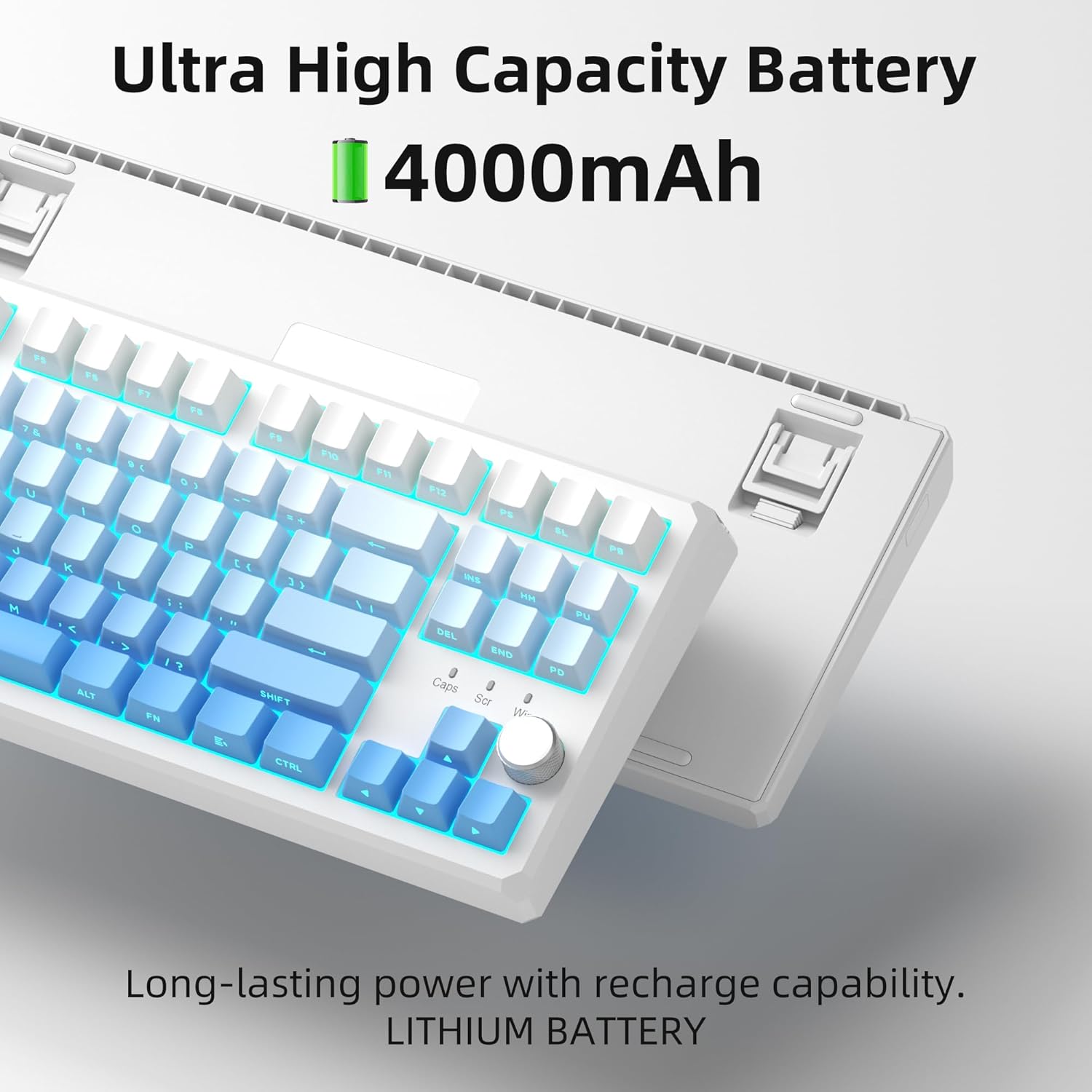
This image highlights the keyboard's internal battery, emphasizing its long-lasting power and rechargeable capability.
4. Sąranka
4.1 Ryšio režimai
The SKY87 keyboard supports three connection modes:
- 2.4 GHz belaidis režimas: For a stable, low-latency connection.
- „Bluetooth 5.0“ režimas: For connecting to multiple devices (up to 5) and easy switching.
- USB laidinis režimas: Tiesioginiam prijungimui ir įkrovimui.

This image visually explains the three available connection modes for the keyboard: 2.4GHz wireless, Type-C wired, and Bluetooth 5.1, showing how it connects to different devices like a laptop, monitor, and tablet.
4.2 Klaviatūros prijungimas
- 2.4 GHz belaidis ryšys:
- Locate the 2.4GHz USB receiver stored in the magnetic compartment on the back of the keyboard.
- Prijunkite imtuvą prie laisvo kompiuterio USB prievado.
- Ensure the keyboard is in 2.4GHz mode (refer to keyboard's mode switch, usually on the back or side).
- Klaviatūra turėtų automatiškai prisijungti.
- „Bluetooth“ ryšys:
- Turn on the keyboard and switch it to Bluetooth mode.
- On your device (PC, Mac, Xbox, tablet), enable Bluetooth and search for new devices.
- Select 'MageGee SKY87' from the list of available devices to pair.
- You can pair up to 5 Bluetooth devices and switch between them using specific FN key combinations (refer to keyboard's keycap legends or quick guide).
- USB laidinis jungtis:
- Connect the provided USB-C cable to the keyboard's USB-C port (located on the top edge).
- Kitą laido galą prijunkite prie kompiuterio USB-A prievado.
- Klaviatūra veiks laidiniu režimu ir bus kraunama vienu metu.
4.3 Klaviatūros kampo reguliavimas
Klaviatūra turi dvi raidestage adjustable feet on its underside, allowing you to set your preferred typing angle for ergonomic comfort.

This image shows the adjustable two-stage tripod feet on the underside of the keyboard, designed for ergonomic angle adjustment.
5. Naudojimo instrukcijos
5.1 RGB apšvietimo valdymas
The keyboard features a multi-function knob and dedicated keys for controlling the RGB backlighting:
- Pasukite rankenėlę: Turn left/right to adjust backlight brightness.
- Trumpas paspaudimo mygtukas: Press the knob to cycle through different RGB lighting modes (18+ modes available).
- FN Key Combinations: Use FN + specific keys (refer to keycap legends) to change lighting effects, speed, or color.

This image focuses on the multi-function knob located on the keyboard, indicating its role in controlling the brightness of the RGB lighting.
5.2 Karštuoju būdu keičiami jungikliai
The SKY87 keyboard allows for easy replacement of switches without soldering:
- Švelniai nuimkite esamą jungiklį, naudodami pateiktą jungiklio traukiklį.
- Suderinkite naujo 3 arba 5 kontaktų jungiklio kaiščius su PCB skylėmis.
- Press firmly until the switch clicks into place.
- Use the keycap puller to remove and replace keycaps as desired.

This image illustrates the hot-swappable sockets on the keyboard's PCB, demonstrating how switches can be easily inserted and removed, supporting both 3-pin and 5-pin switch types.

This image provides detailed specifications for the 'Blue Whale Switch', including its linear type, pre-travel, end force, tactile position, and total travel, along with a force curve graph.
5.3 Kelių įrenginių perjungimas
When in Bluetooth mode, you can quickly switch between paired devices using the designated FN key combinations (e.g., FN + 1, FN + 2, etc.). Refer to the keyboard's quick guide or keycap legends for specific combinations.
5.4 N-Key Rollover
The keyboard supports N-key rollover, meaning it can accurately register multiple simultaneous key presses. This feature is particularly beneficial for fast-paced gaming and touch typing.
5.5 Oficialūs produktų vaizdo įrašai
Video 5.1: SKY87 Bluetooth Keyboard Overview
Šis vaizdo įrašas suteikia pabaigąview of the SKY87 Bluetooth Keyboard, demonstrating its features, unboxing, and showcasing the typing sound and RGB lighting effects.
Video 5.2: SKY87 Side Printed PBT Keycaps Keyboard
This video offers a closer look at the SKY87 keyboard, focusing on its side-printed PBT keycaps and demonstrating the typing experience.
6. Priežiūra
To ensure the longevity and optimal performance of your MageGee SKY87 keyboard, follow these maintenance guidelines:
- Valymas: Regularly clean the keycaps and keyboard surface with a soft, dry cloth. For deeper cleaning, you can remove keycaps using the provided puller and use compressed air to clear debris from beneath.
- Jungiklio priežiūra: If replacing switches, handle them carefully to avoid bending the pins. Ensure switches are fully seated to prevent inconsistent key presses.
- Akumuliatoriaus priežiūra: Avoid fully discharging the battery frequently. For long-term storage, charge the keyboard to about 50% and store in a cool, dry place.
- Saugykla: When not in use, especially for extended periods, consider using a dust cover or the original packaging to protect the keyboard from dust and spills.
7. Problemų sprendimas
Jei kyla problemų dėl klaviatūros, vadovaukitės toliau pateiktais įprastais trikčių šalinimo veiksmais.
- Klaviatūra nereaguoja:
- Ensure the keyboard is charged. Connect it via USB-C cable.
- Check the connection mode switch (2.4G/BT/Wired) on the keyboard and ensure it matches your intended connection.
- For 2.4GHz, ensure the USB receiver is securely plugged in. Try a different USB port.
- For Bluetooth, ensure Bluetooth is enabled on your device and the keyboard is paired. Try re-pairing the device.
- Perkraukite kompiuterį / įrenginį.
- RGB apšvietimas neveikia / yra netinkamas:
- Įsitikinkite, kad klaviatūra įjungta.
- Rotate or short press the knob to adjust brightness or change lighting modes.
- Check if any FN key combinations have disabled the lighting.
- Neregistruojami raktai:
- If specific keys are not working, the switch might be faulty or not properly seated. Use the switch puller to remove and re-insert the switch.
- Įsitikinkite, kad po klaviatūros dangteliu ar jungikliu nėra jokių šiukšlių.
- Connectivity Issues (Lag/Disconnections):
- For wireless modes, ensure there are no strong interferences (e.g., other 2.4GHz devices, large metal objects) between the keyboard and receiver/device.
- Priartėkite prie imtuvo / įrenginio.
- Įsitikinkite, kad klaviatūros baterija nėra išsikrovusi.
If the issue persists after trying these steps, please contact MageGee customer support for further assistance.
8. Specifikacijos
| Funkcija | Detalė |
|---|---|
| Prekės ženklas | MageGee |
| Modelis | SKY87 |
| Ryšio technologija | 2.4G belaidis ryšys, „Bluetooth 5.0“, USB-C laidinis ryšys |
| Klaviatūros išdėstymas | 75% (87 Keys), QWERTY |
| Jungiklio tipas | Linear (Hot-swappable 3-pin/5-pin) |
| Keycap medžiaga | Dvigubo šūvio PBT |
| Foninis apšvietimas | RGB (18+ modes) |
| Baterijos talpa | 8000 mAh (įkraunamas) |
| Suderinami įrenginiai | PC, Xbox, MAC |
| Prekės svoris | 2 svaro |
| Pakuotės matmenys | 13 x 13 x 1 colio |
| Gamintojas | MAGEGEE |
| Pirmas prieinamas | 31 m. spalio 2024 d |
9. Garantija ir palaikymas
Your MageGee SKY87 Mechanical Keyboard comes with a 1 metų garantija nuo pirkimo datos.
Ši garantija taikoma gamybos defektams ir problemoms, kylančioms dėl įprasto naudojimo. Ji netaikoma žalai, atsiradusiai dėl netinkamo naudojimo, nelaimingų atsitikimų, neleistinų modifikacijų ar netinkamos priežiūros.
For warranty claims, technical support, or any questions regarding your product, please contact MageGee customer support. You can typically find contact information on the manufacturer's official websvetainėje arba per pirkimo vietą.
MageGee aims to respond to inquiries within 12 hours and provide satisfactory solutions.


