Įvadas
This manual provides detailed instructions for the installation, operation, and maintenance of your ARENTI OP1 Wired Outdoor Security Camera. Please read this manual thoroughly before using the product to ensure proper function and safety. The ARENTI OP1 is designed for comprehensive outdoor surveillance, offering 2K 4MP resolution, 360° PTZ capabilities, and intelligent motion tracking for enhanced home security.
Pakuotės turinys
Patikrinkite, ar pakuotėje yra visi toliau išvardyti daiktai:
- Fotoaparatas x1
- Maitinimo adapteris x1
- C tipo kabelis x1
- Laikiklis x1
- Varžtų paketas x1
- Trumpas vadovas x1
- Silicone plug for power cable x1
Produkto savybės
24 Hour 360° Surveillance
The ARENTI OP1 PTZ camera offers automated patrol during pre-set periods and within customized activity zones. It intelligently tracks suspicious motion on your property, serving as a vigilant security guard day and night. Manual pan, tilt, and zoom control are also available via the phone application.

Image: The ARENTI OP1 camera demonstrating its 360-degree pan and tilt capabilities, showing a wide surveillance area.
2K 4MP Resolution & Night Vision
Equipped with 4 million pixels and 2K resolution, a starlight CMOS sensor, 3000K warm light, and two 850nm infrared LEDs, the ARENTI OP1 provides clear color night vision and accurate motion detection alerts even in complete darkness. The 8X digital zoom allows for detailed viewing, such as car license plates.

Image: The ARENTI OP1 camera alongside a smartphone screen, highlighting its 4MP resolution for clear image capture.
Išmanusis aptikimas
The camera offers free motion and sound detection, along with advanced intelligent alerts that distinguish between people, pets, vehicles, and other motion events. Instant notifications are sent to your phone upon detection.

Image: An illustration showing the camera's AI-powered detection capabilities, accurately identifying and highlighting human figures in a scene.
Dviejų dažnių „Wi-Fi“ ryšys
The ARENTI OP1 supports both 5GHz and 2.4GHz Wi-Fi bands, ensuring less buffering and faster response times when accessing live video via Alexa or Google Assistant. 2.4GHz offers a longer connection distance, while 5GHz provides faster speeds.

Image: The ARENTI OP1 camera with an overlay indicating its support for both 2.4GHz and 5GHz dual-band Wi-Fi for stable streaming.
Dvipusis garsas
Communicate directly through the camera with its two-way audio feature. Hear and speak from anywhere using the connected phone application.

Image: A visual representation of the camera's two-way audio function, showing a user speaking to a delivery person through the device.
IP65 vandeniui atsparus dizainas
The camera boasts an IP65 waterproof rating, ensuring reliable operation in various weather conditions, from -4°F to 122°F (-20°C to 50°C). It is designed to withstand heavy rain, snow, ice, and dust.

Image: The ARENTI OP1 camera shown in a rainy environment, emphasizing its IP65 waterproof and weather-resistant design.
Triple Alarm System
Your 24/7 security guard features an audible alert, visual deterrent (spotlights), and instant notifications to your phone, providing a comprehensive triple alarm system.

Image: A smartphone screen displaying the ARENTI OP1 app interface, illustrating the audible alert, visual deterrent, and instant notification features of the triple alarm system.
No Hidden Monthly Fee
The camera includes free cloud service for 7-day loop 6-second event recording. Motion, human, and sound detection features are free to use. You can share camera access with family or friends without limitations, and sharing can be canceled at any time. Local storage via an SD card up to 256GB (not included) is also supported to protect your private data.
Išmaniųjų namų integracija
The ARENTI OP1 is compatible with Amazon Alexa and Google Assistant, allowing for voice control and seamless integration into your smart home ecosystem.
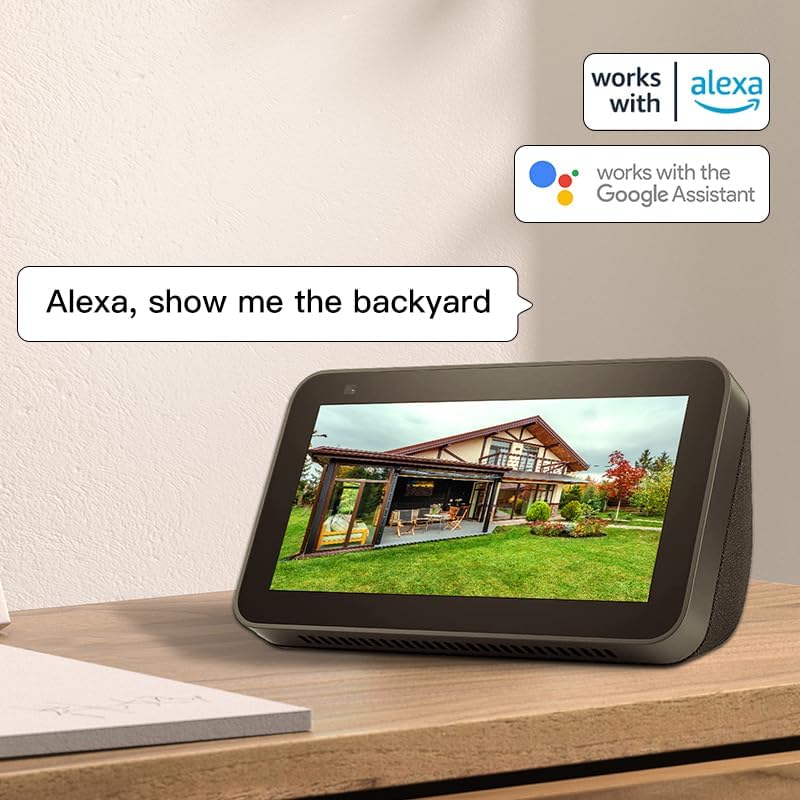
Image: A smart display showing live camera feed, indicating compatibility with Amazon Alexa and Google Assistant for voice commands.
Sąranka
Fizinis montavimas
The camera comes with all necessary mounting hardware, including a bracket and screws, for easy installation on walls, eaves, fences, or other suitable surfaces. Ensure the camera is mounted securely in a location that provides the desired viewing angle and optimal Wi-Fi signal.

Image: A diagram illustrating the steps for mounting the camera to a wall or surface using the provided bracket and screws.
Programos konfigūracija
Download the ARENTI app from your device's app store. Follow the in-app instructions to add your new camera. During setup, ensure your device is connected to a 2.4GHz Wi-Fi network, as the camera primarily connects to this frequency for optimal range and stability. Hold the RESET button on your device for 4-5 seconds until the LED indicator flashes red to initiate pairing mode.

Image: Screenshots of the ARENTI mobile application, guiding the user through the process of adding a new camera device.
Naudojimo instrukcijos
Tiesiogiai View ir PTZ valdymas
Access the live feed through the ARENTI app. Use the on-screen controls to pan the camera horizontally up to 355 degrees and tilt vertically up to 90 degrees, allowing you to cover a wide area. The 8x digital zoom can be used to focus on specific details.
Judesio aptikimo nustatymai
Customize motion detection sensitivity (levels 1-10) to minimize false alarms. Enable automatic sensitivity correction for dynamic adjustments. Set specific alert plans and define humanoid alarm areas for precise monitoring.
Naktinio matymo režimai
The camera supports both infrared night vision (black and white) and full-color night vision using its integrated spotlights. Select the mode that best suits your surveillance needs in low-light conditions.
Garso nustatymai
Enable or disable the microphone and voice recording. Adjust speaker volume for two-way audio communication. Ensure full duplex audio is enabled for clear two-way conversations.
Įrašų valdymas
The camera supports continuous recording to a local SD card (up to 256GB, not included) or event-based recording to the free 7-day loop cloud service. Review įrašytas footage through the app's history or album sections.
Priežiūra
To ensure optimal performance and longevity of your ARENTI OP1 camera, regular maintenance is recommended:
- Valymas: Periodiškai nuvalykite fotoaparato objektyvą ir korpusą minkšta,amp cloth to remove dust, dirt, or water spots. Avoid using harsh chemicals or abrasive materials that could damage the surface.
- Maitinimas: As a wired camera, ensure the power adapter and Type-C cable connections are secure and free from damage. The included silicone plug helps protect the power cable connection from environmental elements.
- Firmware atnaujinimai: Check the ARENTI app regularly for available firmware updates. Keeping the camera's firmware updated ensures access to the latest features, security enhancements, and bug fixes.
- Aplinkos apsauga: While the camera is IP65 waterproof, extreme weather conditions can still impact performance. Ensure the camera is mounted securely to withstand strong winds and that its position minimizes direct exposure to prolonged heavy precipitation if possible.
Trikčių šalinimas
If you encounter issues with your ARENTI OP1 camera, refer to the following common troubleshooting steps:
- Nėra maitinimo / neprisijungus:
- Check if the power adapter is securely connected to the camera and a working power outlet.
- Ensure the Type-C cable is not damaged.
- Įsitikinkite, kad jūsų „Wi-Fi“ tinklas yra aktyvus ir stabilus.
- If the camera is offline, try restarting it by unplugging and re-plugging the power.
- Prasta vaizdo kokybė:
- Įsitikinkite, kad kameros objektyvas yra švarus ir be jokių kliūčių.
- Patikrinkite „Wi-Fi“ signalo stiprumą kameros vietoje. Silpnas signalas gali paveikti transliacijos kokybę.
- Verify that the camera's resolution settings in the app are set to 2K 4MP.
- Dažni klaidingi aliarmai:
- Programėlėje sumažinkite judesio aptikimo jautrumą.
- Define specific activity zones to exclude areas with frequent irrelevant motion (e.g., moving trees, street traffic).
- Dvipusio garso problemos:
- Ensure the microphone and speaker options are enabled in the app's sound settings.
- Check the speaker volume level in the app.
- Verify that there are no physical obstructions blocking the microphone or speaker on the camera.
- Nepavyksta prisijungti prie „Wi-Fi“:
- Confirm your router is broadcasting a 2.4GHz Wi-Fi signal. The camera does not support 5GHz for initial connection.
- Įsitikinkite, kad įvedėte teisingą „Wi-Fi“ slaptažodį.
- Move the camera closer to the router during the initial setup process.
- Perform a factory reset on the camera (refer to the app setup section for instructions).
Specifikacijos
| Funkcija | Detalė |
|---|---|
| Modelis | OP1 |
| Rezoliucija | 2K 4MP |
| PTZ kampas | 355°, pakreipimas 90° |
| Skaitmeninis priartinimas | 8X |
| Naktinis matymas | Color Night Vision, Infrared Night Vision (32.8 Feet) |
| Ryšys | 5GHz/2.4GHz Wi-Fi (Wired Power) |
| Sandėliavimas | Cloud Storage (7-day loop 6 sec event), SD Card (up to 256GB) |
| Garsas | Dvipusis garsas |
| Atsparumas oro sąlygoms | IP65 Atsparus vandeniui |
| Darbinė temperatūra | -4°F iki 122°F (nuo -20°C iki 50°C) |
| Maitinimo šaltinis | Laidinis elektrinis (5 voltų nuolatinė srovė, 2.5 vatų) |
| Matmenys (I x P x A) | 5.94 x 4.8 x 8.52 colio |
| Prekės svoris | 1.46 svaro |
Garantija ir palaikymas
ARENTI provides a standard manufacturer's warranty for this product. For detailed warranty information, technical support, or service inquiries, please refer to the official ARENTI websvetainėje arba susisiekite tiesiogiai su jų klientų aptarnavimo tarnyba. Išsaugokite pirkimo kvitą kaip pirkimo įrodymą garantijos pretenzijoms.
Aplankykite ARENTI parduotuvė Norėdami gauti daugiau informacijos.


