1. Įvadas
This manual provides essential instructions for the setup, operation, and maintenance of your GOBOULT Drift+ Smart Watch. Please read this guide thoroughly to ensure proper use and to maximize the device's features.

Image 1.1: The GOBOULT Drift+ Smart Watch.
The GOBOULT Drift+ Smart Watch features a 1.85-inch HD display, Bluetooth calling capabilities, IP68 water resistance, and comprehensive health monitoring functions.

1.2 vaizdas: Baigtaview of GOBOULT Drift+ Smart Watch features.
2. Kas yra dėžutėje
Patikrinkite, ar jūsų gaminio pakuotėje yra visi šie elementai:
- GOBOULT Drift+ Smart Watch
- Įkrovimo kabelis
- Vartotojo vadovas (šis dokumentas)
- Garantijos kortelė
3. Sąranka
3.1 Pradinis įkrovimas
Before first use, fully charge your GOBOULT Drift+ Smart Watch. Connect the provided charging cable to the charging port on the back of the watch and to a standard USB power adapter (not included). The watch typically takes approximately 2.5 hours to fully charge.

Image 3.1: Charging the GOBOULT Drift+ Smart Watch.
3.2 Susiejimas su išmaniuoju telefonu
- Download the official GOBOULT application from your smartphone's app store (compatible with iOS and Android).
- Įsitikinkite, kad jūsų išmaniajame telefone įjungtas „Bluetooth“.
- Open the GOBOULT app and follow the on-screen instructions to create an account or log in.
- Select 'Add Device' or a similar option within the app and choose 'Drift+' from the list of available devices.
- Patvirtinkite susiejimo užklausą ir išmaniajame telefone, ir išmaniajame laikrodyje.
4. Naudojimo instrukcijos
4.1 Pagrindinė navigacija
The GOBOULT Drift+ Smart Watch features a 1.85-inch HD touchscreen display. Swipe left, right, up, or down to navigate through menus and functions. Press the side button to return to the home screen or access the app list.
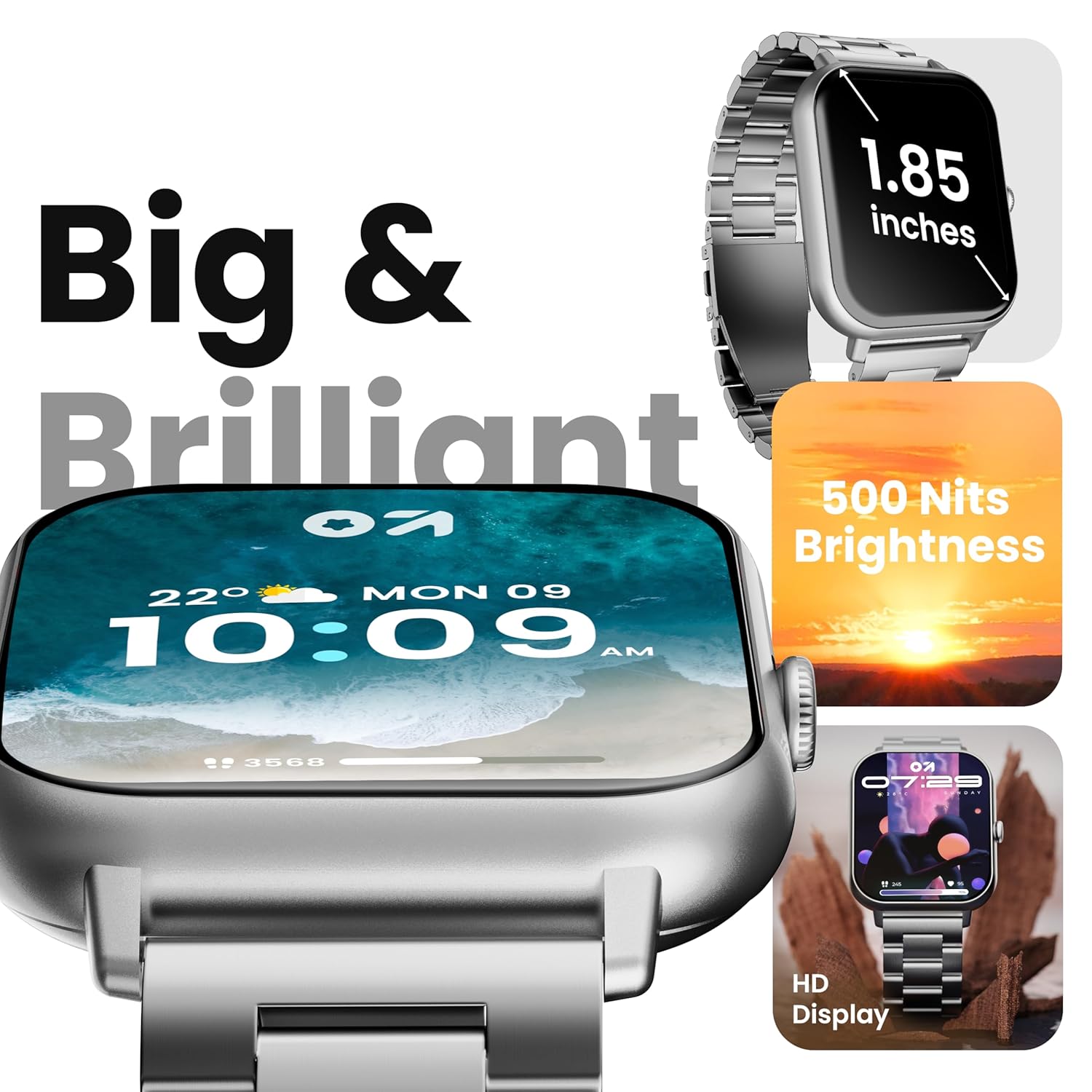
Image 4.1: The 1.85-inch HD display of the smart watch.
4.2 Bluetooth skambučiai
Once paired with your smartphone, the Drift+ Smart Watch allows you to make and receive calls directly from your wrist. The watch is equipped with a built-in speaker and microphone for clear audio communication.
- Atsiliepimas į skambučius: Kai skambinate, laikrodžio ekrane palieskite žalią atsiliepimo piktogramą.
- Skambinimas: Access the dialer or contacts through the watch menu to initiate a call.

Image 4.2: Bluetooth calling feature in use.
4.3 Laikrodžio ciferblatų pritaikymas
The watch supports over 150 cloud-based watch faces and custom watch face options. To change your watch face:
- Long-press on the current watch face on your watch.
- Swipe left or right to browse pre-installed watch faces.
- For more options, open the GOBOULT app on your smartphone and navigate to the 'Watch Faces' section to download and apply new designs.

Image 4.3: Customizing watch faces.
4.4 sporto režimų
The GOBOULT Drift+ offers over 100 sports modes to track various physical activities. To access and use sports modes:
- From the watch's main menu, select the 'Sports' or 'Workout' icon.
- Choose your desired activity from the list (e.g., running, cycling, walking).
- Palieskite, kad pradėtumėte stebėjimą. Laikrodis įrašys tokius duomenis kaip žingsniai, atstumas, sudegintos kalorijos ir širdies ritmas.
- To end a workout, swipe right or press the side button and select 'End'.

Image 4.4: Tracking activities with sports modes.
4.5 Sveikatos stebėjimas
The watch provides comprehensive health insights, including:
- Širdies ritmo stebėjimas visą parą: Nuolat seka jūsų širdies ritmą.
- SpO2 Blood Oxygen Tracking: Matuoja kraujo prisotinimo deguonimi lygį.
- Kraujo spaudimo stebėjimas: Pateikia apytikslius kraujospūdžio rodmenis.
- Moterų menstruacinio ciklo stebėjimas: Padeda sekti ir prognozuoti menstruacinius ciklus.
- Priminimai gerti vandenį: Ragina jus palaikyti skysčių vartojimą.
- Priminimai apie sėdimą darbą: Encourages movement after periods of inactivity.
Access these features through the health menu on the watch or view detailed data in the GOBOULT app.

Image 4.5: Health monitoring features.
4.6 Dirbtinio intelekto balso asistentas
Activate the AI voice assistant on your watch for hands-free assistance. This feature allows you to perform tasks, ask questions, and control certain functions using voice commands. Ensure your watch is connected to your smartphone for full functionality.
4.7 Išmanieji pranešimai
Receive notifications from your favorite social apps, messages, and calls directly on your watch. Configure notification settings within the GOBOULT app on your smartphone.
5. Priežiūra
5.1 Atsparumas vandeniui
The GOBOULT Drift+ Smart Watch is IP68 water resistant, meaning it is protected against dust and can withstand immersion in water up to 1.5 meters for up to 30 minutes. It is suitable for daily use, such as hand washing or light rain exposure. However, it is not recommended for swimming, diving, or exposure to hot water/steam.

5.1 pav.: IP68 atsparumas vandeniui.
5.2 Valymas
To clean your smart watch, gently wipe the screen and strap with a soft, damp, lint-free cloth. Avoid using harsh chemicals or abrasive materials, as these can damage the device.
5.3 Akumuliatoriaus priežiūra
Norėdami pailginti baterijos veikimo laiką:
- Venkite ekstremalių temperatūrų.
- Reguliariai kraukite laikrodį, tačiau nepalikite jo ilgam laikui visiškai įkrauto arba visiškai išsikrovusio.
- Reduce screen brightness and disable unnecessary features when not in use.
The watch offers up to 7 days of battery life in regular mode, 2-3 days with heavy Bluetooth calling, and an impressive 25 days in standby mode.
6. Problemų sprendimas
| problema | Galimas sprendimas |
|---|---|
| Laikrodis neįsijungia | Įsitikinkite, kad laikrodis yra visiškai įkrautas. Prijunkite jį prie įkroviklio bent 30 minučių. |
| Nepavyksta susieti su išmaniuoju telefonu | Check if Bluetooth is enabled on your phone. Restart both the watch and phone. Ensure the GOBOULT app is updated. |
| „Bluetooth“ skambučiai neveikia | Verify that the watch is properly connected for both media and call audio in your phone's Bluetooth settings. Check app permissions. |
| Netikslūs sveikatos duomenys | Ensure the watch is worn snugly on your wrist, not too tight or too loose. Clean the sensors on the back of the watch. Note that smart watch data is for reference and not for medical diagnosis. |
| Trumpas baterijos veikimo laikas | Reduce screen brightness, disable 'Always-On Display' if active, limit frequent heart rate monitoring, and turn off unnecessary notifications. |
7. Specifikacijos
| Funkcija | Detalė |
|---|---|
| Modelio pavadinimas | Drift+ |
| Ekrano dydis | 1.85 colių HD |
| Ryškumas | 500 nitų |
| Atsparumas vandeniui | IP68 |
| Belaidis tipas | Bluetooth 5.1 |
| Operacinės sistemos suderinamumas | iOS, Android |
| Baterijos tipas | Ličio polimeras |
| Akumuliatoriaus įkrovimo laikas | apytiksliai 2.5 valandos |
| Įprastas naudojimas Baterijos veikimo laikas | Iki 7 dienų |
| Heavy Usage (BT Calling) Battery Life | 2-3 dienų |
| Budėjimo laikas | Iki 25 dienų |
| Prekės svoris | 38 g |
| Įtraukti komponentai | Smart Watch, Charging Cable, User Manual, Warranty Card |
8. Garantija ir palaikymas
Your GOBOULT Drift+ Smart Watch comes with a manufacturer's warranty. Please refer to the included Warranty Card for detailed terms and conditions, including warranty period and coverage.
For technical support, service, or further inquiries, please visit the official GOBOULT website or contact customer service using the information provided on your Warranty Card or the product packaging.
Manufacturer: Exotic Mile Private Limited, Boult Audio, B-67 Wazirpur Industrial Area, New Delhi 110052, India.


